

Aqara Motion Sensor RTCGQ11LM: Zigbee2MQTT + Home Assistant Guide
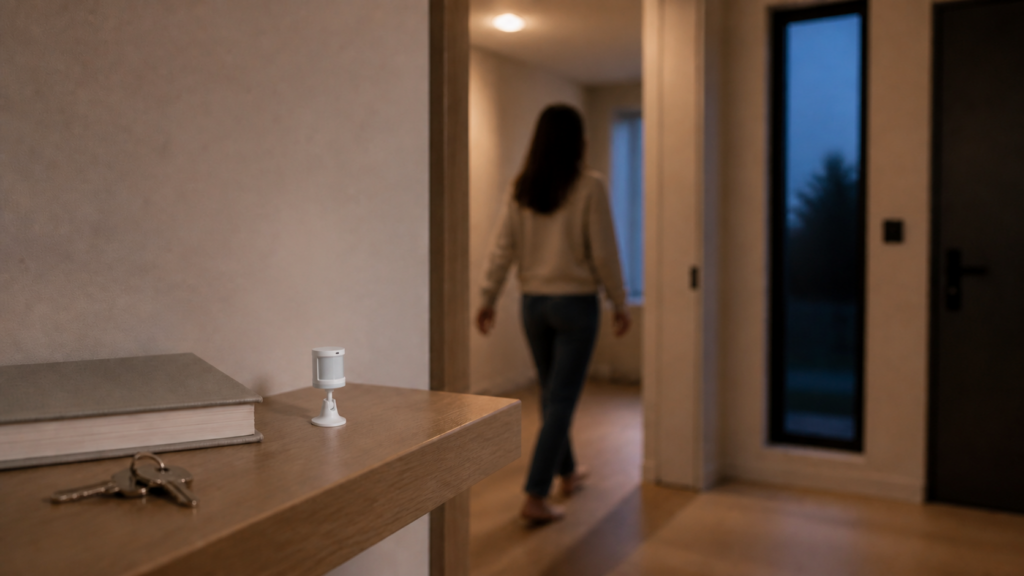
The RTCGQ11LM is the original Aqara motion sensor, the small round white puck that takes a CR2450 coin cell and clips to a wall or sits on a shelf. Aqara sold it actively from around 2016 through 2022, and there are millions of them still in service. I have a few scattered around my own setup.
The good news: it pairs directly to Zigbee2MQTT without the Aqara hub, with no Aqara app account and no cloud dependency. The less-good news is that there are several known quirks: a hardware-enforced 60-second occupancy lockout, a battery reporting regression tied to recent Z-Stack coordinator firmware, and an entity rename that broke automations for a lot of people after Z2M 2.0. This guide covers all of them.
For the broader context of running Aqara Zigbee devices without the hub, see our pillar guide on Aqara Zigbee devices in Home Assistant without a hub.
Does the Aqara RTCGQ11LM work without the Aqara hub?
Yes. The RTCGQ11LM speaks Zigbee and pairs to any standard Zigbee coordinator running Zigbee2MQTT. You don’t need an Aqara hub, an Aqara Home account, or the Mi Home app.
After pairing, all sensor data flows locally, from coordinator to Z2M to Home Assistant over MQTT. The sensor has no cloud dependency of its own. The only network activity is Zigbee RF between the sensor and your coordinator.
What you need
- A Zigbee coordinator. The Sonoff ZBDongle-E (Silicon Labs EFR32) or ZBDongle-P (Texas Instruments CC2652) both work reliably with Xiaomi/Aqara devices. If you’re on an older CC2531 stick, it will work but may require a Z2M restart after reinserting the USB stick if pairing stalls.
- Zigbee2MQTT 2.0 or later. If you’re on an older version, the entity names documented here may differ.
- Home Assistant with the Zigbee2MQTT integration configured (MQTT broker already running).
One coordinator note: if you’re on ZBDongle-P with Z-Stack coordinator firmware version 20240710, read the known issues section below before pairing. There’s a battery and temperature reporting regression on that firmware version.
Pairing the RTCGQ11LM to Zigbee2MQTT
Enable permit join in Z2M (either via the web UI or a temporary permit_join: true in your Z2M config).
Then pair the sensor:
- Locate the small pinhole on the side of the device. That’s the reset button.
- Hold the reset button for approximately 5 seconds. The blue LED should blink to indicate it’s entered pairing mode.
- If the 5-second hold doesn’t trigger pairing, try a single brief press instead. Some unit batches respond differently. I had one that flatly ignored long-presses and only joined on a short tap.
- Z2M should detect the device within a few seconds. You’ll see it appear in the Z2M devices list as
Aqara motion and illuminance sensorwith modelRTCGQ11LM.
If you’re on CC2531 and pairing times out, restart Z2M (not the coordinator, just the Z2M service) and try again without re-inserting the USB stick.
After pairing, disable permit join.
Entity inventory in Home Assistant
Once paired, the RTCGQ11LM exposes six entities in Home Assistant:
| Entity | Type | Notes |
|---|---|---|
occupancy |
binary_sensor | on = motion detected |
illuminance |
sensor | lux value |
battery |
sensor | percentage |
voltage |
sensor | millivolts |
device_temperature |
sensor | °C, internal chip temp |
power_outage_count |
sensor | counts power interruptions |
One naming change to know about: before Z2M 2.0, the illuminance entity was called illuminance_lux. The rename to illuminance happened in the Z2M 2.0 release. If your automations or template sensors still reference sensor.<device>_illuminance_lux, they will silently stop working. Update them to sensor.<device>_illuminance.
device_temperature reflects the internal temperature of the sensor chip, not ambient room temperature. It typically reads several degrees above room temperature due to self-heating. Don’t use it as a room thermometer.
power_outage_count increments whenever the battery is removed and reinserted. Useful for detecting accidental battery pulls; ignore it otherwise.
The 60-second lockout: what it is and what to do about it
This is the most commonly misunderstood aspect of the RTCGQ11LM.
After the sensor detects motion, it enters a lockout period of exactly 60 seconds during which it ignores all further movement. This is hardware-enforced on the device itself, and it cannot be changed via Z2M or HA configuration. Setting occupancy_timeout in Z2M to a value lower than 60 has no practical effect on this lockout window.
What occupancy_timeout actually controls is how long Z2M waits after the last occupancy report before it synthetically sets occupancy to false. The default is 90 seconds. You can lower it to 60 (matching the hardware lockout), but going below 60 doesn’t get you faster “no motion” detection in practice, because the sensor won’t send another motion event until its own 60-second window has cleared.
The practical consequence: in a scenario where someone walks through a room and leaves, your automations will see “occupancy on” followed by “occupancy off” no sooner than 60 seconds later, regardless of how you configure Z2M. For most lighting automations that’s fine. For high-sensitivity presence detection, it isn’t.
The cleanest workaround I’ve found is to use Z2M’s no_occupancy_since configuration instead of relying on the occupancy false event. You set no_occupancy_since to a list of intervals (in seconds), and Z2M fires a separate event at each interval after the last motion detection. This lets you trigger “lights off if no motion in 5 minutes” without depending on the occupancy binary sensor clearing.
Example Z2M device options (in the device config block or Z2M device settings UI):
no_occupancy_since:
  - 300   # 5 minutes
  - 600   # 10 minutes
Then in HA, your automation listens for the zigbee2mqtt/<friendly_name> MQTT event where no_occupancy_since equals 300.
Alternatively, use an HA timer helper: when occupancy goes on, restart a 5-minute timer. When the timer fires (no occupancy has reset it), turn off lights. This approach works across all motion sensors regardless of what the device itself reports. If you want a sensor with a configurable timeout instead of this workaround, the Aqara P1 motion sensor (RTCGQ14LM) covers that path.
Known issues and fixes
Battery and temperature showing unavailable
Some users running ZBDongle-P with Z-Stack coordinator firmware version 20240710 find that battery and device_temperature show as unavailable in Home Assistant after pairing. The occupancy and illuminance entities work normally; only the battery and temperature values are null.
This is a known regression (GitHub issue #24935) in that specific Z-Stack firmware version, not a device fault. Two things help:
- Wait. The sensor sends battery and temperature on a scheduled report interval rather than on every motion event. It can take up to an hour after pairing for the first report to arrive. If both entities become available within an hour, the regression didn’t affect you.
- If values are still null after an hour, try re-pairing on an older Z-Stack coordinator firmware. Downgrading coordinator firmware is fiddly but worth it if you’re seeing this across multiple devices.
In the meantime, check voltage directly. If the voltage sensor is populating, the sensor is physically working and the issue is a reporting bug, not a dead battery.
Illuminance showing 0 or missing after Z2M 2.0
Two separate issues got conflated in community threads, so I’ll separate them.
Entity rename: Before Z2M 2.0, the entity was illuminance_lux. After Z2M 2.0, it’s illuminance. If your templates reference the old name, they silently fail. Fix: update your YAML to use illuminance.
Illuminance stuck at 0: This is a separate issue (GitHub #25696, #25701). Some units reported illuminance as 0 after the Z2M 2.0 upgrade even with the correct entity name. A later Z2M release resolved this for most users. If you’re still seeing 0 readings on a current Z2M version, update Z2M to the latest release and then re-pair the device. In several community reports, re-pairing cleared the stuck 0-value state.
Signal drops and mesh routing
The RTCGQ11LM is a Zigbee end-device. It doesn’t route messages for other devices, and it depends on powered Zigbee devices acting as routers between it and your coordinator.
Xiaomi/Aqara end-devices have a known incompatibility with certain third-party Zigbee routers. Specifically, Centralite, GE, OSRAM, SmartThings, and Ledvance-branded powered devices have been reported to cause periodic drops when Aqara end-devices route through them. The device reconnects, but you may see brief periods of unavailability.
If the sensor is in an area where it must route through powered devices, use Aqara-branded powered devices (like Aqara smart plugs) or IKEA Tradfri repeaters as intermediate routers. Both are known to work reliably with Aqara end-devices. If you’re segmenting your smart home onto a dedicated network, our Aqara/Xiaomi IoT VLAN guide covers the Zigbee-versus-IP boundary in more detail.
Configuration options in Zigbee2MQTT
These are set in the device-specific options in Z2M’s configuration.yaml or via the Z2M web UI (Devices, then your sensor, then Settings):
occupancy_timeout (seconds, default 90): How long after the last occupancy report before Z2M sets occupancy to false. Setting this to 60 aligns it with the hardware lockout window. Setting it lower than 60 has limited effect since the device won’t report new motion until its own 60-second internal window clears.
no_occupancy_since (list of seconds, default empty): Fires a Z2M event at each interval after the last motion. More useful than occupancy_clear for time-delayed automations.
illuminance_calibration (percentage offset, default 0): Adjusts the illuminance reading by a percentage. Useful if you have a reference meter and the sensor reads consistently high or low. A value of 10 adds 10% to every reading.
device_temperature_calibration (absolute offset °C, default 0): Offsets the internal temperature reading. Given that this is a chip temperature, calibrating against room temperature isn’t particularly meaningful, but the option is there.
Should you upgrade to the P1 (RTCGQ14LM)?
If you already own an RTCGQ11LM and the 60-second lockout isn’t causing real problems in your automations, there’s no urgent reason to replace it. The sensor is well-supported, stable in Z2M, and the CR2450 typically lasts two or more years.
If the lockout is actively breaking your use case, where you need responsive presence detection in a corridor or kitchen and 60 seconds between readings is unacceptable, then the Aqara P1 (RTCGQ14LM) is the natural upgrade. The P1 has a configurable occupancy timeout down to 2 seconds, a proper ambient lux sensor, and is actively sold. The Z2M integration is solid.
If you want another PIR option with a configurable detection interval, the Aqara High-Precision Motion Sensor is covered in our RTCGQ13LM local setup guide. For a step beyond PIR entirely, the Aqara FP2 moves to radar-based presence detection, with no lockout and the ability to detect stationary presence. That’s a different price point and a different use case, but worth knowing it exists if you’re re-evaluating your sensor layer.
Honestly, the RTCGQ11LM’s biggest limitation isn’t the 60-second lockout. It’s that Aqara has quietly stopped selling it without a direct like-for-like replacement at the same price. The P1 is better in every measurable way but costs more. That’s fine, but worth noting if budget is a factor.
Whether Aqara eventually releases a budget-tier successor with a shorter lockout is worth watching. For now the P1 is the answer if you need that flexibility. If you’re still deciding between Zigbee2MQTT and ZHA for these sensors, our ZHA versus Zigbee2MQTT comparison walks through the trade-offs.