

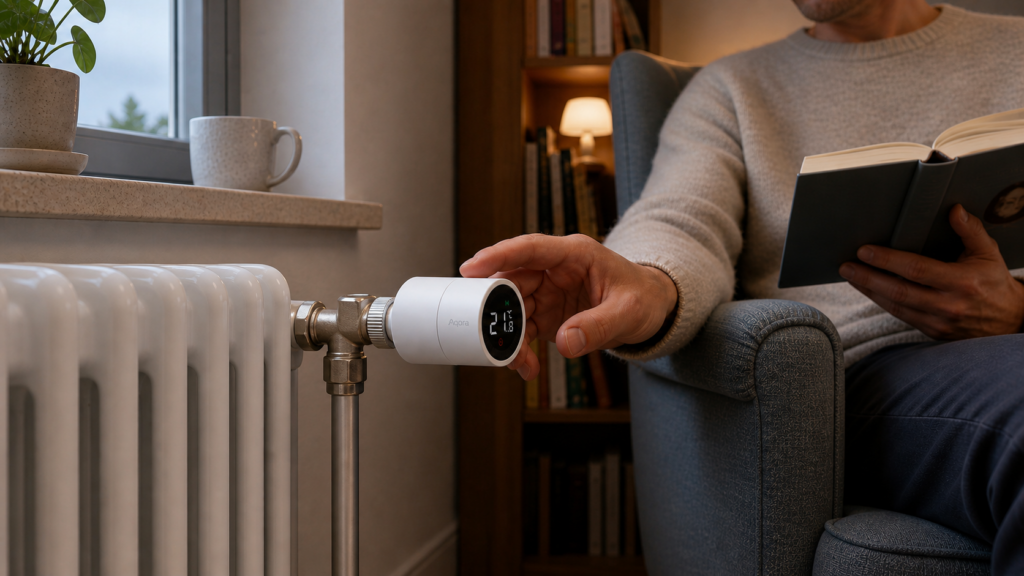
Aqara Radiator Thermostat E1 (SRTS-A01): Local Setup Guide for Home Assistant
The Aqara Radiator Thermostat E1 — model number SRTS-A01, Zigbee ID lumi.airrtc.agl001 — pairs directly with any Zigbee coordinator running Zigbee2MQTT. No Aqara hub, no Mi Home account, no cloud. It shows up as a standard climate entity in Home Assistant with setpoint, mode, and preset controls.
The catch is that the SRTS-A01 comes with a few firmware-level quirks that will confuse you if you don’t know about them upfront. The most notorious is an inverted mode label bug where “manual” and “auto” mean the opposite of what they say in certain firmware versions. I’ll cover that along with the external temperature sensor feature, which is the device’s most useful capability and the most underexplained one online.
This guide uses Zigbee2MQTT as the integration path. If you’re on ZHA, skip to the ZHA comparison section — the short answer is that ZHA works for basic heating control but loses most of the features that make this device worth buying.
What you need
- A Zigbee USB coordinator (Sonoff Zigbee 3.0, HUSBZB-1, or similar)
- The Zigbee2MQTT add-on installed and running in Home Assistant
- The SRTS-A01 thermostat itself, installed on a radiator valve
You do not need an Aqara hub. The SRTS-A01 is a standard Zigbee end device and works with any compliant coordinator. The device does not require any interaction with the Aqara app or Mi Home for initial setup — the whole process happens in Z2M and HA.
If you haven’t set up Zigbee2MQTT before, the Aqara Zigbee devices in Home Assistant without the hub pillar guide walks through the coordinator setup and add-on installation.
Pairing the SRTS-A01 to Zigbee2MQTT
Put Z2M into pairing mode (the blue button in the Z2M frontend, or toggle permit_join in the YAML config).
Then, on the thermostat, hold the center ring button for approximately 10 seconds until the blue network indicator starts flashing. The device is now broadcasting for a coordinator.
Within a minute or two, Z2M should detect the device and assign it a name like 0x00158d0001234abc. Rename it something useful in the Z2M frontend — I use trv_living_room or similar — and it will appear in Home Assistant automatically via the MQTT integration.
One practical note: the SRTS-A01 is a Zigbee end device, not a router. It doesn’t extend your mesh. If your coordinator signal is weak where the radiator sits, add a mains-powered Zigbee router device (like a smart plug) nearby first.
Valve calibration
After the first successful pairing, the thermostat needs to calibrate its valve position. If you skip this, the device’s position readings will be meaningless and it may not heat correctly.
There are two ways to trigger calibration. The first is via the Z2M device page: find the valve_calibration action in the device’s controls and trigger it. The second is a button sequence on the device itself — the Z2M device documentation has the exact press count, but the Z2M UI method is more reliable.
The calibration takes about 30 seconds. You’ll hear the motor running as it measures the full travel of the valve. Once done, the device reports its current position and the internal temperature.
Recalibrate if you remove and reinstall the thermostat, or if you notice the valve position reporting seems stuck or unreliable.
What entities appear in Home Assistant
The Z2M integration creates a climate entity for the thermostat, which shows up as a card in your dashboard. The main controls and readings are:
- occupied_heating_setpoint — the target temperature you set, in 0.5°C increments from 5°C to 30°C
- local_temperature — the temperature the internal sensor currently reads (read-only)
- system_mode —
offorheat - preset —
manual,away, orauto
There are also secondary entities: battery (percentage estimated from voltage — more on that below), window_detection, valve_alarm, and valve_detection toggles.
The battery percentage is an estimate calculated from the voltage reading, not a direct report from the device. The device considers the battery full at any voltage above 3V, so in practice the percentage reads 100% for most of the battery’s life and then drops quickly near the end. I keep an eye on the raw voltage entity rather than the percentage if I care about knowing when to replace batteries before they die.
The manual/auto mode inversion bug
This is the thing that will trip you up if you don’t know about it.
In firmware 0.0.0_0825 and certain subsequent versions, the mode labels are swapped. When you select “manual” preset in Home Assistant, the thermostat actually enters its internal schedule mode. When you select “auto,” it enters manual temperature control mode. The opposite of what the label says.
The bug was tracked in Zigbee2MQTT issue #19070. It was marked closed, but users continued reporting the behavior on newer firmware versions after updates, so don’t assume it’s fixed on your unit just because the issue is closed.
The verification step is fast: after pairing and calibrating, set a specific target temperature (say, 21°C) and watch whether the valve responds. If you have the thermostat set to “auto” and the valve is tracking your setpoint, you’re in the inverted-label state — your “auto” is actually manual control. Make a note of which label means which behavior on your unit, and build automations accordingly.
There’s a related issue (#15641): in some firmware, setting a target temperature while in “auto” preset silently switches the device to “manual” preset, breaking any schedule you had running. The only workaround is to always explicitly set the preset label after setting a temperature if you care about schedule continuity.
Using an external temperature sensor
The SRTS-A01’s internal sensor reads the air immediately around the valve, which is typically warmer than the actual room temperature. This skews the control loop — the thermostat thinks the room is warmer than it is and under-heats.
The fix is to send an external temperature reading to the device over MQTT, which it uses for control decisions instead of its own sensor. This is the most useful feature of the device and the least documented one in English-language guides.
Enabling external sensor mode
To switch from internal to external sensor mode, publish this to the device’s set topic in Z2M:
{"sensor": "external"}
The topic format is zigbee2mqtt/<device_name>/set. Once published, the thermostat will wait for temperature values from the MQTT topic rather than using its internal probe.
To send a temperature reading, publish:
{"external_temperature_input": 20.5}
The value is in degrees Celsius (the device accepts a range of 0 to 55°C). The device uses this reading for all its control decisions until you switch it back to internal mode.
A good candidate for the external sensor is the Aqara WSDCGQ12LM temperature/humidity sensor, which has good accuracy and a short Z2M reporting interval. See the Aqara WSDCGQ12LM sensor setup guide for pairing and calibration.
The reversion problem
Here’s the catch: the thermostat reverts to internal sensor mode after a battery replacement or a network interruption. Every time the device loses and regains its Z2M connection, you’re back to internal mode and need to re-assert external mode and restart the temperature publishing.
The practical solution is a Home Assistant automation or blueprint that handles this automatically. The community-maintained blueprint at the Home Assistant community forum (linked in the external link suggestions) implements exactly this pattern: it listens for Z2M device reconnection events, re-publishes {"sensor": "external"}, and then pushes temperature readings from your chosen HA sensor entity on a timer.
One more Z2M version caveat: on older Z2M installations, attempting to write {"sensor": "external"} can return an error reporting “unrecognised value 252.” The fix is to update Z2M to the current stable release. If you’re on a version older than roughly mid-2023, do the update first.
Window detection and valve alarm
Two optional features worth knowing about:
Window detection — when enabled, the thermostat monitors for a sudden temperature drop (which indicates a window was opened) and temporarily closes the valve until the temperature recovers. This works fully locally; no external sensor or automation required. Enable it via the window_detection toggle entity in HA.
Valve alarm / valve detection — this monitors for calibration faults or installation issues. If the valve is installed incorrectly or the motor can’t reach its endpoints, the alarm will fire. Useful for catching a bad installation early rather than wondering why the radiator isn’t heating. Enable valve_detection via the entity toggle.
Both are disabled by default. I enable window detection when setting up any TRV — it’s the kind of feature that quietly prevents the common mistake of leaving the heat running with a window cracked.
ZHA vs. Zigbee2MQTT for the SRTS-A01
If you’re running ZHA and considering switching to Z2M for this device, here’s the feature gap:
| Feature | Zigbee2MQTT | ZHA |
|---|---|---|
| Basic climate entity (setpoint + off/heat) | Yes | Yes |
| Preset modes (manual / away / auto) | Yes | Partial |
| External temperature sensor | Yes | No |
| Window detection | Yes | No |
| Valve calibration trigger | Yes | No |
| Valve alarm / detection | Yes | No |
| OTA firmware updates | Yes | No |
The ZHA path gets you a working thermostat for basic heating control. But external sensor mode — the feature that makes the E1 worth buying over a dumb TRV — is not exposed in ZHA. Neither is window detection. Neither is OTA.
For users who want full feature access, Z2M is the only local path. The ZHA feature gaps for this device are tracked in Home Assistant core issue #81047 and the related zha-device-handlers thread, neither of which is resolved as of this writing.
Privacy: does any data leave the device?
When paired directly to a Zigbee2MQTT coordinator, the SRTS-A01 communicates only over your local Zigbee mesh. There is no cloud component in this path — no Aqara servers, no Mi Home account, no outbound traffic from the thermostat itself.
The only outbound traffic that might be relevant is from the Z2M add-on itself (checking for Z2M updates) and from Home Assistant (checking for HA and add-on updates). Neither involves your thermostat data.
If you also want to isolate your Zigbee coordinator host on a dedicated IoT VLAN, our Aqara and Xiaomi IoT VLAN setup guide covers that setup. Our explainer on whether Aqara works without internet has the broader context on what Aqara devices do and don’t require in terms of connectivity.
OTA firmware updates
Z2M supports OTA updates for the SRTS-A01. You can trigger them from the device’s page in the Z2M frontend — look for the OTA tab.
Given the mode inversion bug and its history across firmware versions, keeping up with OTA updates is worth doing periodically. The behavior may improve (or occasionally regress) across versions, so verify mode behavior after any firmware update using the same check described in the bug section above.
Note that OTA in Z2M requires the thermostat to be awake and responsive. The device spends most of its time in sleep mode to conserve battery. If an OTA update hangs, press the center ring button to wake the device and retry.
Common questions
Does the Aqara Radiator Thermostat E1 work without the Aqara app or hub?
Yes. Paired directly to a Zigbee2MQTT coordinator, the device operates entirely locally with no app or hub required. The Aqara app is not involved at any point in this setup path.
Can I use an external temperature sensor with the Aqara E1 thermostat in Home Assistant?
Yes, via MQTT. Enable external sensor mode by publishing {"sensor": "external"} to the device’s set topic, then push temperature readings from any HA-connected sensor. A HA automation or blueprint is needed to re-assert external mode after battery replacement or network interruption.
What’s the difference between using Z2M and ZHA for the SRTS-A01?
ZHA covers basic temperature setpoint and on/off control. Z2M exposes the full feature set: external sensor mode, window detection, valve calibration, OTA, and all preset modes. For anything beyond basic heating, Z2M is the right path.
Why does the Aqara E1 thermostat show the wrong mode (manual vs. auto) in Home Assistant?
This is a firmware-level label inversion bug tracked in Z2M issue #19070. On affected firmware, “manual” activates schedule mode and “auto” activates manual control — the opposite of the labels. Verify behavior by setting a temperature and watching whether the valve responds to confirm which label does what on your unit.
Does the Aqara Radiator Thermostat E1 send data to the cloud when used with Zigbee2MQTT?
No. The Z2M path is fully local. The thermostat communicates only over your Zigbee mesh to the coordinator. No data leaves your local network via the device.
The SRTS-A01 is a solid local TRV once you understand its quirks. The mode inversion bug is annoying but easy to verify and work around. The external sensor feature, once automated to survive reboots, makes a genuine difference to heating accuracy. And with Z2M as the integration layer, none of it requires a cloud account. Our Aqara Hub E1 local integration guide covers the alternative path for readers who want to compare the hub-based approach.