

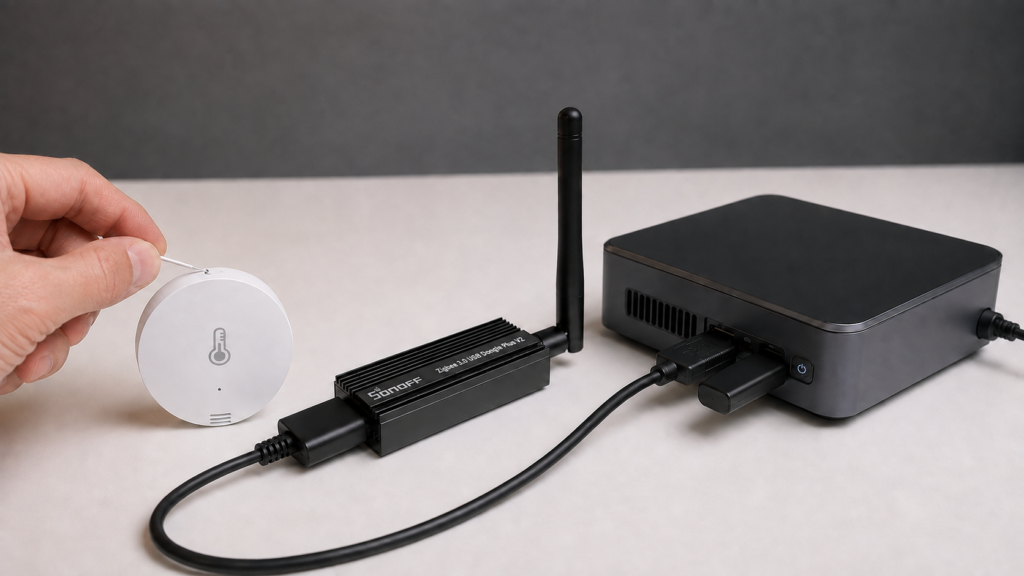
Changing the network key on an established Zigbee2MQTT installation needs a recovery plan. The documented advanced.network_key configuration-change workflow requires re-pairing devices. Groups, scenes and bindings then need checking on the devices themselves, even if a saved configuration still lists them.
This guide follows Zigbee2MQTT 2.14.2 and its bundled zigbee-herdsman 10.10.0. It keeps the inventory, backup and rebuild steps together, and distinguishes a Z-Stack startup mismatch from Ember’s ability to form a replacement network. Neither a successful startup nor a surviving database entry guarantees that the old devices still work.
What the network key protects
The 128-bit Zigbee network key protects network-layer traffic and is shared among devices in the network. Application-support-layer link keys have a different role. The key also differs from permit_join, which controls admission of new devices; the permit_join security guide covers that setting.
A known network key exposes the traffic it protects to someone able to capture it, but changing it does not resolve every admission, device or broker security problem. Treat your configuration and coordinator backups as secrets. Some mismatch logs can print key values; redact them before sharing a support report.
Stop Zigbee2MQTT and copy its whole persistent data directory somewhere separate. Include configuration, device/group files, database.db, and coordinator_backup.json where the adapter supports coordinator backups. Record your adapter, firmware, data path and Zigbee2MQTT version. Plan access to every device that may need resetting, and leave time for groups, scenes and bindings after pairing.
Published keys and current fresh-install defaults
The installation security guide recommends a unique key, closing joining after pairing and protecting the frontend. The network configuration reference documents the historical published key. The problem with that value is that it is public, rather than a weakness specific to its length.
Do not assume every installation that never manually edited its key uses it. The 2.14.2 fresh-configuration and onboarding paths select GENERATE, while the settings implementation retains the historical fallback array. Privately inspect your actual persisted configuration and its origin before deciding a stable network needs rekeying.
advanced:
  network_key: [1, 3, 5, 7, 9, 11, 13, 15, 0, 2, 4, 6, 8, 10, 12, 13]
Do not use that example for a new network. To generate a new random key, use the following only when you intend to commission or rebuild the network:
advanced:
  network_key: GENERATE
The alternative is your own securely generated 16-byte array. With GENERATE, Zigbee2MQTT creates 16 random byte values and writes the resulting array back to the configuration at startup. Confirm that persisted value and retain it with the new backup. Setting the word GENERATE again requests another key; do not keep reintroducing it as part of routine restarts.
What changing the key requires
Zigbee2MQTT documents re-pairing all devices when you change network_key through this configuration workflow. Plan for that rather than relying on existing devices to recover by themselves.
That is different from saying Zigbee has no over-the-air key-update mechanism. The protocol does support trust-center network-key updates and switches, as described in Silicon Labs’ standard-security documentation. It does not make editing this Zigbee2MQTT setting a supported in-place rotation procedure. This guide covers the documented configuration change, not an experimental protocol command.
A coordinator replacement is also a separate operation. The FAQ describes same-family migration and warns that cross-family migration is not officially supported. It also names a same-family exception: moving from CC2530/CC2531 with Z-Stack 1.2 to CC2652/CC1352 with Z-Stack 3 requires re-pairing. Backups, supported firmware and matching network configuration matter; merely leaving the serial.adapter text unchanged is not a complete migration procedure. The coordinator backup and restore guide covers that route.
| Change | Pairing plan |
|---|---|
| Supported same-family coordinator migration, zstack to zstack or ember to ember | Normally preserves pairing when the supported backup/migration procedure and matching configuration are followed. Check compatibility first. |
| Cross-family coordinator migration | Results vary; not officially supported. Prepare to re-pair rather than assume a compatible backup. |
Changing network_key in Zigbee2MQTT configuration |
Plan to re-pair all devices, as the configuration reference requires. |
Putting two networks on the same key does not merge them. PAN identifiers, coordinator state and device memberships still distinguish networks. Moving devices between networks is its own migration task; a shared key is not a shortcut.
Startup after the change: Z-Stack and Ember differ
On Z-Stack, a common response to a changed key is:
Configuration is not consistent with adapter state/backup!
The startup troubleshooting page explains the mismatch and the choice between reverting and re-commissioning. In the current Z-Stack manager, the error occurs when the configuration differs from adapter state while the stored backup matches that adapter. Other combinations can choose restore or new commissioning instead. It is not a universal error on every key edit.
If the change was accidental, stop and restore the old matching configuration from your snapshot before making further changes. If a new network is intentional and you hit this Z-Stack mismatch, stop Zigbee2MQTT, preserve and move coordinator_backup.json out of its expected path, and restart with the intended configuration. The missing backup allows this mismatch path to commission the new network. Keep the snapshot; do not remove it to make an unplanned startup succeed.
Removing the coordinator backup is part of the documented Z-Stack re-commissioning choice, not a harmless repair. On Ember in herdsman 10.10.0, a key mismatch can instead make the driver leave the old network and form one from the new configuration, without that same startup error. Back up before editing the key, not after waiting to see which error appears.
The current herdsman controller also copies the existing database to its database-backup path and clears the active database when startup returns reset. In Zigbee2MQTT the usual files are database.db and database.db.backup. Do not rely on every old device or group entry surviving, and do not treat restoring an old database as transferring the new key to devices.
Issue #25220 reports a December 2024 mismatch on Zigbee2MQTT 1.42.0 and an SLZB-06 after generating both a network key and extended PAN ID. The reporter also found it awkward to translate hexadecimal log strings back to YAML arrays. That is a historical recovery account. Prefer your saved configuration over manually copying secret key values from logs.
Keep channel changes separate. Channel, PAN ID and key are distinct settings, and current herdsman has a channel-change path. They do not all trigger the same error or recovery procedure. The channel-change guide covers that decision.
Why groups and scenes need checking
Zigbee group membership and stored scenes live on the participating device endpoints, alongside Zigbee2MQTT’s own records. A factory reset used for re-pairing can clear that on-device information. An ordinary rejoin is not necessarily a factory reset, and behavior varies by device; it would be too broad to say every rejoin erases every group and scene.
The groups and scenes guide explains the endpoint membership model. A listed group or scene is not proof that each device still has the required membership and stored state. Conversely, some settings may remain on a device even though the software database was reset.
Issue #28228 reports a light losing group membership after entering pairing mode. Issue #28706 reports stale-looking group membership after removal and rejoining. Later maintainer comments discuss whether group publication, rather than persistent membership removal, was at fault. The current bridge publishes groups on device leave, so that older report is not evidence of a permanent current database-cleanup failure.
Record group IDs, endpoint members, scene IDs/names and desired physical states before rekeying. Expect to verify and, where necessary, recreate them after pairing. Saved configuration, retained MQTT data and the frontend can each show information that no longer matches device memory.
A practical rebuild sequence
A May 2026 community account describes a roughly 121-device network. The author recorded memberships and scene names, saved temporary Home Assistant scenes for the desired lighting states, re-paired the devices, then rebuilt groups and re-saved Zigbee scenes. They reported around six hours for re-pairing roughly 120 devices; that was not a benchmark for the entire rebuild.
That person also restored an old database after the reset so devices were listed again, but still had to re-pair them. Treat that as their reported workaround, not a requirement or proof of restored network security. A cleaner recovery plan does not depend on an old listing being intact:
- Inventory first. Record each device’s IEEE address, friendly name, model, room and pairing procedure. For each group, record its numeric ID and endpoint members; for scenes, record IDs, names and the actual desired states. Include direct bindings and Home Assistant automations that refer to them. Protect this inventory and the full stopped-data snapshot.
- Capture lighting states separately. If using temporary Home Assistant scenes as in the report, activate each original scene while it still works, check the physical result, then save a temporary Home Assistant scene under a clear backup name. Keep a written record as well: a Home Assistant scene is not the on-device Zigbee scene table.
- Change only the intended network setting. Edit the real persistent configuration, restart, and follow the adapter-specific commissioning behavior above. Confirm the new generated key was written back, without exposing it. Leave PAN IDs and channel alone unless your plan also requires changing them.
- Re-pair and test devices. Enable joining for the operation, follow each model’s reset/pairing instructions and confirm a completed interview. Restore friendly names by IEEE identity where appropriate. Test fresh reports and direct commands before adding group behavior; close joining when done.
- Rebuild groups and bindings. Use the frontend’s Groups controls or the documented group API to restore the recorded IDs and correct endpoint members. Recreate any lost bindings separately. Check every member with a group command, rather than relying on the member list.
- Store scenes again where needed. Restore the desired physical lighting state, using the temporary Home Assistant scene if available. Then store the intended Zigbee scene on the group with its recorded scene ID/name, following the scene store/add procedure. Replace stale scenes where required. Recall each scene and check the actual members, brightness, color mode and transitions. The community author reset the group’s lights between saves to avoid carrying an unintended state into another scene.
- Verify Home Assistant and make a new backup. Check entity identities, automations and group/scene actions. Keep the pre-change snapshot labeled with its old network, and capture a separate post-rebuild snapshot with the new key and coordinator state. Leave temporary recovery scenes until the restored ones are proven.
For a rollback, the configuration and coordinator state must match the old network. Copying one old backup file into a live new network is not a guaranteed key restoration. Devices already factory-reset onto the new network may need re-pairing again to the restored old one. Supported coordinator restoration is a separate workflow; preserve both snapshots so you can make that decision deliberately.
When rekeying is worth the disruption
A published historical key or credible key exposure is a concrete reason to plan this work. A secondhand coordinator with unknown state also warrants checking the available configuration and compatible backup before joining devices; starting a trusted new network may be the sensible route when those cannot be established.
For a stable network already using a unique secret key, weigh the reason for rotation against the access and rebuild work. Sharing a key across two networks does not combine them. If the concern is broker access rather than radio-key exposure, the MQTT security checklist addresses that separate layer.
FAQ
Does a configuration key change require re-pairing? Zigbee2MQTT documents that requirement. Zigbee protocol key-update capabilities should not be mistaken for a supported no-re-pair YAML-edit workflow.
Why did startup stop with a mismatch? In a common Z-Stack path, the new configuration differs from adapter state and its matching old backup. Revert to the saved matching values, or deliberately follow new commissioning with a preserved backup. Ember can take a different path, so read your adapter’s logs.
Will groups and scenes disappear? Factory-reset pairing can remove on-device membership and scenes; a reset startup can also clear the active database. Ordinary rejoins and different devices may retain some state. Inventory, test and rebuild what is missing rather than assume either total preservation or universal loss.
How is a random key generated? Use advanced.network_key: GENERATE for the planned new commissioning. Zigbee2MQTT writes a 16-byte array back at startup. Keep that persisted array and the completed-network backup.
Does rekeying change my channel or PAN ID? They are separate settings. Changing them is not required just to choose a new key, and their startup and migration handling should not be treated as identical.
Sources and limits
The configuration workflow comes from Zigbee2MQTT’s documentation. Z-Stack mismatch, Ember commissioning and database-reset behavior were checked in the bundled herdsman 10.10.0 source. Silicon Labs’ security documentation establishes the separate protocol key-update capability. The device/group problems and timing account are attributed reports, not tests on this site’s own network.
With a local coordinator, broker and Home Assistant, key configuration, pairing and scene rebuilding can operate without a device vendor’s cloud. That does not describe firmware-download sources or every service in your deployment. Confirm your installed versions and data directory before beginning, and keep the backup and inventory outside that directory.