

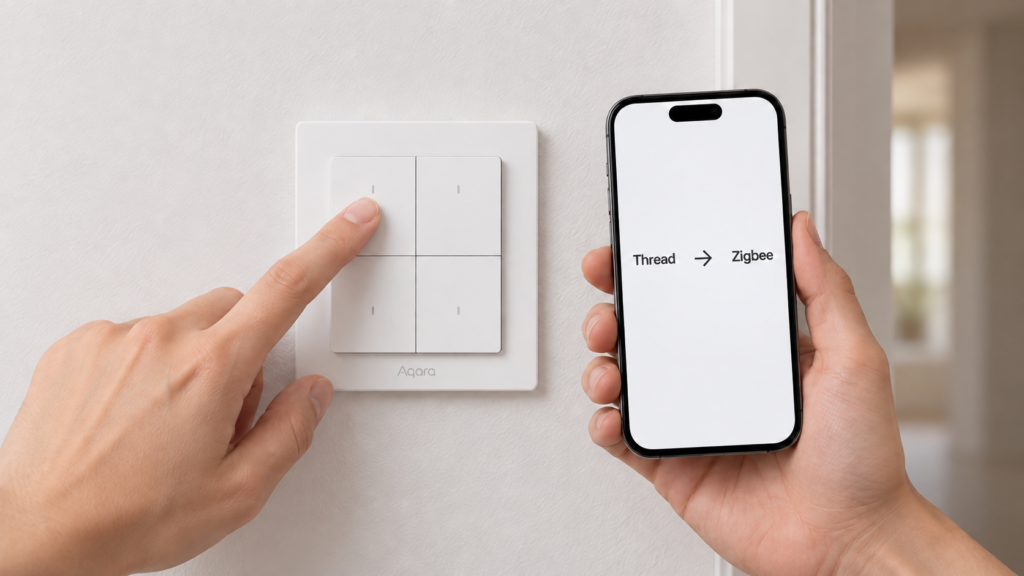
You bought an Aqara Dimmer Switch H2, or a W600 radiator thermostat, or a T1M ceiling light. You wired it in, opened Zigbee2MQTT’s pairing scan, and nothing appeared. No interview, no entity, no sign the device exists. The device isn’t broken. It shipped in Thread mode, and a Thread device does not answer a Zigbee pairing request.
This is a recurring gotcha across a specific slice of Aqara’s current catalog, and it’s documented correctly but separately across six of this site’s own device guides. Nobody has put the list, the mechanism, and the “does this wreck the local-first plan” verdict in one place. This piece does that: which devices ship this way, which ones don’t despite looking like they should, why the fix is a full re-commissioning rather than a setting, and what stays true once you’re past it.
Everything below is drawn from our own already-published, editor-reviewed device guides plus Aqara’s official Light Switch H2 FAQ. No device was newly purchased or bench-tested for this article. This is a catalog synthesis, not a hands-on report.
Which Aqara devices ship in Thread mode by default
Six devices in our coverage ship Thread-first and need a one-time trip through the Aqara Home app before a Zigbee2MQTT or ZHA coordinator can see them. Two more devices that look like they belong on that list do not, and those exceptions are as useful as the list itself.
| Device | Model | Ships in | Needs the app once? |
|---|---|---|---|
| Dimmer Switch H2 | KD-R01D | Thread | Yes |
| Light Switch H2 EU (1-channel) | WS-K07E | Thread | Yes |
| Light Switch H2 EU (2-channel) | WS-K08E | Thread | Yes |
| Radiator Thermostat W600 | WT-A03E | Thread | Yes |
| Ceiling Light T1M | CL-L02D | Thread | Yes |
| LED Bulb T2 | lumi.light.agl003 | Thread / Bluetooth | Yes |
| Wall Outlet H2 EU | WP-P01D | Zigbee | No |
| Shutter Switch H2 EU | DS-K02D / DS-K02E | Not established | Unclear |
The important thing that table shows is what the affected devices have in common, which is not the product line. The list spans wall switches, a radiator thermostat, a ceiling light and a bulb. Meanwhile the Wall Outlet H2 EU carries the H2 name and does not behave this way at all. So “is it an H2?” is the wrong question to ask before buying. Thread-first is a decision Aqara makes per device, and you have to check the specific model.
Our guides for the Dimmer Switch H2, the W600 thermostat, the Ceiling Light T1M and the LED Bulb T2 each document the same requirement, arrived at independently per device. The W600 guide is the one that names the pattern directly: it identifies the W600 as the third Aqara device to ship Thread-first, after the T1M and the T2.
The two Light Switch H2 EU SKUs are not interchangeable
“Light Switch H2 EU” is not one product. It’s two SKUs that share a Zigbee model ID and differ physically, and the difference matters at purchase time even though it doesn’t change the protocol switch.
The WS-K07E is the single-gang variant: two buttons, one switched relay channel. The WS-K08E is the two-gang variant: four buttons, two independently controllable relay channels. Both require a neutral wire, and both identify to Zigbee2MQTT as lumi.switch.agl009, with Z2M distinguishing them by the entities they expose rather than by a separate device definition. There are also D-suffix variants, the WS-K07D and WS-K08D, which drop the neutral-wire requirement but give up power monitoring, LED indicator control and overload protection, and behave as end devices rather than mesh routers.
Our H2 EU wall switch guide covers both SKUs together, since the setup path is identical. The WS-K07E protocol-choice guide is the deeper treatment of the Zigbee-versus-Thread decision on that specific model. For the purposes of this article they behave the same way, but if you’re comparing retail listings, don’t assume the model codes are swappable on anything other than the protocol switch.
Why this happens: one chip, two radios, a firmware switch
The reason isn’t a hardware SKU split, it’s a chip choice. Aqara’s H2-family devices are reportedly built on the Silicon Labs EFR32MG24, a single chip whose radio natively handles Zigbee, Thread/Matter and Bluetooth LE, with enough onboard flash to hold more than one protocol firmware image at a time. We’re characterising this from a spec-aggregator’s description of the chip and the design rather than a primary Aqara engineering statement, so treat the specifics as reported rather than confirmed by the vendor.
Practically, that means “Thread” and “Zigbee” aren’t two different products. They’re two firmware images living on the same silicon, and moving between them means flashing a different image over the air and starting commissioning from scratch. That’s the mechanical reason the fix is not a settings toggle: there is no setting to flip, because the running firmware itself has to change.
This applies to the six devices listed above, not to Aqara’s catalogue generally. Older Aqara Zigbee devices have no Thread radio at all and carry no such requirement, and at least one current H2 device (the WP-P01D outlet) ships on Zigbee already.
The actual switch procedure
Aqara’s own FAQ for the Light Switch H2 lays out the Thread-to-Zigbee procedure in three steps. Install the Aqara Home app with Bluetooth and Wi-Fi enabled on your phone. Factory-reset the device by pressing any button ten times, which drops it into network-setup mode and starts a slow-blinking indicator. Then, in the app, use Add Accessory to scan the device’s Matter code and pick Zigbee on the Switch Protocol page. Going the other direction follows the same three-step shape.
The exact reset gesture varies by device, and this is where a generic procedure stops being safe to follow. The ten-press reset is the wall-switch method. The T1M ceiling light has no button at all, and resets with a five-times on/off toggle at the wall ending in a double breathe. Check your own device’s guide for the gesture before you start pressing things.
This is a full re-commissioning, not a toggle. The factory reset that starts the protocol switch wipes the device’s existing network membership: its Zigbee2MQTT friendly name, its exposed entities, and any automations or scenes built on them. Document what depends on the device before you begin, because you’ll be re-adding it as if it were new.
What the indicator light means, and why the sources disagree
Aqara’s Light Switch H2 FAQ documents an LED convention for identifying the protocol during the add flow: green blinking for Thread, yellow blinking for Zigbee, red for a timed-out attempt.
That does not match what our own guides record for the same family. Three of them, covering the Dimmer Switch H2, the Light Switch H2 EU and the Shutter Switch H2 EU, independently describe a blue blink for Thread pairing and a purple blink for Zigbee pairing, with a solid blue indicating a successful pair. Retailer documentation for the shutter switch gives the same purple-for-Zigbee signal.
We can’t reconcile those two colour schemes from available sources, and the honest reading is that one of them is narrower than it appears rather than that every device has its own palette. The FAQ may describe a particular market variant, a particular firmware revision, or a different stage of the flow than the device-side pairing blink our guides document. Don’t carry either scheme across the catalogue on faith. Read the indicator meanings off your specific device’s own manual or its guide here, and treat a colour you can’t account for as a sign you’re looking at the wrong documentation rather than a broken device.
Does the one-time app trip break the local-first pitch?
Mostly no, but it costs more than the draft version of this story usually admits, and it’s worth knowing before you buy rather than after.
Once the device is on Zigbee and joined to Zigbee2MQTT or ZHA, it operates entirely locally, the same as any other Zigbee device: no cloud round-trip for state changes, no ongoing dependency on the Aqara app, no hub. That’s the same outcome as every other device covered on this site.
The cost is concentrated in the word “once.” Getting there means installing a vendor phone app, enabling Bluetooth, and running a commissioning flow whose design you don’t control. It also appears to mean creating an Aqara account. The FAQ itself never uses the word “account” in the switching procedure, but three of our own guides do: the Dimmer Switch H2 guide states the flash step requires an account even though the finished Zigbee setup is fully local, the W600 guide lists an account among the prerequisites, and the T1M guide describes temporarily adding the light to your account. Two of those guides also record the useful half of that finding, which is that the account is disposable. The device retains its Zigbee firmware independently of the app or the account, so you can delete the account afterwards without losing the device.
What we could not establish is whether the app will run the Add Accessory flow at all from an offline or signed-out state, or whether sign-in is enforced before the Switch Protocol page appears. Our guides record that an account is used, not that it is technically mandatory. If never creating an Aqara account is a hard requirement for you rather than a preference, verify that against the current app version before buying.
Go in expecting a one-time vendor-app interaction and a throwaway account, and it’s a minor speed bump on the way to a fully local device. Discover it mid-install with no context and it reads like the device is defective.
The exceptions: H2 devices that skip this
Two devices in our coverage wear the H2 badge and don’t fit the pattern, which is exactly why the “check the model, not the line” advice above matters.
The Wall Outlet H2 EU (WP-P01D) ships in Zigbee mode and starts advertising for pairing the moment it’s powered on. You don’t press anything, and you don’t need the app. It’s a genuine exception within the H2 family and the cleanest device on this page for a local-first build.
The Shutter Switch H2 EU (DS-K02D/DS-K02E) is the honest unknown. It is dual-protocol, and its protocol is selected at commissioning time, but no source we can verify establishes which mode it ships in. An earlier version of our own guide asserted it ships in Zigbee mode and that claim was removed during editing for exactly that reason. What is documented is the Zigbee pairing gesture, a double-press of any button followed by a five-second hold until the indicator blinks, and that reaching Thread mode requires a reset and commissioning through the Aqara app. Plan for either and check the indicator before assuming.
Zigbee-only Aqara devices: skip this entirely
If the app step is a dealbreaker, plenty of Aqara’s catalogue never asks for it. The E1 radiator thermostat (SRTS-A01) is Zigbee-only at the hardware level, with no Thread mode and no app-based switch. The same is true across the H1 and D1 wall-switch lineups, older designs with a Zigbee radio only that pair straight into Zigbee2MQTT or ZHA.
If you’re choosing between generations and want to avoid this entirely, working out which generation a listing refers to is the practical move, and our model-naming breakdown covers how to read the codes. Whether a given device needs a hub at all is a separate and adjacent question, covered in our guide to which Aqara and Xiaomi devices require a hub.
Switching back to Thread
The procedure is reversible. Aqara’s documentation describes the same three-step shape running the other direction: app, factory reset, Add Accessory, then pick Thread rather than Zigbee on the Switch Protocol page.
It carries the identical cost, another full re-commissioning and another rebuild of whatever automations depended on the device. There’s no documented limit on how many times a device can be switched back and forth, though the absence of a stated limit isn’t the same as a guarantee. Each switch is a real interruption rather than a toggle worth flipping casually to compare the two protocols.
What this article verified, and what to check yourself
This is a research-synthesis piece, not a hands-on test report. No device here was newly purchased or bench-tested for it.
What’s verified: the Thread-first device list and the shipping behaviour come from our own already-published, editor-reviewed guides for each device, cross-referenced against each other and against the exceptions. The step-by-step procedure and the FAQ’s LED documentation come from Aqara’s official Light Switch H2 FAQ. The WP-P01D’s Zigbee-by-default behaviour is confirmed by our own guide and by the Zigbee2MQTT device page. The chip explanation is reported from a third-party spec source rather than Aqara’s own engineering documentation, and is flagged as such above.
What stays local: everything, once a device is on Zigbee and joined to your coordinator. No cloud dependency, no ongoing app requirement, no hub.
What still depends on the vendor: the one-time switch itself, which needs Aqara’s app, Bluetooth and Wi-Fi on a phone, and in practice an Aqara account that can be deleted afterwards without affecting the device.
What to check before buying: confirm your exact model against the table above, because the product line name does not predict the behaviour and the Wall Outlet H2 EU proves it. Confirm the reset gesture and the indicator colours in that specific device’s own guide rather than assuming this article’s FAQ source applies to your unit. And if avoiding an Aqara account is a hard requirement rather than a preference, test the Add Accessory flow’s sign-in behaviour before you commit to the purchase.