

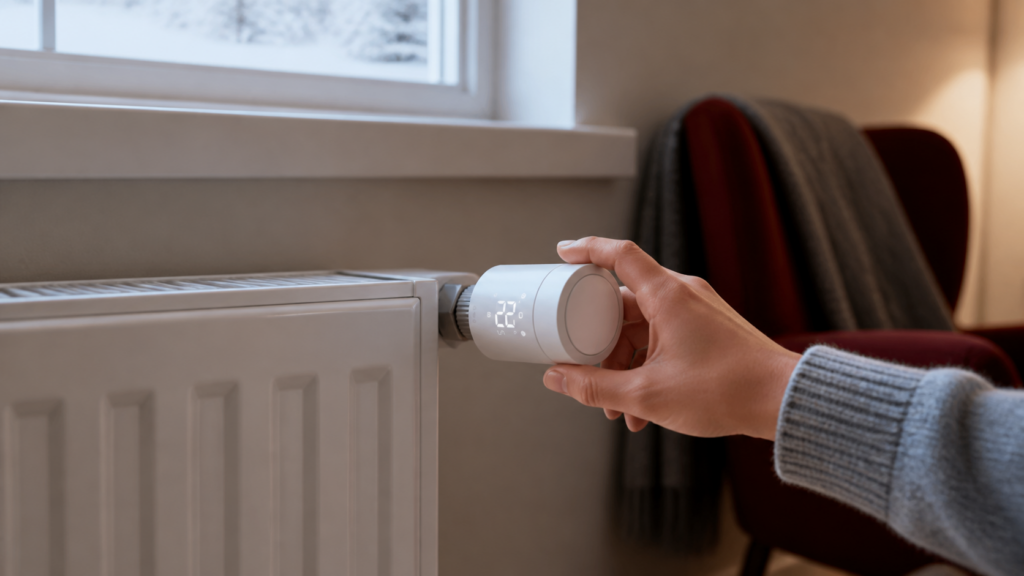
Aqara W600 Radiator Thermostat: Zigbee2MQTT & Home Assistant Guide
Affiliate disclosure: This article contains affiliate links to products mentioned. If you buy through these links, I may earn a small commission at no extra cost to you. I only link to products I’d actually recommend.
The Aqara W600 (model WT-A03E) is a decent radiator thermostat with one significant gotcha for Home Assistant users: it ships in Thread/Matter mode by default, and there’s nothing on the box, in the Quick Start Guide, or on Aqara’s English-language product page telling you how to switch it to Zigbee. I spent some time cross-referencing Aqara’s developer forums and the Zigbee2MQTT community before I had a working setup, and this guide pulls it all together.
If you want to skip the backstory and go straight to setup, jump to “Step 1 — Switch from Thread to Zigbee Mode.”
What Is the Aqara W600 and How Does It Compare to the E1?
The W600 launched in November 2025, positioned as the successor to the Aqara E1 Radiator Thermostat (SRTS-A01). The headline upgrade is dual-protocol support — it can run Thread (Matter) or Zigbee, but not both at the same time. Which mode it uses depends entirely on which firmware is loaded at pairing time.
If you’re choosing between the two, the Aqara E1 Radiator Thermostat setup guide covers the older model’s Z2M behavior in detail, and most of it carries over to the W600.
Here’s a comparison against the E1:
| Feature | Aqara W600 (WT-A03E) | Aqara E1 (SRTS-A01) |
|---|---|---|
| Protocol | Zigbee or Thread (firmware selectable) | Zigbee only |
| Battery | 2 × AA, ~2 years | 2 × AA, ~1 year |
| Motor noise | <30 dB | ~35 dB |
| Display | Rotatable LED | Fixed LED |
| Valve fit | M30×1.5mm + 6 adapters | M30×1.5mm + adapters |
| Z2M support | Yes (Zigbee mode required) | Yes |
| OTA via Z2M | Yes (as of mid-2026) | Yes |
| Price | ~€49.99 | ~€35–40 |
The nearly silent motor is the practical upgrade that matters most day to day — you notice the old motor clicking at 2 AM more than you’d expect. The rotatable display is a nice-to-have if your radiator sits in an awkward position.
The Thread support, while technically interesting, is a mixed blessing for Home Assistant users. More on that below.
Thread-First vs Zigbee Mode
The W600 is the third device from 绿米联创 (Lumi United Technology, the company behind Aqara) to ship with Thread/Matter as the default firmware — the T1M ceiling light and the T2 LED bulb use the same approach. Aqara’s Chinese developer documentation makes clear that this is deliberate: Thread+Matter is their default consumer path, and Zigbee is treated as the “advanced” mode for developers and integrators.
For Home Assistant users with an existing Zigbee network and Zigbee2MQTT, this means one extra step before pairing: a firmware reflash triggered through the Aqara Home app. The upside is that once you’re in Zigbee mode, it behaves like a standard Z2M device.
Thread mode does have a path to Home Assistant — via Matter integration or through an Aqara M3 hub acting as a Matter bridge. But you lose Z2M’s full entity set, and the external temperature sensor feature only works in Thread mode when paired to an Aqara hub through the Aqara app. For pure local control with the entity depth Z2M provides, Zigbee mode is the right choice. If you do want the Matter route, the Aqara Hub M3 as a Matter bridge guide walks through that setup.
Before You Start
You’ll need:
- Zigbee2MQTT running in Home Assistant (1.x or 2.x both work)
- A Zigbee coordinator (the Sonoff Zigbee 3.0 USB Dongle Plus is available on Amazon — affiliate link — and is my standard recommendation for new Z2M builds)
- The Aqara Home app installed on a Bluetooth-capable phone (Android or iOS)
- An Aqara account (you’ll use it once for the firmware step, then optionally delete it)
- The W600 physically installed on your radiator valve
On that last point: the W600 uses an M30×1.5mm connector, which is the most common standard for European radiator valves. The box includes six adapters — RA, RAV, RAVL, Caleffi, Giacomini, and M28×1.5 — covering the vast majority of valve types you’ll encounter without buying anything extra. Installation is finger-tight plus a quarter turn.
Step 1 — Switch from Thread Mode to Zigbee Mode
This is the step that catches people. If you try to pair the W600 with Z2M without doing this first, it won’t be detected — it’s broadcasting Thread advertisements, not Zigbee ones.
- Download the Aqara Home app and create an account.
- Open the app, tap “+” to add a device, and select “Radiator Thermostat W600.”
- Follow the Bluetooth pairing flow. When the app asks how you want to connect the device, you’ll see options — select Zigbee.
- The app will flash the Zigbee firmware over Bluetooth. This takes about 60–90 seconds. The display will cycle through some icons during the process.
- When it’s done, the thermostat display will show a Zigbee pairing icon (blinking).
What’s actually happening here is an OTA firmware reflash — the app downloads the Zigbee firmware build and pushes it to the device via Bluetooth. This is documented in Aqara’s Chinese developer portal (opendoc.aqara.com), but absent from all English packaging and the Quick Start Guide. It’s been surfaced by Chinese HA community members on forum.aqara.com, and the Z2M GitHub discussions confirmed the behavior for English-speaking users.
What I didn’t expect: the app displays the W600 as “offline” after the firmware flash completes, and prompts you to complete hub setup. You don’t need to. You can close the app at this point — the device is in Zigbee mode and ready to pair with Z2M. The “offline” status just means it can’t reach the Aqara cloud through an Aqara hub, which is exactly what we want.
If you want to discard the Aqara account afterward, you can — the device retains its Zigbee firmware independently of the app or account.
This same pattern applies to the T1M ceiling light and T2 bulb, so if you’ve done this before, the flow is identical. The Aqara T1M ceiling light Zigbee2MQTT guide walks through the same firmware-switch flow if you want a second reference.
Step 2 — Pair with Zigbee2MQTT
With the thermostat in Zigbee pairing mode (blinking display icon):
- In the Z2M dashboard, click “Permit join” (or “Permit join (All)” if you’re not using device-specific join).
- On the W600, hold the center button for 10 seconds. The display will flash to confirm it’s broadcasting a join request.
- Within about 30 seconds, the device should appear in the Z2M devices list as WT-A03E. The Zigbee model ID reported is
lumi.airrtc.aeu005. - Once paired, rename the device in Z2M to something sensible (e.g.,
living_room_radiator) and disable permit join.
ZHA support for the W600 is limited as of writing — Home Assistant’s W600 integration is still incomplete, and full setpoint control through ZHA isn’t reliably available without custom quirks that aren’t widely maintained. Z2M is the path for full local control.
Entities in Home Assistant
After pairing, Z2M exposes a good set of entities. Here’s what you get:
Climate entity (the main one):
– Modes: off, heat, auto
– Presets: home, away, sleep, vacation, wind-down
– occupied_heating_setpoint: 5–30°C target temperature
– local_temperature: what the internal sensor reads (more on this below)
– running_state: idle or heating
Additional entities:
– sensor: selects the temperature source — internal or external (this is the switch that makes the external-sensor workaround below possible)
– valve_position: 0–100%. Useful for automations and dashboards — seeing the valve at 73% is more informative than just “heating.”
– temperature_calibration: ±5°C offset applied to the internal sensor reading
– window_open_detection: enables the built-in open-window shutoff
– frost_protection_min_temperature: 5–15°C floor when thermostat is off
– child_lock: locks physical buttons
– display_orientation: flip the LED display 180°
– battery_percentage: reported in Z2M
– OTA updates: supported via Z2M as of the April–May 2026 lumi.ts commits
The weekly schedule feature deserves a section of its own — covered below.
External Temperature Sensor — The Workaround
The W600’s internal sensor sits right next to the radiator body. On most radiators, that means it reads significantly higher than actual room temperature when the valve is open — sometimes by 5–10°C. The result is the thermostat cutting heat too early.
The W600 exposes two relevant entities in Z2M: sensor (the temperature source selector) and external_temperature_input. The intent is that you set sensor to external, then feed external_temperature_input a reading from a room sensor (a dedicated Aqara climate sensor, for example), and the thermostat uses that reading for its modulation instead of the internal one. In theory, clean.
The key detail that trips people up: external_temperature_input is ignored unless sensor is set to external first. Set the source once, then keep pushing fresh readings. If you skip the source switch, the thermostat keeps using its internal sensor and your pushed values do nothing.
Beyond that, the linkage isn’t automatic — you can’t just pair the two devices and have the W600 pull the room sensor reading on its own. The native, hands-off “external sensor” feature was designed around Aqara’s proprietary hub-to-device protocol, not the standard Zigbee climate cluster. Chinese developer forum discussions on forum.aqara.com confirmed this architectural limitation in late 2025: the automatic linkage is a hub-coordinated feature in Aqara’s ecosystem, not something the Zigbee device does on its own.
The workaround is an HA automation that periodically reads your room sensor’s temperature and writes the value to external_temperature_input via MQTT (after sensor has been set to external once). There’s a community blueprint for this on the Home Assistant forum that handles the logic cleanly.
A rough automation pattern looks like this:
alias: "W600 - Push external temperature"
trigger:
  - platform: state
    entity_id: sensor.living_room_temperature
action:
  # Run this once (or include it here defensively): set the temperature source to external.
  - service: mqtt.publish
    data:
      topic: "zigbee2mqtt/living_room_radiator/set"
      payload: '{"sensor": "external"}'
  - service: mqtt.publish
    data:
      topic: "zigbee2mqtt/living_room_radiator/set"
      payload_template: >
        {"external_temperature_input": {{ states('sensor.living_room_temperature') | float }}}
Run this on a 5-minute schedule in addition to state change, so the thermostat stays calibrated even if the sensor doesn’t change often. The /set topic format above matches current Z2M publish conventions; adjust the friendly name (living_room_radiator) to whatever you renamed the device to.
For a clean implementation without the automation overhead, the Aqara Climate Sensor W100 (WSDCGQ12LM) paired to an Aqara hub and used in Aqara Home app mode is the factory-intended path. But that means giving up Z2M and local Zigbee control. For most people running Z2M, the automation approach is good enough.
The Aqara Climate Sensor W100 (WSDCGQ12LM) is available on Amazon — affiliate link — if you want a dedicated room sensor to drive the workaround.
Local Schedules — Heating That Runs Without HA
One of the W600’s better features is its onboard weekly schedule. You configure it once, it gets uploaded to the thermostat, and it runs locally — the radiator will follow its schedule even if your HA instance is down, your Zigbee coordinator is offline, or the power to your server blinks.
The device supports up to seven time periods per day, each at least 15 minutes long, and each period switches the active preset (which maps to the target setpoint you’ve configured for that preset). The Z2M schedule payload encodes these time/preset transitions; check the WT-A03E device page for the exact payload format your Z2M version expects, since the encoding has shifted between releases. Seven days are configured independently, so a Mon–Fri work schedule can differ from weekends.
To test that the schedule runs locally, I restarted the Z2M coordinator after uploading a schedule and watched the radiator — it continued following the programmed transitions without any coordinator contact. The schedule is stored on the device, not polled from Z2M.
This is meaningfully better than cloud-dependent thermostats, where a server outage means the thermostat defaults to some fallback state. The W600 in Zigbee mode genuinely continues operating autonomously.
W600 vs E1 — Should You Upgrade?
| W600 | E1 | |
|---|---|---|
| Thread option | Yes | No |
| Motor noise | <30 dB | ~35 dB |
| Battery life (est.) | ~2 years | ~1 year |
| Z2M entity depth | Full | Full |
| External temp sensor | Via automation only | Via automation only |
| Price premium | ~€10–15 | — |
| Worth upgrading from E1? | Probably not for existing setups | — |
Honestly, if you’re already running E1 thermostats that are working well in Z2M, I don’t see a compelling reason to replace them. The W600’s motor is quieter and the battery should last longer, but neither of those is a pain point most people are actively experiencing. Where the W600 makes sense is as a first buy — you get a device that keeps the Thread option open if you ever want it, for a modest price premium.
If you’re buying for a new installation, the W600 is the better choice. The Aqara W600 Radiator Thermostat (WT-A03E) is available on Amazon — affiliate link.
If you heat with underfloor heating rather than radiators, Aqara’s W500 floor-heating thermostat (UT-A01E) covers that case with a similar Z2M workflow — worth a look if your setup is mixed.
Frequently Asked Questions
Does the Aqara W600 work with Zigbee2MQTT without an Aqara hub?
Yes, but only after the firmware switch step. You need the Aqara Home app and a Bluetooth-capable phone to flash the Zigbee firmware — that’s a one-time step and requires no hub. After that, the device pairs to Z2M with no Aqara account or hub needed.
How do I switch the Aqara W600 from Thread mode to Zigbee mode?
Via the Aqara Home app during initial setup. When the app asks how to connect, select Zigbee. The app reflashes the firmware over Bluetooth. See Step 1 above for the full process.
Does the W600 work without internet once set up?
Yes. In Zigbee mode, all communication is local — Z2M to your coordinator to the thermostat. The weekly schedule runs on the device itself and doesn’t need an active coordinator. No cloud dependency.
How do I use an external temperature sensor with the Aqara W600 in Home Assistant?
Set the sensor entity to external, then push readings from a separate room sensor into the external_temperature_input attribute via an HA automation on a schedule. The external_temperature_input value is ignored until the source is switched to external. See the “External Temperature Sensor” section above for the automation snippet.
What is the difference between the Aqara W600 and the Aqara E1 radiator thermostat?
The W600 adds Thread/Matter support, a quieter motor (<30 dB vs ~35 dB), and estimated longer battery life. Z2M entity depth is equivalent. For existing E1 users, the upgrade is incremental. For new buyers, the W600 is the better pick.
Whether Aqara will eventually document the firmware-switch step in English packaging is unclear — right now the only way to find it is community forums or guides like this one. If and when they update the Quick Start Guide, the pairing experience gets meaningfully better for non-technical buyers.