

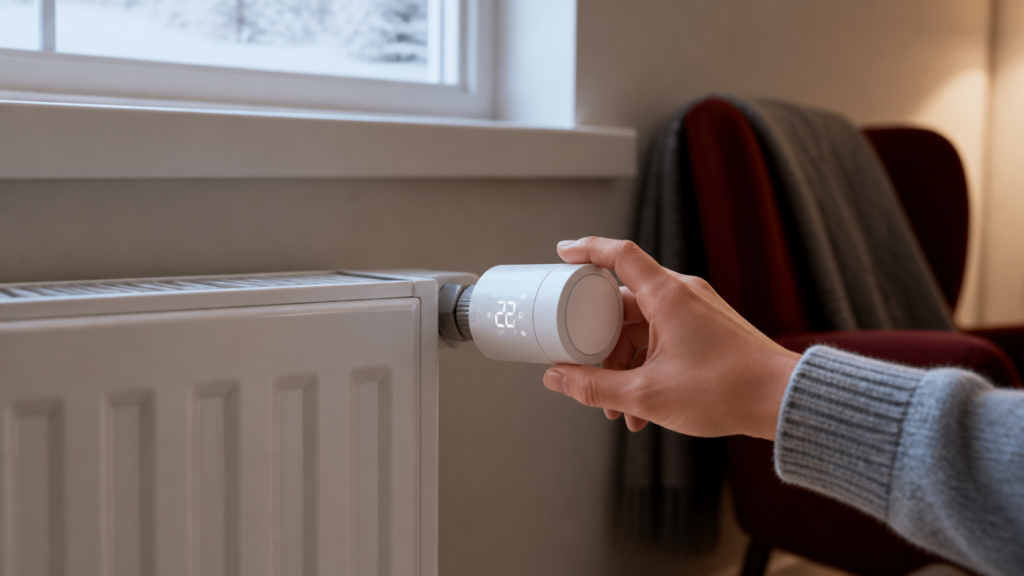
Aqara W600 Radiator Thermostat: Zigbee2MQTT & Home Assistant Guide
The Aqara W600 WT-A03E supports Thread/Matter and Zigbee, but it must be in Zigbee mode to join Zigbee2MQTT. The important setup step is choosing that mode in Aqara Home with a Bluetooth-capable phone. Zigbee2MQTT documents this process explicitly, including operation without an Aqara hub.
This guide covers that setup, the current exposed controls, external room-temperature input and the weekly schedule stored on the thermostat. It distinguishes the thermostat’s own behavior from automations that need Home Assistant, MQTT and the coordinator to remain available.
What Is the Aqara W600 and How Does It Compare to the E1?
The W600 is a battery-powered thermostatic radiator-valve controller from Aqara, the brand of 绿米联创 (Lumi United Technology). It changes the valve opening to regulate the radiator; it does not by itself turn on a boiler or guarantee that hot water is available. Aqara lists WT-A03E and WT-A03D variants. This guide follows the Zigbee2MQTT definition for WT-A03E, Zigbee model lumi.airrtc.aeu005.
Compared with the Zigbee-only E1 SRTS-A01, the main choice is whether you want the W600’s Thread option, current controls and valve fit. The E1 setup guide remains useful for that model, but its entity names and schedule format should not be copied to the W600.
| Feature | W600 WT-A03E | E1 SRTS-A01 |
|---|---|---|
| Radio choice | Zigbee or Thread/Matter; one mode at a time | Zigbee |
| Battery supply | Two AA alkaline cells | Two AA cells |
| Advertised battery life | Up to two years under Aqara’s stated usage assumptions | Up to one year under Aqara’s stated usage assumptions |
| Noise | Manufacturer specifies below 30 dB | No directly comparable figure established here |
| Display | LED display can flip 180° | LED display |
| Valve connection | M30 × 1.5; six supplied adapters | M30 × 1.5; supplied adapters differ |
| Zigbee2MQTT | Supported in Zigbee mode, including OTA capability | Supported, including OTA capability |
Battery-life estimates are not a guaranteed service interval. Valve movement, heating season, signal conditions, temperature and settings all matter. Likewise, a manufacturer noise rating does not establish an audible improvement over an installed E1 measured under different conditions.
Thread and Zigbee Mode
The two radios are alternative operating modes, not simultaneous connections to two controllers. For a unit running Thread, use the Aqara app’s Bluetooth-assisted setup to select Zigbee firmware before trying Permit join. A unit already configured for Zigbee does not need that conversion again.
Thread/Matter can connect to Home Assistant through its Matter integration with a suitable Thread border router. An Aqara M3 is one possible border router, while bridging a Zigbee child from an M3 is a different route. Neither should be confused with direct Zigbee2MQTT pairing.
Aqara marks external temperature-sensor linking, W100 control and its local schedules as Zigbee-mode features in Aqara Home. Zigbee2MQTT supplies its own external-temperature input and schedule interface, described below; do not assume every Aqara app feature is available through Matter.
For the separate hub-based route, the M3 Matter bridge guide explains the broader architecture. Use the W600’s own protocol-selection instructions when setting it up.
Before You Start
- A current supported Zigbee2MQTT release with the WT-A03E definition. This guide was checked against Zigbee2MQTT 2.14.3 and converters 26.125.0 on 1 November 2026; “any 1.x or 2.x release” is not a useful compatibility requirement.
- A supported Zigbee coordinator, working MQTT broker and Home Assistant MQTT integration.
- A W600 with fresh AA batteries and a compatible thermostatic radiator valve.
- If a protocol switch is needed: Aqara Home, an Aqara account and an Android/iOS phone with Bluetooth. Firmware downloads require network access even though later Zigbee control is local.
Check the valve before installation. The W600 has an M30 × 1.5 connection and includes RA, RAV, RAVL, Caleffi, Giacomini and M28 × 1.5 adapters. Having an adapter in the box does not prove that every valve from that manufacturer fits; follow the installation instructions for the actual valve and adapter.
Replace the thermostatic head rather than loosening the radiator’s water-bearing valve body. Secure the correct adapter as instructed, fit the head and complete valve calibration. Do not use an arbitrary extra quarter-turn as a universal tightening rule. If fit is uncertain or the valve pin does not move normally, stop and resolve the mechanical problem before relying on temperature control.
Step 1 — Select Zigbee Mode
- Open Aqara Home, sign in and start adding a W600.
- For a previously configured unit, hold the center button for 10 seconds until the display flashes so the app can discover it.
- Select the thermostat and, when prompted for the connection method, choose Zigbee.
- Let the app finish downloading and transferring the required firmware. Follow its completion indicators and keep batteries installed throughout; no fixed transfer time is guaranteed.
- The thermostat starts Zigbee pairing after the switch completes. Continue with your own coordinator instead of adding it to an Aqara hub.
Zigbee2MQTT’s W600 notes confirm that this process does not require a proprietary hub. Once it is running Zigbee and joined to your coordinator, normal heating control does not need an Aqara account connection. Retaining the app may still be useful if you later choose to change protocols or use Aqara’s own firmware-support path.
A Thread device will not join a Zigbee coordinator merely because both use the 2.4 GHz band. If the W600 is not detected, check the current protocol and pairing state rather than repeatedly opening Permit join.
For other Aqara lighting hardware, consult the exact model’s procedure. The T1M guide covers that separate product; its onboarding steps should not be treated as interchangeable with the W600’s.
Step 2 — Pair with Zigbee2MQTT
- Enable Permit join in the Zigbee2MQTT frontend.
- If the thermostat is no longer pairing, use its 10-second center-button hold until the display flashes.
- Wait for interview and configuration to finish, and confirm model
WT-A03E/lumi.airrtc.aeu005. - Rename it, for example to
living_room_radiator, close Permit join and test a modest setpoint change.
Do not judge success solely by the device appearing in a list. Check calibration status, reported temperature and control response. Keep the thermostat within reliable Zigbee coverage in its installed position.
This guide validates the Zigbee2MQTT route. ZHA is a separate implementation whose exact current quirk and feature coverage must be checked independently; an unversioned claim that it cannot control the W600 is not a reliable comparison.
Entities in Home Assistant
With MQTT discovery enabled, Home Assistant gets a climate entity and supported controls/sensors. Use the following exact Zigbee2MQTT properties when writing MQTT messages; Home Assistant entity IDs are chosen by discovery and your naming history.
system_mode:off,heatorauto;occupied_heating_setpoint: 5–30°C.preset:home,away,sleep,vacationorwind_down.local_temperature: temperature used for control;local_temperature_internal: the built-in sensor reading.running_state:idleorheat;position: reported valve opening, 0–100%, read-only.sensor:internalorexternal;external_temperature_input: external °C reading.local_temperature_calibration: −5 to +5°C internal-sensor offset;display_flip: display orientation.window_detection,window_open,child_lockandanti_freeze_temperature(5–15°C).battery,valve_alarm,calibrateandcalibrated; manual-override duration/status and preset-temperature settings.
The current names are position, battery, display_flip and window_detection, rather than valve_position, battery_percentage, display_orientation and window_open_detection. Those differences matter in templates and MQTT payloads.
OTA support is present, but an available matching firmware image is a separate requirement. Review the offered version before updating; a firmware download is not part of ordinary local temperature control.
External Temperature Sensor in Home Assistant
A sensor beside a hot radiator can read differently from the occupied part of the room. The size of that difference depends on installation and airflow; there is no universal 5–10°C error to assume. Compare readings after temperatures have settled before choosing an offset or an external room sensor.
Zigbee2MQTT can forward an external temperature when sensor is external. It does not automatically link two separately paired devices. Home Assistant must read a room sensor and publish that numeric value. In converter 26.125.0, a combined command containing both fields is supported; supplying an external value while the selected source is internal is rejected rather than silently becoming the control temperature.
The following example checks that the reading is numeric, sends on state changes, refreshes every five minutes and resumes after Home Assistant starts. Replace the sensor and topic with your own names:
alias: W600 - Push external temperature
triggers:
  - trigger: state
    entity_id: sensor.living_room_temperature
  - trigger: time_pattern
    minutes: "/5"
  - trigger: homeassistant
    event: start
conditions:
  - condition: template
    value_template: >-
      {{ is_number(states('sensor.living_room_temperature'))
         and -40 <= states('sensor.living_room_temperature') | float(0) <= 125 }}
actions:
  - action: mqtt.publish
    data:
      topic: zigbee2mqtt/living_room_radiator/set
      payload: >-
        {{ {'sensor': 'external',
            'external_temperature_input': states('sensor.living_room_temperature') | float(0)} | to_json }}
      retain: false
mode: restart
The −40 to 125°C check matches the converter’s accepted input range; it is not a recommended room-temperature range. Add a narrower plausibility check or a stale-sensor watchdog appropriate to your room. A numeric entity can retain an old value after its physical sensor stops updating, so numeric validation alone does not establish freshness.
The current implementation clears its temporary external-sensor context on coordinator lifecycle events and recreates it from a new command. A periodic refresh helps it recover after Zigbee2MQTT restarts. Its one-minute cached-sample policy is for answering device requests, not proof that the thermostat requires a new reading every minute. It also exposes an external_temperature_problem diagnostic described as fallback after 75 minutes without fresh external temperature. Verify fallback behavior on the actual device/firmware rather than treating an automation as an outage guarantee.
An onboard schedule can continue selecting targets while external readings stop, but control quality then depends on the thermostat’s fallback and sensor placement. If you disable this automation permanently, deliberately select internal again and check the reported control temperature.
Aqara Home offers its own Zigbee linking to supported Aqara temperature sensors and W100 controls. W100’s global models are TH-S04E and TH-S04D; Zigbee2MQTT lists TH-S04D. That ecosystem route is a different setup, not a prerequisite for forwarding a reading from any compatible Home Assistant room sensor.
Local Schedules — Heating That Runs Without HA
The W600 can store a weekly heating schedule. Aqara documents local schedule execution, and the released Zigbee2MQTT implementation uploads the schedule to the thermostat. This is different from a Home Assistant time-triggered automation sending each target change.
- Set the temperatures for the five presets, using properties such as
preset_home_temperatureandpreset_sleep_temperature. - Fill each daily text field,
weekly_schedule_mondaythroughweekly_schedule_sunday, with comma-separated time/preset entries. For example:06:30/home, 08:30/away, 18:00/home, 22:30/sleep. - Stage all seven days before saving. These fields form one weekly upload; do not assume unfilled days are copied from Monday or read back from the thermostat.
- Send
{"save_schedule":"trigger"}to the device’s/settopic. Wait forschedule_upload_statusto reportsuccess; merely editing a daily text field has not uploaded it. - Select
system_mode: autoto follow the schedule and check the next transition.heatis manual heating mode.
The current parser accepts HH:MM/preset, validates preset names and rejects duplicate times on a day. Start with a simple schedule and verify that the upload succeeds before adding more transitions. The schedule transfer uses Zigbee’s OTA mechanism for data; it is not the same operation as installing new firmware.
Once successfully uploaded and enabled, the device schedule removes the need for Home Assistant to send every transition. Batteries, valid device time and valve operation still matter. External-sensor forwarding, occupancy logic and other Home Assistant automations remain dependent on their own running components. Check behavior during a controlled outage before relying on a particular fallback; no physical outage test is claimed here.
W600 vs E1 — Should You Upgrade?
| Decision | W600 | Existing E1 |
|---|---|---|
| Want a Thread/Matter option | Available as an alternative mode | Zigbee only |
| Want external room temperature in Z2M | Forward readings with an automation | Check the E1-specific input and workflow |
| Want device schedules | Use staged daily fields, save and verify upload | Use the E1-specific schedule format |
| Already have reliable heating | Compare fit, controls and actual replacement cost | No need to replace solely for a newer model name |
For a new installation, compare the available local warranty, valve adapters and supported features rather than assuming a fixed price premium. For an existing E1 setup that heats reliably, the W600’s alternative radio and display options may not justify replacing every head. A floor-heating thermostat is a different product class; do not use a radiator head to control an underfloor-heating circuit.
Frequently Asked Questions
Does W600 work with Zigbee2MQTT without an Aqara hub?
Yes. A protocol change requires Aqara Home, an account and Bluetooth on the phone, but the documented switch to Zigbee does not require an Aqara hub. Ongoing Zigbee control uses your own coordinator.
How do I switch from Thread to Zigbee?
Start device setup in Aqara Home, select Zigbee when prompted and let the firmware transfer finish. A previously configured thermostat can be put into pairing with its 10-second center-button hold.
Does heating work without internet?
Local Zigbee control does, while your coordinator, MQTT and controller are running. A successfully uploaded onboard schedule can run on the thermostat. Downloads and cloud services require network access; Home Assistant external-temperature forwarding needs its local components running.
How do I use a separate temperature sensor?
Select external input and send valid, fresh °C readings to external_temperature_input, using the combined command example above. Monitor stale readings and fallback instead of assuming the two devices link automatically.
What changes compared with E1?
W600 adds a Thread/Matter option, a display that flips and a manufacturer noise specification below 30 dB. Battery-life figures are manufacturer estimates, and the Zigbee2MQTT controls and schedule format differ by model.
Sources and version: checked on 1 November 2026 against Aqara’s W600 specification and feature notes, E1 documentation, the WT-A03E reference, and released converter 26.125.0. These instructions were checked against documentation and code, without operating a thermostat.