

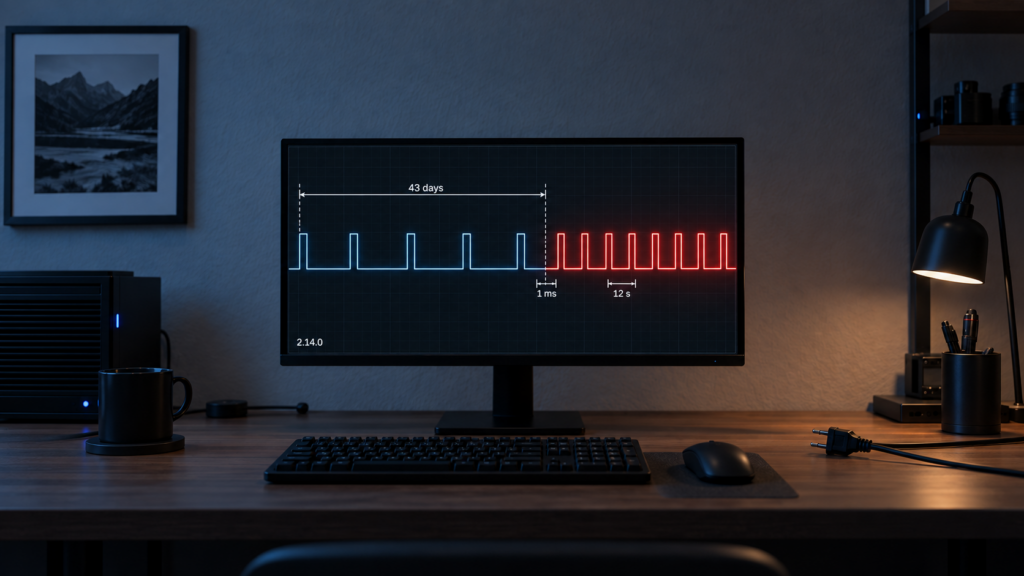
If your Zigbee2MQTT log shows “Failed to ping” for one specific device every few seconds, and that device has been dead, removed, or replaced for six weeks or more, you’re very likely looking at a known bug rather than a misconfiguration. The availability backoff that’s supposed to make pings rarer over time can flip into a tight, permanent loop. It’s fixed in Zigbee2MQTT 2.14.0, and a config option prevents it on older versions. All of it is local: nothing about this bug or its fix touches a cloud service.
This explainer is built from the upstream GitHub issue that got the bug fixed, the 2.14.0 release notes, and the official availability docs. It hasn’t been reproduced on this site’s test bench. Waiting out 43 days of device absence isn’t a practical test, and the mechanism is documented in enough detail not to need one.
The symptom: constant pings for a device that’s long gone
The usual pattern: a device stopped responding a long time ago. Maybe the battery died and nobody replaced it, maybe it was physically removed but never formally taken out of Zigbee2MQTT. Instead of the ping frequency tapering off the way the documented backoff is supposed to work, the log shows “Failed to ping” for that device roughly every 12 seconds, indefinitely. Failed unicasts to a node that no longer exists can also trigger route-discovery attempts, so the symptom may show up as unexplained extra broadcast traffic as well as log noise. The network map is the quickest way to see which devices are actually still present.
Two things this isn’t. It isn’t the bridge/state issue where every entity goes unavailable at once after a Home Assistant restart. And it isn’t a last_seen timestamp problem. This is specifically about how often Zigbee2MQTT schedules the next ping for one unreachable device.
How the backoff is supposed to work
Zigbee2MQTT’s availability docs describe the backoff for a device that keeps failing pings as a multiplying sequence: x1.5, x3, x6, x12, and so on. With the default 10-minute active timeout, that works out to roughly 10, 15, 30, 60, 120 minutes between pings, and each failed attempt makes the next one rarer still.
For the first days or weeks of a device being gone, that’s what happens. The gap keeps doubling. The device-availability docs don’t say where that growth stops, or what happens if it doesn’t stop cleanly. That’s the gap this bug lives in.
What actually happens: a setTimeout that can’t count that high
Zigbee2MQTT schedules each device’s next ping with Node.js’s setTimeout, and the delay is the active timeout multiplied by the backoff multiplier. setTimeout has a hard ceiling: 2,147,483,647 milliseconds, the largest 32-bit signed integer, about 24.8 days. Ask for longer and Node.js doesn’t throw. It emits a TimeoutOverflowWarning and sets the delay to 1 millisecond. Before 2.14.0 nothing capped the multiplier, so once the calculated delay passed the ceiling, every later calculation passed it too, and every timer fired almost at once.
From there the loop runs as fast as a ping can fail. Per the issue, that’s roughly a 10-second ZCL timeout plus a hard-coded 2-second pause between queued pings, which is where the ~12-second rhythm comes from. The backoff meant to make pings rarer ends up producing close to 300 an hour for one missing device.
| Point in the sequence | What the docs say happens | Before 2.14.0 | 2.14.0+ |
|---|---|---|---|
| 1st–5th failed ping | Delay grows: ~10, 15, 30, 60, 120 min (default timeout) | Matches the documented pattern | Matches the documented pattern |
| ~13 failed pings (~43 days absent) | Not documented | Calculated delay passes the ~24.8-day setTimeout ceiling and collapses to 1 ms | Delay is clamped to the ceiling instead |
| Beyond that point | Not documented | A ping roughly every 12 seconds, indefinitely | Pings continue at the ~24.8-day ceiling |
The math behind “43 days”
The overflow point isn’t arbitrary. With default settings (a 10-minute active timeout, 30-second max jitter), the issue puts the overflow at a backoff multiplier of roughly 3,400 to 3,570. Following the x1.5-then-doubling progression, the multiplier gets there after about 13 consecutive failed pings, and because each gap is twice the one before, the elapsed time adds up to roughly 43 days of absence before the loop starts. A device offline for a week or two won’t hit this. One that’s been dead in a drawer since spring will.
This isn’t only log noise once it starts. The user who reported the bug measured roughly 280 pings per hour from a single long-absent device and traced 97% of the APS errors in their network logs to that one device. A stale device nobody is looking at can degrade the whole mesh, not just clutter the log.
The fix: upgrade to Zigbee2MQTT 2.14.0 or later
Zigbee2MQTT 2.14.0, released 2026-09-01, includes a fix (PR #32937) that clamps the availability ping delay to the maximum value setTimeout supports. Past that point the backoff plateaus at about 24.8 days instead of overflowing. It’s a code-level clamp, not an opt-in setting, and neither the release notes nor the upstream issue mention any config step.
If a device is already in the loop on an older version, upgrading should stop the spam, since the clamp applies to every ping scheduled after the upgrade.
The workaround if you’re not upgrading yet
On versions before 2.14.0, pause_on_backoff_gt avoids the loop. Once a device’s backoff multiplier goes above the value you set, Zigbee2MQTT stops pinging it and waits for the device to send a Zigbee message on its own before resuming checks. It defaults to 0, which disables pausing, so an install that never set it is exposed.
The value is a multiplier, not a time. With the default 10-minute timeout, the ping gap is roughly the timeout times the multiplier, so a threshold of 1000 pauses a device once its gap reaches about a week, well short of the ~3,400 overflow point. It sits under availability.active in Zigbee2MQTT’s configuration.yaml, per the official docs:
availability:
  enabled: true
  active:
    timeout: 10
    max_jitter: 30000
    backoff: true
    pause_on_backoff_gt: 1000  # example value; 0 (default) never pauses
  passive:
    timeout: 1500
Restart Zigbee2MQTT after editing the file. The docs also allow the active-device options, pause_on_backoff_gt included, to be set per device under that device’s entry, and a single device can opt out of availability checks entirely with availability: false. Check the docs page for the per-device form before writing one. Turning backoff off (backoff: false) also sidesteps the overflow, but only by pinging every dead device every 10 minutes forever, which is the opposite of what you want here.
pause_on_backoff_gt treats the symptom, not the cause. A device sitting in backoff for weeks is, in almost every case, a device that isn’t coming back. The real fix is to formally remove it from Zigbee2MQTT rather than let it accumulate backoff. That also clears the stale entities in Home Assistant, which pausing pings doesn’t do.
I think the more useful habit is a periodic pass through the device list, removing anything that’s genuinely gone. The setting is a reasonable safety net, but a mesh with a growing pile of paused ghost devices is still a mesh nobody is maintaining.
Healthy devices rarely need pinging at all: any message a device sends counts as a check-in. For mains-powered devices that report regularly, the reporting configuration is what keeps that happening, which is a separate axis from availability pings.
FAQ
Why does Zigbee2MQTT keep trying to ping a device that’s been gone for months?
Before 2.14.0, the backoff delay that’s supposed to make pings rarer could overflow the setTimeout limit after roughly 43 days of absence, collapsing to almost nothing instead of growing further. The result is a ping roughly every 12 seconds, indefinitely, for that one device.
What does “TimeoutOverflowWarning” mean in the Zigbee2MQTT log?
It’s Node.js reporting that a scheduled delay exceeded the maximum setTimeout supports (about 24.8 days) and was set to 1 millisecond instead. It shows up in the process output, such as the container or add-on log. On a pre-2.14.0 install, seeing it alongside repeated “Failed to ping” lines for one device points at this bug.
How do I stop Zigbee2MQTT from pinging a device I know is gone?
Remove it rather than leaving it in the device list. If you’re not ready to remove it yet, a non-zero pause_on_backoff_gt stops active pinging once the backoff passes your threshold, and availability: false on that device stops availability checks for it entirely.
Does upgrading to Zigbee2MQTT 2.14.0 fix this automatically, or do I need to do anything?
Neither the release notes nor the issue mention a config change. The clamp is in the code and applies to pings scheduled once you’re on 2.14.0 or later.
What is pause_on_backoff_gt and should I set it?
It’s a backoff-multiplier threshold. Once a device’s backoff exceeds it, active pinging pauses until the device sends a message on its own. It’s disabled by default. Setting it is a reasonable safety net on pre-2.14.0 versions or as a general hedge, but it manages the symptom. Removing devices you know are gone is the actual fix.
What’s confirmed, and what isn’t
This article draws on Zigbee2MQTT’s device-availability documentation, the upstream issue (Koenkk/zigbee2mqtt #32936, opened 2026-08-26), and the 2.14.0 release (2026-09-01). None of it was reproduced on this site’s test bench. The 43-day math, the ~12-second loop timing, and the 280-pings-per-hour and 97%-of-APS-errors figures are as reported in the issue, not this site’s own measurements.
Confirmed against those sources: the documented backoff pattern, the setTimeout ceiling and its 1 ms fallback, the 2.14.0 clamp and its release date, and pause_on_backoff_gt‘s place under availability.active, its multiplier units and its default of 0. Not confirmed: the exact date the issue was closed, the exact nesting of a per-device override, and whether restarting Zigbee2MQTT on its own resets a device’s backoff. On your own install, the quickest checks are the version shown on the frontend’s About screen and the timestamps on those “Failed to ping” lines.