

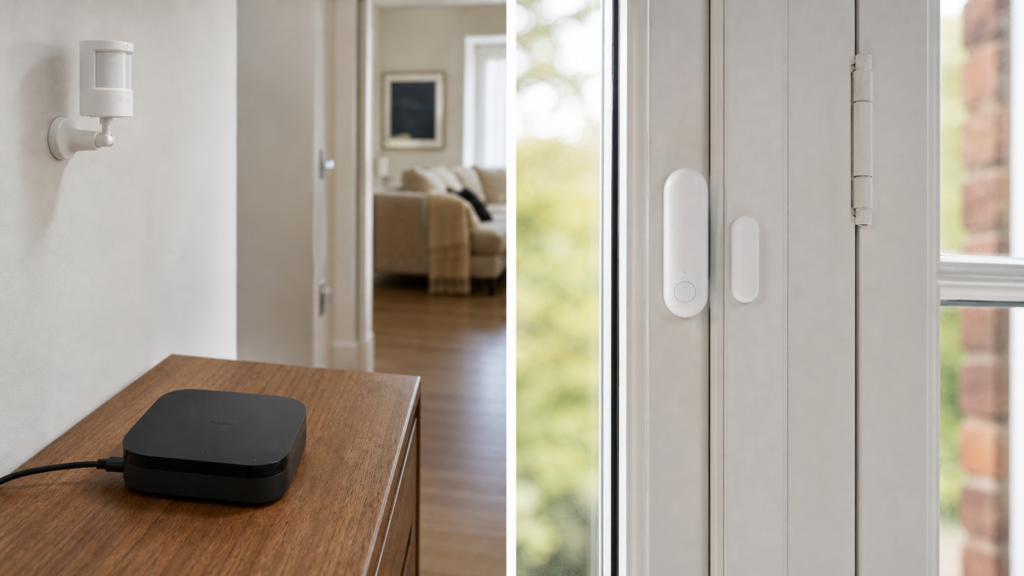
A reader with a full Aqara/Xiaomi shopping cart usually ends up owning devices on three or four different radios without realizing it. Some pair over Zigbee. Some talk Bluetooth. Some join the Wi-Fi network the way a laptop does. A growing share of the newer Aqara models ship Thread. All of it is sold under branding that doesn’t distinguish between them, so “do I need a hub for this” turns into guesswork fast.
The actual answer has nothing to do with the brand on the box. It’s set by the radio. Zigbee devices need a coordinator of some kind, no exceptions. Bluetooth devices don’t need a hub, but something local has to be listening for them, and with Xiaomi’s own sensors that usually means replacement firmware too. Wi-Fi devices don’t need a hub either, though historically they’ve needed a cloud account to get through initial setup. Thread devices don’t need a hub in the Zigbee sense, but they do need a border router somewhere on the network. None of this shows up plainly on a product page.
Zigbee devices: always need a coordinator, no way around it
Zigbee is a mesh protocol built around a coordinator radio that forms the network and holds the join credentials. That coordinator can be an Aqara hub (M1S, M2, M3, E1), a Xiaomi gateway, or a third-party USB Zigbee radio running Zigbee2MQTT or ZHA. What it can’t be is nothing. This site’s guide to running Aqara Zigbee devices in Home Assistant without the Aqara hub makes the same point from the other direction: without the Aqara hub has never meant without a coordinator. It means swapping Aqara’s coordinator for a generic one that Zigbee2MQTT or ZHA can talk to directly.
This rule doesn’t care which brand made the device. Xiaomi’s Zigbee lineup, which this site’s comparison of Aqara and Xiaomi Zigbee hardware finds is frequently the same silicon under a different label, follows the identical requirement. If it’s Zigbee, something has to be the coordinator.
The coordinator doesn’t have to be branded Aqara or Xiaomi at all. A generic USB Zigbee dongle running Zigbee2MQTT or ZHA does the same job, and is the usual path once a reader outgrows the vendor hub’s app-tied setup.
Bluetooth devices: no hub, but something has to be listening
Xiaomi’s Bluetooth-only sensor line, the temperature and humidity units in the LYWSD and MJWSD families, doesn’t need a hub of any kind. Home Assistant’s own Bluetooth stack reads them over the air with no gateway in between, as our guides for the LYWSD03MMC and the MJWSD05MMC both cover.
There’s a firmware condition attached, and it’s the part the product page never mentions. On stock firmware these sensors broadcast in Xiaomi’s own encrypted advertisement format, and the key to decrypt it comes from Xiaomi’s servers by way of the Mi Home app. Our LYWSD03MMC guide puts it plainly: stock, there is no usable local path. Two routes fix that. The common one is flashing the pvvx open-source firmware and switching the sensor to BTHome, which Home Assistant auto-discovers with nothing else in the loop. The other is Home Assistant’s Xiaomi BLE integration reading the original format using a bind key, which leaves the stock firmware in place but keeps Xiaomi in the picture for the key.
Either way, the model is different from the gateway approach above. Nothing acts as a go-between translating one protocol into another. Home Assistant, or a Bluetooth proxy sitting elsewhere on the network, listens for advertisements broadcast directly from the sensor. Range is the limiting factor here rather than pairing. If the sensor sits too far from the Home Assistant host’s own Bluetooth radio, the fix is a proxy, not a hub.
Wi-Fi devices: no hub, but historically a cloud account for setup
Xiaomi’s Wi-Fi appliances connect straight to the home network. No hub, no gateway, no bridge device sitting in between. This site’s Smartmi Humidifier 2 guide and its Valetudo vacuum guide cover two concrete examples.
What these devices have historically needed is a Mi Home cloud account during initial pairing. Whether the cloud drops out afterwards depends on the device, and those two examples land in different places. The humidifier speaks Xiaomi’s local miIO protocol once you hold its token, so Home Assistant polls it over the LAN and the account stops mattering for day-to-day control. A stock Xiaomi vacuum does not behave that way: Mi Home routes commands through the cloud even when the app and the robot sit on the same network, and a genuinely local vacuum means rooting it and replacing the firmware with Valetudo, which is a one-way flash rather than a settings change. “No hub” and “no cloud” are separate questions, and the second one is answered per device.
Thread devices: no hub, but a border router has to exist
Aqara’s newer sensors increasingly ship Thread firmware rather than Zigbee. The P2 door and window sensor and the FP300 and FP310 presence sensors are the ones readers hit most often. Thread devices don’t pair to a Zigbee hub at all. They join an IPv6 mesh and need a Thread border router somewhere on the network: the Hub M3, an Apple TV or HomePod, or a Home Assistant install with a Thread-capable radio. Home Assistant then talks to them over Matter, with no vendor hub translating in between.
One trap is worth knowing before buying. On several Aqara models the Thread and Zigbee firmwares are alternatives rather than a both-at-once arrangement. Moving an FP300 or FP310 onto a Zigbee network takes a one-time cross-flash in the Aqara app, which is not a step people expect from a device the box calls Matter-ready.
What Aqara’s own hubs will and won’t adopt
Aqara’s hubs are Zigbee coordinators first. The M1S, M2, E1, and M3 all adopt Aqara’s Zigbee sub-devices, and none of them will adopt a Xiaomi Bluetooth thermometer or a Wi-Fi appliance the way they adopt a Zigbee sensor. The hub-generation comparison posts that dominate this topic tend to assume you already knew that.
The M3 blurs the line, though less than its spec sheet implies. It is a Matter controller and a certified Thread border router as well as a Zigbee coordinator, both of which this site’s Hub M3 Matter bridge guide covers in detail, and it carries a Bluetooth radio. On Bluetooth child devices specifically, Aqara’s own Hub M3 FAQ is carefully worded: the hub retains the capability to connect Bluetooth child devices and will support Aqara Bluetooth child devices through a future firmware upgrade. That is a vendor statement about a planned capability, not a shipped feature with a device list behind it.
Don’t buy an M3 to solve a Bluetooth problem. Aqara describes Bluetooth child-device support as arriving through a firmware upgrade, with no published list of which devices qualify, and nothing in that statement covers third-party BLE gear such as a Xiaomi LYWSD sensor. If you need Bluetooth sensors in Home Assistant today, the working path is Home Assistant’s own Bluetooth adapter or a Bluetooth proxy.
Xiaomi takes a different design approach with its multimode gateway line, combining Wi-Fi, Zigbee 3.0, BLE, and Bluetooth Mesh in one device rather than acting purely as a Zigbee coordinator. That’s a useful reminder that “does this hub cover my protocol” is a per-product question, not a per-brand one. The wider Mi Home gateway line splits further into hub, sub, and blind gateway roles, and not every one of those covers every protocol either.
The honest read is that hub boxes list radios, not compatibility. “Zigbee, Thread, Bluetooth, Wi-Fi” printed on an M3 box describes what the hardware contains. It says nothing about which of those radios will actually adopt a device you already own, and reading the badge as a compatibility promise is the most common way people end up with the wrong hub.
Quick reference: protocol, hub requirement, what you need instead
| Protocol | Hub required? | What you actually need |
|---|---|---|
| Zigbee | Yes, some coordinator | Aqara hub, Xiaomi gateway, or a third-party USB dongle running Zigbee2MQTT or ZHA |
| Bluetooth | No | Home Assistant’s own Bluetooth adapter or a proxy in range; Xiaomi’s own sensors also need pvvx firmware or a bind key |
| Thread | No, but a border router | Hub M3, Apple TV/HomePod, or a Thread-capable Home Assistant radio |
| Wi-Fi | No | Home network connection, plus historically a Mi Home account for initial setup |
FAQ
Do all Aqara devices need the Aqara Hub?
No. Only Aqara’s Zigbee devices need a coordinator, and it doesn’t have to be an Aqara-branded hub specifically. Aqara’s Thread, Bluetooth, and Wi-Fi devices bypass the hub question entirely, following the rules above instead.
Can Aqara Bluetooth sensors be used without any hub?
Yes. What they need is a listener within Bluetooth range, whether that’s Home Assistant’s own adapter or a Bluetooth proxy. Aqara has said Bluetooth child-device support is coming to the M3 through a firmware upgrade, but no supported-device list is published, so it isn’t something to plan a purchase around yet.
Does the Aqara Hub support Wi-Fi devices?
No. Aqara’s hubs adopt Zigbee sub-devices. Wi-Fi devices connect to the home network directly and never pass through an Aqara hub at all, regardless of hub generation.
What’s different about the Aqara Hub M3?
Two things the earlier generations don’t have: it is a Matter controller and a certified Thread border router, which is what makes it useful for Aqara’s Thread sensors. On Bluetooth, Aqara’s FAQ says the M3 will support Aqara Bluetooth child devices through a future firmware upgrade. Earlier hubs carry no such commitment, but the M3’s version of it is an announcement rather than a capability you can buy today.
Do Xiaomi Wi-Fi smart home devices need a Mi Home account?
Historically, yes, for initial pairing. What happens afterwards varies by device: the Smartmi humidifier guide above covers one that runs on a local miIO token once paired, while a Xiaomi vacuum only becomes genuinely local after rooting and flashing Valetudo.
What this piece verified
This is a synthesis piece, not a hands-on test. No hardware was bought or paired for it. The Zigbee-coordinator rule, and the per-device Bluetooth and Wi-Fi behaviour, come from six of this site’s own published guides: the without-the-hub Zigbee guide, the LYWSD03MMC and MJWSD05MMC sensor guides, the Smartmi Humidifier 2 and Valetudo vacuum guides, and the multimode gateway guide.
The Aqara hub claims were checked against Aqara’s own Hub M3 FAQ and this site’s M3 Matter bridge guide, rather than against the third-party hub-comparison article this topic usually gets sourced from, which dates to February 2025 and describes the M3’s Bluetooth support as already delivered. Aqara’s own wording is forward-looking, so this piece treats Bluetooth child-device support as announced rather than shipped.
Two things it deliberately does not claim: which Aqara Bluetooth child devices the M3 will eventually support, since no list is published, and that any of this survives a firmware cycle unchanged. Check Aqara’s changelog before assuming a newer hub inherits an older one’s behaviour.