

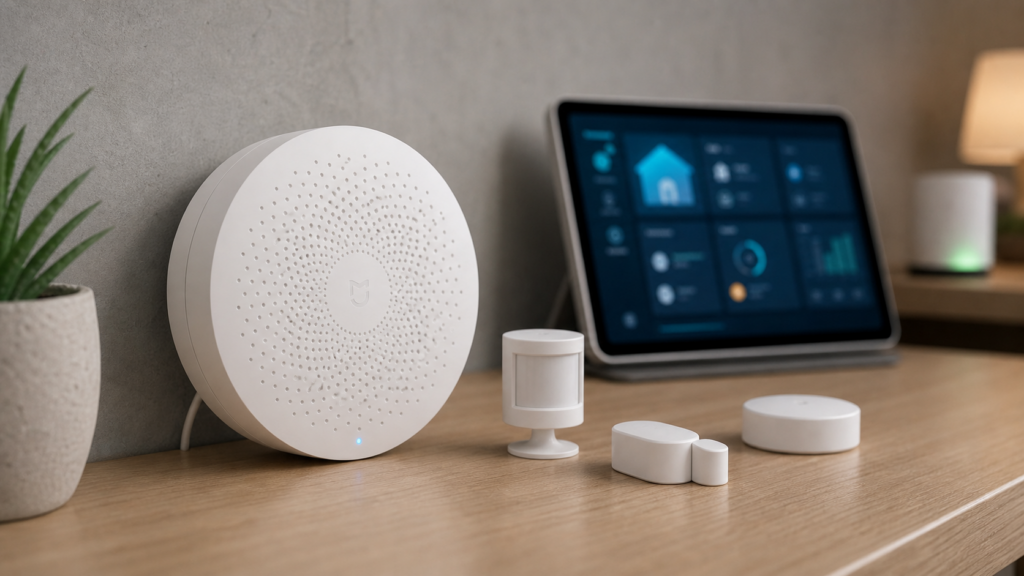
A reader wrote in a while back asking why half their Mi Home automations felt instant and the other half had a noticeable half-second lag, even though every device involved was supposedly on the same local network. I went through their setup with them and found the cause in about ten minutes: some of their sensors were paired to a hub, and some were paired to a Xiao AI speaker that had quietly become a gateway of its own — one that talks only to Xiaomi’s servers. Same app, same “local mode” toggle flipped on, completely different data path.
That’s the problem with how Mi Home talks about “gateways.” The app uses the word for at least three functionally different things, and only one of them guarantees your automations stay on your LAN. If you’re building a privacy-conscious or local-first Xiaomi setup, knowing which tier each of your devices belongs to matters more than knowing which brand of sensor you bought.
The three gateway tiers Mi Home doesn’t explain clearly
Xiaomi’s own English documentation on hubs and gateways treats “gateway” as one broad category. Chinese-language sources — Zhihu explainers and enthusiast forums in particular — draw a sharper three-way distinction that maps directly onto whether an automation executes locally or round-trips through the cloud.
中枢网关 (zhōngshū wǎngguān, “hub gateway”) is the top-level controller in a Mi Home local network. It stores automation rules locally and coordinates every device assigned under it. This is the device that makes local-only operation possible at all; without one, nothing downstream can run locally, no matter how the individual sensors are configured. Xiaomi’s dedicated Central Hub Gateway and Smart Home Hub, some Multimode Gateway models on recent firmware, and router models with a built-in central gateway (the BE3600 Pro class) are the devices that typically fill this role. Exactly which models qualify shifts with firmware, so verify rather than assume.
从网关 (cóng wǎngguān, “sub-gateway”) is a gateway-capable device that’s been explicitly assigned under a hub gateway. Its child devices — Zigbee sensors, switches, whatever it’s bridging — join the hub’s local automation system and can execute locally, same as if they were paired directly to the hub. A home can run several sub-gateways under one hub, which is normal and expected in a larger setup.
盲网关 (máng wǎngguān, “blind gateway”) is a gateway-capable device that has not been assigned to a hub. It’s usually an always-powered accessory with a gateway chip built in for convenience — a Bluetooth-mesh speaker, an air conditioner companion unit, something in that category — and by default it talks to Xiaomi’s cloud instead. Any automation involving a blind gateway’s child devices cannot run locally. This isn’t “runs locally with occasional cloud fallback”: that path doesn’t touch your LAN at all, even when your internet connection is fine.
If you’ve spent any time in the Mi Home app, you’ve probably noticed that every device with a radio in it gets labeled “gateway” somewhere in its settings screen, with no visual distinction between these three states. That’s the trap.
Why this matters for local-only setups
This isn’t a pedantic taxonomy problem. It changes what actually happens when a sensor fires.
Under a hub or sub-gateway, the trigger-to-execution path stays on your network: sensor → gateway → hub → target device, all over LAN, no round trip required. Under a blind gateway, the same-looking trigger goes out to Xiaomi’s servers and the execution command comes back down from there. Two costs follow from that. First, the obvious one for this site’s mission: event data that doesn’t need to leave your network does anyway, on every single trigger, not occasionally. Second, a practical one — you inherit Xiaomi’s server latency and uptime as a dependency for an automation you built specifically to avoid depending on the internet.
Honestly, I think Xiaomi’s naming here does real damage. Calling all three tiers “gateway” in the UI buries a distinction that decides whether your “local” automation is local at all, and nothing in the app actively warns you when a device slides into blind-gateway status.
The flip side shows up during actual cloud outages: when Mi Home’s servers go down, automations that sit under a hub gateway keep running without a hiccup, while anything routed through a blind gateway stops. The prerequisite for that resilience is exactly what this article is about — the devices involved have to actually sit under a hub gateway, not a blind one, or an outage takes them down with it.
How to check what you actually have
This is the part worth doing today, not filing away for later.
- Open each gateway-capable device’s own settings page in Mi Home — the individual device’s page, not the general device list. The exact label varies by app version, but you’re looking within that device’s own settings for its gateway or sub-device options rather than in any global menu.
- Look for an assignment or ownership field. A hub-assigned sub-gateway shows which hub it’s under. A blind gateway typically shows no hub relationship at all, or an option to enable/disable its own gateway function.
- If a device is acting as a blind gateway you don’t want, disable its gateway function in that device’s own settings. This is the Chinese-source guidance worth following directly: if you already have a hub gateway in the home, turn off the “gateway” capability on your other always-powered devices so they don’t accidentally compete for nearby Bluetooth-mesh sensors and end up owning them as a blind gateway.
- Re-check any sensor that felt laggy or occasionally unresponsive when your internet was flaky. That symptom — fine most of the time, briefly broken during an outage — is close to a tell for a device sitting under a blind gateway rather than a real bug in the sensor itself.
One thing that makes this harder than it should be: the assignment status lives inside each device’s own settings, and as far as the current app exposes, there’s no single “gateway topology” screen that lays out hub, sub-gateway, and blind status for the whole home at a glance. You check it device by device.
Which devices are typically hub-capable vs. commonly blind
Worth knowing: this list reflects how these devices are typically sold and configured, not a permanent fact about the hardware. Xiaomi ships firmware updates and regional SKU variations that can change what a given model supports. Treat this as a starting point for what to verify in your own app, not a static spec sheet.
| Typically hub-capable | Commonly ends up blind (unless assigned) |
|---|---|
| Xiaomi Smart Home Hub / Central Hub Gateway | Xiao AI speakers with Bluetooth-mesh gateway function |
| Xiaomi Multimode Gateway 2 (recent firmware) | Air conditioner companion/control units |
| Router models with built-in central gateway (BE3600 Pro class) | Other always-powered accessories with an incidental gateway chip |
A caveat that matters if you’re mixing brands: Aqara-branded hubs (M2, M3, E1) run their own separate local-API story, already covered in our Aqara Hub M2 vs M3 local-control comparison. They’re not part of this Mi Home hub/sub-gateway/blind-gateway taxonomy — don’t assume the same assignment logic applies just because both ecosystems share sensors.
How this relates to Home Assistant and Zigbee2MQTT
For readers already running Home Assistant: getting a device correctly assigned under a hub gateway solves the local-execution problem within Mi Home’s own ecosystem. It’s a separate question from taking devices off Mi Home’s cloud entirely by moving them to Zigbee2MQTT or ZHA, which several devices in this cluster support — see our Xiaomi Multimode Gateway local integration guide for a specific hub-capable device that bridges into HA. The two things stack: correct hub assignment fixes automations you keep running inside Mi Home, and a Z2M/ZHA migration is the further step of removing Xiaomi’s cloud from the picture entirely for devices you’ve re-paired to your own coordinator.
For the bigger-picture privacy tradeoffs across the whole Xiaomi ecosystem, our Xiaomi Home integration privacy explainer covers what data moves where and why, with this gateway-tier distinction as one of the mechanisms behind it.
Frequently asked questions
Does having a hub gateway in my home automatically fix every device’s local status?
No. Only devices actually assigned under that hub — directly, or via a sub-gateway that’s itself assigned — get local execution. A device with its own gateway function left enabled and unassigned stays blind regardless of what else is in the home.
Can one home have multiple hub gateways?
You can own multiple hub-capable devices, but for a given set of child sensors, only one hub actually coordinates them at a time. Running two active hub gateways in the same Mi Home account tends to create the exact competing-ownership problem this article describes, just between two legitimate hubs instead of a hub and a blind gateway.
Is a sub-gateway less capable than a hub gateway?
Not in terms of local execution — its child devices run locally, same as devices paired directly to the hub. The difference is architectural: a sub-gateway relies on the hub for coordination and doesn’t function as the top-level controller on its own.
Will Xiaomi ever add a clear “gateway status” view to the app?
There’s no announced plan we’re aware of. Given how consistently this comes up in Chinese-language forums, it’s the kind of usability gap that would help — but for now it’s left to community explainers to fill, and you’re stuck checking device by device.
Does this affect Aqara devices too?
Aqara-branded hubs use their own local-API mechanism, separate from this Mi Home tier system — see the M2 vs. M3 comparison linked above. If you’re running a mixed Aqara/Xiaomi household, check each ecosystem’s local status independently rather than assuming one covers the other.
What to do with this
Go check your gateway-capable devices this week, not after your next automation glitch. This hub/sub-gateway/blind-gateway distinction keeps resurfacing in Chinese-language forums as Mi Home’s app architecture evolves, which is a good reason to sort out your own setup now rather than wait. Whether Xiaomi eventually surfaces this distinction directly in the app instead of leaving it to community explainers is still an open question worth watching.