

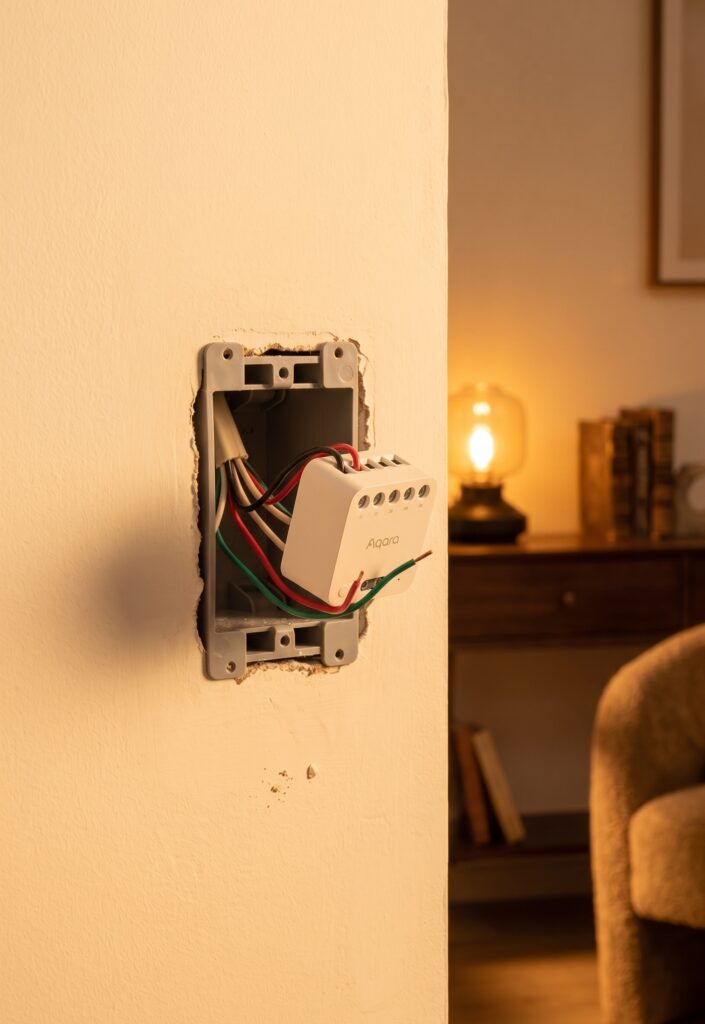
Aqara Single Switch Module T1 in Home Assistant via Zigbee2MQTT
Disclosure: This post contains affiliate links. If you buy through them, I earn a small commission at no extra cost to you.
The Single Switch Module T1 adds Zigbee control behind a conventional switch or at another suitable point in the circuit. Choose between SSM-U01 and SSM-U02 according to the wiring and load, then pair the installed module with Zigbee2MQTT. The neutral-wire model also provides power measurements.
What the T1 module controls
The T1 is a single-channel relay module. It switches a compatible load on or off; it is not a dimmer. A suitable installation can retain an external physical switch as well as Home Assistant control.
SSM-U01 or SSM-U02?
SSM-U01 requires neutral and includes power metering. SSM-U02 is a no-neutral model intended for compatible lighting loads and does not meter power. Have an electrician establish which version fits the circuit; wire colours or the age of the home are not reliable ways to identify neutral.
Aqara’s neutral-model guidance specifies a maximum 2200 W resistive load. The SSM-U02 manual lists a maximum 1250 W resistive load and compatible non-remote-controlled lights above 3 W. These limits do not automatically cover motors, sockets or every LED driver.
Prepare the hardware and software
- A module matched to the supply, wiring and intended load.
- A qualified electrician to install it in a suitable enclosure with enough space for the module, terminals and wiring.
- Zigbee2MQTT, a supported coordinator and MQTT broker.
- Home Assistant’s MQTT integration and discovery enabled.
A radio coordinator replaces the Aqara hub for this direct setup. The Xiaomi and Aqara Zigbee guide explains the software path.
Plan the installation before pairing
Aqara specifies approximately 42.9 × 40 × 19.9 mm for SSM-U01; the SSM-U02 manual gives 42.9 × 40 × 21.4 mm. Those are module dimensions, not required box depths. The installer still needs room for the retained switch, wiring bends and terminals, so measure usable space rather than choosing from a nominal box depth alone.
The enclosure must accommodate the module and wiring without compressing terminals or hiding the antenna against metal. The neutral and no-neutral modules differ in depth, so do not assume a nominal 25 mm box has enough usable space. Installation and circuit verification belong with the electrician.
SSM-U01 installation requirements
The neutral-wire module has separate supply, load and external-switch terminals. Aqara documents several external-switch arrangements, so use the wiring diagram for the exact module and circuit rather than a generic terminal list. The installer should verify ordinary wall-switch operation before closing the enclosure.
The manufacturer’s T1 wiring FAQ describes the supported arrangements. Do not open an energised wall box to reach the pairing button.
SSM-U02 installation requirements
The no-neutral module draws its operating power through the lighting circuit. Confirm the lamp type, driver and minimum-load requirements against the supplied manual. It is not a general replacement for the neutral model on any circuit that lacks a neutral conductor.
Keep the antenna in the position allowed by the installation instructions, with the enclosure closed and the physical switch working before software testing begins.
Pair with Zigbee2MQTT
- Enable Permit join.
- Use the supported pairing control after installation. The device notes describe an eight-second module-button hold; arrange safe access during installation rather than opening live wiring. The SSM-U02 also documents five on/off operations through its connected external switch as a reset method.
- Wait for the device interview, confirm SSM-U01 or SSM-U02, then set a useful friendly name.
- Close joining and test both Home Assistant and the external switch.
See the current SSM-U01 and SSM-U02 entries for model-specific notes.
Find the discovered entities
The device appears under Home Assistant’s MQTT integration when discovery is working. Actual names depend on your device name and installation. Check disabled diagnostics before assuming a reading is missing.
SSM-U01 readings and controls
| Property | Use |
|---|---|
| state | Relay on/off control |
| power / energy | Instantaneous watts and cumulative kWh |
| voltage / current | Electrical readings reported by the module |
| device_temperature | Internal module temperature |
| power_outage_count | Diagnostic count |
| power_outage_memory | Restore-state setting |
| switch_type | External-switch behaviour |
The module’s internal temperature is not a room-temperature reading. Check metering units and updates before using them in a dashboard or threshold automation.
SSM-U02 readings and controls
| Property | Use |
|---|---|
| state | Relay on/off control |
| power_outage_memory | Restore-state setting |
| switch_type | External-switch behaviour |
| power_outage_count | Diagnostic count |
| device_temperature | Internal module temperature |
The SSM-U02 has no power meter. An estimated value in a Home Assistant template would be an estimate, not a measured wattage reading.
Configure the installed module
Change one option at a time through Zigbee2MQTT’s Exposes panel. Check the resulting state and physical behaviour before adding automations around it.
Power-outage memory
Use the boolean power_outage_memory setting: true enables recovery of the previous on/off state and false disables it. It is not an on, off, toggle selector. Verify the actual restart behaviour during a planned safe test.
External-switch type
Set switch_type to match the fitted control: toggle for a latching switch or momentary for a push button. Test from the wall after changing it. A software setting cannot compensate for an unsupported wiring arrangement.
Timed shutoff
The device documentation describes on_time for switching on with an automatic shutoff, with firmware-dependent support. For example, {"state":"ON","on_time":300} requests five minutes on. Test it on the installed firmware before relying on it.
off_wait_time is a cooldown for subsequent on-with-timed-off commands, not a delay before turning on. Some firmware needs both fields. A Home Assistant timer is another option, but it depends on Home Assistant being available.
Installation and reliability checks
If a command succeeds in the interface but the load behaves incorrectly, distinguish an electrical compatibility problem from a reporting problem. Software resets are not a remedy for unsuitable wiring or an incompatible lamp.
No-neutral loads and LED flicker
The SSM-U02 manual specifies compatible non-remote-controlled lights above 3 W. LED wattage alone does not prove compatibility: the driver and leakage-current behaviour matter. If the lamp flickers, glows when off or the module loses power, have the installer check the approved load requirements.
Do not fit a generic bypass component without manufacturer approval for the exact module and circuit. A neutral-wire installation may be the appropriate alternative if the wiring can support it.
The SSM-U02 does not route Zigbee traffic
The no-neutral module is an end device. Provide router coverage near its installed position rather than counting it as a mesh extender. The neutral-wire SSM-U01 can route traffic. The H1 no-neutral guide covers the same distinction for wall switches.
If the module or coordinator stops responding
Check whether the physical switch still operates, whether Zigbee2MQTT is running and whether other devices still report. Save the logs and note coordinator, firmware and software versions. Do not diagnose a hardware fault from a single software crash or assume that re-pairing is a universal fix.
For an isolated module dropout, review coverage and power first. For a coordinator-wide failure, investigate the service and adapter before resetting devices across the network.
Compare the two variants
| Feature | SSM-U01 | SSM-U02 |
|---|---|---|
| Neutral required | Yes | No |
| Maximum resistive load | 2200 W in the cited regional specification | 1250 W in the cited manual |
| Minimum-load check | Use the exact load specification | Compatible non-remote-controlled lights above 3 W |
| Power metering | Yes | No |
| Zigbee role | Router | End device |
| Intended load | Check the permitted load and installation | Compatible lighting specified by the manual |
| External switch | Supported arrangements depend on wiring | Supported arrangements depend on wiring |
| OTA | Listed by the current device entry | Check current support; do not assume parity with U01 |
If power measurements matter, choose the U01 only after confirming that its wiring requirements can be met.
Frequently asked questions
Do I need an Aqara hub? Not for direct Zigbee2MQTT pairing. The M2 bridge path is a separate option.
Can the existing switch stay? Yes, with a supported external-switch arrangement and the correct switch-type setting.
Can I control any appliance? Check the exact load type and rating with the installer. A resistive-load maximum is not a universal appliance rating.
Why is my U02 missing power entities? That model does not include power metering. See the broader Zigbee setup guide if the relay itself is missing from Home Assistant.