

Aqara FP2 Firmware 1.3.6 Breaks Interference Zones — What to Do Now
If your FP2 started detecting presence in areas you know are empty — a corner of the room you blocked off because a fan was triggering it, a spot near a reflective window you explicitly excluded during setup — there’s a good chance the problem is firmware 1.3.6_0003.0099, which began rolling out automatically around June 25, 2026.
This is a specific regression in how the FP2 enforces interference zones, and it’s distinct from the older general ghost-detection complaints that have floated around the Aqara forums for years. Here’s what’s happening, how to confirm it, and what affected users report actually fixes it.
What Changed in Firmware 1.3.6_0003.0099
Aqara deployed firmware 1.3.6_0003.0099 via automatic OTA to FP2 devices in late June 2026. The update rolled out silently — many users only noticed something was wrong when automations started misbehaving.
To check whether your device received it: open the Aqara Home app, tap your FP2, tap the three-dot menu in the top right, then go to About. The firmware version string will be listed there. If it reads 1.3.6_0003.0099, you’re on the affected build.
What interference zones are supposed to do
Interference zones are a feature in the FP2’s zone editor that let you mark specific areas of a room as hard exclusions. The sensor should never report occupancy inside those boundaries, regardless of what it detects there. This is different from regular zones that track presence — interference zones are a suppression layer. If a fan sits in one corner and its blade movement registers as a presence signature at close mmWave range, you draw an interference zone around it and the sensor ignores that space entirely.
That’s how it worked before 1.3.6. After the update, those exclusions stop enforcing reliably. The sensor reports presence inside interference zone boundaries as if the configuration isn’t being applied at all.
Why This Matters More Than a Typical False Positive
The FP2 uses mmWave (millimeter-wave) radar. Unlike a PIR sensor that only reacts to moving heat signatures, mmWave can detect stationary presence — someone sitting still at a desk, or sleeping in bed. That’s its main selling point for presence-based automation.
The flip side of that sensitivity is that fans, plants moving in a breeze, curtains swaying, and reflective surfaces can all show up as presence signatures at close range. When you first set up the FP2, you spend time in the zone editor identifying these false sources and drawing interference zones around them. That calibration is the difference between an automation that works and one that keeps the lights on in an empty room indefinitely.
When the interference zone stops enforcing, all of those false detections come back. Every false positive you specifically eliminated during setup reappears. One report from the community describes kitchen lights staying on for hours with no occupant; checking the Aqara Home app showed a presence dot sitting inside an interference zone boundary the user had set up months earlier.
The other important point: this is an on-device firmware bug. The interference zone logic runs on the FP2 itself. Cloud connectivity status doesn’t affect whether you see the problem — local-first users who have the FP2 operating without active cloud access will see exactly the same regression as users relying on Mi Home cloud.
How to Confirm You’re Affected
Three-step check:
- Verify firmware version is 1.3.6_0003.0099 (see above).
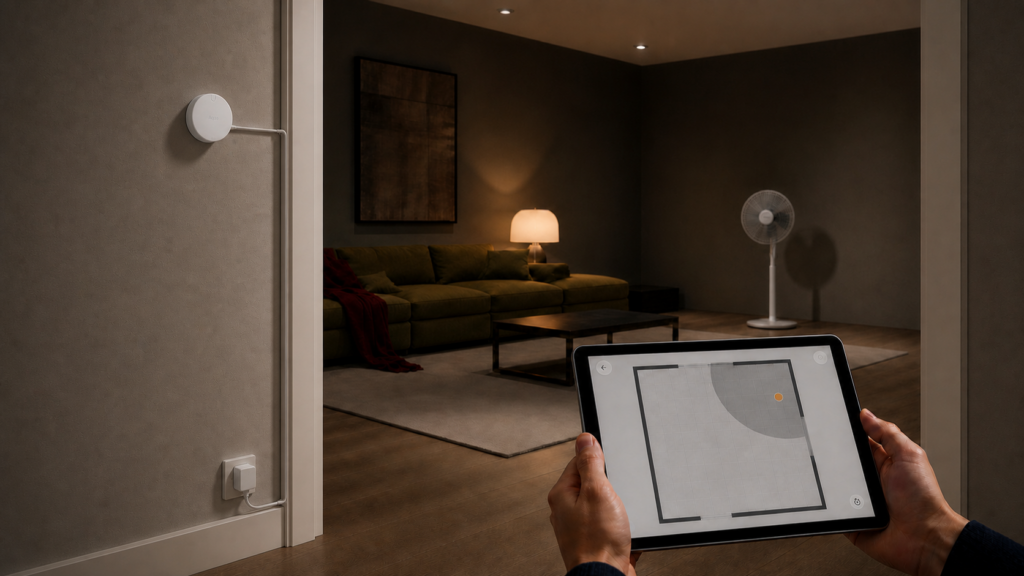
- Open the Aqara Home app and navigate to the FP2 live view. Interference zones should appear as grayed-out areas with a distinct boundary color.
- Watch the live view for a few minutes while you know the area inside the interference zone is empty. If you see a presence dot appear inside an interference zone boundary, the regression is active on your device.
The most common symptom is automations triggering in rooms you know are unoccupied — lights coming on, HVAC running, scenes activating. If that behavior started around June 25, 2026, and you’re on 1.3.6, that’s the cause.
One thing worth clearing up: this is not the same issue as the older “FP2 Random Ghosting” thread on the Aqara forums (from 2024), which covers erratic false positives across the whole detection area and isn’t tied to any specific firmware version. The 1.3.6 regression is narrower and more specific — it’s about interference zones failing to suppress detection, not general instability in the detection algorithm.
The Workaround — What to Do Right Now
Aqara has not issued a patch or an official acknowledgment as of this writing. The AqaraBot auto-reply on the forum thread created a support ticket, but no engineer has posted a response. The workaround below is community-sourced — it addresses symptoms, not root cause — and affected users on the forum thread report that it has cleared the problem for them.
Step 1: Re-run AI Learning
In the Aqara Home app, open your FP2 settings via the three-dot menu and go to Device Settings, then AI Learning. Run the AI Learning process while the areas inside your interference zones are clear of people. The session takes a few minutes.
The caveat here: at least one user ran AI Learning once after the firmware update and still saw the ghost presence persist. Running it a second time cleared the issue. If the first run doesn’t resolve it, run it again.
Step 2: Reconfigure zone boundaries
After AI Learning, go back into the zone editor. Re-enter the interference zone configuration — add or redraw wall boundaries, remap any furniture positions, and re-enter the interference zone boundaries explicitly. Per the forum reports, the act of resubmitting the zone configuration appears to force the sensor to re-apply the exclusion geometry.
A detail worth flagging from those reports: the zone reconfiguration step seems necessary even when the zone boundaries already look correct on screen. The visual representation and the enforced configuration can apparently diverge after a firmware update, so re-entering the configuration pushes a fresh enforcement state to the device.
Step 3: Verify enforcement
After reconfiguring, watch the live view again. Walk away from the interference zone areas entirely and confirm no presence dots appear inside the boundaries over a 5–10 minute window. If they don’t appear, the workaround held.
Caveat on durability
This is a symptom fix. The underlying zone exclusion logic was changed (or broken) by 1.3.6. If Aqara pushes another firmware update, there’s a nonzero chance the issue returns. Treat this as a procedure to remember and repeat after any future firmware update, not a permanent resolution.
For local-first users who have blocked cloud access
The zone editor in the Aqara Home app requires connectivity to the Aqara cloud to submit configuration changes. If you’ve blocked the FP2’s outbound access at the firewall level as part of a local-only setup, you’ll need to temporarily allow the connection, run through the workaround steps above, then re-block. The zone configuration itself is stored on the device — once submitted, it persists through further offline operation.
Holding Off on Future Firmware Updates
For Practitioners who want to reduce the chance of this happening again: Aqara firmware updates are OTA-only and cannot be postponed through the app. The only way to hold a specific firmware version is at the network level — a firewall rule blocking the FP2’s IP from reaching Aqara’s OTA servers.
I’m not recommending that as general practice. Firmware updates also carry security fixes, and blocking updates entirely has its own risks. But if interference zones are critical to your automation setup and a regression like this would break your daily workflow, a network-level OTA hold is a legitimate tool. Our guide to putting Aqara and Xiaomi devices on an isolated IoT VLAN covers the firewall-level approach.
The practical middle ground for most users: monitor the Aqara forum thread linked below for a patch confirmation before allowing the next update through. The thread is the best early indicator of whether a new version is safe.
Has Aqara Responded?
As of June 28, 2026: no. The forum thread opened June 26 and the only official interaction has been an AqaraBot auto-reply creating a support ticket with a “next two business days” response window. No engineer acknowledgment, no patch ETA, no official workaround document.
The thread is the best place to watch for updates: forum.aqara.com/t/ghost-presence-inside-interference-zone-after-firmware-1-3-6-0003-0099/307218
We’ll update this article when Aqara issues a patch or makes a public statement.
Is the FP2 Still Worth Using?
Honestly, yes — with context. The interference zone feature worked correctly on firmware versions before 1.3.6. The workaround above restores function for most affected users who have reported back. Aqara has a reasonable track record of patching regressions like this, even if the response time is slow.
That said, if you’re evaluating the FP2 right now and firmware stability matters for your use case, the Aqara FP310 is worth looking at — it’s a Zigbee device with a completely different firmware update path through Zigbee2MQTT. Zone configuration is handled differently, and the OTA update mechanism is under your control rather than Aqara’s.
For existing FP2 users running through an Aqara hub like the M3: the regression shows up at the sensor level regardless of hub firmware, so hub updates don’t affect this one way or another.
Whether Aqara will address this in a public changelog or quietly fold a fix into the next version is still an open question — their firmware release notes are thin on regression detail.