

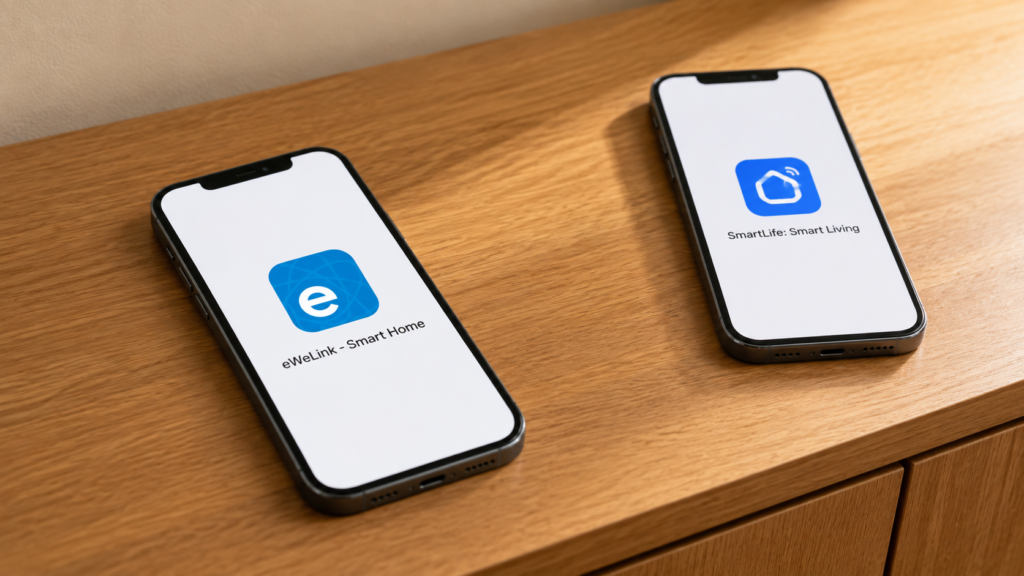
Sonoff and Tuya devices often sit beside each other in the same home, but their Wi-Fi products usually use different apps: eWeLink for Sonoff, and Smart Life or Tuya Smart for Tuya-based hardware. Similar prices and setup screens can make the two platforms look related.
They are separate platforms with separate accounts. An eWeLink Wi-Fi device does not become a Smart Life device by resetting it. You can still bring supported products from both into Home Assistant, but the integration method depends on the device and protocol.
The setup guides linked below cover Tuya local keys, Sonoff DIY Mode, and unsupported Zigbee devices. This comparison explains which route applies to which platform.
Who Actually Makes What
Sonoff is an ITEAD hardware brand. Shenzhen CoolKit Technology operates the eWeLink app and platform used by Sonoff and other manufacturers.
eWeLink also supports hardware from brands other than Sonoff. CoolKit’s Connectivity Standards Alliance profile describes services covering hardware, firmware, cloud hosting, and app development. An eWeLink logo therefore identifies a platform, not necessarily the manufacturer.
Tuya Inc. provides an IoT platform that other brands use for device firmware, apps, cloud services, and development tools. It is listed as TUYA on the NYSE and 2391 in Hong Kong. Smart Life is part of that ecosystem; eWeLink is a separate platform operated by CoolKit.
| Tuya Inc. | ITEAD (Sonoff) + CoolKit (eWeLink) | |
|---|---|---|
| Business model | IoT platform services licensed to other brands | ITEAD sells Sonoff-branded hardware; CoolKit builds the eWeLink app and cloud, which also serves third-party brands |
| Public listing | NYSE: TUYA, HKEX: 2391 | Both private |
| App | Smart Life / Tuya Smart | eWeLink |
| Platform | Tuya platform | Separate eWeLink platform |
Why the Confusion Makes Sense
Both platforms help manufacturers add connected features without building an app and cloud service from scratch. That produces familiar setup flows: connect the device, add it to an account, then control it from an app. Similar workflows do not mean the platforms share accounts or device support.
Where It Actually Matters for a Local Setup
For a mixed setup, check three things: which app supports the device, whether it has a local Wi-Fi API, and whether its Zigbee features are supported by your chosen integration.
Separate apps. Ordinary eWeLink Wi-Fi products cannot be enrolled as Tuya Wi-Fi products, or vice versa. Home Assistant can combine supported devices from both. Matter devices and compatible Zigbee devices have their own interoperability rules, so do not apply the Wi-Fi app restriction to every product carrying either brand.
Different local Wi-Fi APIs. LocalTuya and tuya-local use device-specific Tuya credentials. Sonoff products use different mechanisms, with DIY Mode or LAN control available only on supported models and firmware. Check the exact product before assuming either route is available.
Model-specific Zigbee support. A vendor hub may accept some third-party Zigbee devices and reject others, or expose only part of their functionality. Check its compatibility list and the device’s model identifier. The brand alone does not settle this.
Do not reset a Wi-Fi device just to try the other platform’s app. A reset clears its setup; it does not replace its firmware or change which platform supports it. For Zigbee, verify support on the destination coordinator before resetting and re-pairing.
With Zigbee2MQTT or ZHA, supported Sonoff and Tuya Zigbee devices can share one coordinator. Converters and quirks interpret device-specific reports. Support still needs checking for the exact model; successful pairing alone does not guarantee every feature works.
Many Tuya Zigbee devices use manufacturer-specific data points, which require a matching converter or quirk. Other devices rely more on standard clusters. This is a device-level distinction, rather than evidence that one entire ecosystem uses a different Zigbee protocol.
The TS0601 custom converter guide shows why a generic model name can hide important differences between devices. Look up the manufacturer identifier as well as the model name.
What Doesn’t Change Once You Go Local
Local control is available for many devices in both ecosystems, but not through one universal procedure.
| Ecosystem | Wi-Fi devices | Zigbee devices |
|---|---|---|
| Tuya / Smart Life | LocalTuya or tuya-local, using an extracted local key | Pair to Z2M/ZHA directly, no local key needed |
| Sonoff / eWeLink | DIY Mode or a supported LAN integration; availability and initial account requirements vary by model | Pair to Z2M/ZHA directly, same coordinator as anything else |
For Tuya Wi-Fi devices, start with the local-key guide and the LocalTuya vs tuya-local comparison. Directly paired Zigbee devices do not need a Tuya local key. Before blocking a Wi-Fi device, read which functions survive without internet.
For Sonoff Wi-Fi, check the model-specific DIY Mode and LAN API guide. For Zigbee coordinator choices, see ZBDongle-E vs ZBDongle-P. The privacy articles cover Tuya’s cloud and eWeLink’s data collection if you plan to keep either app in use.
Common Questions
Is Sonoff the same company as Tuya? No. Sonoff is an ITEAD hardware brand; CoolKit operates eWeLink. Tuya provides a separate platform used by many other hardware brands.
Can I control Sonoff devices in Smart Life? An ordinary eWeLink Wi-Fi device cannot be enrolled directly in Smart Life. Supported Matter products and third-party integrations may offer other ways to combine devices.
Are eWeLink and Smart Life the same app? No. They use separate accounts and platforms. Their setup screens serve similar purposes.
Do Sonoff and Tuya Zigbee devices work together? Supported models can share a Zigbee2MQTT or ZHA network. On a vendor hub, check its third-party device support rather than assuming compatibility.
Does Sonoff use Tuya’s cloud? Sonoff’s eWeLink devices use the eWeLink platform. If you want local operation, check the particular model’s LAN, DIY Mode, Matter, or Zigbee support.
Planning a mixed setup
Mixing the two ecosystems is practical once you choose the integration for each device. Zigbee devices can often share a coordinator; Wi-Fi devices need their own supported local API or cloud integration. Check those details before buying, rather than choosing by app logo alone.
Sources and compatibility limits
This comparison uses company information and integration documentation, rather than a test of every Sonoff or Tuya product.
For a particular device, its supported-model page is more useful than a broad claim about either company. Firmware, regional variants, and manufacturer identifiers can change which features work locally.