

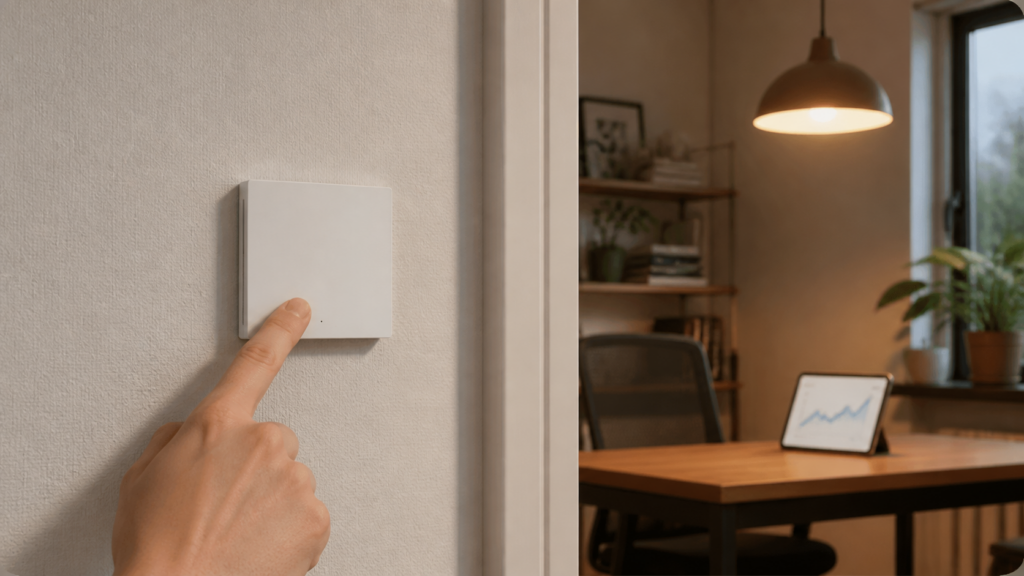
Aqara H1 EU (WS-EUK03) in Home Assistant Without the Aqara Hub
The WS-EUK03 is the single-rocker variant of Aqara’s H1 EU wall switch — the one that requires a neutral wire. If you’ve been staring at the Z2M device reference page wondering what all those entities actually do in practice, or if you just discovered your button actions stopped firing after enabling decoupled mode, this guide covers the full setup.
I’ll walk through pairing with Zigbee2MQTT, what you get in Home Assistant, how to configure decoupled mode correctly (and work around the bug that silently drops button events), and how to get power monitoring onto the HA Energy dashboard. There’s also a quick comparison at the end to help you decide whether the WS-EUK03 is actually the right switch for your wall box.
If you’re weighing Z2M against ZHA for Aqara devices, our ZHA vs Zigbee2MQTT comparison covers the tradeoffs. Here I’ll assume you’re already running Z2M.
What You Need
- A Zigbee2MQTT coordinator (CC2652P or equivalent) paired with an MQTT broker (Mosquitto) and HA integration
- Zigbee2MQTT version 1.34 or newer — the WS-EUK03 device definition and the
state_actionoption that fixes the decoupled-mode bug are both present in current stable builds - A wall box with a neutral wire — the WS-EUK03 will not function without neutral, and the installation recess needs to be deep enough for the module (86mm EU format)
- The WS-EUK03 itself (model code
lumi.switch.n1aeu1)
The neutral wire requirement is the key hardware detail. If your wall box only has live and load wires, you’re looking at the WS-EUK01 instead — same form factor, different pairing behavior and no power monitoring. (For the no-neutral H1 EU, see our Aqara H1 no-neutral guide.)
Pairing the WS-EUK03 with Zigbee2MQTT
Open a pairing window in Z2M (either from the Z2M frontend or the HA integration), then on the switch itself: press and hold the rocker for roughly 5 seconds until the LED indicator starts blinking blue. Release. Z2M will complete the interview automatically over the next 30–60 seconds.
If pairing fails to complete — you’ll see the device show up briefly and then disappear — the most common cause is the device going to sleep before the interview finishes. Keep pressing the button once per second during the interview process to keep it awake. This is a quirk of many Aqara switches and sensors; the WS-EUK03 is not unique here.
After successful pairing, Z2M will show the device under its IEEE address with the friendly name you assign. The full set of entities appears in HA within a minute or two once the Z2M HA integration discovers the new device.
Entities You Get in Home Assistant
The WS-EUK03 exposes more than just an on/off switch. After pairing, you’ll find these entities in HA:
| Entity | Type | Notes |
|---|---|---|
| Switch state | switch |
On/off control of the connected load |
| Power | sensor (W) |
Real-time power draw; updates on change |
| Energy | sensor (kWh) |
Cumulative energy consumption |
| Device temperature | sensor (°C) |
Internal module temperature |
| Operation mode | select |
control_relay or decoupled |
| Action | event / trigger |
single or double click events |
| Flip indicator light | switch |
Inverts the LED indicator behavior |
| LED disabled (night) | switch |
Disables LED after a set time |
| Power outage memory | switch |
Restores relay state after power loss |
| Power outage count | sensor |
Counts mains interruptions |
The action entity is only populated when the button is physically pressed — it won’t show in the HA entity list as a persistent state, only as a trigger. I’ll cover how to use it in automations below.
Setting Decoupled Mode — and the Action-Not-Firing Bug
Decoupled mode is the WS-EUK03’s most useful feature if you want to use a physical wall switch as a scene controller without actually connecting a load to it, or if you’ve wired a load but want the physical button to trigger automations rather than directly toggle the relay.
Setting it is done through the operation_mode entity in HA (it maps to the Z2M operation_mode property): change it from control_relay to decoupled. In this mode, pressing the rocker does not toggle the relay. Instead, Z2M publishes an action event — single for a normal press, double for a quick double-tap — which your HA automation picks up.
What I didn’t expect when I first tested this: the action event simply stops publishing. You flip to decoupled mode, write your automation, press the button — nothing. The relay doesn’t move, but neither does the automation fire.
This is a confirmed bug in the Z2M device code (GitHub issues #26095 and #12365). In decoupled mode, certain firmware versions don’t emit the action attribute on its own — it only fires alongside a relay state change, which never happens once the button is decoupled from the relay. The workaround is to enable state_action: true in the Z2M device options.
To apply it, open configuration.yaml in your Z2M data directory and find the device entry (or create one if it doesn’t exist yet):
devices:
  '0x00158d0012345678':   # replace with your device's IEEE address
    friendly_name: kitchen_switch
    options:
      state_action: true
Restart Z2M after saving. With state_action: true, action events fire reliably even in decoupled mode. The MQTT topic is zigbee2mqtt/<friendly_name>/action, and the payload is a plain string — single or double.
A minimal HA automation that listens for the single-press action:
automation:
  - alias: "Kitchen switch scene toggle"
    trigger:
      - platform: mqtt
        topic: "zigbee2mqtt/kitchen_switch/action"
        payload: "single"
    action:
      - service: scene.turn_on
        target:
          entity_id: scene.kitchen_evening
Or if you prefer the Z2M HA integration’s device trigger UI, look for “Kitchen switch — action: single” in the automation trigger picker. Either approach works once state_action: true is set.
Power Monitoring and the HA Energy Dashboard
The WS-EUK03’s neutral wire enables actual power measurement — something the no-neutral EUK01 can’t do. You get real-time watts and cumulative kilowatt-hours, both surfaced as sensors in HA.
To add the switch to the HA Energy dashboard: go to Settings > Dashboards > Energy, scroll to “Individual devices,” click Add Device, and select the energy sensor from the WS-EUK03. HA will start accumulating per-circuit consumption from that point on.
One caveat: there’s a known issue where the cumulative energy field reports a flat 0.0 kWh on some firmware and Z2M version combinations (and some converter versions have shipped without energy measurement at all — see GitHub #16710). If you see a flat zero on the energy card that never increases, first check the raw MQTT topic directly — zigbee2mqtt/<friendly_name> — and look for the energy key in the JSON payload. If energy is incrementing there but the HA sensor isn’t, point the Energy dashboard at the energy sensor specifically rather than any template you’ve built against a different attribute. In practice the Z2M HA integration exposes the energy sensor directly, so most users won’t hit this unless they’ve wired up custom templates.
Power calibration is also available if your readings drift from a reference meter: Z2M exposes a power_calibration property (a percentual offset) and a power_precision setting (0–3 decimal places). Adjust via the Z2M exposes panel or MQTT publish.
OTA Updates via Zigbee2MQTT
The WS-EUK03 is listed as OTA-capable through Z2M’s built-in OTA mechanism, in principle without an Aqara hub or the Aqara Home app. In practice, set your expectations low: across the H1 EU switch line, users frequently report that no update ever appears on the Z2M OTA dashboard even when the device is listed as supported (GitHub #19029). Check Z2M’s OTA section in the frontend — if an update is offered for your device, you can queue it from there, but don’t be surprised if there’s nothing to apply.
If an update does run, OTA on wall switches is slower than on battery devices — expect 10–15 minutes for a full update over Zigbee. Don’t interrupt power during the update.
WS-EUK03 vs WS-EUK01 vs WS-EUK04 — Which Should You Buy?
All three are variants of the Aqara H1 EU line and pair with Zigbee2MQTT in the same way. The differences matter for installation and feature set:
| Feature | WS-EUK01 (no neutral) | WS-EUK03 (neutral, single) | WS-EUK04 (neutral, double) |
|---|---|---|---|
| Neutral wire required | No | Yes | Yes |
| Zigbee role | End device | See note below | See note below |
| Power monitoring | No | Yes | Yes (per gang) |
| Rockers | 1 | 1 | 2 |
| Decoupled mode | Yes | Yes | Yes (per gang) |
| Action events | Yes | Yes | Yes (per gang) |
A note on the Zigbee role, because it’s easy to get wrong. The neutral variants have permanent mains power, so you’d expect them to act as Zigbee routers and repeat traffic for other devices. Aqara’s product literature describes the with-neutral switches that way. But a number of users have reported their H1 EU with-neutral switches enumerating as an EndDevice in Zigbee2MQTT rather than a router — see the Home Assistant community thread “Aqara Wall Switch EndDevice?” for one example. Aqara wall switches have a long track record of presenting as end devices despite being mains-wired, so don’t assume the WS-EUK03 will extend your mesh. After pairing, check the device’s role in the Z2M frontend (it’s shown on the device page). If it reads “EndDevice,” treat it as a leaf node when you plan mesh coverage for battery sensors elsewhere in the building.
I think the neutral version is still the right default if your wiring allows it — the power monitoring alone is worth it for any circuit you want to track. The WS-EUK01’s only real advantage is the no-neutral option, which is genuinely useful in older EU buildings where the switch box doesn’t carry a neutral.
If you need two gangs on the same wall plate, the WS-EUK04 is the same setup process with per-gang entities.
Frequently Asked Questions
Does the Aqara WS-EUK03 work without the Aqara hub?
Yes. Z2M handles the Zigbee pairing and MQTT integration directly. The Aqara hub and the Aqara Home app are not involved anywhere in this setup. If you’d rather run the official hub path, our Aqara Hub E1 local integration guide covers that approach.
Why aren’t my button actions firing in Zigbee2MQTT after I enabled decoupled mode?
This is the bug described above. Add state_action: true to the device’s Z2M options and restart Z2M. Without it, the action topic goes silent in decoupled mode on affected firmware versions.
Does the WS-EUK03 act as a Zigbee router?
It should, on paper — it has a neutral wire and permanent mains power. But several users report the with-neutral H1 EU switches showing up as an EndDevice in Z2M rather than a router, and Aqara wall switches have a history of this. Check the device’s role on its Z2M device page after pairing rather than assuming it routes. If it shows EndDevice, it won’t extend your mesh.
How do I add the WS-EUK03 power consumption to the HA Energy dashboard?
Go to Settings > Dashboards > Energy > Individual devices > Add Device, then select the energy sensor for the WS-EUK03. If the energy reading shows 0 and never changes, check the raw MQTT payload and confirm the energy key is incrementing there before troubleshooting the HA side.
Can I double-tap the WS-EUK03 to trigger a different scene?
Yes — in decoupled mode, a double-tap emits double on the action topic. You can write separate automations for single and double to cover two different scene triggers from one switch.
Whether the state_action workaround will still be needed after future Z2M device-definition updates is worth checking periodically — it’s the kind of fix that sometimes gets folded into the main device handler without fanfare.