

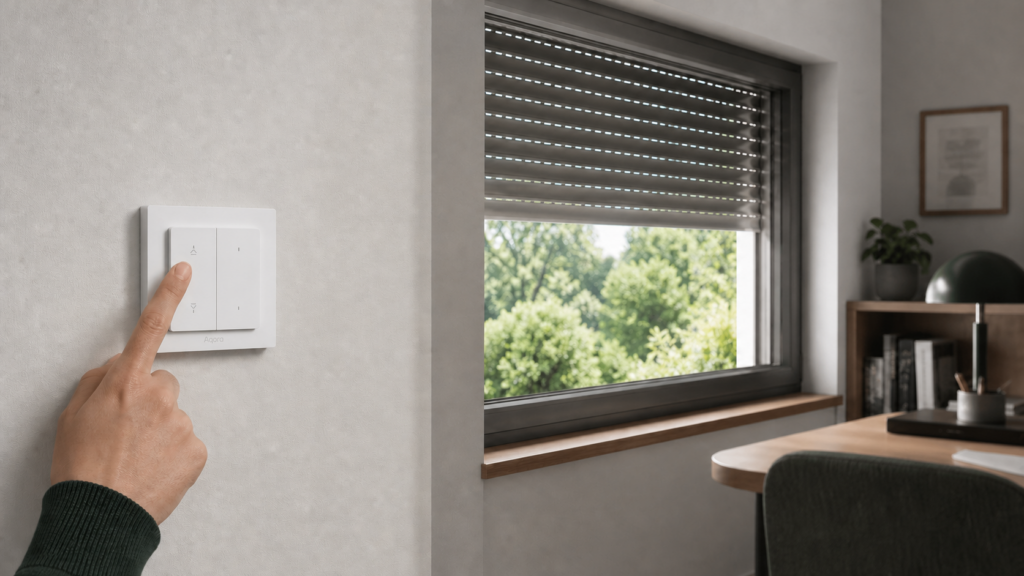
Aqara Shutter Switch H2 EU in Home Assistant: Two Paths to Local Control
The 卷帘开关 H2 EU (juǎnlián kāiguān H2 EU — “roller shutter switch H2 EU”) is one of the more interesting things Aqara shipped for the European market in late 2025. It controls motorized roller blinds and shutters from a wall switch, supports both Zigbee and Thread, and — critically for this audience — works without an Aqara hub in either mode once you know what you’re doing.
What it doesn’t do is offer a clean, documented path straight into Home Assistant. Zigbee2MQTT support only landed officially on June 2, 2026. ZHA (Zigbee Home Automation) has no official support and only an unofficial community quirk. Thread works but has one step that trips up cloud-averse users: the Aqara app is required for initial commissioning.
This article covers both paths — Zigbee2MQTT and Thread/Matter — with enough detail to get from unboxing to a working Cover entity in Home Assistant, plus an honest accounting of what each path costs you in terms of hardware and app dependency.
For the broader pattern this fits into, see our guide on running Aqara Zigbee devices in Home Assistant without the Aqara hub.
What You’re Working With: DS-K02D and DS-K02E
The H2 EU Shutter Switch ships under two product designations, DS-K02D and DS-K02E. These are packaging/variant codes — different retailers and regions list them differently, and at least one sells the DS-K02D as a “Kit.” What matters for integration is that both share the same Zigbee model identifier, lumi.switch.aeu003, so from Zigbee2MQTT’s and Home Assistant’s perspective they are the same device and integrate identically. The choice between them is a purchasing decision about packaging and whether a motor is bundled — confirm exactly what’s in the box from the retailer’s listing, not the suffix alone — not a firmware or integration difference.
The switch itself has two hard-wired relay buttons (raise and lower) plus additional multi-function buttons that double as wireless action buttons in Zigbee mode. It connects to the motor via a wired interface, not RF. If you’re comparing this to the Aqara Roller Shade Driver E1, the key difference is form factor: the E1 is a standalone motor driver that clips onto a shade mechanism, while the H2 EU Shutter Switch is a wall-mounted control panel designed to wire into a built-in shutter motor. See our Aqara Roller Shade Driver E1 setup guide for that device.
The H2 EU launched in European markets in late 2025 and is sold through Aqara’s EU store and third-party distributors.
Path 1: Zigbee2MQTT (No Aqara Hub Required)
This is the lower-friction path for anyone already running a Zigbee coordinator in their Home Assistant setup.
Version Requirement
The device’s converter was merged into zigbee-herdsman-converters on April 9, 2026, and included in the official Zigbee2MQTT release on June 2, 2026. If you’re running anything older than that, update before attempting to pair. Earlier versions of Zigbee2MQTT will recognize the device but expose incomplete or broken entity mappings — you’ll see it join the network but get no useful controls.
Check your version at Settings → About in the Zigbee2MQTT frontend. If you’re on the Home Assistant add-on version, the add-on store will show the update.
Pairing
To put the H2 EU into pairing mode, hold the top (raise) button until the LED flashes rapidly. The exact hold duration varies slightly by firmware, but 5 seconds is usually enough. Once the LED enters rapid flash, Zigbee2MQTT’s permit join window will catch it.
After pairing, confirm the device appears in Zigbee2MQTT with the model identifier lumi.switch.aeu003. If you see a generic device with unnamed exposes, you’re on an outdated Zigbee2MQTT version and need to update.
The device pairs directly — no Aqara hub, no Aqara app. This is the approach Chinese users on V2EX recommend for anyone targeting Zigbee2MQTT specifically: skip the app entirely, pair the switch directly to your coordinator. See our hubless Aqara guide for the general workflow.
What You Get in Home Assistant
After a moment, Home Assistant’s Zigbee2MQTT integration exposes the device as a Cover entity. Confirmed working features as of the June 2026 release:
- Position control: 1–100% granular. Once calibrated, you can set exact positions from automations or the UI.
- Raise / lower / stop commands: Standard Cover service calls work.
- OTA firmware updates: Handled through Zigbee2MQTT’s OTA tab.
- Energy reporting: Power and energy consumption data.
- Button actions: Wireless actions across the physical buttons — single press, double press, hold, and release.
Detailed power, current, and voltage readings were deliberately excluded from the initial implementation because they couldn’t be validated on this specific model during the PR review. You won’t see individual current or voltage sensors, only aggregated energy.
Calibrating Shutter Position
The H2 EU supports two calibration modes: automatic (自动校准, zìdòng jiàozhǔn) and manual limit setting.
Automatic calibration runs the shutter to its physical end stops and measures travel time. Most motors support this and it’s the easiest starting point. Trigger it from the Zigbee2MQTT device page by setting the calibration attribute — the exact UI label varies by Zigbee2MQTT version, but it appears as an action or button in the device exposes panel.
Manual limits let you set specific top and bottom positions if the auto-detection overshoots. This matters for shutters with physical stops that aren’t exactly at 0% and 100%.
Once calibrated, the Cover entity in Home Assistant reports position reliably and set_cover_position service calls work as expected.
Known Limitation: Button Action Quirks
The wireless button feature has a known issue worth flagging before you build automations around it. Consecutive single-click events can fail to register if they aren’t preceded by a double-press or hold action on the same button. At least one contributor to the zigbee-herdsman-converters PR disabled wireless buttons entirely in their setup because the switch was emitting phantom events — button actions firing without physical presses.
This isn’t a deal-breaker for the primary use case (shutter control), but if you’re planning to use the buttons as scene triggers or for secondary automation logic, test the behavior thoroughly before building anything production-reliant around it. For shutter raise/lower, the Cover entity controls work fine and aren’t affected by this quirk.
Path 2: Thread/Matter (Also Fully Local)
Thread mode is the other genuinely cloud-free option, and it has a distinct advantage: no Zigbee coordinator required. If you’re running a newer Home Assistant setup with a Thread Border Router (线程边界路由器, xiànchéng biānjìe lùyóuqì) already in place, this path keeps shutter control on the same protocol as the rest of your Thread devices.
The tradeoff is one mandatory step that frustrates privacy-conscious users: initial commissioning requires the Aqara app.
What You Need
- A Thread Border Router — Apple HomePod mini, Eero Pro 6E, Google Nest Hub (2nd gen), or the Home Assistant SkyConnect with OTBR (Open Thread Border Router) firmware installed.
- The Aqara app (iOS or Android) — for the commissioning step only.
- Home Assistant with the Matter integration enabled.
Commissioning
The H2 EU’s protocol mode (Zigbee vs. Thread) is selected during setup. To use Thread, you reset the device and commission it through the Aqara app.
This isn’t a policy decision Aqara made arbitrarily. Chinese developers on Aqara’s developer forum confirmed it’s a firmware-level requirement: the Aqara app generates the Thread Operational Dataset (the network credentials and channel configuration the device needs to join the Thread mesh). Without that step, the device has no way to know which Thread network to join.
So: open the Aqara app, add the device, follow the onboarding flow until it’s connected. At this point it’s cloud-connected through the Aqara app. The next step moves it to Home Assistant.
Adding to Home Assistant via Matter
Once commissioned through Aqara, the device appears in the Aqara app. From there, use the “Share to platform” or Matter sharing option to generate a Matter pairing code. Add that code in Home Assistant under Settings → Devices & Services → Add Integration → Matter.
After the add, Home Assistant controls the shutter directly over Thread — no Aqara cloud in the path. The Aqara app can be uninstalled or left dormant. The Thread network connection is between the device and your Thread Border Router, and Home Assistant communicates through the Matter integration layer.
The Cover entity you get from the Matter path is functionally similar to the Zigbee2MQTT path: position control, raise/lower/stop, and the button actions exposed through Matter.
What You Give Up
Thread mode doesn’t currently expose OTA firmware update control through Home Assistant’s Matter integration — updates happen through the Aqara app or its cloud infrastructure when the device reconnects for OTA. If you’ve fully disconnected from the Aqara app, firmware updates stop being delivered until you reconnect.
Button actions in Thread/Matter mode may have fewer exposed action types than the Zigbee2MQTT implementation, depending on what Aqara chose to expose through the Matter cluster definitions.
ZHA: No Official Support
ZHA (Zigbee Home Automation) is the other Zigbee integration in Home Assistant, and it’s worth explaining its status directly — because several users have lost time assuming it works out of the box.
ZHA relies on device-specific “quirks” to handle vendor-proprietary Zigbee clusters. A quirk maps the device’s proprietary attribute reads to meaningful Home Assistant states and controls. Out of the box, ZHA has no built-in quirk for the H2 EU: it can detect that the device joined the network but can’t interpret its state or control it meaningfully without one.
There is an unofficial community quirk for lumi.switch.aeu003 (published on GitHub, with multi-click support and a blueprint). It works, but it’s a third-party custom quirk you install and maintain yourself — not part of ZHA’s shipped device support. If it breaks after a Home Assistant update, you’re on your own until the maintainer catches up.
This pattern isn’t unique to the H2 EU. Several newer Aqara devices lack official ZHA support, which is part of why the Zigbee2MQTT path has become the preferred integration for Aqara devices where ZHA support is unofficial or absent. For a fuller breakdown, see our ZHA vs Zigbee2MQTT comparison for Aqara devices.
If you want the most reliable, supported-out-of-the-box experience, Zigbee2MQTT (with the June 2026 release) is the path with first-party converter support.
Which Path Should You Choose?
The honest answer depends on what you already have:
| Zigbee2MQTT | Thread/Matter | |
|---|---|---|
| Requires Zigbee coordinator | Yes | No |
| Requires Thread Border Router | No | Yes |
| Requires Aqara app | No | Yes (commissioning only) |
| Requires Aqara cloud after setup | No | No |
| OTA updates in HA | Yes | No (needs Aqara app) |
| Button actions | Yes (with known quirk) | Yes (fewer action types) |
| Position control | Yes (1–100%) | Yes |
If you run a Zigbee2MQTT coordinator and have other Zigbee devices, pair the H2 EU via Zigbee2MQTT. The setup is direct — no app dependency at any step — and you get full feature exposure including OTA and detailed button actions. The button quirk is worth knowing about but doesn’t affect shutter control.
If you’re building a Thread-centric setup or already have a Thread Border Router and no Zigbee coordinator, the Thread/Matter path is a genuine alternative. The one-time Aqara app requirement during commissioning is frustrating but not a cloud dependency that persists after setup. Chinese users on V2EX discussing 跨生态互联 (kuà shēngtài hùlián, “cross-ecosystem interoperability”) specifically call out this distinction: the app is needed once, not forever.
The SMZDM (什么值得买, shénme zhídé mǎi, “What’s Worth Buying”) community’s framing is useful here: the H2 EU is one of the few EU-market Aqara products that bridges Zigbee and Thread without requiring an Aqara hub as a permanent fixture. That flexibility is the device’s real selling point for local-first setups.
Both paths land you in the same place: a Cover entity in Home Assistant with genuinely local control, no ongoing cloud dependency, and shutter position that you control from automations or the UI without any request leaving your network.
If you do decide a hub fits your setup later, our Aqara Hub M3 as a Matter bridge guide covers that path and its cloud tradeoffs.
Frequently Asked Questions
Does the Aqara Shutter Switch H2 EU work with Zigbee2MQTT without an Aqara hub?
Yes. Pair directly to your Zigbee coordinator. No hub, no app. Requires a Zigbee2MQTT version including the June 2, 2026 release or later.
What’s the difference between DS-K02D and DS-K02E?
They’re packaging/variant designations for the same device — both use the same Zigbee model code (lumi.switch.aeu003) and integrate identically in Home Assistant. Listings vary by retailer and region, including which bundles a motor, so confirm exactly what’s in the box from the seller rather than relying on the suffix.
Can I use ZHA instead of Zigbee2MQTT?
Not with official support. ZHA has no built-in quirk for this device, so it will see the device join but can’t control it out of the box. An unofficial community quirk exists on GitHub, but you install and maintain it yourself.
Do I need the Aqara app for Thread/Matter mode?
Yes, once — for initial commissioning. After that the device operates locally over Thread and doesn’t require the app or the Aqara cloud.
How do I calibrate shutter position limits after pairing?
Trigger auto-calibration from the Zigbee2MQTT device page. The switch runs the motor to its physical limits and sets 0% and 100% positions automatically. Manual limits are also available if you need to constrain the range.