

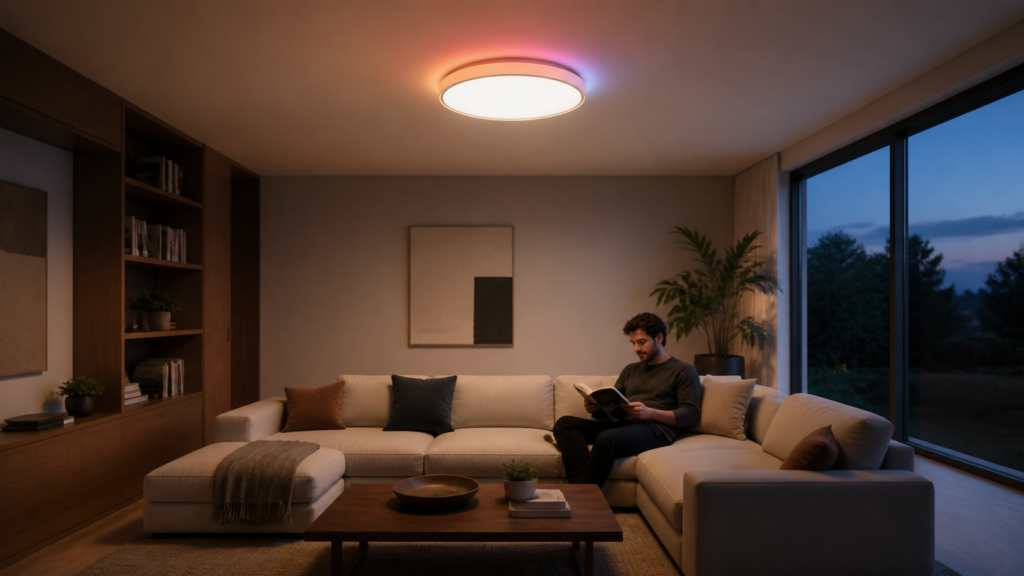
Aqara Ceiling Light T1M (CL-L02D): Zigbee2MQTT & Home Assistant Local Setup
The Aqara Ceiling Light T1M (CL-L02D) is a tunable-white ceiling light with a 26-segment RGBIC (individually controlled) ring. It runs Zigbee 3.0, acts as a mesh repeater once powered, and as of Zigbee2MQTT 2.7.2 (released January 2026) exposes the ring’s six dynamic effects and per-effect color palette to Home Assistant. Full per-segment addressing needs an extra community integration, covered below. If you’ve been waiting for Aqara lighting that’s useful in local automations, this is the one.
That said, there’s a catch. The T1M ships in Thread mode by default. If you’ve ever wondered why your Aqara lighting refuses to pair with a Zigbee coordinator, that’s probably your answer. Getting this light onto Zigbee2MQTT requires a one-time protocol switch in the Aqara Home app, after which you never need an Aqara hub again for ongoing operation.
This guide covers the protocol switch, the Z2M pairing flow, the entities you get in Home Assistant, and how to actually use the RGB ring for something useful in automations.
What the T1M is
The CL-L02D is a 40W ceiling light with a 3450-lumen main panel (2700–6500K tunable white, Ra90 CRI) and a decorative RGBIC ring made up of 26 individually controlled LED segments. The Zigbee model string is lumi.light.acn032, manufacturer Aqara.
From a network standpoint, the T1M is a Zigbee router device. It stays mains-powered, so it actively participates in mesh routing and extends your Zigbee range once it’s online. It also supports OTA firmware updates through Z2M.
The T1M supports three protocols: Zigbee 3.0, Thread, and Matter-over-bridge (via an Aqara M3 or M100 hub). For local Zigbee2MQTT operation, Zigbee is what you want. The other two paths are discussed at the end.
Before you start: the Thread-mode problem
This tripped me up before I understood what was happening. The T1M ships in Thread mode. When you put your Zigbee2MQTT coordinator into pairing mode and try the 5× on/off toggle, nothing happens. The device doesn’t appear in Z2M. The coordinator logs show no join attempts. Everything looks fine on the Z2M side, and the light just ignores it.
The reason is that Thread and Zigbee are distinct radio protocols, even though they share the same 2.4GHz 802.15.4 physical layer. A Zigbee coordinator cannot see a Thread device. You have to explicitly switch the T1M to Zigbee mode first.
How to switch protocol mode:
- Download the Aqara Home app and temporarily add the T1M to your account. You only need the app for this step.
- Go to the device settings for the T1M.
- Find the protocol or connectivity setting (labeled something like “Connectivity” or “Protocol Type” depending on your region’s app version).
- Select Zigbee.
The T1M will reboot and is now a Zigbee device. From this point, no Aqara hub is needed for any ongoing operation through Z2M. The hub was only required to do this one-time mode switch.
If you don’t have an Aqara hub, you can borrow one briefly or buy the E1 (it’s the cheapest option) for this purpose. Our Aqara Hub E1 local setup guide covers getting one onto Home Assistant if you decide to keep it.
The same gotcha applies to the T2 bulb series. If you’re deploying both, do the protocol switch on all of them before starting Z2M pairing. See our Aqara LED Bulb T2 Zigbee2MQTT guide for the bulb-specific steps.
Pairing with Zigbee2MQTT
Prerequisites:
– Zigbee2MQTT 2.7.2 or later. Earlier versions expose the T1M but don’t fully support the 26-segment RGB ring effects. If you’re on 2.6.x or below, update before pairing.
– A Zigbee coordinator running and connected to Z2M (ZBT-1, Sonoff Zigbee 3.0 USB Plus, or equivalent).
– T1M already switched to Zigbee mode (above).
Pairing procedure:
- In the Z2M frontend or via MQTT, enable pairing mode (permit join).
- At the physical switch, toggle the light off and on 5 times in quick succession. Each cycle should be fast, roughly one per second.
- The T1M will enter pairing mode and auto-join. Z2M shows it as
CL-L02Din the device list.
If the 5× toggle doesn’t work, the most common cause is the mode wasn’t actually switched to Zigbee, or the device wasn’t power-cycled cleanly after switching. A factory reset can also help. On the T1M, the reset is the same toggle gesture: switch the light off and on five times in succession, roughly one second on, one second off, each time. When the main light breathes twice, the reset has taken. (The T1M has no separate reset button — the on/off cycle is the only method.)
Home Assistant entities
After pairing, Z2M creates two light entities in Home Assistant, one for the main white panel and one for the RGB ring. They map to separate Zigbee endpoints on the device.
White panel (light.t1m_white or similar):
– On/off state
– Brightness (0–254)
– Color temperature (2700–6500K, roughly 153–370 mired)
MQTT path for the white endpoint: payloads use state_white, brightness_white, color_temp_white.
RGB ring (light.t1m_rgb or similar):
– On/off state
– Brightness (0–254)
– XY color (full color spectrum)
– Effect selection (more on this below)
MQTT payloads use state_rgb, brightness_rgb, color_rgb.
some users have reported that plain XY/HS color changes on the ring don’t take on certain Z2M/firmware combinations, even though the entity exposes them (tracked in Zigbee2MQTT GitHub issue #23880). The dynamic effects below are the more reliable path to colored output. If solid-color control is your only use case, check the device’s current issue thread for your Z2M version before buying.
Beyond the two light entities, you also get:
- Power outage count (sensor) — counts how many times the device has lost mains power. Useful for detecting physical switch toggling.
- Device temperature (sensor) — ambient temperature near the LED driver. Not calibrated as a room thermometer, but useful as a fault signal if it creeps above normal operating range.
- OTA update entity — allows firmware updates directly through Z2M without touching the Aqara app.
Controlling the RGB ring
The ring is where the T1M gets interesting. At the basic level, you control it like any other RGBW light in Home Assistant: set color, brightness, on/off. That’s fine but not why you buy this device.
Built-in dynamic effects (Z2M 2.7.2+)
As of Zigbee2MQTT 2.7.2, the T1M exposes six built-in dynamic effect patterns for the ring: flow1, flow2, fading, hopping, breathing, and rolling. These run entirely on-device, with no cloud dependency and no hub.
Each effect supports:
– Speed — how fast the pattern cycles
– Brightness — independent of the main panel
– Color slots — up to 8 customizable colors per pattern. You define the palette; the effect cycles through it.
To trigger an effect from an HA automation, you publish the effect name to the light.turn_on service with the effect parameter. For example, a doorbell automation that flashes the ring for 5 seconds:
automation:
  - alias: "Doorbell ring alert"
    trigger:
      - platform: state
        entity_id: binary_sensor.doorbell_button
        to: "on"
    action:
      - service: light.turn_on
        target:
          entity_id: light.t1m_rgb
        data:
          effect: breathing
          brightness: 200
      - delay: "00:00:05"
      - service: light.turn_off
        target:
          entity_id: light.t1m_rgb
The exact MQTT payload keys for assigning the per-effect color slots and speed vary by Z2M version and aren’t worth memorising. Open the device’s Exposes tab in the Z2M frontend for your installed version and it lists the writable attributes and their accepted values directly. That’s the authoritative reference for your build, since the converter is recent enough that the attribute names are still settling.
Advanced segment control via HACS
For full 26-segment individual control, the community HACS integration “Aqara-Advanced-Lighting” (GitHub: absent42/Aqara-Advanced-Lighting) adds a frontend UI and HA services beyond what the default Z2M entities expose. It supports both Z2M and ZHA backends and covers the T1M alongside the T2 bulb series and T1 LED strip.
As of June 2026, version 0.3.0 is in beta. If per-segment addressing is what you’re after, install it through HACS and follow the integration’s own setup steps.
For most people the six built-in effects plus per-effect color slots are sufficient. The segment-level control is impressive, but the HACS integration adds another moving part, and another thing to maintain when Z2M or HA updates. If you want the same effect tooling across a wider lighting setup, that integration also covers the T1 LED strip, which we walk through in our Aqara LED Strip T1 Zigbee2MQTT guide.
Using a smart switch: Decoupled Mode
If you’re wiring the T1M behind a smart wall switch (e.g., an Aqara H2 or any Zigbee switch that physically cuts mains power), you’ll need to put the switch in Decoupled Mode. Without it, pressing the wall switch cuts power to the ceiling light, dropping it off the Zigbee mesh and requiring a re-join.
Decoupled Mode changes the switch behavior: the physical button press generates a Zigbee event (or HA event, depending on your setup), but does not cut the mains line to the load. The light stays powered; your HA automation responds to the button press and turns the light on or off via Z2M.
On an Aqara H2, Decoupled Mode is set in the Aqara Home app under the switch’s settings, or via Z2M directly if the H2 is already on your coordinator. Once set, link the button event to an HA automation that fires light.toggle on the T1M entity.
the T1M’s power outage count sensor will tick every time the physical switch overrides this and cuts power anyway. If you notice the counter creeping up unexpectedly, someone in the house is using the wall switch as a normal light switch, which is fair, but it explains any Z2M connectivity gaps.
The Matter-over-bridge alternative
If you already have an Aqara M3 or M100 hub on your LAN, you can add the T1M as a Matter-over-bridge device instead of using Zigbee2MQTT. The T1M doesn’t do Matter natively; it bridges through the hub.
The setup is less involved (Aqara Home app adds the device, Matter handles discovery in HA), but you give up some capability: no per-segment RGB effects, fewer entity attributes, and the T1M’s availability in HA is now tied to the hub’s LAN connectivity rather than your Zigbee coordinator’s. Hub goes offline for a restart, lights go unavailable.
For the Z2M path, the only ongoing dependency is your coordinator dongle. If you’re leaning toward the bridge route anyway, our Aqara Hub M3 as a Matter bridge guide covers what “local” actually means on that hub.
Buying the T1M
The T1M (CL-L02D) is available through Amazon US and EU, the Aqara official store, and select retailers in Southeast Asia. The package includes only the light: no hub, no switch. For the Z2M path, a hub is not needed after the one-time mode switch. For the Matter path, budget for an M3 or M100.
What to watch going forward
The 26-segment ring control addition to Z2M was merged from Chinese developer contributions and shipped in 2.7.2 in January 2026. It’s still relatively new, and the HACS Advanced Lighting integration is in beta. Whether Aqara expands the ring’s feature set further, with more effects or finer-grained firmware control, is worth watching in the Z2M changelog and the Aqara developer forum over the next few months.