

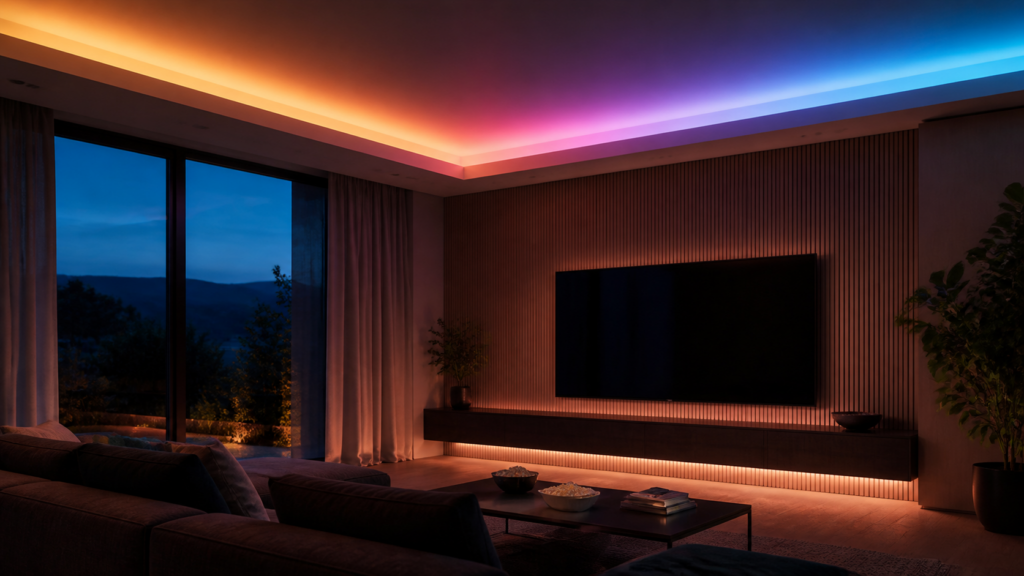
Aqara LED Strip T1 (LGYCDD01LM): Zigbee2MQTT & Home Assistant Guide
The Aqara LED Strip T1 is one of the more capable Zigbee light strips on the market, but the setup documentation scattered across GitHub issues, HA Community threads, and the Aqara forum makes it look harder than it is. I’ve pulled together everything that matters: what the device actually does, how to get full feature access through Zigbee2MQTT, the specific bugs you’ll hit, and how segment-level control works via MQTT.
The short version: Zigbee2MQTT is the path you want. ZHA works for basics but leaves most of the interesting features on the table.
What the Aqara LED Strip T1 actually is
The model number is LGYCDD01LM. If you’re looking at listings, you may also see the white-label variant RLS-K01D, which is the same hardware. Don’t confuse it with ZNTGMK11LM, an older Aqara T1 LED controller that’s not individually addressable. The ZNTGMK11LM predates RGBIC support and has a completely different entity set. If you bought the older one thinking it was the same, that explains the missing controls.
The LGYCDD01LM is a Zigbee 3.0 RGBIC strip with five individually addressable segments per meter, each 20 cm long. Configurable length runs from 1 to 10 meters, and that length setting directly affects how Zigbee2MQTT maps the segment indices. OTA firmware updates are supported natively through Z2M’s OTA mechanism without any cloud dependency. The strip acts as a Zigbee end device, not a router, so plan your mesh accordingly.
What you need
You need a Zigbee coordinator, Zigbee2MQTT, and Home Assistant with the MQTT integration. No Aqara hub. The strip pairs directly to Z2M.
For the coordinator, the SONOFF ZBDongle-P is what I’d reach for first. The ConBee II is confirmed working as well. If you’re already running Z2M for other Aqara devices, your existing coordinator is fine. The general approach to running Aqara Zigbee devices in Home Assistant without the Aqara hub is covered in our pillar guide on going hub-free with Zigbee2MQTT.
For Zigbee2MQTT, you need version 2.7.2 or later. Segment control was merged in the January 2.7.2 release. Earlier builds expose a partial entity set and won’t give you the segment_colors, effect_colors, or effect_segments controls. If you’re on an older Z2M and wondering why those entities don’t appear, updating is the fix.
If you’re also running Aqara’s RGBIC bulb, the setup pattern is similar; the Aqara LED Bulb T2 follows the same Z2M-native, no-hub approach for color and effects.
Pairing
First power-up puts the strip into pairing mode automatically. If you’re adding a strip that’s been connected to the Aqara app or another system before, hold the On/Off button for five seconds to reset it. After the reset it re-enters pairing mode. From there it’s standard Z2M permit-join: open the join window in the Z2M frontend, power the strip, and it should appear within a minute.
No special coordinator firmware is needed. The LGYCDD01LM pairs cleanly on any current Z2M-supported coordinator.
Entities exposed in Home Assistant
Once paired, Z2M exposes a fairly wide entity set. The core light entity handles on/off, brightness, color temperature, and XY color, which is how you control RGB colors through the HA color picker.
Beyond the light entity, you get:
device_temperature: sensor in °C for the strip controller chip. Useful if you’re running effects at full brightness for extended periods and want to monitor it.power_outage_count: integer sensor counting how many times the strip has lost power. Helpful for diagnosing flaky smart plugs or power fluctuations.power_outage_memory: select entity (on/off). When on, the strip restores its last state after a power cut. When off, it starts cold on next power.effect: select entity with built-in effects: breathing, rainbow1, rainbow2, chasing, flash, hopping, flicker, dash.effect_speed: number entity, 1–100%. Controls playback speed for the selected effect.gradient_scene: select entity for pre-set gradient patterns.dimming_range: configurable 1–100%, useful if you want a narrower range for late-night automations.gradual_on_off_time: number entity, 0–10 seconds. Adds a fade transition on state changes.strip_length: sets the declared length. This affects how Z2M maps segment indices, so set it to match your actual installed length before you start configuring segment colors.
The more interesting controls, segment_colors, effect_colors, and effect_segments, are exposed through Z2M’s MQTT interface but don’t appear as clean HA entity sliders in the current HA 2025.x UI. You interact with them via mqtt.publish service calls from automations or scripts. More on that below.
Known issues and gotchas
There are several behaviors that will waste your time if you hit them without context.
Color temperature inversion in white mode
When the light entity is in color-temp mode (tunable white), the Kelvin values are inverted: a higher Kelvin value produces warmer light, and a lower value produces cooler light. This is the opposite of what HA normally does. The root cause is that Z2M maps mired values inversely for this device, a behavior documented in the HA Community thread for the LGYCDD01LM (community.home-assistant.io thread 733498). As of this writing it is still a reported quirk rather than a closed bug, so don’t assume a Z2M update silently fixes it; test after updating.
The practical workaround is to invert your scene values manually, or to create a template light entity that flips the color temp mapping before passing it to the underlying entity. If you’re using automations that set specific Kelvin values, flip the scale.
“No RGB colors configurable” on older converters
Before the full converter rewrite, the strip exposed only on/off, brightness, and white color temperature, with no way to set RGB color. This was tracked in Z2M issue #20497 (github.com/Koenkk/zigbee2mqtt/issues/20497), opened in January 2024. The fix landed as part of the complete converter rewrite shipped in the 2.7.2 January release, which is the same release that introduced segment control. If you’re still seeing only on/off and white mode, you’re on a pre-2.7.2 build; update Z2M fully and then re-interview the device to restore the full entity set.
Scenes in the HA UI
If you add the strip to an HA scene via the graphical scene editor, the effect picker defaults to rainbow1 and you can’t change it through the UI. The graphical editor doesn’t pass the effect value correctly for this device. The fix is to define scenes via YAML or to use an automation with an mqtt.publish action that sends the exact effect value you want. Script-based control works reliably.
Extension strip behavior
Extension strips connected in series work well in white and static color modes; they follow the primary strip. In dynamic effect modes, extensions can lag behind or ignore the payload entirely. Community reports treat this as a device behavior rather than a Z2M converter bug, and there’s no confirmed fix at the time of writing, so test your specific run length and effect set before relying on extensions for synchronized effects.
ZHA partial support
ZHA exposes the basic light entity: on/off, brightness, and color. Effects, segment control, music sync mode, strip length configuration, and the advanced select entities are not available via ZHA as of early 2026. If you want the full feature set, Z2M is the only current path.
This Z2M-only depth is a recurring theme for Aqara’s more capable devices; see, for example, our guide to the single-switch module T1, where the richer operation modes also live on the Z2M side.
Music sync mode
The Z2M converter exposes a music sync effect for this device. It’s driven through MQTT rather than as a clean HA entity slider, so you activate it by publishing to the device’s Z2M set topic alongside the effect fields. The exact field semantics for music sync are device-firmware dependent and not fully documented in the Z2M device page, so treat it as experimental and confirm behavior on your firmware before building automations around it.
Segment control and automations
The segment control features are where the LGYCDD01LM stands out from non-addressable strips. Accessing them takes a bit more setup than the basic light entity, but it’s not complicated once you understand the payload structure.
All three advanced controls are published via MQTT to zigbee2mqtt/<friendly_name>/set.
Per-segment static colors:
The segment_colors payload assigns a static RGB color to each segment individually. Segment indexing starts at 1. A payload targeting segments 1 through 3 on a two-meter strip looks like this:
{
  "segment_colors": [
    {"segment": 1, "color": {"r": 255, "g": 0, "b": 0}},
    {"segment": 2, "color": {"r": 0, "g": 255, "b": 0}},
    {"segment": 3, "color": {"r": 0, "g": 0, "b": 255}}
  ]
}
Custom effect color palette:
The effect_colors payload sets the color palette that dynamic effects cycle through, replacing the default colors. You can define up to 8 colors:
{
  "effect_colors": [
    {"r": 255, "g": 80, "b": 0},
    {"r": 0, "g": 60, "b": 255}
  ]
}
Effect scope:
The effect_segments payload restricts which segments the effect applies to. You can specify a range, a comma-separated list, or pattern keywords like "odd" or "first-third":
{
  "effect_segments": "1-5,8"
}
Putting it together — an HA automation example:
Here’s an HA automation that sets a two-color breathing effect in orange and blue on the first five segments of a two-meter strip. Set strip_length to 2 before running this so segment indices map correctly.
automation:
  alias: "LED strip orange-blue breathing"
  trigger:
    - platform: state
      entity_id: input_boolean.evening_mode
      to: "on"
  action:
    - service: mqtt.publish
      data:
        topic: "zigbee2mqtt/led_strip_living_room/set"
        payload: >-
          {
            "effect": "breathing",
            "effect_speed": 40,
            "effect_colors": [
              {"r": 255, "g": 80, "b": 0},
              {"r": 0, "g": 60, "b": 200}
            ],
            "effect_segments": "1-5"
          }
Replace led_strip_living_room with whatever you named the device in Z2M. The effect, palette, and scope are independent fields, so you can combine them in a single publish call or send them separately.
One thing to keep in mind: effect_segments doesn’t persist across effect changes. If you later select a different effect from the Z2M frontend, the scope reverts to full strip. For automations where scope matters, always include effect_segments in the same publish call as the effect field.
Cloud posture and privacy
Running the LGYCDD01LM through Z2M means zero cloud involvement after the initial setup. The strip does not require an Aqara hub, an Aqara account, or any outbound connection to Aqara’s servers during normal operation. All traffic is local MQTT between the strip and your Z2M coordinator.
OTA firmware updates work through Z2M’s built-in OTA mechanism, pulling firmware images through Z2M’s configured update source rather than Aqara’s cloud. If you have Z2M running on an isolated IoT VLAN, the strip stays on that VLAN, no exceptions needed for Aqara’s servers.
If you’re verifying this: run a packet capture on the IoT VLAN gateway while triggering the strip through Z2M. You should see only Zigbee traffic through the coordinator’s USB adapter, with nothing going outbound to Aqara domains.
Where to buy
The Aqara LED Strip T1 (LGYCDD01LM) is widely available through Amazon in the US, UK, and AU, along with the matching extension strips. A coordinator like the SONOFF ZBDongle-P is sold separately if you don’t already have one.
If you’re already running a Zigbee coordinator for other devices in this cluster, you don’t need a new one; the LGYCDD01LM pairs to any Z2M-supported coordinator. The extension strips are worth considering if you’re doing runs longer than two meters, but be aware of the dynamic effect behavior in extension mode.
The full entity list and device spec is on the Z2M device page at zigbee2mqtt.io/devices/LGYCDD01LM.html. That’s the authoritative reference for which fields the current converter exposes.