

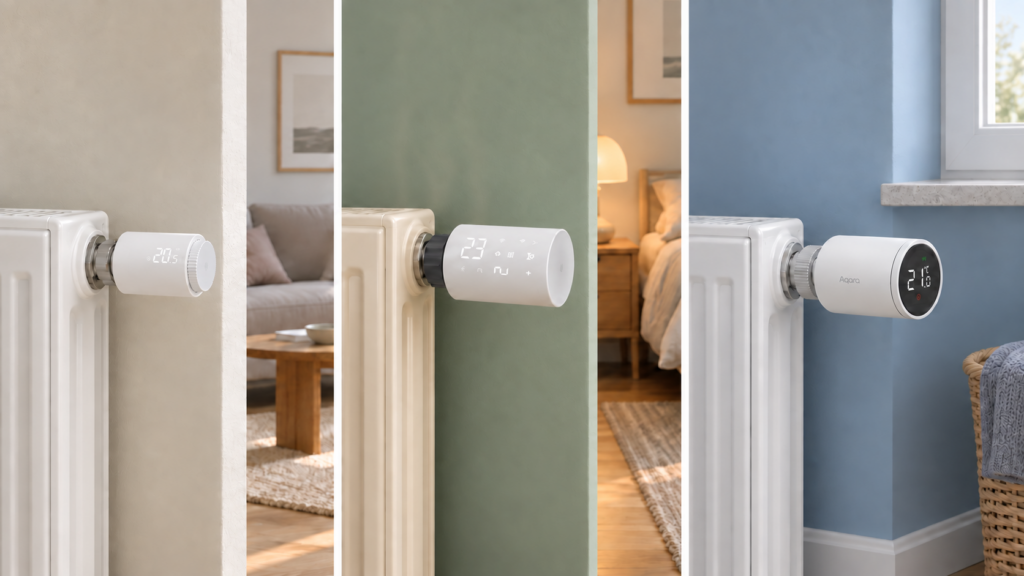
Every Zigbee2MQTT-integrated thermostatic radiator valve shows up in Home Assistant as the same kind of climate card. Mode selector, target temperature, current temperature, all looking identical regardless of which brand made the device. Set the mode to Heat and, by Home Assistant’s own definition, the device should turn on and hold the target temperature.
On some TRVs that’s exactly what happens. On others, Heat mode opens the valve fully and leaves it there, with no regulation at all. Which behavior you get depends on which converter your device matched inside Zigbee2MQTT, and those per-device documentation pages don’t cross-reference each other to warn you about it. This is a mapping problem, not a bug in any one converter, and it’s worth understanding the mechanism once so you stop debugging it device by device.
What Home Assistant’s Heat mode is supposed to mean
Home Assistant’s climate entity developer documentation defines HVACMode.HEAT as the device turning on and regulating temperature toward a setpoint. That’s the generic contract every climate integration, Zigbee2MQTT included, is supposed to expose a TRV through.
The same documentation defines HVACMode.AUTO as something quite different: the temperature being set by a schedule, learned behavior, or a similar automatic mechanism. Heat means “hold this number.” Auto means “follow your own plan.” Hold on to both definitions, because one of the device families below inverts them.
The documentation is intentionally generic. It says nothing about system_mode, nothing about Zigbee2MQTT, and nothing about any specific TRV converter, because it’s written to cover every climate platform HA supports, from Zigbee radiator valves to ducted HVAC. Zigbee2MQTT auto-generates the HA climate entity from whatever system_mode, running_state, and setpoint fields a device exposes, via MQTT discovery. The climate card you see looks the same across brands whether or not the underlying device honors the HA contract.
Sonoff TRVZB: Heat behaves as expected
The Sonoff TRVZB matches the mental model without any adjustment needed. As of its current Zigbee2MQTT device page, system_mode accepts off, auto, and heat. A separate running_state field (idle or heat) reports whether the valve is actively calling for heat right now, distinct from what mode it’s set to. The target is set through occupied_heating_setpoint, which ranges 4 to 35°C.
Set heat mode on a TRVZB and the valve regulates to the setpoint, matching what HA’s climate docs describe. The valve also stores its own seven-day schedule on the device, which our Sonoff TRVZB setup guide covers in detail. This is the device where the mental model “heat means regulate” holds.
TS0601_thermostat: Heat doesn’t regulate, Auto does
The first thing to get right here is the name. TS0601 on its own is not a device family. It’s a generic Tuya model ID that a long list of unrelated products report, from radiator valves to curtain and blind motors to devices Zigbee2MQTT doesn’t recognise at all. What determines behavior is the converter your device matched. For a large share of white-label Tuya TRVs sold as Moes, Silvercrest, Avatto and similar names, that converter is TS0601_thermostat.
On the surface that converter exposes the same vocabulary as the TRVZB: system_mode accepts heat, auto, and off. But its device page also states the behavior directly. In heat mode the device remains continuously heating and does not regulate to the desired temperature. To get actual regulation you need auto mode instead.
That’s the inverse of the TRVZB, and it breaks Home Assistant’s contract twice over rather than once. heat doesn’t regulate when the spec says it should, and auto regulates to a setpoint when the spec says it should be following a schedule. Zigbee2MQTT issue #5578, filed against version 1.17.0 and titled “TS0601_thermostat not complying/illegal with HA ‘climate’ documentation standards”, makes exactly that argument, noting the conflict it creates with other Home Assistant integrations that do follow the standard. The issue is closed with no maintainer resolution visible on it, and the device page still documents the behavior as expected. Read it as a single reporter’s corroborating complaint rather than evidence of a pending fix.
Valves reporting the same TS0601 model ID are split across several separate Zigbee2MQTT device pages. Alongside TS0601_thermostat there are at least TV02-Zigbee and TV01-ZB, covering valves sold as Moes TV01-ZB, AVATTO TRV06-1 and Tesla Smart TSL-TRV models. Those pages document a different attribute set, and mode behavior filed against them differs too: issue #14867, “TV02-Zigbee: Disable preset_mode reset to auto when switching to system_mode heat”, is filed by title here and describes preset and mode interacting in a way the TS0601_thermostat page never mentions. Open your device’s entry in Zigbee2MQTT and follow the link to whichever page it actually points at before applying any of the above.
Honestly, several device families using the identical string heat to mean different things is the kind of inconsistency Zigbee2MQTT’s per-device converter model has no built-in way to flag. The string isn’t self-documenting, and nothing in the HA climate card tells you which behavior you’re getting until you’ve read that specific device’s page.
Aqara SRTS-A01: no Auto mode at all
The Aqara E1 radiator thermostat (SRTS-A01) takes a structurally different approach again. Its system_mode accepts only off and heat. There is no auto value in system_mode on this device at all.
Regulation versus schedule-following is controlled through a separate preset expose instead, with values manual, away, and auto. So “auto” does exist on this device, but as a preset layered on top of system_mode: heat, not as a mode in its own right. That’s a third distinct scheme, neither the TRVZB’s clean split nor the Tuya converter’s inverted heat/auto pairing.
On this device the preset labels themselves can’t be taken at face value either. Our Aqara E1 setup guide documents a firmware-level inversion, tracked as Zigbee2MQTT issue #19070, where the manual preset activates the thermostat’s internal schedule and the auto preset activates manual setpoint control. The opposite of what each label says. That quirk doesn’t appear on the device page at all, which matters for the advice further down.
Aqara’s other radiator valve, the W600 (WT-A03E), doesn’t share the E1’s preset vocabulary either. Our Aqara W600 guide records its presets as home, away, sleep, vacation and wind-down. Five values, none of them manual or auto. Two radiator valves from the same manufacturer, two different schemes.
Comparing the schemes
| Device / converter | system_mode values |
Does heat regulate? |
Where regulation control lives |
|---|---|---|---|
| Sonoff TRVZB | off, auto, heat |
Yes | system_mode |
Tuya TS0601_thermostat |
off, auto, heat |
No, stays fully open | system_mode (use auto) |
| Aqara SRTS-A01 | off, heat only |
Yes (only real mode) | preset (manual/away/auto, labels invertible by firmware) |
The TRVZB and TS0601_thermostat expose an identical system_mode value set. Nothing in Zigbee2MQTT’s interface or in Home Assistant’s climate card tells you the two interpret heat in opposite ways, and the Aqara valves aren’t in the comparison at all because they don’t use the same control surface.
Practical takeaway
Before assuming a Zigbee TRV’s Heat mode will regulate the way Home Assistant’s climate documentation says it should, open the device’s entry in Zigbee2MQTT and follow the link to its own device page. Look for whether that page documents system_mode: heat as the regulating mode or flags it as an always-on state that needs auto instead. Don’t extrapolate from a different device family, from a shared model ID, or even from a different valve by the same manufacturer.
The device page isn’t the whole story, though. Firmware-level quirks like the E1’s inverted preset labels only surface in the issue tracker. If a valve’s behavior contradicts its own documentation, search the model name there before concluding your setup is broken.
If a TRV in your setup is stuck fully open on Heat, the fix is usually a one-line change in an automation or scene, from hvac_mode: heat to hvac_mode: auto. Straight from MQTT, that’s a publish to the device’s set topic:
mosquitto_pub -h 192.168.10.20 \
  -t zigbee2mqtt/trv_living_room/set \
  -m '{"system_mode": "auto"}'
It’s worth testing during a low-stakes hour rather than mid-winter at 2am.
FAQ
Why does my Zigbee TRV keep the valve open when set to Heat mode?
On some converters, notably Tuya’s TS0601_thermostat, heat is documented as an always-on state rather than a regulating one. Switch to auto mode to get temperature regulation on those devices.
What’s the difference between “heat” mode and “auto” mode on a Zigbee thermostat?
It depends on the device. Home Assistant’s own docs define heat as regulating to a setpoint and auto as following a schedule. The Sonoff TRVZB follows that. On TS0601_thermostat the two are effectively swapped. Check the specific device’s Zigbee2MQTT page rather than assuming.
Does every Zigbee2MQTT TRV use the same system_mode values?
No. The TRVZB and TS0601_thermostat both expose off/auto/heat, but the Aqara SRTS-A01 exposes only off/heat, with schedule-versus-manual control handled through a separate preset field. Other Tuya TRV converters, such as TV02-Zigbee, expose different sets again.
Is a TRV stuck fully open in Heat mode a bug or expected behavior?
For TS0601_thermostat it’s documented, expected behavior, though a closed GitHub issue argues it doesn’t match Home Assistant’s climate-entity contract. For a TRVZB, a valve stuck open in Heat mode without regulating would be unexpected and worth investigating separately.
How do I get my Tuya Zigbee radiator valve to actually regulate temperature?
If it matched the TS0601_thermostat converter, set system_mode to auto rather than heat. That converter’s own device page states this directly. If your valve matched TV02-Zigbee or another page instead, check that page’s exposes first.
How this was verified
The system_mode and preset values above come from each device’s own official Zigbee2MQTT page, checked for this article rather than recalled. The Aqara preset-inversion quirk and the W600 preset list come from this site’s own published guides for those devices, where they were verified when those articles were written. GitHub issues #5578, #14867 and #19070 are cited by title and, where stated, by status. No physical TRV was paired or operated to produce any of this. It’s a documentation-synthesis piece, and the comparison reflects what each converter’s page and each tracker entry currently say, not hands-on testing.