

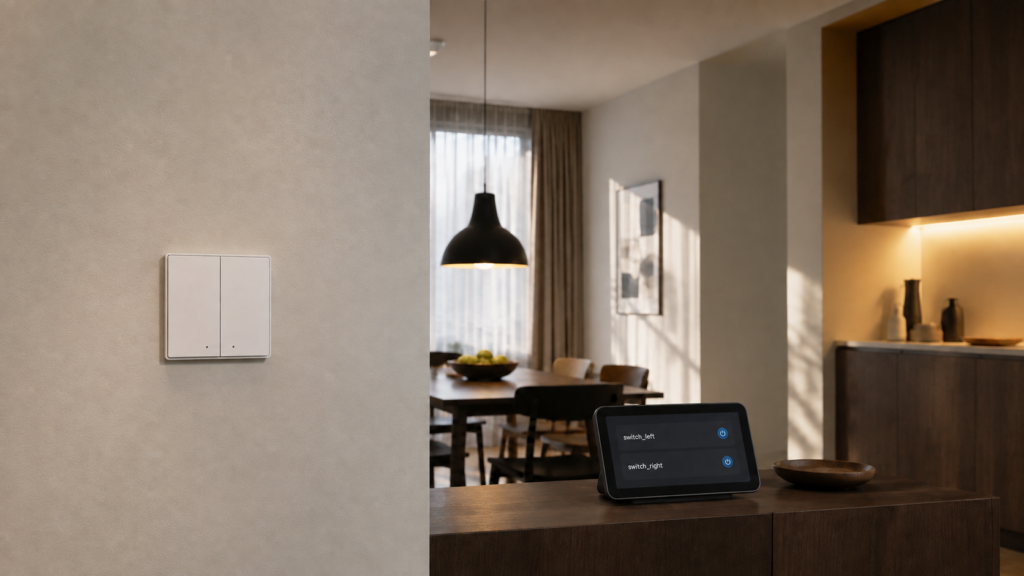
A multi-gang switch can appear in Home Assistant as separate entities ending in l1/l2 or left/right. A multi-button remote can instead report one action property with different values for each button. To map them correctly, distinguish the physical controls, Zigbee endpoints, converter aliases and Home Assistant entities.
This guide follows Zigbee2MQTT 2.14.2 and converter definitions 26.115.1. It explains the naming and current command paths, then gives a workflow for confirming which output or gesture an automation uses. No hardware was operated for this article.
Physical endpoints and logical controls
A Zigbee endpoint is an application address within a device, with its own profile and input/output clusters. A product can have several endpoints on one radio, but its number of relays or buttons does not necessarily equal its endpoint count. Some Tuya devices multiplex several channels through data points on one physical endpoint.
Zigbee2MQTT’s converter can give capabilities logical names such as l1 or left. In the Exposes interface, assigning an endpoint alias to a feature normally produces a property such as state_l1. A definition also supplies the mapping to the physical endpoint or the protocol-specific channel handling. A visible suffix is therefore a converter capability label, not proof of a separate radio or a universal wiring layout.
Home Assistant discovery turns supported switch features into separate entities. A name like switch.kitchen_switch_l1 is an example, not a guaranteed entity ID: registry naming, prior entities and user changes affect the final identifier. A single controllable channel commonly uses plain state, but there is no rule that every single-gang device must avoid a suffix.
Why a scene remote looks different
A button press is an event rather than a lasting relay state. Many remote definitions use one action property and encode the button in its value. The Tuya TS0042 lists values such as 1_single and 2_hold. This does not require one persistent Home Assistant switch entity per button.
The Aqara D1 triple-rocker guide covers a wired wall switch, whose relay states and button actions are separate capabilities. Even its variants differ: the no-neutral QBKG25LM declares left_single and right_double, while the with-neutral QBKG26LM declares single_left and double_right. Match the exact model and live payload before copying either form into an automation.
A single action property is often expected, but a text action sensor is not guaranteed to be present in Home Assistant. Zigbee2MQTT recommends MQTT device triggers; its legacy action sensor is deprecated and opt-in, and experimental event entities are another mechanism. Generate each gesture once so its device trigger can be discovered, then check the mechanism your blueprint expects.
Direct binding is also model-specific. A remote needs compatible command clusters and firmware behavior; a button that only reports a manufacturer-specific event is not automatically able to bind directly to a bulb. Endpoint aliases alone do not add that support.
Why names differ between devices
| Pattern | Example | What to check |
|---|---|---|
| Positional state suffix | state_left, state_center, state_right | Exact Aqara D1/H1 wall-switch definition and physical output mapping |
| Numbered state suffix | state_l1, state_l2, state_l3 | Converter’s aliases; channels may use endpoints or a proprietary data-point path |
| One action property | action: “1_single”, “left_single” or “single_left” | Exact model’s event value and Home Assistant trigger mechanism |
The converter defines these aliases and mappings. For example, D1 QBKG25LM/QBKG26LM definitions use left/center/right, while the H1 Pro with neutral QBKG32LM does likewise. The H1 with-neutral guide is useful context, but match its exact model rather than transferring a family name to every H1 product.
The reference page, selected definition and bridge/devices metadata are useful before testing: they expose capabilities, reported endpoints and clusters. A released definition can map logical names to endpoint numbers. The product’s wiring diagram may identify outputs too. These sources narrow the question; a retailer label or guessed left/right convention does not confirm how a particular installed load is connected.
Issue #4363 records a Lonsonho two-gang module appearing as a Zemismart three-gang product on 1.14.4 in 2020. The reporter said restarting corrected it, and the maintainer reported a development-branch fix. Later comments describe another installation. It remains a useful historical mismatch example, not evidence that every present naming discrepancy has that cause.
Check the physical model, reported manufacturer/model, installed converter, Exposes and discovery payload. Old Home Assistant registry entries can coexist with current ones. Diagnose a mismatch or stale entity before replacing hardware or editing a working definition.
Confirming the gang or gesture mapping
- Read the exact product/manual and selected device definition. Record which state properties or action values are expected, including any endpoint alias.
- Choose a load that can be safely switched during the check. Change one supported property at a time through Home Assistant or MQTT, then observe the physical result and a fresh report. An optimistic UI change alone is insufficient.
- For a remote, press each button/gesture and watch its live action value. Do not rely on a cached or previously retained event.
- Record the property/alias, physical output or button and intended room/load. Repeat in the final installed position before copying the mapping into automations.
This verifies the mapping actually used by your installation. A command that times out needs a connectivity or converter investigation; it is not proof that the guessed gang label is wrong. If the device’s modes can decouple its button and relay, check those modes too.
Renaming the Home Assistant entity
Keep four names separate: the Zigbee2MQTT friendly name sets the MQTT device topic, a property such as state_l1 identifies a capability, Home Assistant’s entity ID addresses its entity, and the displayed entity name is a label. Changing the display label does not rename the MQTT property.
For a clearer dashboard, open the entity’s settings in Home Assistant and change its displayed name. If you also change its entity ID, review automations, scripts, dashboards and external clients that reference the old ID. Some UI-managed references may be updated, but arbitrary YAML, templates, blueprints or external flows need checking. Test the affected actions afterward.
A Home Assistant-only label/ID edit does not change the Zigbee2MQTT friendly name or radio endpoint. Discovery overrides can also customize individual entities under the current device configuration, but they do not create a new physical channel. Use the exact discovery entity key and current schema if you choose that path. Whole-device Zigbee2MQTT renaming changes topics and has a wider scope.
The documentation reserves trailing slash/endpoint patterns and numeric suffixes for endpoint addressing. Avoid a friendly name ending in /left, /l1 or /4. Current validation rejects leading/trailing slash, numeric suffixes, MQTT wildcards and control characters; it should not be treated as proof that every ambiguous alias is rejected automatically.
Controlling one capability over MQTT
For a definition that exposes a writable state_l1 mapped to the intended output, these two forms select the same capability. Replace the broker, base topic, friendly name and property with your actual values and use the required authentication/TLS options:
mosquitto_pub -h 192.168.10.20 -t 'zigbee2mqtt/kitchen_switch/set' \
  -m '{"state_l1":"ON"}'
mosquitto_pub -h 192.168.10.20 -t 'zigbee2mqtt/kitchen_switch/set/state_l1' \
  -m 'ON'
The topic reference documents whole-device JSON and single-property shorthand. A true mapped endpoint can also be selected before /set, for example zigbee2mqtt/kitchen_switch/l1/set with {"state":"ON"}. That form requires an alias the device’s endpoint mapper accepts; a proprietary data-point label is not automatically an interchangeable physical endpoint path.
The 2.14.2 publish handler resolves endpoint-suffixed properties before selecting the command converter. Use supported writable properties and valid values, inspect the logs, and verify the physical result. Do not retain a command: replaying a previous SET to a later subscriber is not a state-recovery strategy.
Endpoints in groups and bindings
A group membership refers to a device endpoint. In 2.14.2, use the explicit endpoint field in the current group request, rather than assuming a slash suffix in the device name is parsed by every bridge API. Create the group first and choose an endpoint that supports group membership:
topic: zigbee2mqtt/bridge/request/group/members/add
{"group":"kitchen_lights","device":"kitchen_switch","endpoint":"l1","transaction":"my-group-add"}
Subscribe to bridge/response/group/members/add before sending, check the matching transaction and status, then verify membership and group behavior. Group control and cached group state have their own limits, covered in the groups/scenes guide.
For binding, the current request uses explicit source/target endpoint fields. This is an illustrative template for compatible devices, not a claim that every remote accepts it:
topic: zigbee2mqtt/bridge/request/device/bind
{"from":"my_remote","from_endpoint":"left","to":"kitchen_switch","to_endpoint":"l1","clusters":["genOnOff"],"transaction":"my-bind"}
Listen on bridge/response/device/bind first. Verify the transaction, status and both successful clusters and failed lists: partial success is not proof that every desired cluster bound. Wake a sleeping source using its own instructions. Test direct physical control and fresh target reporting afterward. A group target uses its own group identity rather than an invented relay endpoint.
FAQ
Why do I see l1/l2 entities? The converter exposes separately named capabilities. They often correspond to relays, but do not establish a universal one-relay/one-endpoint layout.
How do I know which gang is which? Start with the exact manual, definition and metadata, then verify one safely switchable output at a time and record the result.
Why is there no entity per remote button? Events can be encoded in action values. Check MQTT device triggers or the configured sensor/event mechanism, not only switch entities.
Can I rename one entity? Yes. A display-name edit affects its label; an entity-ID edit also needs reference checks. Neither changes the MQTT capability property or device friendly name.
Why do suffix schemes vary? Exact device definitions supply logical aliases and protocol handling. Check the current model page and installed definition rather than guessing from a brand.
Which SET form should I use? Use the supported suffixed property in JSON or its single-property shorthand. An endpoint topic is another option only where the actual endpoint mapper supports it.
Sources and practical limits
The naming, routing and request examples were checked in the released publish handler, group/bind handlers and released Aqara definitions. The old mismatch remains a versioned report. No installed load was toggled for this article.
These operations can use a local coordinator, broker and Home Assistant. A remote broker or cloud-linked automation target can add other dependencies. Confirm the exact capability and physical mapping before relying on the name in an automation.