

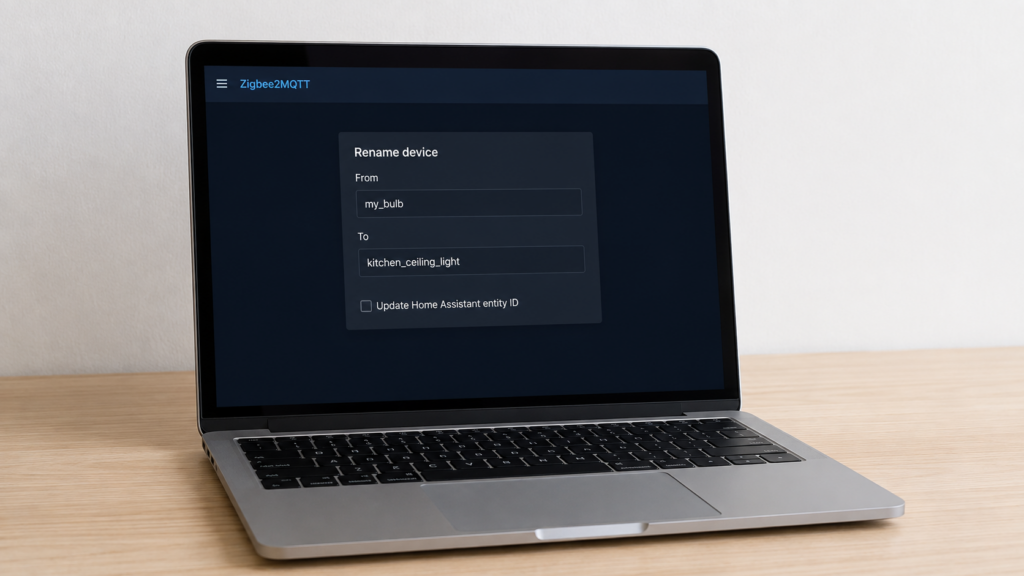
Renaming a Zigbee2MQTT device’s friendly_name usually starts as basic tidiness. 0x00158d0001a2b3c4 becomes kitchen_ceiling_light, and topics and dashboards start making sense to a human. Then, sometimes, an automation that worked yesterday stops firing today, and it’s not obvious why.
The mechanism is documented, just not in one place. This piece works from the official rename syntax, cross-referenced against the GitHub threads describing the two ways this most commonly goes wrong. Neither is really a bug. Both come down to a mismatch between what a rename changes and what a given setup happens to depend on.
A mechanism explainer sourced from Zigbee2MQTT’s documentation and public GitHub issues, not a device-specific guide. It applies whichever coordinator or radio you run.
How the rename request actually works
Devices are renamed by publishing an MQTT message to zigbee2mqtt/bridge/request/device/rename, with a JSON payload naming the device you’re renaming from and the name you want to. The from field accepts either the device’s current friendly_name or its IEEE address, so you can rename a device that’s still sitting on its default address-style name. The to field is a new name, and as failure mode 2 below shows, an address is not always a valid one.
mosquitto_pub -h 192.168.10.20 -t zigbee2mqtt/bridge/request/device/rename \
  -m '{"from": "0x00158d0001a2b3c4", "to": "kitchen/ceiling_light", "homeassistant_rename": true}'
There’s also a shortcut for the device you just paired. Instead of specifying from, pass "last": true, which targets whatever device most recently joined. Useful right after pairing, before you forget which device is which.
Most people never publish this by hand. The frontend’s rename dialog sends the same request and exposes the flag below as a checkbox rather than a JSON field, so everything here applies whether you clicked it or published it.
The entity_id gap: what homeassistant_rename actually controls
This is the part that trips people up. The rename request accepts an optional homeassistant_rename boolean. Set it to true, and Home Assistant’s entity IDs update to match the new name at the same time as the Zigbee2MQTT-side change. Leave it out, or set it to false, and only the friendly_name and MQTT topic change. Home Assistant’s entity IDs stay exactly as they were when the device was first discovered.
That’s a real choice, not a formality. An entity_id like sensor.0x00158d0001a2b3c4_temperature staying put means every automation, dashboard card, and template referencing it keeps working, even though the device now shows up everywhere else as kitchen_ceiling_light. Flip the flag to true and you get a clean, matching entity_id going forward, but anything that hardcoded the old one needs updating by hand.
Worth knowing: the flag only adds the Home Assistant side. The Zigbee2MQTT-side rename happens either way.
Failure mode 1: automations that reference the raw MQTT topic
This is the crux, and it’s precise enough to state plainly. Zigbee2MQTT’s topic structure updates the moment a rename completes, regardless of what you set homeassistant_rename to. A device publishing to zigbee2mqtt/old_name starts publishing to zigbee2mqtt/new_name immediately. GitHub issue #4452 is the long-running report of what that does downstream: renaming breaks Home Assistant triggers keyed to the Zigbee2MQTT topic.
An automation triggered on entity_id, which is how most Home Assistant automations are written, doesn’t care about that at all. It’s still watching sensor.old_name_temperature, and that entity_id doesn’t move unless homeassistant_rename told it to.
An automation triggered on the raw topic instead, whether that’s an MQTT trigger platform pointed at zigbee2mqtt/old_name or a hand-configured MQTT sensor with a hardcoded state_topic, has no such protection. It’s matching against a string, and the string just changed underneath it. Nothing throws an error. It stops matching anything, silently, and keeps not matching until someone notices.
Renaming a device changes its MQTT topic immediately and unconditionally. Automations built on entity_id are shielded from this by default. Automations or MQTT sensors that reference the raw topic string are not, and they fail silently rather than with an error.
| Trigger type | Breaks on rename? | Why |
|---|---|---|
MQTT trigger/sensor on raw topic (e.g. zigbee2mqtt/old_name) |
Yes, immediately | Topic string always follows the new friendly_name |
HA entity_id trigger, homeassistant_rename off/omitted |
No | Entity_id stays as originally discovered |
HA entity_id trigger, homeassistant_rename: true |
Only if the automation hardcodes the old entity_id | Entity_id updates to match the new name too |
Failure mode 2: “friendly_name already in use”
The second failure mode is louder, and the obvious explanation for it is usually the wrong one.
The error means Zigbee2MQTT considers the name you’re renaming to already taken. The intuitive version is a genuine collision: another device holds the name, or a leftover config entry from one you removed is still holding it. That version behaves as expected. Free up the name, retry.
The version people actually hit is narrower, and it’s what GitHub issue #25830 is about. Its title is the whole finding: cannot rename a device back to its original Zigbee name. The reporter renamed a device away from its default IEEE-address-style name, later tried to rename it back, and got friendly_name '0x...' is already in use with nothing else on the network holding that string. Renaming a device back toward its own address is the documented failure case, not the safe fallback it looks like.
My read, and it’s a read rather than something the thread establishes: Zigbee2MQTT accepts either an IEEE address or a friendly_name as a device identifier, so a device’s own address is never actually free.
The workaround documented on that thread is to set the friendly_name back by hand. Zigbee2MQTT keeps per-device entries under devices:, either inline in configuration.yaml or in a separate devices.yaml if you’ve split the config out. Stop the service first, since it writes that file itself, edit the one entry, then start it again.
“friendly_name already in use” when renaming a device back to its own IEEE address is expected behaviour, not a sign that something else grabbed the name. Don’t go hunting for a conflicting device. Edit the entry in Zigbee2MQTT’s device config instead, with the service stopped.
The #4452 thread carries a blunter version of the same fix: emptying devices.yaml and restarting. That clears a stuck entry, but it clears every other device’s friendly_name too, reverting the whole network to address-style names. Edit the single entry unless you mean to start over.
Our database.db recovery guide covers the same configuration files from the angle of a corrupted or wiped database, and the ghost device write-up goes deeper on how Zigbee2MQTT tracks device identity by IEEE address in the first place.
Naming conventions worth deciding before you rename a fleet
friendly_name supports / as a path separator, so kitchen/ceiling_light and kitchen/floor_lamp both nest under a kitchen/ branch of the topic tree, per a Zigbee2MQTT discussion on the pattern. Useful if you ever browse your broker directly with something like MQTT Explorer, since it turns a flat device list into a navigable hierarchy.
It’s a decision worth making once, deliberately. A dozen devices renamed inconsistently, some by room, some by function, some left flat, is harder to reason about than a dozen nobody renamed at all. Decide the pattern before the first rename, not device forty. Once naming is sorted, groups versus scenes covers the next organizational question most people hit.
A safer way to rename
A few things reduce the odds of either failure mode catching you off guard.
- Check whether anything references the raw MQTT topic first. If your automations are all entity_id-based and you’re not running custom MQTT sensors or triggers pointed at
zigbee2mqtt/<name>paths, failure mode 1 mostly doesn’t apply to you. - Decide on
homeassistant_renamedeliberately. Leaving it off keeps entity_ids stable, usually safer for a device with automations already built around it. Turning it on makes more sense for a device you just paired and haven’t wired into anything. - Treat “rename it back if I don’t like it” as an assumption to test, not a given, particularly if back means the IEEE address.
- Settle on a path-separator convention before the first rename in a batch, not partway through.
The MQTT broker security checklist covers topic structure and broker hardening in more depth, useful background for anyone working at the topic level.
Honestly, I think leaving homeassistant_rename off is the safer default unless you have a reason to turn it on. The rename flow doesn’t surface that trade-off, so it’s easy to flip the flag without realizing there was a choice attached.
FAQ
Does renaming a Zigbee2MQTT device break my existing automations?
It can, but only automations triggered on the raw MQTT topic. Automations built around entity_id are unaffected unless you also set homeassistant_rename to true and the automation hardcodes the old entity_id.
What does the homeassistant_rename flag do?
Set to true, it updates Home Assistant’s entity IDs to match the new friendly_name at the same time as the Zigbee2MQTT-side rename. Left off, only the friendly_name and MQTT topic change, and entity IDs stay as originally discovered.
Why does Zigbee2MQTT say “friendly_name already in use” when I try to rename?
Either the name genuinely belongs to another device or to a leftover entry from one you removed, or you’re renaming a device back to its own default IEEE-address-style name, which is the case reported in issue #25830 and isn’t resolved by freeing anything up.
Can I rename a device back to its original IEEE address name?
Often not directly. That exact attempt is what issue #25830 reports failing, with Zigbee2MQTT answering “already in use” even though nothing else holds the name. The documented way through: stop Zigbee2MQTT, set friendly_name back to the address in its device config, start it again.
Should I use / in friendly_name for grouping devices?
It’s supported and useful for browsing your MQTT broker’s topic hierarchy by room or function. Decide the convention before renaming a fleet of devices, not partway through one.
What this piece verified
This piece worked from Zigbee2MQTT’s official MQTT topic and rename documentation, cross-referenced against the GitHub issues and discussion cited above. No device was renamed and no Home Assistant instance was run through this workflow to write it.
On the state of those sources, as retrieved in August 2026: issue #4452 is closed, and the behaviour it describes is how the rename works rather than a pending fix. We did not independently confirm the current open or closed state of #25830 or discussion #11300, and the workarounds above are the ones documented on those threads rather than official fixes. Worth reading them yourself if you’re mid-incident.
What stays local is the whole mechanism. It runs over your own MQTT broker between Zigbee2MQTT and Home Assistant, with no cloud account or vendor server on either side.
What depends on your setup is whether any of your automations reference raw MQTT topics rather than entity_id, and only you can check that. Search automations.yaml for platform: mqtt triggers pointed at zigbee2mqtt/ topics before renaming anything you’d miss if it broke.