

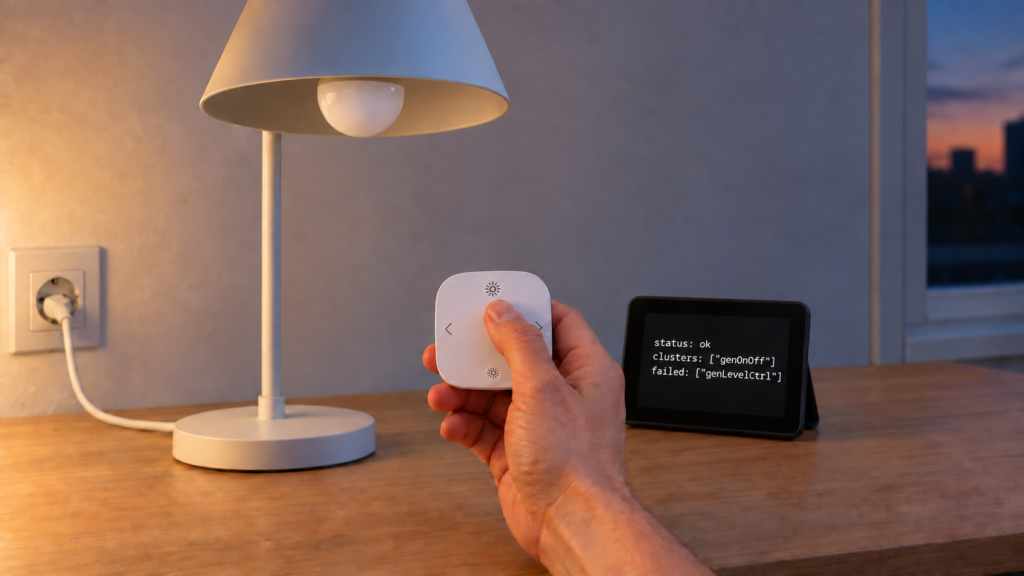
You sent the bind command. Zigbee2MQTT’s frontend showed a green success message, or the bridge/response/device/bind topic came back with "status": "ok". And the remote still doesn’t dim the bulb. The motion sensor bound directly to the plug still doesn’t switch it. The group binding does nothing at all.
Zigbee2MQTT binding not working after a successful-looking response is a narrow failure class with a small set of documented causes. What follows is a ranked checklist of those causes, pulled from Zigbee2MQTT’s own binding documentation and the GitHub reports where people hit each one.
| Cause | How to confirm | Fix |
|---|---|---|
| Source device asleep | Battery-powered source, and the cluster came back in failed |
Wake it (button press), then re-send within a few seconds |
| Group ID instead of name | Target was a number, not the group’s friendly name | Re-bind using the group’s friendly name |
| Non-ZCL device command | One side is a Tuya-pattern device with a custom converter | Check its operation mode and group-only restriction first |
| Leftover binding on the cluster | An old binding (often to the coordinator) exists on the same cluster | Remove the stale binding, then re-bind |
| Endpoint mismatch | Device has multiple endpoints and the wrong one was targeted | Confirm the correct from_endpoint/to_endpoint for that device |
Read the bind response, not the checkmark
Binding only works for specific clusters. The Zigbee2MQTT binding documentation lists the supported set: genScenes, genOnOff, genLevelCtrl, lightingColorCtrl and closuresWindowCovering. A bind request payload looks like this:
{
  "from": "hallway_remote",
  "to": "hallway_bulb",
  "clusters": ["genOnOff", "genLevelCtrl"]
}
If the cluster you need isn’t in that list, no amount of retrying fixes it.
The response is where the diagnosis actually starts, and it is more informative than the frontend’s toast. Zigbee2MQTT answers with a clusters array listing what bound and a failed array listing what didn’t:
{
  "data": {
    "from": "hallway_remote",
    "from_endpoint": "default",
    "to": "hallway_bulb",
    "clusters": ["genOnOff", "genLevelCtrl"],
    "failed": []
  },
  "status": "ok"
}
A status of ok means the request completed, not that every cluster bound. The status only becomes error when all of them fail. A partly-failed bind, which is the shape that produces “it said success and nothing works”, arrives as ok with entries in failed. Check that array before working through anything below.
Cause 1: the source device was asleep
Battery-powered devices (remotes, motion sensors, contact sensors) spend almost all their time asleep to save power, and a sleeping device can’t process a bind request. Zigbee2MQTT’s documentation is direct about it: binding or unbinding a battery-powered device fails most of the time because the device is sleeping, and the fix is to wake it right before sending the request.
Note the word the docs use. It fails. A sleeping source is not usually a silent success, it’s the case where the cluster lands in failed, or where every cluster fails and the status comes back error.
What makes the timing tight is a mechanism one layer below Zigbee2MQTT. The message isn’t discarded when the device doesn’t answer: the device’s parent buffers it and waits for the sleepy child to collect it on its next poll, and on Silicon Labs’ stack that hold defaults to 7.68 seconds. Miss the window and nothing above it retries, because Zigbee2MQTT doesn’t queue these commands at all. Why battery devices drop configuration changes covers the buffer-and-poll path in full.
Cause 2: group binding with the ID instead of the friendly name
When binding to a group, the documented target is the group’s friendly name. The payload spec takes the friendly name of a device or a group on both sides, and there’s no documented form that accepts a numeric group ID.
{
  "from": "hallway_motion",
  "to": "Living Room Lights"
}
"Living Room Lights" here is the group’s friendly name, not "3" or whatever numeric ID the group was created with. Groups and scenes are a related but separate concept from binding.
Groups are also the documented answer to a different binding complaint. If a bound light obeys the remote but its state goes stale in Home Assistant, the binding guide’s advice is to put the device in a group and bind the remote to the group instead. Zigbee2MQTT then polls the device for updates when the bound remote controls it.
Cause 3: the device sends a non-standard command
This is the root cause confirmed by a Zigbee2MQTT maintainer, in GitHub Discussion #27592. A Tuya wireless switch couldn’t drive another device through a binding because its Zigbee2MQTT definition sends a Tuya-specific action rather than a standard Zigbee Cluster Library command, and a receiving device that only understands standard cluster commands has no way to interpret it.
Two checks come before concluding your device is in that category.
Direction. Binding needs the cluster on the source device’s output side, the side it sends from, and on the target’s input side. Tuya remotes frequently don’t present on/off as an output cluster at all, which is why the frontend sometimes offers nothing to bind rather than failing afterwards. Issue #9130 is that symptom on a different pairing.
Mode. Some Tuya scene controllers, the TS004F family among them, expose an operation_mode set to either command or event. In command mode the device issues standard cluster commands, which is the mode binding acts through. In event mode it reports discrete events to the coordinator instead, and a binding has nothing to carry. That device’s page also restricts it to binding a group rather than an individual device. The TS004F’s two shells and their mode switch are covered separately.
If one side of your binding is a Tuya-pattern device whose converter emits a vendor-specific action instead of a standard cluster command, the bind can be written successfully and still do nothing. Check the operation mode and the group-only restriction first, because those are reader-fixable. A non-standard command set isn’t, short of a converter or firmware change.
The difference between a standard converter and a vendor-specific quirk explains the protocol-level reason, and the TS0601 family has its own custom-converter situation.
Not every report of this shape gets a diagnosis. Discussion #19217 has a Tuya door sensor bound to a Tuya bulb, both on the OnOff cluster, reporting success and never triggering the bulb, with no maintainer answer in the thread.
Cause 4: a leftover binding on the same cluster
A recurring pattern across Issue #4405 and Issue #18065 is a pre-existing binding, often to the coordinator itself on a cluster like genPowerCfg, interfering with a newly requested binding on the same cluster. Neither report settles it the way the Tuya-command discussion does, but it recurs often enough to check.
Look for a binding the source device already carries on the target cluster, from an earlier setup or a pairing that was never fully cleared. Removing it before re-binding is the fix those reports point to, though results aren’t uniform.
Binding also configures automatic reporting on the target relationship. Removing a binding can strip the reporting configuration it set up, unless you pass "skip_disable_reporting": true on the unbind request. If other automations relying on that device’s reports stop updating after you clean up a stale binding, this is why. The reporting mechanics are covered in more depth here.
Cause 5: endpoint mismatch on multi-endpoint devices
Devices with more than one endpoint, multi-gang switches being the common case, need the correct from_endpoint and to_endpoint values in the bind request. Get the endpoint wrong and the bind targets a different cluster instance than the one you intended, which looks identical to a bind doing nothing.
Endpoint layout is device-specific, so a general number isn’t useful here. Endpoint numbering and entity naming for multi-endpoint devices gets its own explainer.
What a successful bind actually confirms
A response listing a cluster under clusters rather than failed confirms one thing: the binding table entry was written. That table lives on the source device, not the target. Binding tells the remote where to send its commands; it doesn’t tell the bulb to expect them.
What it can’t confirm is what happens next. It doesn’t confirm the source device will emit a standard command on that cluster at runtime, which is exactly the Tuya case above. It doesn’t confirm the target implements the server side of the cluster the way the source expects. Both are runtime behaviours, and the bind request finishes before either is tested.
So the gap that produces most of this confusion isn’t in the API. The failed array is right there in the response. It’s in the frontend, which collapses a per-cluster result into a single green toast. Read the raw response, then physically test the pairing.
FAQ
Why does Zigbee2MQTT say a bind was successful but it doesn’t actually work?
A status of ok means the request completed, not that every cluster bound. Check the failed array on bridge/response/device/bind first. If it’s empty, the binding table entry was written and the cause is a runtime one.
Can Tuya Zigbee devices bind directly to other brands?
Sometimes, but not reliably. Some Tuya-pattern devices send a custom, non-ZCL-compliant command through their Zigbee2MQTT converter instead of a standard cluster command, which a non-Tuya device can’t interpret. Before assuming that’s your case, check whether the controller has an operation_mode that needs to be set to command, and whether its device page restricts it to binding a group.
Why won’t my binding to a group work?
The most common cause is targeting the group by its numeric ID instead of its friendly name. The documented payload takes friendly names on both sides.
Do I need to wake up a battery-powered remote before binding it?
Yes. A sleeping device can’t process the request, and the documented behaviour is that the bind fails rather than quietly succeeding. Wake the device with a button press, then send the bind command within the next few seconds.
Does removing a binding also remove my reporting configuration?
It can. Binding auto-configures reporting on the relationship, and unbinding can strip that configuration unless you set skip_disable_reporting to true on the request. If unrelated automations stop updating after you remove a stale binding, this is a likely reason.
What this piece verified
This is a documentation and issue-tracker synthesis, built from Zigbee2MQTT’s own binding reference and five GitHub reports covering this failure pattern. No behavioural claim here was reproduced on a test bench.
The payload formats, the supported cluster list, the friendly-name requirement, the sleeping-device guidance, the group-binding workaround and the response structure all come from Zigbee2MQTT’s documentation directly. The non-ZCL command diagnosis is a maintainer’s confirmed finding on one specific device. The leftover-binding pattern is a recurring theme across two independently filed reports rather than a confirmed mechanism, and how often it turns out to be the real explanation stays open.