

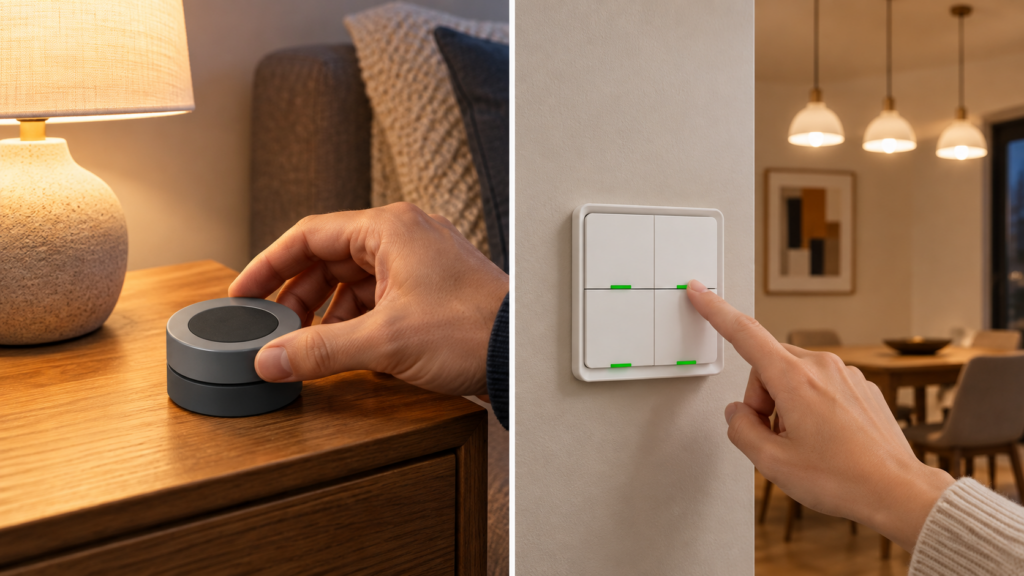
The Tuya TS004F shows up under a handful of names and at least two physical shapes, and that is the first source of confusion. Buy it as a round black “smart knob” and you would expect a rotate action somewhere in Zigbee2MQTT’s exposes list. Whether you find one depends on which Zigbee2MQTT device definition your unit matched, and that is not the same question as which model number is printed on the box.
This is a Zigbee device, paired through Zigbee2MQTT with no Tuya cloud account and no Smart Life app involved at any point. Everything below stays local: pairing, the action list, and the mode switch that changes what the device reports.
One model string, several Zigbee2MQTT definitions
TS004F is a model string, not a product. Tuya stamps it on hardware in several shapes, and Zigbee2MQTT matches a device definition on the manufacturer code alongside the model, so different units land on different device pages with different exposes and different action lists. Before anything else, find the page your unit actually matched. Zigbee2MQTT’s frontend links to it directly from the device page.
| Zigbee2MQTT page | Hardware | Rotation in the action list |
|---|---|---|
| TS004F | Flat four-button scene remote | No |
| ERS-10TZBVK-AA | Round smart knob (Tuya / Moes) | Yes — rotate_left, rotate_right |
| TS004F_1 | Moes-branded four-button variant | No |
| TS004F_6_button | Six-button wireless panel | No |
The frontend’s device-page link is the authoritative answer, not the shape of the enclosure. If Zigbee2MQTT identifies your round knob as plain TS004F rather than ERS-10TZBVK-AA, your unit matched the four-button definition and the rotate actions below will not appear for it. That is a converter-matching outcome, not a broken device.
Pairing: joined to your coordinator, or Touchlink-bound without one
The TS004F supports two setups. The one most readers will use is standard: join it to your Zigbee network through your Z2M coordinator, then bind it to a group of lights or other devices so button presses and rotation control that group. The official device page is explicit that binding here only ever targets a group. It does not support driving one specific device on its own through that mechanism.
The second path skips the coordinator entirely. The remote is Touchlink-capable, so it can bind directly to a group of Touchlink-capable bulbs (Hue and similar) without ever joining a Zigbee2MQTT network. That is a fallback for standalone lighting control, not the setup most Home Assistant users want, since it bypasses Z2M and HA automations completely.
The action list, and where rotation actually appears
On the base four-button definition, the action list splits roughly into two buckets:
| Category | Action values | What triggers it |
|---|---|---|
| Numbered button taps | 1_single, 1_double, 1_hold, 2_single, 2_double, 2_hold, 3_single, 3_double, 3_hold, 4_single, 4_double, 4_hold | A physical press on the corresponding numbered button |
| Remote-style commands | on, off, brightness_step_up, brightness_step_down, brightness_move_up, brightness_move_down, color_temperature_step_up, color_temperature_step_down, brightness_stop | Standard smart-remote gestures issued to the bound group |
The knob’s definition carries a different list. Its taps are bare single, double and hold with no numeric prefix, because there is only one button to press. Alongside the same brightness and colour-temperature step commands it also publishes hue_move, saturation_move, hue_stop, toggle, and the two values people go looking for and are told do not exist: rotate_left and rotate_right.
Which of those a physical turn produces is decided by operation_mode. In command mode the knob behaves as an ordinary Zigbee controller and emits level-control commands, so a turn surfaces as brightness_step_up or brightness_step_down, with the _move_ variants for a sustained turn. In event mode it reports rotate_left and rotate_right instead. That is why one blueprint thread tells you to trigger on brightness_step_up and another tells you to trigger on rotate_left: both are correct, for different modes.
If your unit matched the plain four-button definition, there is no rotate value to find at all, and the brightness-step actions are the whole story.
Mapping rotation to something useful in Home Assistant
With the knob in command mode, wiring a turn into an automation is ordinary MQTT trigger work:
- alias: "TS004F knob dims office lamp"
  trigger:
    - platform: mqtt
      topic: "zigbee2mqtt/office_knob"
      value_template: "{{ value_json.action }}"
      payload: "brightness_step_up"
  action:
    - service: light.turn_on
      target:
        entity_id: light.office_lamp
      data:
        brightness_step_pct: 5
A mirrored automation on brightness_step_down with a negative step handles the other direction. In event mode, swap the payloads for rotate_left and rotate_right. Our guide to event entities vs. the legacy action sensor covers whether your Z2M version surfaces these as an event entity or a legacy action sensor, which changes the trigger platform you would use instead of a raw MQTT topic.
One independent write-up reports that feeding negative brightness_step values straight into a light’s brightness attribute dims it smoothly to off rather than stopping at some minimum. That is a single informal source rather than documented behaviour, so test it on your own lights before an automation depends on it.
command vs. event operation_mode: picking one
operation_mode is an enum with two settings, and it changes what the device sends — for button presses on every shell, and for rotation on the knob:
| Mode | Behavior | Best for |
|---|---|---|
| command | Sends standard Zigbee commands to the bound group. Immediate, no delay before an action fires. On the knob, a turn reports as brightness_step_up / _down. |
Group lighting control where you want the fastest response and do not need to distinguish single from double tap. |
| event | Reports discrete events to the coordinator. Adds a short delay so single, double and hold taps can be told apart, and can feel sluggish under rapid presses. On the knob, a turn reports as rotate_left / rotate_right. |
Automations that branch on tap count, or that want rotation as a named action rather than a brightness command. |
The gesture that toggles the mode depends on which shell you have. On the four-button remote it is holding buttons 2 and 4 together for six seconds. On the one-button knob, community blueprint documentation gives a triple click of the knob’s button. Either way you can also set it directly over MQTT:
mosquitto_pub -h 192.168.10.20 -t "zigbee2mqtt/office_knob/set" \
  -m '{"operation_mode": "event"}'
Command mode is the better starting point for most scene-switch use cases. It is the mode binding acts through, since binding works by the device issuing commands to its group, and it is what most published blueprints assume. Move to event mode when a specific automation genuinely needs tap-count branching, or when you would rather trigger on a named rotate action than on a brightness command.
The device page does not state a factory default, so do not assume one. Zigbee2MQTT publishes the current setting as operation_mode in the device’s state, and the value is writable, so read it in the exposes panel after pairing and set it to whichever mode your automations expect.
The group-only binding limit
Binding a TS004F only ever targets a group, never one specific device. If you want the knob to control a single bulb, put that bulb in a group by itself first, then bind the remote to the group. There is no direct-to-device binding path.
This trips people up because most other Zigbee remotes let you bind straight to a single light. If a single-device workflow matters more than binding’s low latency, skip binding entirely and drive the device with an HA automation on the action topic, the way the rotation example above does. Our TS0041 and TS0043 guides cover the sibling Tuya scene switches, which take that automation route by default: neither exposes an operation_mode setting at all, so the command-versus-event split described here has no equivalent on them.
Background: why the mode switch exists
The mode toggle is not an arbitrary Tuya design choice. A 2021 Zigbee2MQTT discussion documents the original support gap: early TS004F units were fingerprinting as a TS0044, a similar four-button device, which meant they initially produced only single-tap actions no matter how the buttons were pressed. The command/event mode-switching logic that exists today was added to correct that misidentification. The thread dates to December 2021 and describes a historical fix, not a currently open problem.
That history is also the cleanest way to answer “what is the difference between TS004F and TS0044”. They are related four-button devices from the same family, but the TS0044 reports scene events only. It carries no operation_mode setting and does not act as a standard Zigbee controller you bind to a group, which is exactly the capability the TS004F needed once its identity was sorted out.
The four-button TS004F’s device page specifies a single CR2430 (3V) cell, not a CR2032. A CR2032 will physically fit some shells, but it is not the stated cell and it changes your voltage and capacity margin. Check the cell in your own unit rather than assuming across shapes — the enclosures come from different sellers.
What is documented, what is community-observed, and what to check on your own unit
The exposes lists, the action enums, the battery reporting and the group-only binding constraint all come from the official Zigbee2MQTT device pages, which is the part you can treat as settled against current 2.x device definitions. So does the existence of rotate_left and rotate_right on the knob’s definition, despite how often you will see it claimed that no rotate action exists.
Two things sit on thinner ground. The negative-brightness_step behaviour traces to one informal write-up rather than a device page, and the knob’s triple-click mode toggle comes from community blueprint documentation rather than a vendor manual. Both are worth confirming on your own hardware before an automation depends on them.
After pairing, do two things before writing any automation: open the device page link in the Zigbee2MQTT frontend to confirm which definition your unit matched, and read the current operation_mode value in the exposes panel. Those two facts determine every action value you will see, and a mismatch on either is the usual reason an automation copied from a blueprint thread never fires.