

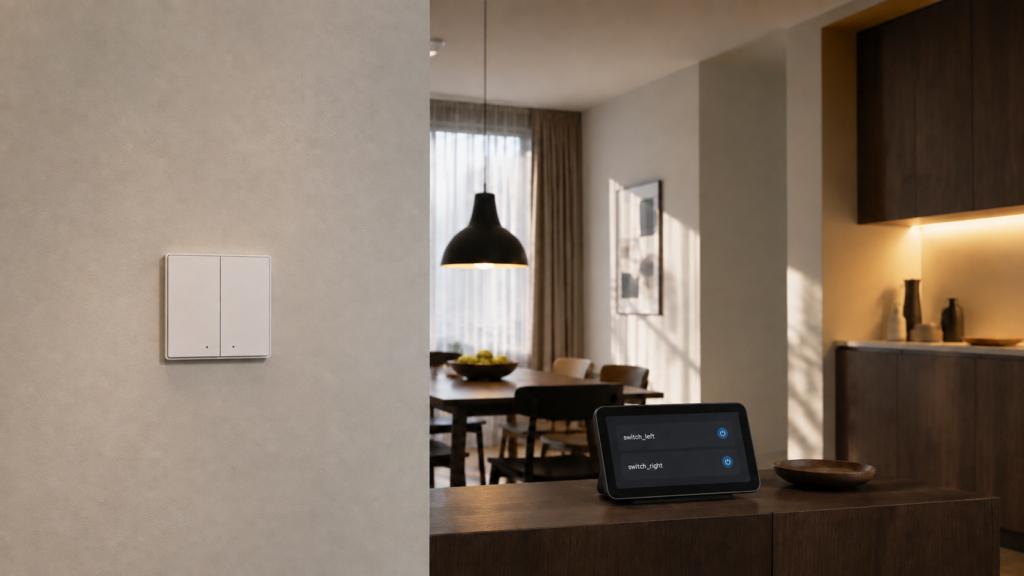
You paired a 2-gang or 3-gang wall switch, and Zigbee2MQTT handed Home Assistant entities named switch_l1 and switch_l2, or maybe switch_left and switch_right. Nothing tells you which one flips which physical gang. Or you paired a multi-button scene remote and hit what looks like the opposite problem: one action entity for the whole device and no separate entity per button. Both come from the same Zigbee concept, the endpoint, and neither is a cloud problem. A multi-endpoint device is fully local over Zigbee either way. This is a naming problem.
This is an explainer rather than a walkthrough for one device — the mechanic sitting underneath the multi-gang switch guides on this site, rather than another copy of one of them.
What an “endpoint” actually is
A single Zigbee device can expose more than one controllable unit through separate endpoints on the same radio. A 3-gang wall switch is one Zigbee node with three independently controllable relays, so it exposes three endpoints. Zigbee2MQTT surfaces this in its exposes list: when a capability applies to a specific endpoint rather than to the whole device, the resulting property is named name_endpoint. That’s where state_l1 and state_l2 come from — one property per endpoint, both living under the same device. Home Assistant then turns each of those properties into its own entity, which is how a Z2M property called state_l1 ends up on your dashboard as switch.kitchen_switch_l1.
This is also why a single-gang switch never shows the pattern. If a device only exposes one endpoint worth of controllable state, there’s nothing to disambiguate, so the property stays plain state.
Why a scene remote looks different
Multi-button remotes have endpoints too — Zigbee2MQTT can bind each button to a different device or group — but they usually don’t produce one entity per button. A press has no lasting state to report, so most converter definitions publish a single action property whose value names the button instead: 1_single and 2_hold on a Tuya TS0042 two-button switch, left_single and right_double on an Aqara D1 triple rocker. The endpoint is encoded in the value, not in the entity name.
That distinction doubles as a diagnostic: a single action entity on a multi-button remote is the expected result, not a sign that the other buttons failed to pair.
Why the naming isn’t consistent across devices
The endpoint suffix isn’t a Zigbee2MQTT-wide convention — it’s defined per device inside that device’s converter definition, the zigbee-herdsman-converters entry that tells Z2M how to interpret the hardware. That’s why the scheme changes depending on what you bought:
| What you see | Example property | Where it appears |
|---|---|---|
| Positional suffix | state_left, state_center, state_right |
Aqara D1 and H1 triple rockers |
| Numbered suffix | state_l1, state_l2, state_l3 |
Common on multi-gang switch modules and relay boards |
| No endpoint suffix, one action value | action: "1_single" |
Scene remotes and multi-button controllers |
None of these is more “correct” than another — each converter’s author chose the scheme that made sense for that device family. Both Aqara triple rockers covered on this site use the positional form, the D1 and the H1 with neutral, but that’s a fact about those two converters rather than a rule you can carry to the next brand you buy.
There’s a documented case of how far this can go sideways. Zigbee2MQTT issue #4363 reports a Lonsonho 2-gang switch module with neutral being detected and exposed as an unrelated Zemismart 3-gang device — three gangs surfaced in Home Assistant for two-gang hardware. Endpoint count and naming come from whichever converter definition matched, so a mismatch there means the entities you get don’t correspond to what’s printed on the box.
If your device shows more or fewer endpoint entities than you expect for its gang count, or the naming looks generic, check it against the device’s Zigbee2MQTT reference page before assuming your unit is faulty. It may be a converter mismatch rather than a hardware problem.
How to find out which entity is which gang
There’s no metadata, no diagram, and no shortcut. Zigbee2MQTT doesn’t publish a gang-to-endpoint map, and none of the reference pages or issue reports behind this article describe a way to work the mapping out without physically testing it. The method every source falls back to is the same: toggle one entity in Home Assistant (or publish a set command to its MQTT topic) and watch which physical output responds, or press one button and watch which action value appears in the Z2M frontend. Repeat per entity, then write the mapping down somewhere you’ll find it again — a note in the device’s Home Assistant area description, or a comment in the automation that uses it. There is no faster path, and treating a guessed mapping as confirmed is how you end up switching the wrong light from an automation.
Renaming a specific endpoint’s entity cleanly
Once you know which entity is which, the cleanest fix is renaming the entity, not the device. Zigbee2MQTT’s device configuration does support per-endpoint options, but the config-file syntax has changed between versions. If you go that route, read the current devices-and-groups reference for the live syntax rather than copying a snippet out of a forum thread.
The lower-risk path, and the one worth defaulting to, is renaming the entity directly in the Home Assistant UI: open the entity and change its name and entity ID there. That doesn’t touch the Zigbee2MQTT friendly name or the MQTT topic structure at all, so it can’t break the device’s addressing. It only changes what you see in Home Assistant and in automations that reference the entity by its HA-side name. Renaming on the Zigbee2MQTT side is a larger operation with its own consequences, written up separately here.
A device’s overall friendly_name in Zigbee2MQTT is not allowed to end with a slash followed by one of its endpoint names. That suffix pattern is reserved for endpoint-specific MQTT addressing. If you rename the whole device at the Zigbee2MQTT level (not the Home Assistant entity), avoid landing on that pattern, or the reserved suffix will conflict with how Z2M addresses individual endpoints over MQTT.
Controlling a single endpoint over raw MQTT
If you’re scripting outside Home Assistant, or debugging why an automation isn’t hitting the gang you expect, it helps to know the endpoint shows up at the MQTT layer too, not just in the entity name. There are two ways to set one endpoint’s state: a whole-device JSON payload naming just that property, or the single-property shorthand topic.
mosquitto_pub -h 192.168.10.20 -t zigbee2mqtt/kitchen_switch/set \
  -m '{"state_l1": "ON"}'
mosquitto_pub -h 192.168.10.20 -t zigbee2mqtt/kitchen_switch/set/state_l1 \
  -m 'ON'
Both forms are documented in Zigbee2MQTT’s MQTT topics and messages reference: the full JSON payload to the device’s /set topic, or the shorthand /set/PROPERTY topic that sets one property without touching the rest of the payload. Either works for endpoint-suffixed properties exactly as it does for plain ones, because the endpoint suffix is just part of the property name.
Endpoints in groups and bindings
Endpoints follow the device into Zigbee2MQTT’s other features, not just direct control. When adding a device to a group you can target one endpoint by addressing it as DEVICE/ENDPOINT in the group-membership call, rather than adding the whole device — useful when only one gang of a multi-gang switch belongs in a given group. Groups themselves, and how they differ from scenes, are covered separately. Bindings work along the same lines: where the endpoint matters, the source device’s endpoint name is appended to the binding topic and the target device’s endpoint goes in the binding payload. In every case the endpoint is naming which specific capability of a multi-capability device you’re addressing.
FAQ
Why does my 2-gang Zigbee switch show up as switch_l1 and switch_l2 in Home Assistant?
Because the switch is one Zigbee device with two independently controllable relays, which means two endpoints. Zigbee2MQTT names endpoint-specific properties as name_endpoint, so each gang gets its own suffixed property instead of sharing one state, and Home Assistant turns each of those into its own entity.
How do I know which Zigbee2MQTT entity controls which physical switch gang?
Toggle one entity at a time and observe which physical output responds. Zigbee2MQTT doesn’t publish that mapping anywhere, and no source consulted for this article describes a way to determine it without physically testing, so treat any assumed mapping as unverified until you’ve confirmed it this way.
Why doesn’t my scene remote show one entity per button?
Because its buttons report events rather than state. Most converter definitions publish a single action property for the whole remote and encode which button was pressed in the value (1_single, left_double) instead of splitting the buttons into separate entities. One action entity for a multi-button remote is the expected result, not a pairing failure.
Can I rename a specific endpoint’s entity without renaming the whole device?
Yes, and the safest way is renaming the entity directly in the Home Assistant UI, which doesn’t touch the Zigbee2MQTT-side friendly name or the MQTT topic structure. Renaming at the Zigbee2MQTT config level is possible too, but check the current devices-and-groups reference for the live config syntax rather than assuming it from an old example.
Why do some multi-gang devices use left/right instead of l1/l2?
Endpoint naming is defined per device inside its converter definition, not by a fixed Zigbee2MQTT-wide rule. Different converter authors chose different schemes, positional or numbered, so naming varies by device family and isn’t something you can predict before pairing. Check the device’s Zigbee2MQTT page if you need to know in advance.
How do I control a single endpoint of a multi-endpoint device over MQTT?
Publish the endpoint-suffixed property in a JSON payload to the device’s /set topic (for example {"state_l1": "ON"}), or use the single-property shorthand topic zigbee2mqtt/FRIENDLY_NAME/set/state_l1 with a plain value payload. Both are documented in Zigbee2MQTT’s MQTT topics reference and behave the same way for endpoint properties as for ordinary ones.
What this article verified
This piece synthesizes Zigbee2MQTT’s exposes, devices-and-groups, groups, binding, and MQTT-topics reference pages, plus issue #4363 for the converter-mismatch case, cross-referenced against each other and against this site’s own published guides for the Aqara D1 and H1 triple rockers and the Tuya TS0042. No hands-on testing was performed for this article. It’s a protocol-and-configuration explainer rather than a device review, and every claim above traces to one of those sources rather than to bench observation.
Everything described here (endpoints, entity naming, MQTT set topics, groups, and bindings) operates entirely between your Zigbee coordinator, Zigbee2MQTT, and your MQTT broker. None of it depends on a vendor cloud staying online. What does depend on someone else is which naming scheme and endpoint count you get for a specific device, because that’s defined per converter and converter definitions do get revised. If the naming in the examples above doesn’t match what you see, check that device’s current Zigbee2MQTT reference page before assuming your unit is at fault — the Lonsonho/Zemismart case is what a converter mismatch looks like from the Home Assistant side.