

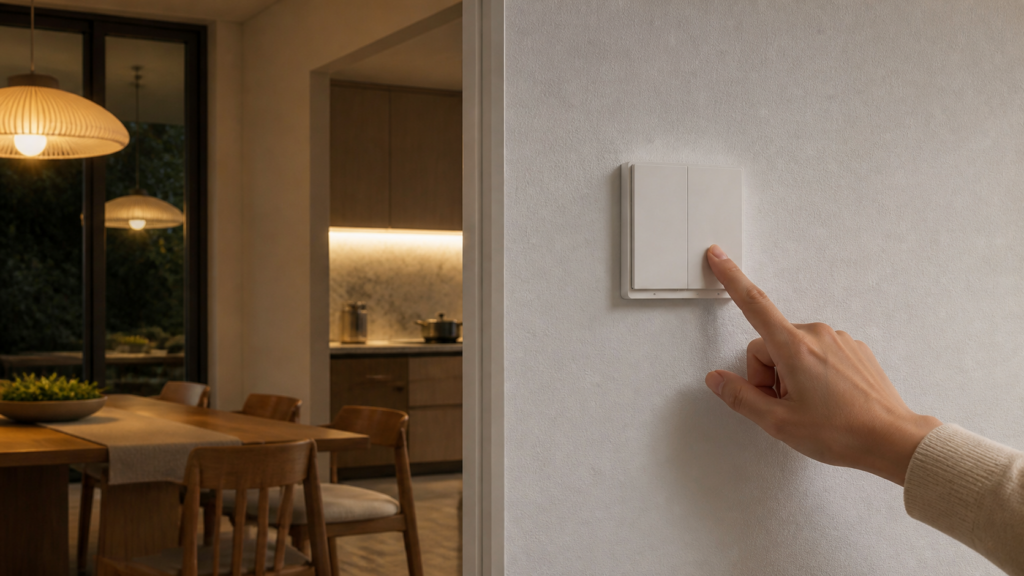
Aqara Wall Switch E1 Zigbee2MQTT & Home Assistant Setup
The 绿米智能开关E1 (Lǜmǐ zhìnéng kāiguān E1, “Green Rice Smart Switch E1” — Aqara’s Chinese brand, Lǜmǐ / 绿米, is the domestic identity for what’s sold internationally as Aqara) is the budget-tier switch that dominates Chinese smart home deployments. On Taobao it goes for 50–80 CNY a unit. For that price you get a Zigbee 3.0 switch that pairs directly to Home Assistant via Zigbee2MQTT — no Aqara Hub required, no cloud account needed, no Aqara Home app after the first day.
But there are a few things you need to get right before it just works. Decoupled mode, the feature most people want when they’re running smart bulbs, had a real bug on the no-neutral variants that caught a lot of people out, and the fix isn’t obvious. Coordinator firmware matters too. This guide walks through the full setup and covers the failure modes I’ve seen come up repeatedly.
If you’re new to running Aqara hardware without the vendor hub, start with our guide to Aqara Zigbee devices in Home Assistant without a hub for the coordinator and Zigbee2MQTT basics this guide assumes.
What is the Aqara Wall Switch E1? Which model do you have?
There are four variants in the E1 family, split across two axes: number of rockers (single or double) and wiring type (no neutral or with neutral). The model number is on the back of the switch.
| Model | Rockers | Neutral wire | Key capabilities |
|---|---|---|---|
| QBKG38LM | 1 | No | On/off relay, action events, decoupled mode |
| QBKG39LM | 2 | No | On/off relay per rocker, action events, decoupled mode |
| QBKG40LM | 1 | Yes | On/off relay, action events, decoupled mode, device temperature, OTA |
| QBKG41LM | 2 | Yes | On/off relay per rocker, action events, decoupled mode, device temperature, OTA |
All four use Zigbee 3.0 with the lumi manufacturer prefix. All four pair natively to Zigbee2MQTT with no external converter.
E1 vs H1 EU vs D1: The E1 does not report load wattage or energy consumption, even on the neutral variants. That’s the key difference from the H1 EU and D1 families, which do include power monitoring. The E1 with neutral only exposes device temperature (useful for spotting overloaded circuits, but not a kWh meter). If energy monitoring matters to you, look at the Aqara Wall Switch H1 EU with neutral instead.
What you need before pairing
A Zigbee coordinator, not an Aqara Hub. The E1 talks standard Zigbee 3.0, so any coordinator supported by Zigbee2MQTT works — SONOFF Zigbee 3.0 USB Dongle Plus, Elelabs ELU013, or similar. If you’re already running Z2M for other Aqara devices, your coordinator works here too. For the coordinator-and-Z2M basics, see our guide to Aqara Zigbee devices without a hub.
Coordinator firmware for no-neutral variants. If you’re using a CC2530 or CC2531 coordinator, you need firmware version 20211115 or newer. Older firmware causes the no-neutral variants (QBKG38LM, QBKG39LM) to pair but behave unreliably — state changes lag or fail silently. If you paired the E1 with an older firmware and it was behaving oddly, upgrade the coordinator firmware first, then unpair and re-pair the switch.
A reasonably current Zigbee2MQTT. The no-neutral variants had a confirmed bug where decoupled mode failed silently on older Z2M versions: the switch appeared to accept the mode change but never fired action events. That bug was resolved in a 2023 Z2M release. If your Z2M install is years old, upgrade before you try to configure decoupled mode. If you already tried decoupled mode on an older version, you need to unpair and re-pair after upgrading, not just apply the mode change again.
The with-neutral variants (QBKG40LM, QBKG41LM) aren’t affected by the decoupled mode bug, but staying current on Z2M is good practice regardless.
Pairing the E1 to Zigbee2MQTT
Open the Zigbee2MQTT frontend, click Permit join (All), then get to the switch.
The E1 enters pairing mode via its reset button. On most variants this is a small recessed button on the side of the module, not the rocker itself. Press and hold it for about 5 seconds until the LED starts blinking rapidly. The switch is now advertising for a coordinator.
Z2M should interview it within 30 seconds. If nothing happens after a minute, try pressing the reset button again briefly (a single press sometimes wakes up the Zigbee radio without resetting). The LED pattern during successful pairing is a rapid blink followed by a slow steady pulse once it joins.
What you get after a successful interview:
For the QBKG39LM (double rocker, no neutral):
– Two switch entities: one per rocker (left and right)
– A button action sensor that fires single and double click events per rocker
For the QBKG40LM (single rocker, with neutral):
– One switch entity
– A button action sensor
– A device temperature sensor
Each rocker appears as an independent switch entity in Home Assistant. The two relays are not linked — turning on the left one doesn’t affect the right.
Configuring decoupled mode
Decoupled mode (解耦模式, jiěōu móshì) separates the physical button press from the relay. In normal (coupled) mode, pressing the rocker toggles the light circuit wired to that terminal. In decoupled mode, pressing the rocker fires a Zigbee action event but the relay doesn’t move.
The main use case is smart bulbs: the bulb stays powered at all times (so Z2M can reach it), and the switch button controls the bulb via an automation rather than by cutting its power. Without decoupled mode, pressing the wall switch cuts power to the bulb and breaks Zigbee mesh connectivity until someone turns it back on. Our H1 no-neutral decoupled-mode guide walks through the same concept on a related switch.
Setting decoupled mode via MQTT:
On the double-rocker variants (QBKG39LM, QBKG41LM), each rocker has its own property. Publish to zigbee2mqtt/FRIENDLY_NAME/set with the following payload.
For the left rocker:
{"operation_mode_left": "decoupled"}
For the right rocker:
{"operation_mode_right": "decoupled"}
To restore relay control:
{"operation_mode_left": "control_relay"}
On the single-rocker variants (QBKG38LM, QBKG40LM) there is only one rocker, so the property is operation_mode rather than operation_mode_left:
{"operation_mode": "decoupled"}
The device should acknowledge the change immediately. You can verify by checking zigbee2mqtt/FRIENDLY_NAME — the corresponding operation_mode attribute should update. The full property list is on the Z2M device pages for the QBKG39LM and QBKG40LM.
Common failure: no action events after enabling decoupled mode on no-neutral variants
If you set decoupled mode but pressing the button does nothing in Z2M, check your Z2M version first. If it’s an old install from before the 2023 fix, that’s your problem. Upgrade, then unpair the switch fully (remove it from Z2M, factory reset the switch), and re-pair. Simply applying the mode change again without re-pairing will not fix it.
Automation example: scene trigger on single vs double press
alias: E1 Left Button – Scene Control
trigger:
  - platform: device
    domain: mqtt
    device_id: YOUR_DEVICE_ID
    type: action
    subtype: single_left
    id: single_press
  - platform: device
    domain: mqtt
    device_id: YOUR_DEVICE_ID
    type: action
    subtype: double_left
    id: double_press
action:
  - choose:
      - conditions:
          - condition: trigger
            id: single_press
        sequence:
          - service: scene.turn_on
            target:
              entity_id: scene.living_room_evening
      - conditions:
          - condition: trigger
            id: double_press
        sequence:
          - service: scene.turn_on
            target:
              entity_id: scene.living_room_bright
Both single and double press events are available on all four E1 variants, on both rockers for the double-gang models.
Anti-flicker mode vs quick mode
The E1 has two relay switching modes: 防闪烁模式 (fáng shǎnshuò móshì, “anti-flicker mode”) and 快捷模式 (kuàijié móshì, “quick mode”).
In quick mode, the relay responds to button presses immediately with no delay. In anti-flicker mode, the switch introduces a short delay before toggling, which filters out voltage fluctuations on the live wire that might otherwise cause false triggers.
For no-neutral wiring, anti-flicker mode is the recommended default. Without a neutral wire, the switch draws its standby power through the load circuit, which can create small voltage fluctuations that quick mode will interpret as intentional presses. Anti-flicker mode absorbs these.
For with-neutral wiring, quick mode is fine. The switch has clean standby power and doesn’t need the filtering delay.
Set via MQTT, publishing to zigbee2mqtt/FRIENDLY_NAME/set:
{"mode_switch": "anti_flicker_mode"}
or:
{"mode_switch": "quick_mode"}
The default out of the box is anti-flicker. Most people running no-neutral wiring should leave it there.
Power outage memory and indicator light settings
Power outage memory (断电记忆, duàn diàn jìyì) controls what the relay does when power is restored after a cut. Options are:
on— relay turns on after power restoresoff— relay stays off after power restoresprevious— relay returns to whatever state it was in before the cut
Set via MQTT:
{"power_outage_memory": "previous"}
The default is previous on most units, which is what you usually want for lights. If you have a circuit where you always want the switch to come up in the off state after an outage, use off.
LED indicator: The E1’s indicator LED shows the relay state by default. You can invert this (LED on when relay is off) or disable it entirely. The entity appears in Home Assistant after pairing, under the device’s configuration entities.
Using the E1 fully offline — no cloud required
Once paired to a Zigbee2MQTT coordinator, the E1 has no cloud dependency for day-to-day operation. It doesn’t need to reach Aqara’s servers, it doesn’t need an Aqara account, and it doesn’t need the Aqara Home app.
The switch communicates entirely over Zigbee to your coordinator. The coordinator talks to the Z2M process on your local machine, which publishes MQTT messages on your LAN. All of that stays inside your network.
If you want to confirm there’s no outbound traffic, run a packet capture on your router and block *.aqara.com and *.mi.com at the firewall. The switch will continue to operate normally. I run the E1 in a dedicated IoT VLAN with no internet access, and it behaves identically to the unblocked configuration.
The one exception: OTA firmware updates for the with-neutral variants (QBKG40LM, QBKG41LM) are delivered via Zigbee over your local network through Z2M’s OTA menu. No Aqara cloud is involved. The no-neutral variants don’t support OTA at all.
For VLAN setup and firewall rule specifics, see our IoT VLAN guide for Aqara and Xiaomi in Home Assistant.
Troubleshooting
Device paired but pressing the button does nothing in HA
First check whether you’re in relay mode or decoupled mode. In relay mode, the switch entity in HA should toggle. In decoupled mode, watch the action sensor entity — it should fire an event. If neither is happening, check Zigbee mesh signal strength (move the coordinator closer temporarily) and Z2M logs for dropped messages.
Decoupled mode set but no action events firing (no-neutral variants)
See the decoupled mode section above. The fix is: upgrade Z2M to a current release, unpair the switch, factory reset it (hold the reset button for 10 seconds until the LED flashes three times), and re-pair. Do not skip the re-pair step.
State not updating in Home Assistant
If the relay toggles physically but the entity in HA doesn’t update, check Z2M logs for message delivery errors. Common causes: the switch is at the edge of Zigbee mesh coverage, or the coordinator is USB-attached to a machine with USB power saving. The E1 no-neutral variants are Zigbee end devices, not routers — they don’t extend the mesh and need a router within range. Adding a Zigbee router (any mains-powered Aqara device works) between the switch and coordinator usually resolves range issues.
Device shows as unavailable after Z2M restart
Wait 5 minutes after Z2M restarts before concluding anything. End devices wake on a schedule and may not check in immediately. If it’s still unavailable after 10 minutes, check that the coordinator itself is healthy and Z2M’s MQTT broker connection is active.
OTA updates for QBKG40LM / QBKG41LM
Open Zigbee2MQTT, navigate to the device, and select the OTA tab. If an update is available, Z2M will show it. The update takes 5–15 minutes over Zigbee. Don’t power-cycle the switch during the update. No Aqara app or account is involved — this is entirely local.
For more advanced switch options in the same family, including energy monitoring, see our Aqara Wall Switch Z1 Pro guide. If you’re looking at in-wall module alternatives instead of a surface switch, our Aqara Single Switch Module T1 guide covers the T1 module. For more complex switched-load wiring, a dual-channel wireless relay controller handles two independent loads from one module, but that’s a separate device class from the E1 surface switch.
FAQ
Does the Aqara Wall Switch E1 work without an Aqara Hub in Home Assistant?
Yes. All four E1 variants pair directly to any Zigbee2MQTT coordinator. No Aqara Hub, no Aqara account, no cloud dependency. Once paired, the switch works entirely on your local network.
How do I enable decoupled mode on the Aqara E1 switch in Zigbee2MQTT?
On the double-rocker variants, publish {"operation_mode_left": "decoupled"} (or "operation_mode_right" for the right rocker) to zigbee2mqtt/FRIENDLY_NAME/set. On the single-rocker variants, use {"operation_mode": "decoupled"}. For the no-neutral variants, make sure you’re on a reasonably current Z2M first — old versions have a bug where the mode change is accepted but action events never fire.
What is the difference between the QBKG39LM and QBKG40LM?
QBKG39LM is the two-rocker, no-neutral variant. QBKG40LM is the one-rocker, with-neutral variant. The with-neutral models also expose a device temperature sensor and support OTA firmware updates. Neither model reports load wattage or energy consumption — that capability is only on the H1 and Z1 Pro families.
Why does my Aqara E1 switch not fire actions in decoupled mode?
Most likely you’re on an old Z2M version, or you set decoupled mode on an old version and didn’t re-pair after upgrading. Upgrade Z2M, factory-reset the switch, and re-pair it from scratch. The bug affected the no-neutral variants specifically.
Can the Aqara Wall Switch E1 work completely offline without internet?
Yes. After pairing to Zigbee2MQTT, the switch has no internet dependency. Block aqara.com and mi.com at your router — normal switching, decoupled mode, action events, and automations all continue to function. OTA updates for the with-neutral variants are delivered locally through Z2M, not via the cloud.