

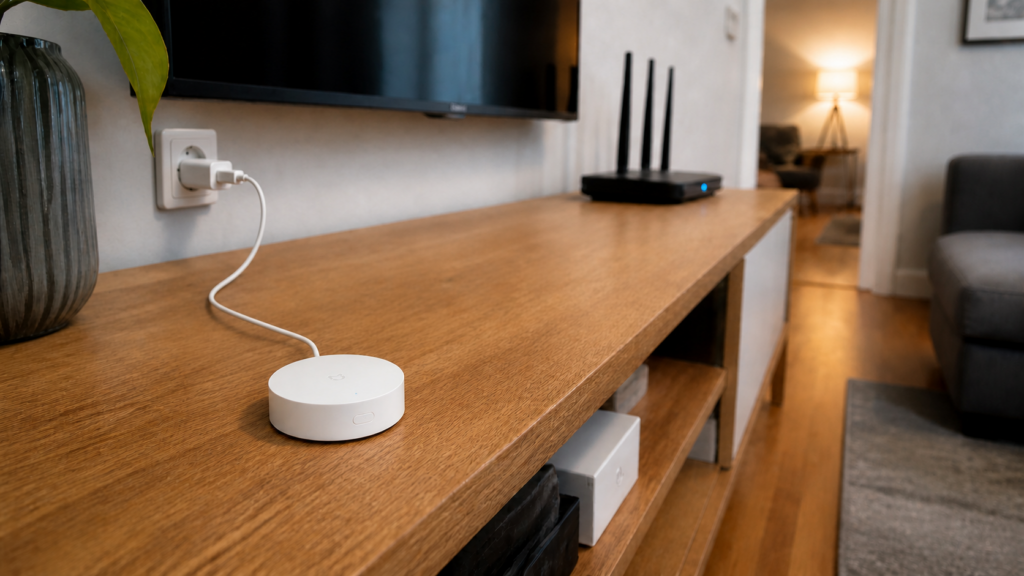
Xiaomi Multimode Gateway Local Control in Home Assistant
XiaomiGateway3 can connect supported Xiaomi Multimode Gateways (小米多模网关) to Home Assistant over the LAN. Before installing it, check the gateway model, firmware, and required credentials. Those details determine whether setup is straightforward or needs a more involved key-recovery process.
The gateway supports Zigbee, Bluetooth Low Energy, and Bluetooth Mesh (蓝牙Mesh) devices. BLE sensor broadcasts and Bluetooth Mesh lights are different device types; check support for each one. XiaomiGateway3 provides a local route for supported devices, while the official Xiaomi Home integration has different local-control requirements.
What the Xiaomi Multimode Gateway actually is
Check the label against the project’s compatibility table. Gateway 1 includes ZNDMWG03LM in China and ZNDMWG02LM/YTC4044GL in Europe. Gateway 2 includes DMWG03LM in China and ZNDMWG04LM/BHR6765GL in Europe. They should not all be treated as one internal model.
The appeal is using one gateway for several supported device types. The exact child-device list matters as much as the gateway model; owning a compatible gateway does not guarantee support for every Xiaomi sensor or light.
The Aqara Hub E1 (ZHWG16LM) is also supported by the same XiaomiGateway3 component if you’re coming from that direction — our Aqara Hub E1 local integration guide covers that device in full.
How the official Xiaomi Home integration handles local control
The official Xiaomi Home integration uses Xiaomi’s supported account and device interfaces. Its README distinguishes cloud control, Central Hub local mode, and limited LAN control.
The official integration’s local mode requires a supported Xiaomi Central Hub Gateway (小米中枢网关) or a device with that function. The README says those gateways are available in mainland China. Its separate LAN-control option covers supported IP devices, not Zigbee or BLE Mesh children, and the maintainers advise against that option because it can cause abnormalities.
A Multimode Gateway is not automatically a Central Hub. If you want local control of its Zigbee or Mesh children, check the supported route rather than assuming that enabling LAN control in the official integration is enough.
For compatible Multimode Gateway hardware, XiaomiGateway3 is another route to evaluate. Our Xiaomi local-control explainer compares the approaches. Region, supported hardware, and firmware matter more than a blanket claim that local control is impossible outside China.
XiaomiGateway3: the local-first alternative
AlexxIT’s custom component connects to the gateway over the LAN using supported stock firmware. Ordinary setup does not require replacing the operating system. Some newer firmware, however, needs an additional key, and obtaining it on a previously unconfigured unit can require UART access.
Supported Zigbee, BLE, and Mesh devices can operate locally once configured. Mi Home setup and adding devices through Mi Home still use Xiaomi’s services. Keep those setup requirements separate from everyday local operation.
The integration can retrieve tokens and device names through a cloud entry. A separate gateway entry establishes the local connection. You can skip cloud retrieval if you already have the required credentials.
Installing XiaomiGateway3 via HACS
Install the custom component through HACS using the XiaomiGateway3 README. Keep the component version in your backup notes.
Prerequisites: HACS, a supported gateway and firmware, a stable shared LAN, and the required token or token-plus-key. Keep gateway credentials private and backed up.
Installation steps:
- Check the gateway model and firmware against the current README before installing.
- Install XiaomiGateway3 through HACS, then restart Home Assistant.
- Open Settings > Devices & Services and add Xiaomi Gateway 3.
- Add the cloud entry if you need it to retrieve tokens and names.
- Add a gateway entry using its host and required credentials. Follow the current setup flow for your component version.
- Confirm that the gateway and a supported child device report correctly before changing the Zigbee mode.
Check firmware before proceeding. The supported-firmware table distinguishes versions requiring only a token from those requiring both token and key. Follow the instructions for your exact case, and save recovered credentials securely. Do not assume a newly purchased unit can be configured with a cloud login alone.
The project’s supported-firmware table currently separates these Xiaomi gateways:
| Gateway | Firmware | Credentials |
|---|---|---|
| Multimode Gateway 1, CN/EU | 1.5.0–1.5.4 | Token |
| Multimode Gateway 1, CN/EU | 1.5.5–1.5.6 | Token and key |
| Multimode Gateway 2, CN/EU | 1.0.3–1.0.6 | Token |
| Multimode Gateway 2, CN/EU | 1.0.7 | Token and key |
Check the linked README again before an update. For token-only firmware, the component retrieves and saves the key; keep a secure backup of /config/.storage/xiaomi_gateway3/keys.json. For a token-and-key unit, cloud login alone is insufficient.
Plan firmware updates before enabling them
Gateway updates can affect the local integration. Check the supported-firmware table and component release notes before accepting one.
On Multimode Gateway 1, the component documents a Gateway firmware Lock command in the gateway’s command selector. Use it to block gateway firmware updates while you depend on a working version. This is a Gateway 1 control, not a universal option for every supported gateway. Review compatibility before unlocking for an intentional update.
If an update breaks the integration, identify the firmware and missing credential before attempting recovery. Do not downgrade using instructions for a different model. Some recovery paths involve hardware access and deserve a separate backup and plan.
Keep a record of the working gateway firmware, component version, host address, and required credentials. That is useful when restoring the setup or deciding whether an update is supported.
Choosing a Zigbee mode: Mi Home, ZHA, or Zigbee2MQTT
Once XiaomiGateway3 is running, you have three options for how the gateway handles its Zigbee radio.
| Mode | What it does | Trade-offs |
|---|---|---|
| Mi Home mode (default) | Zigbee devices stay in Mi Home ecosystem; HA sees them via XiaomiGateway3 | Keeps Mi Home app working for Zigbee devices; most familiar if you're migrating gradually |
| ZHA mode | Zigbee devices join HA's native ZHA; Mi Home loses access to these devices and they must be re-paired | Full HA-native control; devices must be re-paired from scratch; Mi Home Zigbee functionality broken for those devices |
| Zigbee2MQTT mode | Uses the EFR32 EZSP chip with Z2M addon | Check the current component and adapter instructions; Wi-Fi serial links need particular care |
Before selecting ZHA or Zigbee2MQTT mode, read the component’s instructions for that mode and adapter firmware. Either needs reliable access to the gateway’s radio. A Wi-Fi connection adds network dependencies that a directly attached USB coordinator does not have.
From component version 3, the README says there is no separate operation-mode switch: configuring ZHA or Zigbee2MQTT selects that radio route. Both need exclusive access to the gateway’s Zigbee radio. BLE and Mesh handling remains separate. Follow the relevant setup section before changing modes, since the Zigbee children then need pairing to the selected integration.
If you’re mid-migration and still using Mi Home for some devices, stay in Mi Home mode initially and switch to ZHA when you’re ready to re-pair everything.
What happens to your BLE and Bluetooth Mesh devices
The component handles BLE and Mesh devices separately from the chosen Zigbee mode. Changing Zigbee mode does not by itself migrate or remove those devices. Check the supported-device list for each one.
This means a partial migration is viable: move Zigbee devices to ZHA for full local control, while keeping BLE and Mesh devices running through the gateway in parallel.
Network requirements and known failure modes
Start with the network settings documented by the component before troubleshooting individual sensors.
Shared LAN. The README recommends the gateway and Home Assistant on the same subnet, with a fixed gateway address and gateway-to-router ping allowed. Different subnets are listed as a source of instability. Do not assume unrestricted bidirectional firewall rules alone provide a supported VLAN setup.
Wi-Fi settings. The README recommends a 20 MHz channel width and WPA2 for this gateway. Check those settings when diagnosing drops, along with signal quality and a stable host address.
Re-pair after mode switch. If you switch from Mi Home mode to ZHA mode, your Zigbee devices do not automatically appear in ZHA. They need to be removed from Mi Home and re-paired from HA’s Zigbee interface. Plan for this if you have a large number of Zigbee devices.
Keeping it running: staying ahead of Mi Home updates
Review gateway firmware and component compatibility together. Update one part at a time so a failure is easier to diagnose.
Read the component release notes and supported-firmware table before changing either component or gateway firmware. Back up Home Assistant and the gateway credentials first.
When restoring to another Home Assistant instance, retain the integration data and credentials. The README says the gateway token changes when the gateway is added to Mi Home again; an HA migration alone does not mean it must be re-fetched.
Who should use this gateway vs a standalone Zigbee stick
If you already own supported hardware, XiaomiGateway3 may let you reuse it for local control. Confirm firmware and credential requirements before investing time in the setup.
If you only need Zigbee for a new setup, a supported standalone coordinator avoids gateway-specific firmware and token requirements. Our Aqara and Xiaomi setup without a hub covers that route. The Multimode Gateway is most useful when you also need its supported BLE or Mesh devices.
A Central Hub follows a different compatibility path. Evaluate its model, firmware, and region support against the official integration rather than treating it as interchangeable with the Multimode Gateway.
Confirm the model, supported firmware, and credentials first. Then test the local connection before changing Zigbee modes. Keep a record of the working setup so later maintenance does not depend on reconstructing it from memory.