

This post contains affiliate links. If you buy through them, I earn a small commission at no extra cost to you.
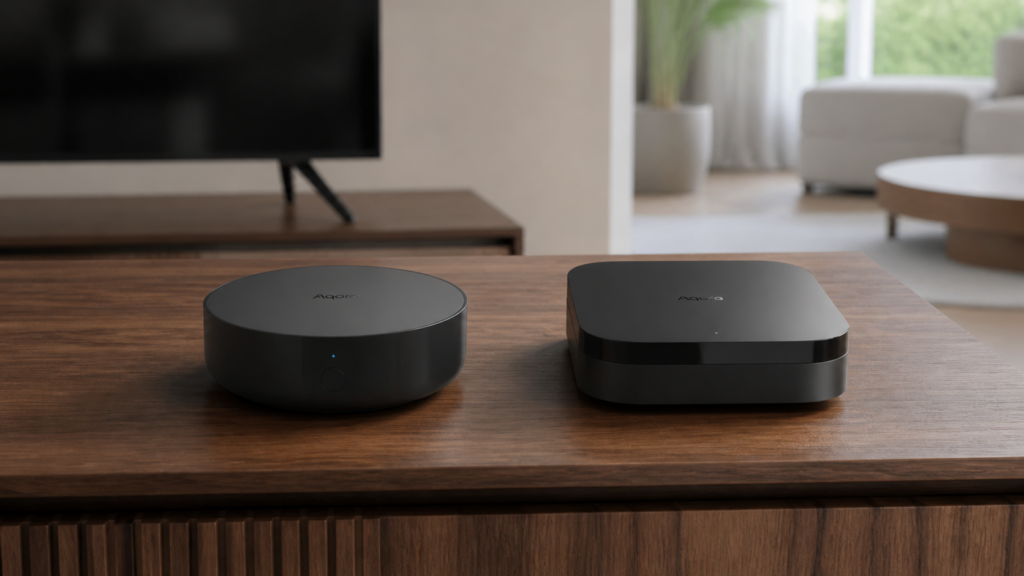
Aqara Hub M2 vs M3 for Home Assistant: Which to Buy
Both the Aqara M2 and M3 can connect supported Aqara Zigbee devices to Home Assistant. The M3 adds a Thread border router, Matter controller functions, and PoE. Those additions are useful if you need them, but they do not automatically give Home Assistant every feature of every child device.
Choose the hub by the devices and controls you need today. If you already have an M2 working locally, compare the missing functions before replacing it. If you are starting a Home Assistant Zigbee network from scratch, a dedicated coordinator is another option.
Integration routes for both hubs
HomeKit Device and Matter are integration routes, not properties unique to one of these hubs. Both hubs can bridge supported child devices, but the mappings differ by model and firmware. The controller sees what the hub exposes rather than the raw Zigbee device.
M2: HomeKit Device or Matter bridge
HomeKit Device is a useful starting point for an M2 if it exposes the sensors and controls you want. Pair the hub through Home Assistant’s HomeKit Device integration using its HomeKit code. A hub already paired to another HomeKit controller must be unpaired there before this route can claim it.
Matter bridging is also available on compatible M2 firmware. It does not make the M2 a Thread border router or a controller for arbitrary third-party Matter accessories. The M2 HomeKit setup guide covers the local route.
M3: choose the route that supplies the required controls
The M3 combines a Zigbee hub, Matter bridge/controller, and Thread border router. Its Matter bridge can expose supported Aqara child devices to Home Assistant; its controller functions let Aqara Home manage supported Matter accessories. Those are different jobs.
You do not need to add both Matter and HomeKit Device by default. Start with one route, check its entity coverage, and add a second only for a particular missing function. The M3 Matter setup guide walks through pairing the bridge.
Compare entity coverage by device
A blanket “full” or “partial” score hides the important differences. Write down the functions your automations need and check them for the exact child model and integration. An app feature is not automatically a Home Assistant entity.
| Function needed | What to check |
|---|---|
| Sensor reading or contact state | The bridged device reports that specific value and updates reliably. |
| Button press or gesture | The route supplies the action or a usable synchronized signal. |
| Curtain or light control | The required controls, feedback, and options appear for that model. |
| IR command or scene | The hub offers a compatible mapped control or scene synchronization. |
| Alarm configuration or diagnostics | The particular setting is exposed; do not infer it from an alarm-state entity. |
Aqara’s Advanced Bridging can expose selected scenes and signals as virtual Matter devices. That can fill a gap, but it is not the same as direct access to all device settings.
Network requirements
For the first setup, keep Home Assistant and the hub on the same LAN. HomeKit discovery uses mDNS, followed by a connection to the advertised service. Matter needs working local IPv6 as well as discovery; an IPv4-only mDNS relay is not a complete fix.
Home Assistant’s Matter documentation recommends a simple network and the same VLAN for the controller and relevant devices/border routers. If you separate networks, plan the actual permitted connections as described in the IoT VLAN guide.
Hardware differences
| Feature | M2 | M3 |
|---|---|---|
| Zigbee hub for supported Aqara devices | Yes | Yes |
| Matter bridge | With compatible firmware | Yes |
| Matter controller / Thread border router | No | Yes |
| Wired network | Ethernet | Ethernet with PoE support |
| Other power option | Micro-USB | USB-C |
| Wi-Fi | 2.4 GHz | 2.4 and 5 GHz |
| Infrared | IR control in Aqara Home | IR control, including supported AC bridging |
The M2 specifications and M3 specifications describe the hardware. PoE can simplify placement if you have a compatible switch or injector. Neither a quoted child-device capacity nor the M3’s extra protocols guarantees better behaviour for your particular automation.
Limitations to allow for
Before changing hubs, check the entities, scenes, and automations that will need migration. A hub upgrade can involve pairing and reconfiguration even when the devices themselves remain compatible.
State refresh after a restart
If devices become unavailable after a Home Assistant or Matter Server restart, check current integration logs, local network reachability, and the hub’s firmware. Compare the behaviour with the issue tracker for your installed versions.
An older report of M3 rediscovery is not a permanent defect affecting every installation. Retest any workaround after updating, and avoid rebuilding the Matter setup merely because an entity takes time to return.
IR controls are mapped differently
The M2’s IR remotes are not exposed as ordinary controls through its native HomeKit mapping. Where the app offers Advanced Bridging, a supported IR scene may be invoked through a virtual Matter switch.
The M3 also offers a supported air-conditioner integration through Matter. That is distinct from exporting every learned IR button. Confirm the exact controls you want before buying a hub primarily for IR.
Setup and account dependencies
Aqara Home setup, firmware management, remote access, and vendor scenes have their own app/account requirements. Direct HomeKit pairing is a separate setup path, so it is too broad to say that every way of using either hub always requires cloud provisioning.
Once paired, check the local behaviour you actually use during a controlled WAN outage. The Aqara internet-dependency guide separates local control from remote and account functions.
Price, region, and support
Compare current prices in your market, including any PoE equipment or power supply you need. An imported hub may differ in app region, supported devices, warranty, or local support. A small saving is less useful if the exact devices you want cannot be added in that region.
Use the regional model number and seller’s warranty terms when comparing offers. Fixed prices and arbitrary device-count cutoffs are poor guides to this choice.
Which route fits your setup?
The choice comes down to the missing capability, not simply which hub is newer.
The M2 fits when…
- You need a Zigbee hub and its supported local bridge supplies the required entities.
- Your existing M2 already works and you do not need a Thread border router or Aqara Matter controller.
- You want wired networking without requiring PoE at the hub.
The M3 fits when…
- You want Aqara Home to manage supported third-party Matter devices.
- You need its Thread border router or PoE placement option.
- A specific M3 function, such as its supported AC mapping, addresses a gap you have verified.
A dedicated Zigbee coordinator fits when…
A dedicated coordinator lets Home Assistant use supported Zigbee devices through ZHA or Zigbee2MQTT without an Aqara bridge mapping. Check each model’s device support first, especially locks and other devices with restricted or unusual implementations.
Aqara hubs create their own Zigbee networks; they do not simply join your Zigbee2MQTT network as repeaters. Moving child devices between those networks usually means resetting and pairing them again. See the hub-free Aqara Zigbee guide.
Recommendation
Keep a working M2 if it already supplies the entities and local controls you need. Choose an M3 for a named capability you will use: Thread, Aqara Matter-controller support, PoE, or a particular bridge function. For direct Home Assistant Zigbee control, compare a dedicated coordinator before committing to either hub.
Frequently Asked Questions
Does an M3 replace a Home Assistant Zigbee coordinator? It can bridge supported Aqara devices, but it does not expose a generic coordinator interface to ZHA or Zigbee2MQTT.
Do Matter accessories need to be bridged through the M3? Native Matter devices can be shared with Home Assistant through Matter’s multi-admin workflow. The M3’s Zigbee bridge and its Thread border router have different roles.
Should I enable both HomeKit and Matter? Only if a specific missing function warrants the extra entities and troubleshooting. Assign each automation to one deliberate route.
Will the M3 expose more of every child device? Check the exact model and needed feature. Hub hardware alone does not establish entity coverage.