

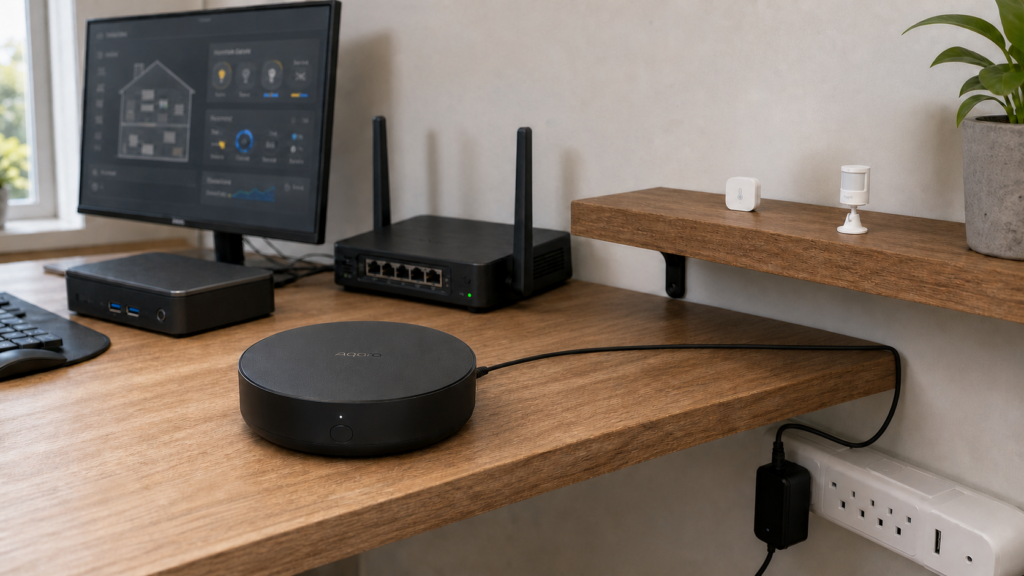
Aqara Hub M2 in Home Assistant: HomeKit Controller Setup
The Aqara Hub M2 (ZHWG12LM) sits in a lot of early Aqara setups. It’s been around long enough that people have accumulated sensors, switches, and motion detectors paired to it, and then discovered they want Home Assistant control without sending every device event through Aqara’s cloud. This guide covers the supported path to get there.
Here’s the short version. Use HomeKit Controller. It runs entirely over your local network once pairing is done. The Xiaomi integration doesn’t support the M2, and while Matter was added in a beta firmware, it exposes fewer entities than HomeKit Controller does. I’ll cover both, but HomeKit Controller is where you should start.
If you’d rather skip the hub entirely and pair Aqara Zigbee devices directly to a USB Zigbee coordinator running Zigbee2MQTT or ZHA, the hub-free Aqara setup guide covers that approach. Read it first if you’re still deciding between hub-based and direct-Zigbee paths.
What the M2 actually does
The M2 is a Zigbee coordinator hub with a few extra features bundled in. It bridges up to 128 Zigbee end devices to your IP network, includes a 360-degree IR blaster for controlling TVs and ACs, and doubles as a hub-based alarm panel. It runs its own local automations through the Aqara Home app.
What it isn’t is a Zigbee-to-USB coordinator. You can’t plug it into HA’s Zigbee integration and pair devices directly through Z2M or ZHA, because the Zigbee radio is internal and not exposed that way. The hub acts as a bridge. HA talks to it over IP, and the hub handles the Zigbee side.
Two model variants exist. ZHWG12LM is the global/China version, and ZHWG11LM is the EU version. Both use the same integration path in HA.
A note to set expectations on up front. The IR blaster is not exposed through HomeKit or Matter. It has no HA support at all. If IR control is a core use case for you, you’ll need a separate IR bridge (Broadlink RM series, for example).
Two paths into Home Assistant: HomeKit Controller vs. Matter
The M2 supports two integration routes into HA.
| HomeKit Controller | Matter (firmware 4.0.0+) | |
|---|---|---|
| Protocol | HomeKit over LAN | Matter over LAN |
| Local operation | Yes | Yes |
| Entity coverage | Full | Partial |
| Plug power measurements | Yes | No |
| Button multi-press events | Yes | No |
| Alarm panel entity | Yes | Limited |
| Firmware requirement | Any stable | 4.0.0 beta or later |
| Setup complexity | Straightforward | Requires Matter commissioning |
HomeKit Controller is the more complete path. It’s been working for the M2 since the HomeKit Controller integration was available in HA, the entity coverage is broader, and it doesn’t require a beta firmware. Matter on the M2 is real, but it’s newer and ships with gaps that bite in practice. You lose plug energy measurements and button multi-press events.
My recommendation is to pair via HomeKit Controller. If you’re curious about Matter or want to experiment with the newer protocol, the last section covers what you gain and lose.
If you want the broader version of this setup story (full local control posture, no-cloud network hygiene, Aqara account handling), the Aqara Hub M2 full local control walkthrough is the companion piece to this guide.
Setting up HomeKit Controller in Home Assistant
Prerequisites
- HA with the HomeKit Controller integration available (it’s built-in, no HACS needed)
- Your M2 hub on the same network segment as HA, or mDNS traffic routed between VLANs if you’re using network segmentation
- The 8-digit HomeKit pairing code for your hub (printed on the base of the M2, or visible in the Aqara Home app under Hub settings)
One gotcha before you start. If you’ve previously paired the M2 with Apple Home on an iPhone or iPad, you need to remove it from Apple Home first. The hub can only maintain one HomeKit controller pairing at a time. Unpair from Apple Home, then HA’s HomeKit Controller integration will be able to claim it.
If you’ve only ever used the M2 through the Aqara app (not Apple Home), you can skip that step.
Pairing the hub
- In HA, go to Settings > Devices & Services > Add Integration > search for “HomeKit Controller”
- HA will scan for HomeKit-compatible devices on your network. The M2 should appear as “Aqara Hub M2” or similar within a few seconds
- Enter the 8-digit pairing code when prompted
- HA will complete the pairing and pull down all paired devices
If the hub doesn’t appear during discovery, check that mDNS/Bonjour traffic is reaching HA. On a flat network this is automatic. On a VLAN-segmented network, you’ll need mDNS reflection (Avahi with enable-reflector=yes) or IGMP snooping configured on the IoT VLAN.
What entities appear
After pairing, HA creates entities for every device the hub already has paired. A motion sensor paired to the M2 appears as a binary sensor in HA. A temperature sensor shows up with temperature and humidity entities. A smart plug shows power, energy, and switch entities.
The hub itself appears as an alarm_control_panel entity. This one has a quirk worth knowing. You cannot set it to “Off” directly. To disarm the alarm, you switch it between armed modes (arm_away, arm_home, arm_night) rather than turning it off. If you’re building automations that touch the alarm panel, that’s the behavior to design around.
Devices that were paired to the hub before you completed the HomeKit Controller integration will all appear. Devices you add to the hub after integration is active will also appear in HA, though you may need to reload the integration to pick them up.
What cloud dependency remains after setup
This is the honest accounting, because “local control” gets oversimplified in a lot of guides.
Once HomeKit Controller pairing is complete, day-to-day device control runs entirely over your local network. HA sends commands to the hub, the hub relays them to Zigbee devices, and state changes come back the same way. Aqara’s cloud is not in that path.
Two things still require cloud access. The first is initial setup and device pairing. Adding a new Zigbee device to the hub still requires the Aqara Home app, which talks to Aqara’s servers. There’s no local-only device pairing path. The second is firmware updates. OTA updates for both the hub and paired devices are delivered through the Aqara app and its cloud infrastructure. Block outbound permanently and you stop receiving firmware updates.
Aqara operates data centers in China, the US, Singapore, Korea, Russia, and Germany, per their published privacy policy. EU users’ data is handled on German infrastructure under GDPR.
The practical posture I’d suggest for the M2 is to allow outbound on a managed basis rather than blocking it permanently. Normal operation doesn’t need cloud access, but firmware updates do, and hub firmware updates have historically addressed real security issues. Blocking outbound traffic to Aqara’s servers during normal operation (device control, automations, HA integration) is fine. Temporarily allowing it when you want to apply a firmware update is the right trade-off.
For a wider look at what “local control” actually means across different Aqara hubs and which features keep working when the internet drops, the does Aqara work without internet walkthrough goes into more depth on this distinction.
For VLAN segmentation, the M2 needs to reach HA for HomeKit Controller to work, but outbound internet traffic can be firewall-blocked outside of update windows. A rule that allows established/related connections plus DNS, but blocks new outbound connections to non-LAN destinations, covers the normal operation case.
What you can and cannot do in HA with the M2
A few things work cleanly through HomeKit Controller.
- All paired sensors reporting state (motion, contact, temperature, humidity, water leak, vibration, and others)
- Smart plug switch and power measurement entities
- Light and switch control
- Button single-press, double-press, and long-press events (via HomeKit Controller, these events are absent in the Matter path)
- Hub alarm panel (with the disarm quirk noted above)
- Automations in HA that react to any of the above entities
A couple of things don’t, and won’t.
- The IR blaster is not exposed through HomeKit or Matter. No HA support. This is a hard limit of the M2’s architecture, not a software gap that’s likely to be filled.
- Direct Zigbee device management is not available from HA. You can’t add or remove Zigbee devices from the hub without the Aqara app. HA has no interface into the hub’s Zigbee coordinator role.
One thing worth noting. HA automations using M2 devices run in HA, not in the hub. The hub’s own local automations (set up in the Aqara app) run independently and will continue working even if HA is offline. Hub-local automations and HA automations coexist cleanly. During an internet outage the hub-local ones keep firing because they don’t need the cloud, and the HA-side ones keep firing because HA itself is on your LAN.
When to use Matter instead
If your M2 is on firmware 4.0.0 or later (beta track), you can commission it as a Matter bridge instead. A few situations make this path interesting. You’re already running a Thread/Matter infrastructure and want consistent protocol usage. You’re integrating with a platform that has better Matter support than HomeKit Controller for your specific use case. Or you want to experiment with Matter bridging behavior on hardware you already own.
What you lose compared to HomeKit Controller is meaningful. Plug power measurements, button multi-press events, and some alarm panel states are not bridged via Matter. For most M2 setups, which are sensor and switch heavy, those gaps matter.
My honest take is that for a production setup on an M2, HomeKit Controller is the better choice today. Matter on the M2 is real but it’s still catching up on entity coverage. If you’re buying a new hub and want Matter as a first-class citizen, the Hub M3 is the better starting point. It shipped with Matter and Thread Border Router support, and the bridging behavior is more mature.
Should you buy the M2 today, or go with the M3?
If you already own the M2 and it has your devices paired to it, the HomeKit Controller path described above is solid. The M2 does what it needs to do for HA integration.
If you’re shopping for a hub, the M3 has Matter support that’s further along, includes a Thread Border Router, and is the current-generation product. The M2 is older hardware and the Matter firmware path for it is still on the beta track.
For budget-conscious setups, the Hub E1 is worth looking at. It’s cheaper and also supports HomeKit Controller integration, with the trade-off of fewer features and a smaller device capacity. The Aqara Hub E1 local integration walkthrough covers that setup end to end.
FAQ
Does the Aqara Hub M2 work with Home Assistant without the Aqara app?
For day-to-day control after setup, yes. Once HomeKit Controller pairing is complete, HA talks to the hub over the local network. You need the Aqara app for initial device pairing and firmware updates, but not for normal operation. The Aqara Hub M2 full local control guide has the broader walkthrough on running the hub without ongoing cloud dependency.
What is the difference between Matter and HomeKit Controller for the Aqara Hub M2?
HomeKit Controller gives you broader entity coverage. Plug power measurements and button multi-press events are included. Matter (available from firmware 4.0.0 beta) gives you fewer entities but uses the newer protocol. For most users, HomeKit Controller is the better choice on the M2.
Can I block the Aqara Hub M2 from the internet after setting it up in Home Assistant?
Yes, for normal operation. Device control and HA integration run locally once HomeKit Controller pairing is done. You’ll want to temporarily allow outbound access when applying firmware updates.
Why can’t I find the Aqara Hub M2 in the Xiaomi integration for Home Assistant?
The xiaomi_aqara integration relies on a multicast protocol that the M2 doesn’t support. It’s not a configuration issue. The integration simply isn’t compatible with the M2. Use HomeKit Controller instead.
Does the Aqara Hub M2 IR blaster work in Home Assistant?
No. The IR blaster is not exposed through HomeKit or Matter, and HA has no other access to it. If you need IR control through HA, you’ll need a separate dedicated IR bridge.