

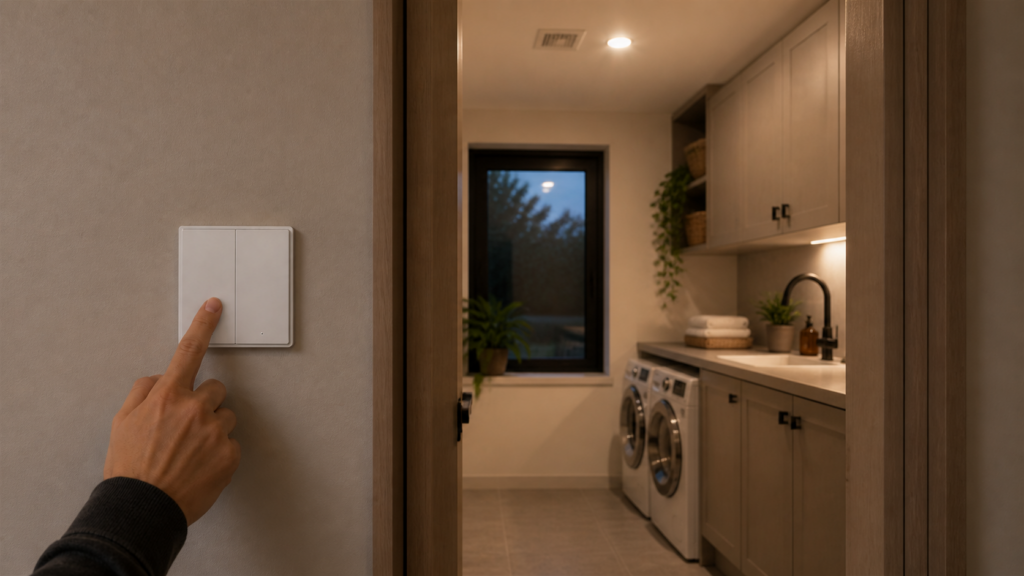
Aqara D1 Double Switch (QBKG24LM) With Neutral in Home Assistant
The QBKG24LM is the with-neutral variant of the Aqara D1 double-rocker wall switch — and if you’re replacing a standard two-gang wall plate, choosing the with-neutral model gets you something the no-neutral version can’t offer: per-circuit power monitoring. That’s worth pausing on. Being able to track energy consumption per channel directly in Home Assistant turns what would otherwise be a basic light switch into something genuinely useful for energy dashboards.
I’ve put together this guide covering everything from pairing through to decoupled mode and OTA firmware updates — including two known issues from the GitHub tracker that are still catching people out as of 2026.
If you’re still deciding which Aqara devices to bring into a hubless setup, the guide to running Aqara Zigbee devices in Home Assistant without the Aqara hub covers the broader picture. This guide assumes you’re already running Zigbee2MQTT and just need to get this specific switch working.
What entities you get in Home Assistant
Once paired, the QBKG24LM exposes these entities via Zigbee2MQTT:
switch.leftandswitch.right— independent ON/OFF/TOGGLE for each rockersensor.power_leftandsensor.power_right— instantaneous load in watts per channelsensor.energy_leftandsensor.energy_right— cumulative consumption in kWh per channelselect.operation_mode_leftandselect.operation_mode_right— per-button mode selector- Action events for button presses (single, hold, hold_release — more on firmware caveats below)
- OTA update availability entity
Two separate power sensors per rocker is the headline here. If you’re running, say, a ceiling fan on the left rocker and a reading lamp on the right, you get independent consumption tracking for both — no clamp meters, no separate smart plugs.
Requirements
- A Zigbee coordinator running Zigbee2MQTT (any Sonoff, HUSBZB-1, Conbee II, or similar supported stick)
- Home Assistant with the Z2M integration active
- A two-gang wall box with a neutral wire present — this switch requires neutral. If you have only live and load in the box, you need the no-neutral QBKG22LM instead (covered in our separate D1 no-neutral double-rocker guide)
- The QBKG24LM supports any LED load wattage, including very low-draw lamps. Unlike no-neutral switches that need a minimum load to trickle power the radio, the neutral wire handles that — which means you can run it on a single 5W LED without any flicker or instability
Pairing the QBKG24LM with Zigbee2MQTT
Put Z2M into pairing mode via the Zigbee2MQTT frontend or via HA’s device page. Then on the switch itself, hold the left rocker button for about 10 seconds until the indicator blinks three times. At that point the switch is advertising and Z2M should detect it within a few seconds.
That’s the happy path. The less-happy path involves an older factory firmware version.
The “keep it awake” trick for older firmware units
GitHub issue #17780 documented a specific failure mode: QBKG24LM units shipped with firmware lumi.switch.n2acn1 v0.0.0_0089 would successfully pair (Z2M sees the device) but fail to complete the interview. The interview is where Z2M queries the device for its cluster list and attribute map — if the device goes to sleep before it finishes, you end up with a partially-discovered entry and no working entities.
The fix is almost comically low-tech: after putting the device into pairing mode and seeing it appear in Z2M, press the left button again immediately. Then again every few seconds. Keeping the button active prevents the radio from dropping into its low-power sleep state, and the interview completes.
If you’ve already got a failed entry in Z2M’s device list, remove it, factory reset the switch (hold left button 10 seconds until it blinks), and repeat the process with the button-pressing trick. The underlying fix here is an OTA firmware update — once the switch is on a current firmware, the interview completes reliably without any button-mashing.
Configuring operation modes
Each rocker has its own operation-mode entity in HA. Note that the two rockers do not share the same option list:
select.operation_mode_left—control_left_relayordecoupledselect.operation_mode_right—control_right_relayordecoupled
Standard mode (button controls its relay)
The default. Left button toggles left relay (control_left_relay), right button toggles right relay (control_right_relay). Nothing to configure — this works out of the box after pairing.
Decoupled mode (for smart bulb circuits)
When you set a button to decoupled, pressing it no longer changes the relay state. Instead, Z2M fires an action event that HA can pick up. The relay stays in whatever state it was last set to via HA.
This is the standard approach for mixing this switch with smart bulbs. The light stays powered (because the relay stays on), and the physical button sends an action to HA, which then controls the bulb’s color, brightness, scene — whatever you’ve set up in an automation.
To configure it, find the select.operation_mode_left (or _right) entity in HA and change it to decoupled. Or in Z2M’s frontend, go to the device’s Exposes tab and use the dropdown there.
One thing worth knowing: if you have an action automation that triggers on single_left or single_right, make sure the button is actually in decoupled mode first. In standard mode, pressing the button fires the action and toggles the relay — which is rarely what you want when the relay is also controlling your smart bulbs.
Power monitoring setup in HA
After pairing, the four power-related entities (power_left, power_right, energy_left, energy_right) appear automatically. No additional setup required to start reading values.
To get them into HA’s Energy dashboard, go to Settings > Energy > Individual Devices and add each energy sensor as an individual device. The cumulative kWh values are what the energy dashboard expects. The instantaneous power sensors are useful for automations — triggering something when a circuit draw drops to near zero, for instance, which is a clean way to detect that an appliance has finished its cycle.
The energy sensors reset on device restart, which is something to keep in mind if you’re doing long-term consumption tracking. Integrating into HA’s energy dashboard handles this gracefully via its own accumulation logic, but if you’re querying the raw entity directly and expecting a monotonically increasing counter across reboots, that won’t work.
Updating firmware via OTA to fix missing hold/release actions
GitHub issue #9611 tracked a firmware-level limitation on early QBKG24LM hardware: hold and hold_release action events were simply not emitted, and decoupled mode was missing entirely. This was not a Z2M bug — the device’s firmware just didn’t support those features yet.
The fix is an OTA update through Z2M. In the Z2M frontend, go to your QBKG24LM device, select the OTA tab, and check for updates. If the current firmware predates the fix, you’ll see an available update. The process typically takes a few minutes and the switch restarts automatically when done.
After the firmware update, the hold and hold_release actions become available, and the operation-mode selectors work as documented. If you’re setting up a new unit today, it’s worth running OTA immediately after pairing — before building any automations, so you’re working against the full feature set from the start.
ZHA has historically been slower to surface OTA updates for Aqara devices than Z2M — if OTA availability matters to you, Z2M is the better stack for this device.
QBKG24LM vs QBKG22LM: which do you need?
The QBKG22LM is the no-neutral double-rocker from the same D1 family (we cover its hubless setup in a separate guide). The practical differences:
| QBKG24LM (with neutral) | QBKG22LM (no neutral) | |
|---|---|---|
| Neutral wire required | Yes | No |
| Power monitoring | Per channel (watts + kWh) | None |
| Minimum load requirement | None | Yes — needs trickle draw |
| LED compatibility | Any wattage | Check load spec |
| Operation modes per button | control_(own)_relay / decoupled | control_left_relay / control_right_relay / decoupled |
| OTA support | Yes | Yes |
The operation-mode difference is subtle but worth calling out. On the QBKG22LM (no-neutral), each button can be set to control_left_relay, control_right_relay, or decoupled — so the left button can be configured to drive the right relay, and vice versa. The QBKG24LM offers only two options per button: control of its own relay (control_left_relay for the left, control_right_relay for the right) or decoupled. Cross-relay control — pointing one rocker at the other channel’s relay — is not available on the with-neutral model.
For most people that’s a reasonable trade-off. Per-circuit power monitoring is more broadly useful than cross-relay button assignment, and if your box has a neutral, you’re better off with the QBKG24LM unless you specifically need that cross-relay feature.
For the single-rocker member of this family, see our Aqara D1 single switch (QBKG21LM) Home Assistant guide.
Automations and action events
The full action set available (on current firmware) per button:
single_left/single_right— single pressdouble_left/double_right— two quick presseshold_left/hold_right— held for ~1 secondhold_release_left/hold_release_right— released after hold
In HA, these surface as an event entity (sensor.action) with string values. A basic automation trigger looks like:
trigger:
  - platform: state
    entity_id: sensor.aqara_d1_double_switch_action
    to: "single_left"
If you’re in decoupled mode on only one button, you can mix control types: left button in decoupled (fires action events, HA controls whatever is on that circuit), right button in standard mode (directly controls its relay). Both can coexist independently.
Whether Aqara adds additional action types in future firmware — a triple-press, for example, which some community members have requested — remains to be seen.