

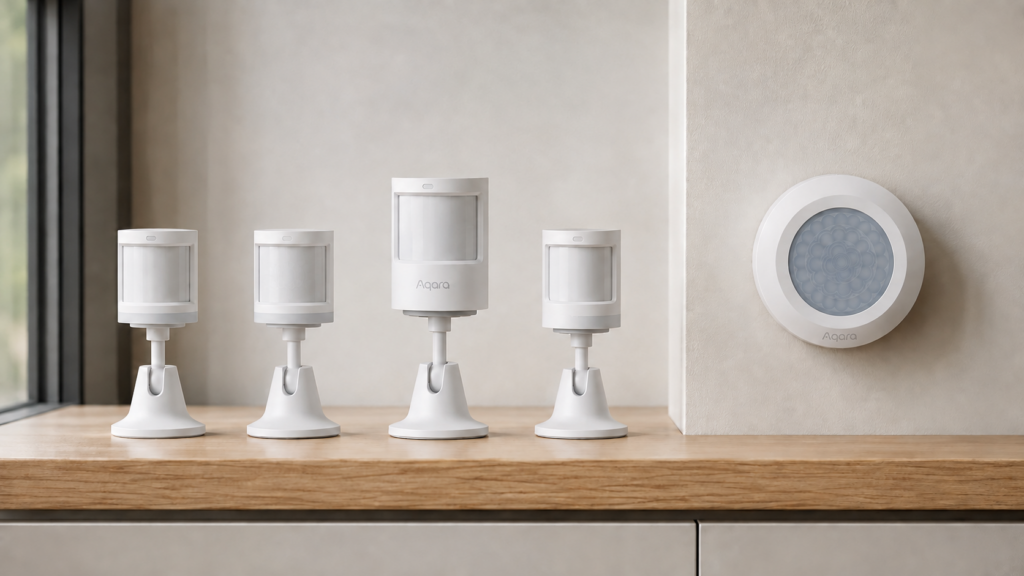
Aqara has five motion sensor models on shelves at the same time: the original RTCGQ11LM, the T1 (RTCGQ12LM), the “High Precision” model (RTCGQ13LM), the P1 (RTCGQ14LM), and the E1 (RTCGQ15LM). Searching for an Aqara motion sensor comparison mostly turns up single-model setup guides and Aqara’s own spec pages, none of which put the generations side by side. If you are buying one, or trying to work out which one is already screwed to your ceiling, that is a problem. The letter codes do follow a pattern, which we have broken down separately, but the pattern tells you the market tier, not the feature set.
This comparison is built from the five official Zigbee2MQTT device reference pages, cross-referenced against each other and against this site’s own published setup guide for each model. No new hardware was bought for it, and nothing here implies bench testing beyond what those individual guides already cover. All five are Zigbee devices that pair directly with Zigbee2MQTT or ZHA, so none of this depends on an Aqara hub, the Aqara app, or a cloud account.
Three things actually separate them. Only the P1 gives you sensitivity tuning and a light sensor in the same device. The “High Precision” model is the only one of the five with no light sensor at all, and its precision refers to the shape of its detection cone rather than to any tuning option. And the original RTCGQ11LM is the odd one out twice over: it is the only model with no device-side re-trigger interval, and the only one whose Zigbee2MQTT page does not list OTA firmware updates.
The five generations at a glance
| Model | Marketing name | Illuminance | Motion sensitivity | Device-side detection_interval |
OTA via Z2M |
|---|---|---|---|---|---|
| RTCGQ11LM | Original / none | Yes, calibratable | No | No — fixed 60s hardware lockout | Not listed |
| RTCGQ12LM | T1 | Yes, calibratable | No | Yes, 2–65535s | Listed (since Z2M 1.23.0) |
| RTCGQ13LM | High Precision | No | Yes — low/medium/high | Yes, 2–65535s | Listed (since Z2M 1.23.0) |
| RTCGQ14LM | P1 | Yes | Yes — low/medium/high | Yes, 2–65535s | Listed |
| RTCGQ15LM | E1 | Yes, calibratable | No | Yes, 2–65535s | Listed |
The original is the outlier in the two directions that matter most for a device you expect to leave on a ceiling for years: you cannot change how long it waits before re-triggering, and Zigbee2MQTT cannot push firmware to it. Everything from the T1 onward fixed both. What happens after that is a fork rather than a ladder — sensitivity control on one branch, light sensing on the other, with only the P1 carrying both.
Two settings get confused constantly in support threads. detection_interval is written to the sensor and controls how long the device itself waits before it will report motion again. occupancy_timeout is a Zigbee2MQTT-side setting that controls how long Z2M waits after the last report before publishing occupancy: false on its own. The original exposes only the second one. On the four models that have both, setting the timeout lower than the interval makes the sensor look like it is missing motion when it is simply still in its cooldown.
RTCGQ11LM: the original, and the only one you cannot tune
The original Aqara motion sensor exposes occupancy, illuminance, device_temperature, battery, voltage, and power_outage_count, and it runs on a CR2450 coin cell. It does have illuminance_calibration, a percentage offset for correcting a lux reading that sits consistently high or low. What it does not have is any way to change its motion behaviour: no motion_sensitivity, and no detection_interval.
After it fires, it enforces a fixed 60-second lockout before it will report motion again. That is enforced on the device, not in Z2M, so no configuration changes it. You can set occupancy_timeout, which defaults to 90 seconds, but taking it below 60 buys you nothing: the sensor will not send a new motion event until its own window clears. The full behaviour, including the Z2M 2.0 entity rename that broke a lot of automations, is covered in our RTCGQ11LM setup guide.
The other thing the original cannot do is take a firmware update from Zigbee2MQTT. Its Z2M device page does not list OTA support, while the four later models do. For a sensor that is otherwise stable and cheap, that matters mainly if you expect to be running it for another five years.
T1 (RTCGQ12LM): the re-trigger interval arrives
The T1 is where Aqara made the cooldown adjustable. It adds detection_interval, accepted by Z2M anywhere from 2 to 65535 seconds, along with no_occupancy_since reporting. Note that the Aqara app exposes a much tighter range than Z2M does, so the app’s numbers are not the real limits. The T1 also picked up OTA support, added in Zigbee2MQTT 1.23.0.
What it did not add is motion_sensitivity, and it did not add illuminance calibration either — the original already had that. If your problem is “this needs to ignore small movements” rather than “this needs to re-trigger faster or slower”, the T1 does not solve it. Our T1 setup guide covers the interval-and-timeout interaction in detail, which is where most T1 automations go wrong.
All five generations pair the same way on Zigbee2MQTT and ZHA. Which configuration entities actually appear in Home Assistant depends on your Z2M version identifying the model correctly, so check the exact model code on the sensor’s back label before assuming a feature exists. ZHA in particular does not always surface detection_interval in the standard device card.
“High Precision” (RTCGQ13LM): a narrow cone, and no light sensor
This is the model that trips people up, though not for the reason the name suggests. “High Precision” refers to the optics: Aqara’s specs give it a detection cone of roughly 60 degrees against the P1’s 170, with a 5-metre range against the P1’s 7, plus an IPX5 rating the others do not carry. It is built to watch a specific approach — a doorway, a stairwell, a covered porch — rather than to blanket a room. For that job the name is fair.
What the name does not tell you is the trade. The RTCGQ13LM gains motion_sensitivity (low, medium, high) and detection_interval, and it loses the light sensor entirely.
Per its Zigbee2MQTT device page, the RTCGQ13LM has no illuminance expose at all. If your automation checks light level before triggering a motion-activated light, this is the one model in the lineup where that condition has nothing to read. You would need a separate lux source alongside it.
The real problem with the name is positional. “High Precision” sits in a product line where every other name is a tier marker, so it reads like the best one, and a buyer who picks it on that basis ends up with the only sensor in the family that cannot tell whether the lights are already on. Our RTCGQ13LM setup guide has the full expose list and the Z2M 1.24.0 rename issue that affected this model specifically.
P1 (RTCGQ14LM): sensitivity and illuminance together
The P1, sold in some markets under the “Aqara MS-S02” label, is the only model that exposes motion_sensitivity and illuminance at the same time. It adds detection_interval, a trigger_indicator option that turns off the LED blink on detection, and a battery_low binary sensor the others do not have. On paper it is the most configurable of the five, and the natural upgrade from the original.
One asymmetry worth knowing: the P1’s device page does not list power_outage_count, which the other four expose. That is minor unless you were using that entity to catch battery pulls or power blips. Setup specifics are in our P1 guide.
E1 (RTCGQ15LM): the T1’s replacement, not an upgrade on it
The E1 exposes occupancy, illuminance with calibration, device-temperature calibration, detection_interval, occupancy_timeout, and no_occupancy_since. That is the T1’s capability set rather than an extension of it, and like the T1 it has no motion_sensitivity. Its Zigbee model ID is lumi.motion.acn001.
The honest framing is that the E1 is the current-production entry-level PIR, not a step up from the T1. If you already run T1s, there is no feature reason to switch. If you are buying today and want the plain motion-plus-lux sensor, the E1 is the one still in active distribution. Our E1 setup guide covers pairing and the interval alignment; the Z2M device page has the current expose list.
On these sleepy battery sensors, configuration writes frequently do not stick. The E1 in particular only accepts a detection_interval write in the short window right after you press its pairing button, and the P1 shows the same symptom often enough that waking it with a single button tap before applying a setting is standard advice. There is no error in the Z2M log when the write is dropped — the value simply reverts. If a configuration change is not applying, wake the device first and re-send it. This is line-wide behaviour, not a reason to prefer one model over another.
Which one for which use case
| What you need | Buy | Why |
|---|---|---|
| Cheapest working motion trigger | RTCGQ11LM | Fine for “motion on, light on” — accept the fixed 60s cooldown and no firmware updates |
| Adjustable re-trigger timing | E1 (or T1 if you have them) | Same feature set; the E1 is what is still in production |
| Light level in your automation logic | Anything except the RTCGQ13LM | It is the only model with no illuminance expose |
| Ignore small or distant movement | RTCGQ13LM or P1 | Only these two expose motion_sensitivity |
| Sensitivity and light sensing in one device | P1 | The only model with both |
| Narrow approach, or a damp spot | RTCGQ13LM | ~60° cone, 5m range, IPX5 rated |
The decision that costs most to get wrong is the light sensor, because the gap is invisible until an automation silently stops working. If a lux condition might end up in your logic, cross the RTCGQ13LM off unless you want it for the narrow cone.
The second-most consequential is the original. It is genuinely fine hardware and it stays fully local, but between the fixed 60-second lockout and the absence of an OTA path, it is the one model where what you buy is what you keep. All five run on CR2450 cells, and our Aqara and Xiaomi battery guide covers replacement across the range. If you are working through the rest of an Aqara sensor set, the door and window sensor generations split along similar lines.
FAQ
What’s the difference between the Aqara Motion Sensor T1 and the original RTCGQ11LM?
The T1 (RTCGQ12LM) adds a device-side detection_interval from 2 to 65535 seconds, replacing the original’s fixed 60-second lockout, plus no_occupancy_since reporting and OTA firmware updates through Zigbee2MQTT. Both expose illuminance with calibration, and neither has motion_sensitivity.
Does the Aqara “high precision” motion sensor have a light sensor?
No. Per its Zigbee2MQTT device page, the RTCGQ13LM has no illuminance expose. The “High Precision” name refers to its narrow detection cone, roughly 60 degrees against the P1’s 170, not to any tuning feature — and it is the only model in the family without a lux reading.
Which Aqara motion sensors support OTA firmware updates?
Four of the five. Zigbee2MQTT lists OTA support for the T1 (RTCGQ12LM), the High Precision (RTCGQ13LM), the P1 (RTCGQ14LM) and the E1 (RTCGQ15LM); support for the first two was added in Z2M release 1.23.0. The original RTCGQ11LM’s device page does not list OTA.
Is the Aqara P1 motion sensor worth it over the cheaper original?
It is the only model with both motion_sensitivity and illuminance exposed together, it has a configurable re-trigger interval, and it takes firmware updates — three things the original cannot do. Whether that is worth the price difference depends on whether your automations actually use sensitivity tuning; if they do not, a T1 or E1 gets you the configurable interval for less.
Which Aqara motion sensor generation should I buy for Zigbee2MQTT or Home Assistant?
All five pair the same way on Zigbee2MQTT and ZHA, so the choice is about exposed entities, not compatibility: fixed and cheap (RTCGQ11LM), configurable timing (T1 or E1), sensitivity plus a narrow weatherproof cone but no lux (RTCGQ13LM), or sensitivity and lux together (P1).
What this comparison verified
This article compares the five official Zigbee2MQTT device reference pages against each other and against this site’s own published setup guide for each model. It is not hands-on testing of the hardware, and no sensor was bought for it. The exposed entities, configuration options, OTA support and the configuration-write behaviour above are drawn from those sources and cited by model in each section. The detection cone, range and IPX5 figures for the RTCGQ13LM and P1 come from Aqara’s published specifications.
Two limits. Aqara’s spec pages are not uniform across models, so where a figure exists for one sensor and not another, this article leaves the gap rather than filling it by inference. And OTA availability moves: Z2M added support for two of these models in one release, so “not listed” describes the device page as it stands today, not a permanent hardware limit.
All five models run entirely over Zigbee through Zigbee2MQTT or ZHA, so nothing in this comparison depends on Aqara’s hub, app, or cloud staying online. If you already own one of these sensors, check its model code against a current pull of its Zigbee2MQTT device page before assuming a feature here applies: Aqara revises firmware and Z2M revises device definitions.