

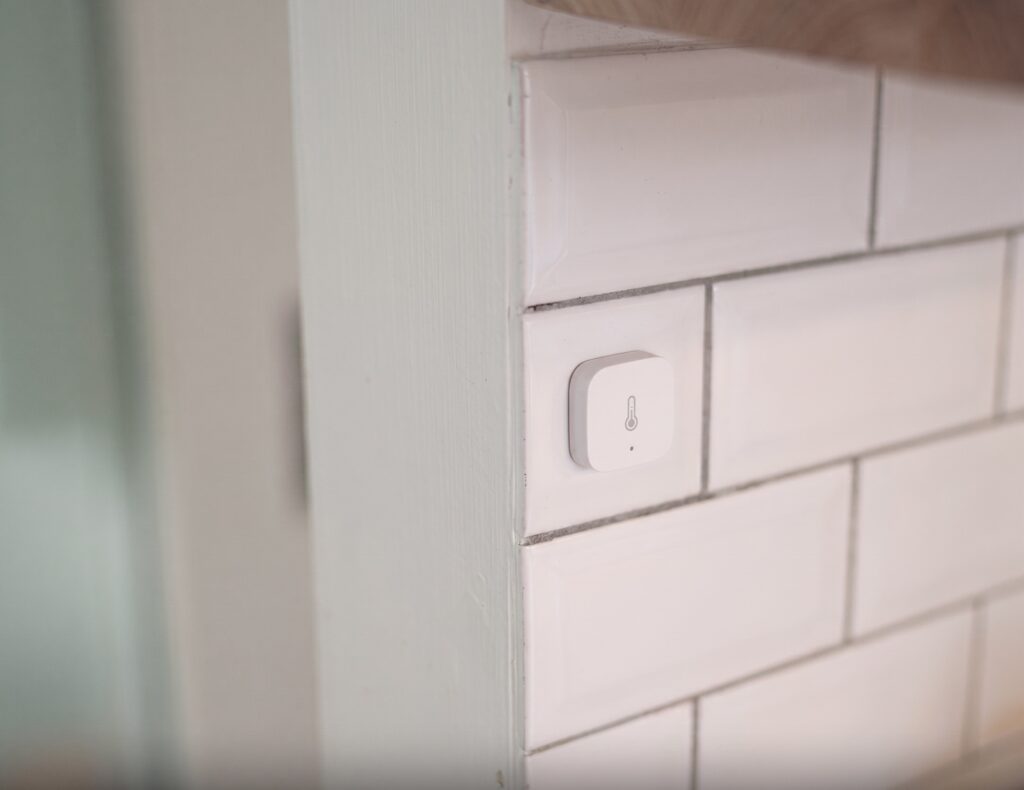
I still have two of these running. One’s been on the same CR2032 for over a year, sitting on a bookshelf reporting the living room’s temperature and humidity into Home Assistant. If you’ve got a WSDCGQ11LM lying around from an old Aqara hub setup, or picked one up secondhand, it’s worth pairing directly to Zigbee2MQTT (Z2M) rather than replacing it. No Aqara hub, no Mi Home account, no cloud round-trip for a number that should never have needed one.
This is the original Aqara temperature/humidity/pressure sensor, not the newer T1 (WSDCGQ12LM). The model numbers get confused constantly because Aqara didn’t change the product name much between generations, just the suffix. If your box or the sticker on the back says WSDCGQ11LM, this guide is for you. If it says WSDCGQ12LM, see the T1 guide instead.
What the WSDCGQ11LM is (and isn’t)
The WSDCGQ11LM is one of Aqara’s older, Zigbee 1.2-era devices. That matters more than it sounds like it should. This was Xiaomi/Aqara’s earlier, semi-proprietary implementation before the ecosystem standardized on Zigbee 3.0, and it carries some quirks that Z2M has had to work around for years. It still pairs and works fine with a Zigbee2MQTT coordinator, but it’s pickier about which Zigbee routers it’ll associate with, which I’ll get to below.
It’s a small round puck, battery-powered, measuring ambient temperature, relative humidity, and barometric pressure. No display, no buttons beyond a recessed reset pin. It was sold for years as part of Aqara’s original gateway-based lineup and is still floating around secondhand markets and old bundle kits.
What you need
- A Zigbee coordinator running Zigbee2MQTT (an existing Z2M setup with a compatible adapter — Sonoff, ConBee, etc.)
- MQTT broker (Mosquitto is the common choice) wired into Z2M
- Home Assistant with the MQTT integration configured
- No Aqara hub. No Mi Home or Aqara Home app. No account of any kind.
If you’re starting from zero on the coordinator side, that’s a separate setup covered in the Aqara-without-a-hub pillar guide — this guide assumes Z2M is already talking to Home Assistant and you’re just adding the sensor.
Pairing the sensor
- In Z2M’s web UI, go to the Devices page and click “Permit join.” Use “permit join to coordinator” specifically rather than “permit join all,” if your Z2M version exposes that distinction — more on why in the troubleshooting section below.
- On the sensor, hold the reset button (the small recessed pinhole) for about 5 seconds until the LED starts blinking, then release immediately. Don’t hold it longer waiting for a second blink pattern — that’s for a factory reset sequence on some Aqara devices, and long-pressing here doesn’t help.
- Z2M should pick it up within a few seconds and it’ll appear in the Devices list as WSDCGQ11LM.
- If it doesn’t pair on the first try, replace the battery before repeating the process. In my experience with these older Aqara devices generally, a marginal battery is a more common cause of pairing failure than anything on the coordinator side.
One thing I’d flag: don’t leave “permit join all” toggled on for extended periods while pairing this device, especially if you have other-brand Zigbee routers on the same network. I’ll explain why in the troubleshooting section, but the short version is it increases the odds this thing associates with the wrong router and becomes flaky.
Entities you get in Home Assistant
| Entity | Type | Notes |
|---|---|---|
| Temperature | Sensor | Ambient air temperature. No device_temperature entity — unlike the RTCGQ11LM motion sensor, this only reports the room, not the chip |
| Humidity | Sensor | Relative humidity |
| Pressure | Sensor | Barometric pressure |
| Battery | Sensor (%) | Can take up to 24 hours to populate after pairing |
| Voltage | Sensor (mV) | Real-time battery proxy while you wait for the percentage to show up |
That voltage entity is the detail people miss. If you’re used to the T1’s cleaner battery entity, this one initially looks half-broken because the percentage sensor sits at unavailable or unknown right after pairing, while the raw voltage reading is available almost immediately.
Battery: voltage vs. percentage explained
What I didn’t expect the first time I paired one of these was the battery percentage entity showing “unknown” for most of a day after setup. I assumed the pairing had partially failed. It hadn’t — the Z2M device page notes the battery percentage can take up to 24 hours to be reported for this model. Until then, the voltage entity in millivolts is the only real battery signal you have.
A fresh CR2032 reads around 3000 mV. As a rough guide, once you’re seeing readings below roughly 2500 mV, it’s time to swap the battery — the sensor tends to become unreliable well before it dies outright, dropping reports or disconnecting intermittently rather than failing cleanly. I’ve set up a simple automation that triggers a notification when voltage crosses under 2500 mV, which has been more useful day-to-day than watching the percentage entity, since the percentage lags behind actual battery state anyway.
One caveat worth knowing: treat the percentage as a rough indicator, not a precise gauge. The voltage curve on a CR2032 is fairly flat for most of its life and then drops off near the end, so a percentage figure that hovers high for months and then falls quickly is normal behavior for this cell, not a reporting fault. The millivolt reading is the more honest signal.
Calibration
If the sensor’s readings run consistently high or low against a reference thermometer or hygrometer, Z2M exposes calibration offsets directly in the device’s Exposes panel: temperature_calibration, humidity_calibration, and pressure_calibration. These are additive offsets, not multipliers, so if your sensor reads 1.5°C high, you’d set the temperature calibration to -1.5.
Precision (number of decimal places reported) is also adjustable from the same panel, which is a small thing but useful if you’re logging this into a dashboard and don’t want three decimal places of noise on a humidity graph.
Troubleshooting: why it keeps dropping off
This is the recurring complaint on the HA Community forum threads for this device, and it’s a router compatibility issue, not a defective unit in most cases. Aqara’s older Zigbee devices — this sensor included — have known issues associating reliably with Zigbee routers from other brands. The documented incompatible list includes Centralite, GE, Iris, Ledvance, Legrand, OSRAM, Sylvania, SmartThings, and Securifi routers.
If your mesh includes any of those as intermediate routers and the sensor keeps dropping off days or weeks after a seemingly clean pairing, the fix is to re-pair it directly to the coordinator. Put the device physically close to the coordinator during pairing, use “permit join to coordinator” rather than “permit join all,” and let it establish that direct link before moving it back to its normal location.
Worth knowing: a low link quality reading (under about 20) in Z2M’s device info is a genuine sign of a weak connection, not necessarily router incompatibility — check that first before assuming you need to re-pair. And infrequent updates aren’t automatically a fault either. This sensor reports on change, not on a fixed polling interval, so in a stable room with a consistent temperature it might go hours between updates. That’s expected behavior, not a dead battery or a dropped connection.
WSDCGQ11LM vs T1 — should you upgrade?
| WSDCGQ11LM (original) | WSDCGQ12LM (T1) | |
|---|---|---|
| Zigbee generation | 1.2-era | 3.0 |
| Battery reporting | % (delayed ~24h) + voltage | % (more consistent) |
| Router compatibility | Known issues with several third-party brands | Generally more reliable |
| Local Z2M/HA support | Full | Full |
Both work entirely locally through Z2M with no cloud dependency, so the upgrade case isn’t about privacy or functionality — it’s about reliability. I think the T1 is worth buying new if you’re setting up climate sensors from scratch today, mostly because the battery reporting is cleaner and you skip the router compatibility question entirely. But if you already own a WSDCGQ11LM and it’s not giving you dropoff problems, there’s no real reason to replace it. Mine has been stable for over a year once I re-paired it directly to the coordinator instead of letting it associate wherever it wanted.
For a deeper dive on the T1 specifically, see the T1 temperature sensor guide. And if you’re dealing with the same router-compatibility pattern on other Zigbee-era Aqara devices, the MCCGQ11LM contact sensor guide covers the identical issue.
Whether Aqara ever issues a firmware update that speeds up the initial battery percentage reporting on these older units is unclear — as of this writing there’s no indication one’s coming, so budget for that 24-hour blind spot every time you re-pair one.