

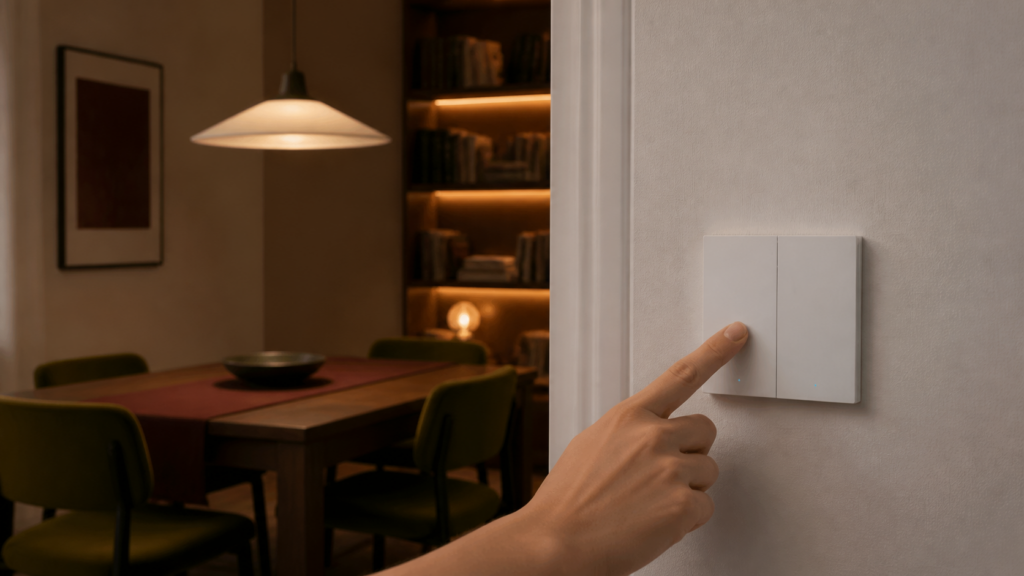
Aqara WS-EUK02 in Zigbee2MQTT and Home Assistant (No Neutral, Double Rocker)
The WS-EUK02 is the double-rocker variant of Aqara’s H1 EU no-neutral switch. Two buttons, two independently controlled loads, no neutral wire required. If you’ve been running the single-rocker WS-EUK01, the EUK02 follows the same core logic — but the per-endpoint configuration and a specific Zigbee2MQTT issue with operation_mode make it worth its own guide.
This walkthrough covers everything from initial pairing through decoupled mode setup, anti-flicker tuning, and the signal-loss reports that have tripped up a few people on Ember-based coordinators.
What you need before pairing
- A Zigbee coordinator running Zigbee2MQTT. I’ve had good results with the Sonoff ZBDongle-P (CC2652P) and ZBDongle-E. If you’re on the ZBDongle-E or any other Ember-based coordinator (EmberZNet firmware), read the signal-loss section before you start — there’s a recurring report of EUK02 instability on some of these setups.
- Zigbee2MQTT running and accessible. The WS-EUK02 appears as a supported device in current Z2M releases; no manual device definition needed.
- Home Assistant with the Zigbee2MQTT integration (MQTT broker configured).
- No Aqara hub. No Mi Home app. No Aqara Home app. The switch talks directly to Z2M over Zigbee, the same way other Aqara Zigbee devices do without a hub.
You don’t need the neutral wire, but the switch does require a minimum load on each connected circuit. Very-low-wattage LED bulbs (under about 3W) can cause flickering or prevent the switch from powering up reliably. If that’s your situation, a Zigbee bypass module wired in parallel with the load usually resolves it.
Pairing the WS-EUK02 to Zigbee2MQTT
Enable permit join in Zigbee2MQTT (either via the frontend or by sending true to zigbee2mqtt/bridge/request/permit_join).
Then, on the switch itself: press and hold the right button for about 5 seconds. The blue LED will start blinking rapidly — that’s the pairing mode signal. The interview takes 10–20 seconds. Once complete, the device appears in the Z2M frontend with the model name WS-EUK02.
One thing I noticed during first pair: if the LED blinks a few times and then stops without the device appearing in Z2M, it usually means the switch exited pairing mode before the coordinator could complete the interview. Just re-enter pairing mode and try again. It typically works on the second attempt.
After pairing, the device shows up in Home Assistant as two switch entities (one per button) plus a handful of sensors and configuration controls. Disable permit join again once pairing is done.
What Home Assistant sees — entity inventory
After a clean pair and Z2M restart, the WS-EUK02 exposes nine features. In Home Assistant they show up as:
Switch entities:
– switch.<name>_left — controls the left button’s relay load
– switch.<name>_right — controls the right button’s relay load
Each can be toggled independently with ON/OFF/TOGGLE. There’s also an on_time option (in seconds) for timed shutoff, though I find it easier to handle that logic in HA automations than to use Z2M’s built-in timed shutoff.
Sensors:
– sensor.<name>_device_temperature — the switch’s internal temperature (chip temperature, not room temperature; don’t build climate automations on it)
– sensor.<name>_power_outage_count — increments each time power is cut and restored. Handy for spotting circuit instability.
Configuration controls (set via Z2M device options):
– power_outage_memory — when enabled, the switch recovers its previous on/off state after a power failure rather than defaulting to off
– flip_indicator_light — inverts the LED so it’s lit when the switch is off (useful if you prefer the traditional “LED shows where to press” convention)
– led_disabled_night — suppresses the LED overnight
None of the neutral-less H1 EU switches expose power monitoring. That’s on the EUK03 and EUK04 (with-neutral variants). Full property details are on the Zigbee2MQTT WS-EUK02 device page.
Setting up decoupled mode — per-button wireless switch behavior
Decoupled mode is where the double-rocker starts earning its keep as a home automation control surface. In decoupled mode, pressing a button fires a Zigbee action event but does not toggle the physical relay. That means you can use the left button to trigger a scene, run a script, or control a completely different device, while the right button still controls its own light normally — or vice versa. You can also put both endpoints in decoupled mode and turn the whole switch into a scene controller.
Each button has its own operation_mode setting, exposed per endpoint:
– operation_mode_left: control_relay (default) or decoupled
– operation_mode_right: control_relay (default) or decoupled
Set them via the Z2M device page or by publishing to zigbee2mqtt/<device_name>/set:
{
  "operation_mode_left": "decoupled"
}
When at least one endpoint is in decoupled mode, the switch emits button events on its action property. The possible values are:
single_left/double_left— single and double press, left buttonsingle_right/double_right— single and double press, right buttonsingle_both/double_both— single and double press, both buttons together
There are no hold or release actions on this model — single and double press only.
In Home Assistant, these arrive as the action attribute on the device. With the Zigbee2MQTT 2.0 action events, the cleanest way to react to them is a device trigger or an MQTT trigger on the action value. A straightforward automation looks like this:
automation:
  - alias: "Double-press right rocker runs the evening scene"
    trigger:
      - platform: mqtt
        topic: "zigbee2mqtt/<device_name>/action"
        payload: "double_right"
    action:
      - service: scene.turn_on
        target:
          entity_id: scene.evening_lights
If your Z2M version surfaces the action through HA’s event entity instead of a retained MQTT topic, use a device trigger on the switch’s “double_right” action — both routes land on the same double_right value.
The operation_mode bug. This is the bit I wish the Z2M docs called out more clearly. GitHub issue #20036 documents that on some firmware revisions of the H1 EU switches (EUK01/02/04), operation_mode can’t be changed at all — attempting to set decoupled from the frontend or via MQTT throws Error: undefined is not a object, got string ("decoupled") and the mode never changes. It surfaced for several users after upgrading Z2M, and it’s still referenced in related threads. The workaround that has worked for people is to set the mode on an older converter version (rolling back to Z2M 1.33.0, changing the operation_mode, then upgrading again), or to publish the operation_mode_left / operation_mode_right set command directly over MQTT and read the state back to confirm it took. If neither sticks on your firmware, the endpoint stays in control_relay and decoupled actions won’t fire — worth confirming before you wire automations around them.
Anti-flicker vs quick mode — which to use
The WS-EUK02 exposes a mode_switch setting with two options:
- anti_flicker_mode — the right choice for most no-neutral installs. It slows the switching response slightly but stabilizes the load voltage, which prevents LED flicker on capacitive or electronic driver loads. If you’re running LED bulbs or anything with a switching driver, use this.
- quick_mode — faster physical response, no stabilization. Works fine with resistive loads (incandescent, halogen) where there’s no driver electronics to upset. On LEDs, it may cause a brief flicker at switch-on.
Change it via Z2M device settings or by publishing:
{
  "mode_switch": "anti_flicker_mode"
}
Honestly, I’d leave it on anti_flicker_mode permanently. The response-time difference is imperceptible in normal use, and the flicker risk on LED loads isn’t worth it.
No-neutral means end-device — what that means for your Zigbee mesh
The WS-EUK02, like the EUK01, is a Zigbee end-device. It does not act as a Zigbee router and cannot relay signals to other devices in your mesh. This is a direct consequence of the no-neutral design: without a constant power supply, the Zigbee radio can’t stay active between commands.
What this means in practice:
- Don’t place the EUK02 in your mesh topology diagram as a repeater hop
- The switch needs to be within direct range of your coordinator or a powered Zigbee router (a mains-powered plug, bulb, or Aqara hub)
- If you’re seeing dropped commands or intermittent unavailability, check link quality in Z2M — values below 20 suggest a range problem
The with-neutral variants (EUK03, EUK04) are routers and can extend your mesh. If you’re replacing multiple switches and want them to reinforce your Zigbee network, those are the ones to look at — provided you have a neutral in the box.
Troubleshooting signal loss
There’s a recurring report of the WS-EUK02 dropping offline after a few hours and not reconnecting without a manual re-pair. It surfaces mostly on setups using Ember-based coordinators (the Sonoff ZBDongle-E running EmberZNet, for example), and the HA community thread tracking it has no confirmed root-cause fix. If you hit it, work through these in order:
Coordinator firmware version. Check your ZBDongle-E firmware against the latest EmberZNet release. Older firmware has known Aqara end-device handling issues. Update via Z2M’s coordinator firmware tooling or the Sonoff flash utility if your coordinator supports it.
Routing path. Even though the EUK02 is an end-device, its join process and keep-alive messages still route through your mesh. If those messages hop through an incompatible third-party router (Centralite, older OSRAM, some GE devices), the connection can destabilize. Check Z2M’s network map to see which router the EUK02 is associating through, and try moving it to associate directly with the coordinator or through a known-good Aqara/Sonoff router.
Link quality baseline. Keep link quality above 20. Below that, the association is marginal and the device is prone to dropping. Add a powered router device (Aqara plug, another neutral-wired switch) closer to the EUK02 if needed.
No OTA updates available. Worth knowing: the WS-EUK02 has no OTA firmware updates via Z2M. You can’t update the device firmware remotely. If a firmware bug is the root cause, there’s no in-Z2M path to a fix — you’re waiting on Aqara to ship an update through another channel.
H1 EU family comparison — EUK01, EUK02, EUK03, EUK04
The H1 EU line comes in four configurations. Here’s how they sit:
| Model | Rockers | Neutral | Zigbee role | Power monitoring |
|---|---|---|---|---|
| WS-EUK01 | 1 | No | End-device | No |
| WS-EUK02 | 2 | No | End-device | No |
| WS-EUK03 | 1 | Yes | Router | Yes |
| WS-EUK04 | 2 | Yes | Router | Yes |
The neutral vs no-neutral divide is the meaningful one. If your wiring has a neutral available, the EUK03 or EUK04 is the better choice: router capability, power monitoring, and none of the minimum-load constraints. The EUK02 is for boxes where neutral isn’t there and you need two-gang control. If you’re still deciding between Zigbee2MQTT and ZHA for any of these, see ZHA vs Zigbee2MQTT for Aqara devices.
Finishing the setup
Once you’ve paired the switch, confirmed each button’s operation_mode took, and chosen anti_flicker_mode (assuming LED loads), the WS-EUK02 is reliable day-to-day. I’ve had one running in my test setup for a couple of months without issues beyond the initial pairing retry and the operation_mode bug, which only bit once during a Z2M upgrade.
Whether Aqara addresses the operation_mode handling in firmware is still an open question — it’s worth keeping an eye on GH #20036 and the Z2M changelog before you commit a lot of automations to decoupled mode on this switch.