

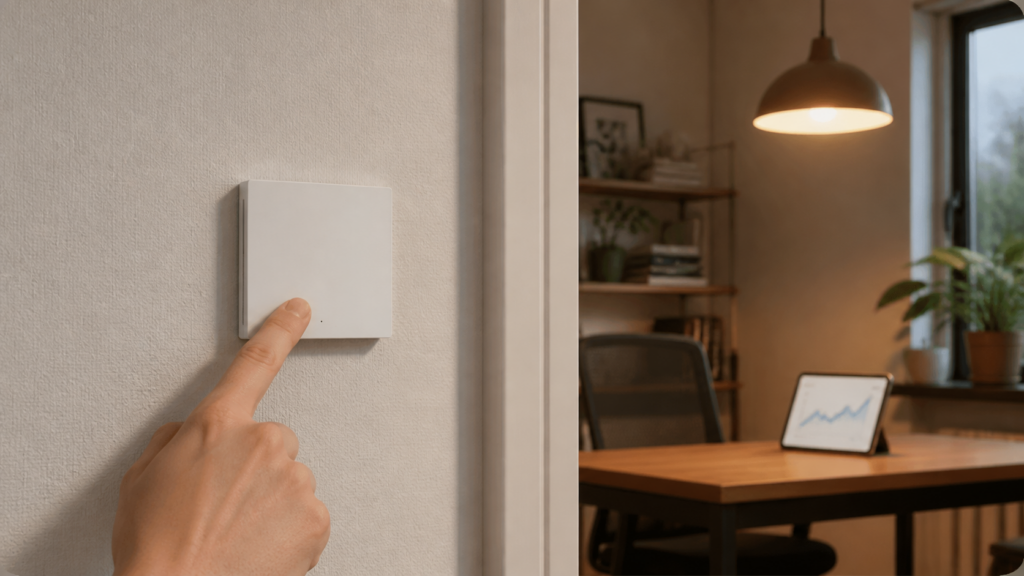
Aqara H1 EU (WS-EUK03) in Home Assistant Without the Aqara Hub
The WS-EUK03 is Aqara’s single-rocker H1 EU wall switch with neutral. Paired directly to a Zigbee2MQTT coordinator, it provides relay control, button actions, power readings and configuration controls to Home Assistant through MQTT.
This guide covers installation prerequisites, pairing, decoupled mode, an automation and the Energy dashboard. It also separates current behavior from older action-reporting issues, because state_action is often described as a fix for a problem it does not actually repair.
If you are deciding between integrations, the ZHA vs Zigbee2MQTT comparison covers the broader choices. The software reference here is Z2M 2.14.3 with converters 26.125.0, checked on 3 November 2026.
What You Need
- A supported Zigbee coordinator, a running Z2M installation, an MQTT broker such as Mosquitto, and Home Assistant’s MQTT integration with discovery enabled.
- The WS-EUK03, whose Zigbee model is
lumi.switch.n1aeu1. This is different from the no-neutrallumi.switch.l1aeu1. - Live, neutral and the required switched-load wiring, installed according to the exact device manual. The H1 EU supports suitable round European boxes and 86 mm square boxes; verify available space and the mounting arrangement.
- A compatible load within the model’s rating. Aqara lists no minimum load for the neutral version, with a maximum total load of 2200 W in its H1 FAQ. Use the unit’s label and local electrical requirements for installation.
The neutral conductor must be identified properly; wire color alone is not a sufficient installation check. If only live and load are available, see the H1 no-neutral guide. The direct Z2M setup does not need an Aqara app, account or hub for ordinary pairing and control.
Pairing the WS-EUK03 with Zigbee2MQTT
Open a temporary permit-join window in the Z2M frontend. Hold the rocker for more than eight seconds until the blue indicator flashes rapidly, then release and wait for the interview. Aqara’s H1 support instructions use this indicator-led procedure; a fixed five-second hold is not the documented instruction.
Confirm that the interview completes and resolves to WS-EUK03. Set a useful friendly name, such as kitchen_switch, and enable Z2M’s Home Assistant discovery. The new device should then appear under the MQTT integration.
If the interview fails, check the log, range, supported coordinator firmware and the reset indication. Reconfigure the device after a completed interview if its configuration step failed. The current definition writes the switch’s event mode during configuration. Repeatedly tapping the rocker is not a documented requirement for keeping this mains-powered model awake throughout every interview.
Entities You Get in Home Assistant
The WS-EUK03 reference and released definition expose the following. Home Assistant may group or disable some diagnostic entities differently, so treat the MQTT property as the stable reference.
| Property | Purpose | Practical note |
|---|---|---|
state |
Relay control | ON, OFF or TOGGLE via /set; current state can be read. |
power |
Instantaneous W | Can be read; reporting is not a promise of a fixed update interval. |
energy |
Cumulative kWh | Reported value; this definition does not expose /get for energy. |
device_temperature |
Internal temperature | Not a calibrated room sensor. |
operation_mode |
Button/relay relationship | control_relay or decoupled. |
action |
Physical click | single or double; use MQTT device triggers or raw MQTT. |
flip_indicator_light |
Indicator inversion | ON or OFF; changes the indicator’s relationship to relay state. |
led_disabled_night |
Night indicator setting | Boolean; the expose is not a user-defined night schedule editor. |
power_outage_memory |
Restore previous relay state | Boolean; choose the desired behavior after loss of power. |
power_outage_count |
Diagnostic counter | Number of outages since last pairing. |
Press each physical action once so Home Assistant can discover its MQTT device trigger. Z2M’s recommended trigger method is MQTT device discovery. Its optional event entities are experimental, and the old action sensor is deprecated; a permanently visible action sensor is not required.
Setting Decoupled Mode — and the Action-Not-Firing Bug
control_relay makes the rocker operate its relay. decoupled separates the button from that relay, letting an automation react to a physical press while keeping a connected smart light powered. The relay remains controllable through Z2M; decoupling is not an electrical isolation feature.
If the installed load is a compatible smart lamp, ensure its relay is ON and verify that the lamp remains powered before relying on button actions. Changing operation_mode alone does not turn an off relay on. Button-to-lamp automations require Home Assistant, the MQTT broker and Zigbee2MQTT to remain available; plan how the light will be operated if that chain is down.
Choose decoupled in the operation-mode control, or publish the first request below and then read it back:
Topic: zigbee2mqtt/kitchen_switch/set
Payload: {"operation_mode": "decoupled"}

Topic: zigbee2mqtt/kitchen_switch/get
Payload: {"operation_mode": ""}
Observe the relay and MQTT log while pressing the rocker. Look for "action":"single" or "action":"double" in zigbee2mqtt/kitchen_switch. This single automation can be pasted into the Home Assistant automation editor’s YAML view:
alias: Kitchen switch scene toggle
triggers:
  - trigger: mqtt
    topic: zigbee2mqtt/kitchen_switch
    value_template: "{{ value_json.action | default('') }}"
    payload: single
actions:
  - action: scene.turn_on
    target:
      entity_id: scene.kitchen_evening
mode: single
Replace both names for your installation. For automations.yaml, add it as a list item; do not wrap that included file in a second automation: key. The JSON-topic trigger avoids assuming that an extra /action topic is enabled under your output settings. A device trigger selected from Home Assistant’s UI is also suitable.
What state_action does. This optional Z2M setting additionally converts received on/off state reports into action: on or action: off. It does not synthesize missing single/double clicks. A decoupled button that sends no state change cannot be repaired merely by enabling it. Remote relay changes or reads may also produce these state actions, so they should not be mistaken for physical clicks.
If you intentionally need state actions, the device-specific configuration belongs directly under the device entry:
devices:
  '0x00158d0012345678':  # replace with the actual IEEE address
    friendly_name: kitchen_switch
    state_action: true
Restart Z2M after a file edit. Leave the option off unless an automation needs its extra on/off actions; it is not required for the single-click automation above.
Historical action reports. Issue #12365 reported missing actions on Z2M 1.25.1 with ConBee II; the author later reported that reconfiguring restored them. Issue #26095 reported the problem on Z2M 2.0.0 with ConBee II despite state_action: true; its author recovered after changing to a Sonoff coordinator. Another participant reported a similar recovery, while a later comment described mixed behavior among three units. These outcomes do not establish a universal firmware defect or a guaranteed configuration fix.
If clicks are absent, first separate a blank UI field from an absent MQTT message. Then confirm mode readback, run reconfigure, and check coordinator firmware and configuration logs. Save exact versions and diagnostics if the problem persists; replacing the coordinator should be an evidence-based troubleshooting decision.
Power Monitoring and the HA Energy Dashboard
The neutral H1 EU exposes W and kWh; the no-neutral WS-EUK01 does not. In Home Assistant’s Energy configuration, add the WS-EUK03’s cumulative energy sensor under Individual devices. It must have suitable energy units, device class and statistics state class to be selectable; the auto-discovered sensor normally supplies these.
Check the raw MQTT JSON before troubleshooting a dashboard: does energy appear, and does it increase while the connected circuit consumes power? If raw data advances but HA does not, inspect discovery and sensor statistics. If raw data stays at zero, changing a dashboard selection cannot manufacture a measurement.
Issue #16710 reported missing energy and decoupled actions on Z2M 1.30.1 with ConBee II. It closed after inactivity without a confirmed resolution. It is useful historical context, not proof that current converters omit the sensor: the released definition includes energy.
power_calibration is a percentage offset applied to subsequent power reports; power_precision can reduce displayed precision to 0–3 decimal places. These are Z2M device options, not writable hardware meter values. Adjust through device settings or the device configuration; publishing a calibration property to the ordinary device /set topic is not the documented mechanism. Check a reference before applying an offset.
OTA Updates via Zigbee2MQTT
The WS-EUK03 definition supports OTA. Use the Z2M OTA page to check for a matching image. Support for the mechanism and availability of a newer manufacturer image are separate questions; an empty result is not evidence of a broken relay or button.
Issue #19029 began with WS-EUK04 and QBKG32LM on Z2M 1.33.0, not a demonstrated universal WS-EUK03 failure. The final maintainer comment said no OTA image was available for the device being discussed and linked instructions for obtaining manufacturer OTA URLs. The issue closed as not planned.
If a matching update is offered, review its details, keep power stable and wait for completion. Transfer time varies; wall switches are not inherently slower than every battery device, and no fixed 10–15-minute duration is guaranteed.
WS-EUK03 vs WS-EUK01 vs WS-EUK04 — Which Should You Buy?
| Feature | WS-EUK01 | WS-EUK03 | WS-EUK04 |
|---|---|---|---|
| Neutral required | No | Yes | Yes |
| Rockers / circuits | Single | Single | Double |
| Zigbee routing | No repeater function | Check reported role | Check reported role |
| Power and energy | No | Yes | One combined meter, not per gang |
| Decoupled control | Yes | Yes | Per rocker |
| Physical actions | single / double | single / double | Left / right / both variants |
The no-neutral model cannot repeat Zigbee traffic. For neutral units, inspect the paired device’s reported Router/EndDevice role before counting it toward mesh coverage. A neutral connection supplies the electronics continuously, but is not itself a Zigbee role declaration. The Z2M device page or bridge/devices report records the actual role.
Use WS-EUK03 when the wiring supports it and you want one circuit with metering. Choose the WS-EUK04 for two circuits: its relay and operation-mode controls are per rocker, while its power/energy readings are combined. Use WS-EUK01 when neutral is unavailable and the load meets its requirements.
Frequently Asked Questions
Does the WS-EUK03 work without an Aqara hub?
Yes. A supported Z2M coordinator and local MQTT/HA setup can pair and control it directly. The Hub E1 guide covers an alternative hub-based path.
Why are actions missing in decoupled mode?
Check actual MQTT messages, mode readback and reconfiguration before assuming a firmware defect. The historical issues had different outcomes. state_action adds on/off actions from state reports and cannot recreate an absent physical click report.
Does it act as a router?
Check its reported role after pairing. Plan routing from that result; an EndDevice does not repeat traffic.
How do I add it to Energy?
Select the cumulative kWh sensor in the Energy configuration. Confirm its raw value advances and its statistics are valid if it is unavailable or flat.
Can a double-tap trigger another scene?
Yes. The definition supports double as well as single. Create a separate device trigger or change the example’s MQTT payload to double, then verify the physical event reaches HA.