

Aqara Curtain Motor B1 on Zigbee2MQTT: Local Setup & Calibration
I’ve had an Aqara B1 (model ZNCLDJ12LM) running my bedroom curtains for a while now, paired straight to a Zigbee2MQTT coordinator with no Aqara Hub anywhere in the chain. It works well once it’s calibrated. Getting there involves a step most setup guides skip, and once you’ve used it for a few months you’ll probably hit the drift bug that’s been kicking around the Zigbee2MQTT GitHub for years. I’ll cover the pairing, the calibration sequence, and the fix for the 99%/1% problem in one pass, because they’re really one continuous troubleshooting flow.
What the B1 is, and where it fits next to the Curtain Driver E1
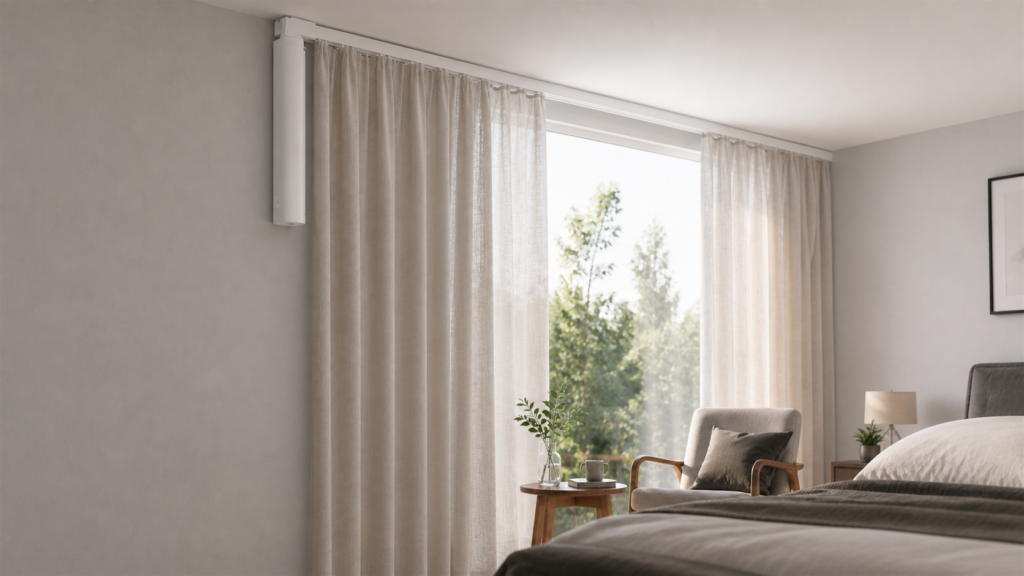
The B1 is a battery-powered curtain motor. It clips onto an existing curtain track and pulls the curtain along on its own integrated drive wheel rather than replacing the track itself. It charges over USB-C or runs off an optional DC power adapter, and Aqara rates it for curtains up to 40kg.
That’s the key physical difference from the Curtain Driver E1: the E1 is a rail-integrated motor built into a specific track system, while the B1 retrofits onto tracks you likely already have. If you’re starting from scratch and don’t mind replacing the track, the E1 is the cleaner install. If you’ve got existing curtain tracks and want to motorize them without ripping anything out, the B1 is the one to buy. Our Aqara Curtain Driver E1 local setup guide walks through the rail-integrated option if that’s the direction you’re leaning.
Both pair to Zigbee2MQTT independently of Mi Home or the Aqara Hub, which is the part that matters for this article.
Pairing the B1 to Zigbee2MQTT without the Aqara Hub
The B1 (ZNCLDJ12LM) is a supported Zigbee2MQTT device and joins your network like any other Zigbee end device. You don’t need an Aqara Hub anywhere in the setup. The same hub-free approach applies across the Aqara line, covered in our guide to running Aqara Zigbee devices without the hub.
- Put your coordinator in pairing mode. In Zigbee2MQTT’s frontend, hit “Permit join.”
- Trigger pairing on the B1. Hold the physical button on the unit until the LED starts blinking, following Aqara’s standard pairing sequence for the device.
- Confirm it shows up in the Zigbee2MQTT device list as
ZNCLDJ12LM. It’ll appear with a generic device name first. Rename it to something sensible in the frontend before you go further. It saves confusion later when you’re reading logs.
What success looks like: the device shows up in the Zigbee2MQTT frontend with a model identifier of lumi.curtain or similar under ZNCLDJ12LM, and you can see it publishing state to its MQTT topic.
The mandatory calibration sequence
This is the step that trips people up, and it’s also the step most reviews and forum threads gloss over. Skip it and the motor will only report binary open/closed state. It won’t accept or report intermediate positions like 40% or 65% — useful for a “fully open or fully closed” automation, useless for anything finer.
Calibration works like this:
- Publish the reset-limits command to the device’s
/setMQTT topic. On current Zigbee2MQTT releases the payload is{"options": {"reset_limits": true}}sent tozigbee2mqtt/<your-device-name>/set. Some Z2M versions also expose acalibratedboolean in the frontend that you can switch off and back on to trigger the same cycle. Check the exposed parameters on the device’s Zigbee2MQTT page if the key has shifted in your release — exposed parameter names do occasionally change between Z2M versions. - Run a full close-to-open cycle. Once calibration mode is active, drive the curtain from fully closed to fully open in one continuous motion (via the open/close command or physically). Give the motor time to finish each leg — a pause of roughly ten to fifteen seconds between the close and the open command avoids cutting the travel short.
- Let the motor exit calibration mode on its own. It does this automatically once it detects both end-stops — you don’t send a second command to end calibration.
What success looks like: after the cycle finishes, the position attribute in Home Assistant moves smoothly between 0 and 100 rather than just flipping between “open” and “closed.”
I found this step easy to miss the first time, because the motor will move and respond to commands without it. It just won’t give you real position control until calibration’s been run, which makes it look like it’s working fine until you try to set it to 50% and nothing happens.
Fixing the 99%/1% position drift problem
If you’ve been running the B1 for a few months, there’s a decent chance you’ve seen it stop at 99% instead of fully open, or 1% instead of fully closed, rather than landing cleanly on 0 or 100. This is a documented symptom on the Zigbee2MQTT GitHub (issue #17807) and the Home Assistant community, and it’s caused by the motor’s internal end-stop reference drifting slightly after repeated open/close cycles. Mechanical motors that re-detect their limits by sensing resistance or current draw are prone to this kind of gradual drift, and the B1 is no exception.
The fix is the same calibration sequence from the previous section. Run it again:
- Send the
reset_limitscommand on the/settopic. - Drive a full close-to-open cycle.
- Confirm the motor exits calibration automatically and reports clean 0/100 positions afterward.
this isn’t a one-time fix. If you’re running the B1 daily, expect to recalibrate every few months as the drift creeps back in. I treat it as routine maintenance rather than a bug I’m trying to root-cause, because the underlying cause — mechanical slop in the end-stop detection — isn’t something a firmware update is likely to eliminate.
Recalibrating after a power loss
If the B1 loses power for an extended stretch without battery backup (dead battery, unplugged DC adapter, extended outage), it can lose its calibrated end-stops entirely rather than just drifting. This is the same behaviour users report when running the motor without its battery installed. When it happens, the fix isn’t a quick recalibration nudge. It’s running the full sequence from scratch: send the reset_limits command, do the complete close-to-open cycle, and verify position reporting afterward.
If your B1 suddenly reports only open/closed instead of a percentage after being offline, that’s the tell. Don’t bother debugging the Zigbee2MQTT pairing or your Home Assistant config first — recalibrate, then check.
Known quirks: missing attributes and firmware variance
Some firmware and Zigbee2MQTT version combinations have reported missing state attributes on the B1: battery, motor_state, running, and voltage not showing up where you’d expect them in the device’s exposed entities (Zigbee2MQTT GitHub issue #19780). This isn’t universal. It’s been reported on specific combinations, not as a blanket failure of the device line, so don’t assume your unit is broken if a forum thread describes a problem you’re not actually seeing.
If you’re missing an attribute you expect to see, check your Zigbee2MQTT version against the device’s current exposes list before assuming hardware fault. Updating Zigbee2MQTT has resolved attribute-exposure gaps for other Aqara devices in the past, and it’s worth trying before more invasive troubleshooting.
Verifying it works
After pairing and calibration, confirm:
- The device reports a numeric position (0–100), not just open/closed.
- Setting an intermediate position (say, 50%) via Home Assistant’s cover entity actually moves the curtain to roughly the midpoint, not just to one end.
- Position reporting is consistent across several open/close cycles without the 99%/1% drift showing up immediately. (Drift develops over time, so this is a baseline check, not a guarantee.)
If your curtain runs the wrong way — opening when you command close — the device exposes an invert_cover option in Zigbee2MQTT that flips the direction without you having to remount the motor.
Frequently asked questions
Does the Aqara B1 curtain motor work without the Aqara Hub?
Yes. The B1 pairs directly to a Zigbee2MQTT coordinator and operates entirely locally, without the Aqara Hub or Mi Home cloud involved at all.
Why does my Aqara B1 stop at 99% instead of fully opening?
The motor’s internal end-stop reference has drifted after repeated open/close cycles. Rerun the calibration sequence (the reset_limits command followed by a full close-to-open cycle) to fix it.
How do I recalibrate the Aqara B1 curtain motor in Zigbee2MQTT?
Publish {"options": {"reset_limits": true}} to the device’s /set MQTT topic, then drive the curtain through a complete close-to-open cycle. The motor exits calibration automatically once it detects both end-stops.
What’s the difference between the Aqara B1 and the Curtain Driver E1?
The B1 is a battery-powered motor that clips onto an existing curtain track. The E1 is rail-integrated, built into its own track system. Pick the B1 if you’re retrofitting existing tracks, the E1 if you’re installing a curtain motor from scratch.
Does the Aqara B1 need a neutral wire or mains power?
No. It runs on a rechargeable battery charged via USB-C, with an optional DC power adapter for permanent power. There’s no mains wiring or neutral-wire requirement involved.
Once the B1 is calibrated and reporting position cleanly, it’s a low-maintenance addition to a local-only setup. The main thing to remember is that the calibration step isn’t optional, and that recalibration is routine maintenance rather than a sign something’s gone wrong. If you’re setting up other Aqara or Xiaomi devices on the same local-only Zigbee2MQTT setup, the broader pairing and network approach carries over directly — including how to keep them reachable across an IoT VLAN in Home Assistant.