

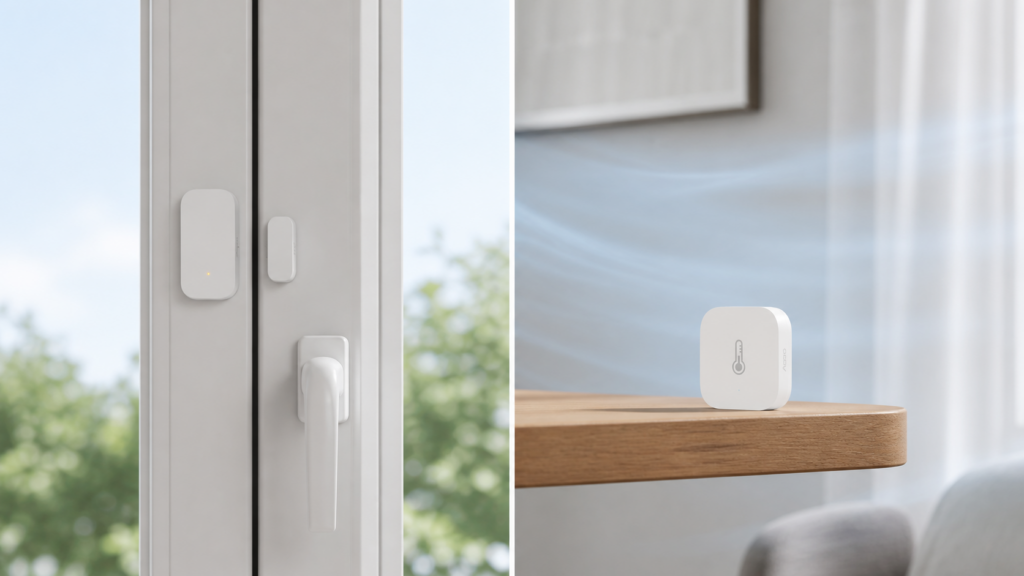
You add a motion sensor or a door contact to Zigbee2MQTT, glance at the entity list in Home Assistant, and spot something called device_temperature sitting at 31°C. Your living room is not 31°C. Either the sensor is broken, or something about the reading isn’t what it looks like.
It’s the second one. device_temperature and temperature are two different Zigbee attributes with two different jobs, and Zigbee2MQTT exposes whichever one a device actually implements without explaining the difference on the entity itself. Most of the devices that trip this up (motion sensors, contact sensors, plugs) don’t have an environmental sensor at all. The number you’re looking at was never meant to describe the room.
Two different Zigbee clusters, two different jobs
This applies whether you’re on Zigbee2MQTT or ZHA. Both read the same underlying Zigbee clusters off the device. Entity naming in the frontend or Home Assistant may differ slightly, but the concept underneath is identical.
Zigbee organizes what a device can report into clusters, standardized groups of attributes defined by the Zigbee Cluster Library (ZCL). Two of them are relevant here, and their names alone explain most of the confusion.
- Device Temperature Configuration (cluster 0x0002) reports the temperature of the device’s own internal circuitry. Zigbee2MQTT exposes this as
device_temperature. It exists for hardware self-monitoring, not for telling you what’s happening in the room. - Temperature Measurement (cluster 0x0402) is what a dedicated environmental sensor implements. Zigbee2MQTT exposes this as
temperature, and it’s the one that actually tracks ambient conditions.
The clearest public statement of this is a Zigbee2MQTT discussion thread titled “Xiaomi RTCGQ11LM motion sensor does not expose temperature anymore?”, where a user who had been using motion sensors for rough room temperature asks where the reading went. These are separate clusters serving separate purposes, and a device only exposes the ones it implements. If a motion sensor, contact sensor, or plug never had a Temperature Measurement cluster to begin with, the chip-temperature reading is all there ever was.
Why device_temperature exists at all
The Device Temperature Configuration cluster isn’t a mistake or a repurposed attribute. It’s a genuine part of the ZCL spec, intended for thermal self-protection and diagnostics on the chip itself, the kind of thing a device’s firmware might use internally to throttle radio activity or flag overheating, not something meant for a dashboard widget.
That’s also why the numbers look off if you assume it’s room temperature. Radio transmission generates heat, and a chip sitting inside a small plastic enclosure runs warmer than the air around it. A device_temperature value that sits several degrees above what your thermostat reports, and shifts a little when the device is transmitting more (say, a motion sensor triggering repeatedly), is expected chip behavior. It isn’t sensor drift and it isn’t a fault.
Which device types expose which attribute
Device category is a decent first guess, and it’s wrong often enough that you shouldn’t build on it. The table below is where to start, not where to stop.
| Device type | What Zigbee2MQTT typically exposes | What it actually measures |
|---|---|---|
| Motion sensors, contact/door sensors, smart plugs | device_temperature, or nothing temperature-related at all |
Internal chip temperature. No environmental sensor is present. |
| Dedicated temperature/humidity (and sometimes pressure) sensors | temperature, often alongside device_temperature |
A genuine environmental reading, plus the chip diagnostic value on some models. |
| Anything not listed above | Check the device’s own Zigbee2MQTT reference page | The exposed attribute list varies by model and firmware. Don’t assume from device category alone. |
That middle row is the important contrast case, and it’s where the two attributes appear side by side. Aqara’s T1 temperature, humidity and pressure sensor (WSDCGQ12LM) exposes temperature as a real ambient reading and device_temperature as the chip diagnostic, on the same device. One device, both attributes, two entirely different measurements.
The same product line, two different answers
Here’s the part I’d want to know before trusting any rule of thumb. The Aqara door/window sensors are a single product line, one generation apart, and they don’t agree with each other.
The original MCCGQ11LM exposes six entities, and device_temperature is one of them. It reports the chip’s temperature, there is no Temperature Measurement cluster on the device, and no amount of configuration will produce an ambient reading from it. That’s the classic case this article is about.
Its successor, the T1 MCCGQ12LM, exposes three: contact, battery, and voltage. device_temperature isn’t a misleading reading on the T1, it simply isn’t there. Aqara dropped it, along with power_outage_count and trigger_count, when the line moved to Zigbee 3.0.
Same brand, same function, same job on a door frame, and the answer flips between generations. Category-level reasoning would have told you both are contact sensors and both behave the same way.
When device_temperature disappears entirely
There’s a second, unrelated failure mode worth distinguishing from the chip-temp confusion above. device_temperature can go N/A and stay there. A documented Zigbee2MQTT GitHub issue describes an Aqara smart wall outlet (the T1 generation) where device_temperature, along with power, energy, voltage, and current, all went entirely N/A due to a device-side reporting fault. That’s not chip temp standing in for room temp, it’s the device failing to report the attribute at all.
Don’t confuse the two failure modes. A high but stable device_temperature reading (mid-20s to mid-30s°C, moving a little with activity) is normal chip behavior. A device_temperature entity that shows N/A, or that flatlines at a single value indefinitely regardless of device activity, points to a reporting fault on the device side, not a misunderstanding of what the attribute measures.
How to check what your specific device actually exposes
Before assuming any Zigbee device measures room conditions, look up that exact model on the Zigbee2MQTT device reference site. Each device page lists its exposed attributes. If temperature (not device_temperature) appears in that list, the device has a genuine environmental sensor. If it doesn’t, no configuration or automation template will produce an ambient reading.
You can also read it straight off MQTT. Subscribe to the device’s topic and compare what arrives against what you expected.
// contact sensor: chip diagnostics only, no ambient
{"battery": 100, "contact": true, "device_temperature": 31, "voltage": 3005}

// temperature sensor: ambient reading AND the chip value
{"battery": 100, "temperature": 21.8, "humidity": 54.3,
 "pressure": 1006, "device_temperature": 24, "voltage": 3015}
This matters most for automations. Feed a device_temperature value into a thermostat trigger and you get numbers that track chip activity and enclosure heat, not the room, and the automation misbehaves in ways that look unrelated to temperature. For automation logic, use a device whose reference page confirms a temperature attribute.
I think the naming does most of the damage here. device_temperature parses naturally as “the temperature from this device” when what it means is “the temperature of this device,” and that one-word ambiguity is doing more work than any amount of documentation is going to undo.
If a reading looks wrong in some other way, jumping around, flat-lining, or reporting on a schedule that doesn’t match the device’s actual activity, that’s a different problem with a different explanation. Our guide to debounce, throttle and filtered attributes covers why attribute updates can look filtered or delayed regardless of which cluster they come from. And if it’s battery level rather than temperature that’s confusing you on the same device, the battery entity has its own quirks, including first reports that can take up to a day to appear.
FAQ
Why does my Zigbee2MQTT sensor show 30°C+ indoors?
You’re most likely reading device_temperature, the internal chip temperature, not an ambient reading. This is expected on motion sensors, contact sensors, and plugs, which typically don’t have a separate environmental sensor at all.
What is device_temperature in Zigbee2MQTT?
It’s Zigbee2MQTT’s exposure of the ZCL Device Temperature Configuration cluster (0x0002), a standard Zigbee attribute for the device’s own internal circuitry temperature, used for hardware diagnostics and thermal self-protection.
Is device_temperature the same as room temperature?
No. Room temperature, when a device measures it at all, comes from a separate Temperature Measurement cluster (0x0402), exposed as temperature. Many device categories, motion sensors, contact sensors and plugs among them, only implement the chip-temperature cluster and have no way to report ambient conditions.
Can a device expose both temperature and device_temperature?
Yes, and dedicated environmental sensors often do. The Aqara T1 WSDCGQ12LM reports temperature as ambient and device_temperature as the chip value on the same device. Seeing both is normal, and they will not agree with each other.
Why did my Xiaomi/Aqara motion sensor’s temperature reading disappear?
If it changed from a temperature entity to a device_temperature entity (or vice versa) after a Zigbee2MQTT update, that generally reflects a correction in how the converter reports what the hardware actually implements, not a hardware change. Check the device’s current Zigbee2MQTT reference page for the accurate attribute list.
Can I use device_temperature in a climate automation?
Not for anything that needs to track room conditions. It reflects chip heat and radio activity, and will produce misleading automation behavior if treated as ambient temperature. Use a device with a confirmed temperature attribute instead.
What this piece verified
This is a protocol-and-attribute-semantics explainer, not a hands-on device test, and no new hardware claims are made here. The distinction between the two clusters, and the reasoning that device_temperature reflects chip self-heating rather than room conditions, comes from a Zigbee2MQTT discussion thread whose title and framing were checked directly for this piece. The N/A-reporting-fault example on the Aqara smart wall outlet comes from a separate, specific GitHub issue, kept distinct from the chip-temperature concept rather than blended into it.
The per-model claims were checked against the Zigbee2MQTT device pages and this site’s own published coverage: MCCGQ11LM exposes device_temperature among six entities, the T1 MCCGQ12LM exposes only contact, battery and voltage, and the T1 WSDCGQ12LM exposes ambient temperature and device_temperature together. One limit worth stating plainly: that last finding is confirmed for the WSDCGQ12LM specifically, and the original WSDCGQ11LM’s documented attribute list doesn’t include device_temperature, so treat “the WSDCGQ family does X” as unverified either way.
On your own setup, don’t trust the device category, and after the door sensors above, don’t trust the product line either. Check the specific model’s Zigbee2MQTT reference page for the exact attribute list. Firmware and converter versions occasionally change what gets exposed, and that page is the ground truth for your hardware as of whatever Zigbee2MQTT version you’re running.