

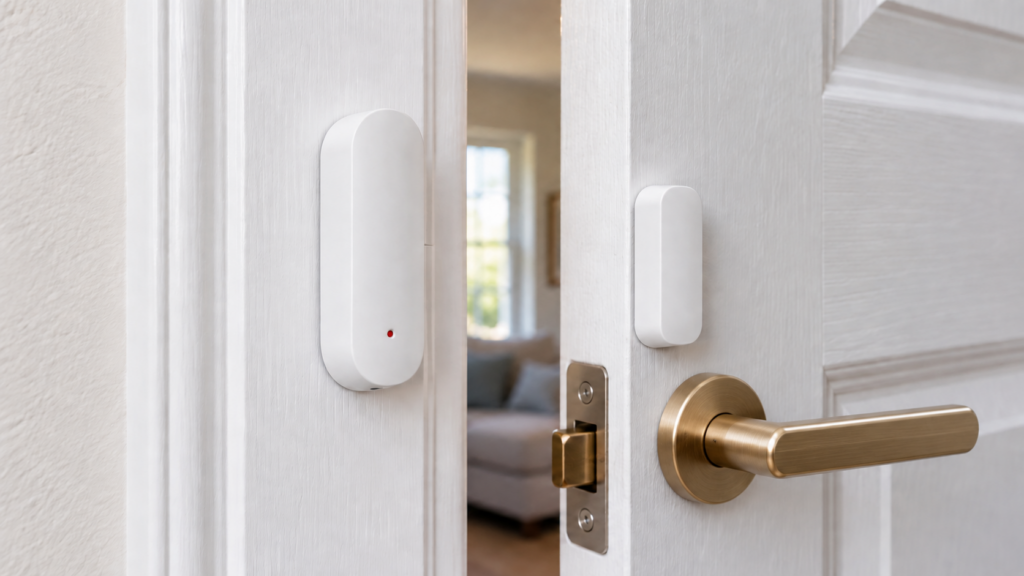
TS0203 appears on several Tuya-based Zigbee contact sensors. With Zigbee2MQTT, a supported unit joins your own coordinator without a Tuya or Smart Life account. The model string alone doesn’t establish its shell, battery type, optional features or manufacturer variant.
Some units were reported as switching to “closed” while the door remained open. A converter fix is documented in Zigbee2MQTT 2.4.0, released on 1 June 2025. Check the installed software and the unit’s manufacturer string, then test a sustained open state; an old bug report is not proof that every current TS0203 is faulty or that every new installation is reliable.
What the TS0203 Is (and What It’s Sold As)
The ordinary contact-sensor form has a sensor body and magnet. The TS0203 device page lists CR Smart Home TS0203, Tuya iH-F001, Tesla Smart TSL-SEN-DOOR and Cleverio SS100 as white-label names. That indicates a shared software definition, not proof of identical hardware in every box.
TS0203_1 is a separate door-sensor-with-scene-switch definition. Its current fingerprint includes _TZ3210_jowhpxop, and it exposes single, double and hold actions. Check the selected model and manufacturer string before applying the ordinary TS0203 feature list to it.
Pairing and What It Exposes in Zigbee2MQTT
Open permit-join on your Zigbee2MQTT network and follow the exact unit’s pairing instructions. For the sensor pictured on the main TS0203 page, Z2M documents holding the side reset pinhole for about five seconds until the red light blinks. Other shells can use a different button or LED. Close permit-join after the device joins and completes its interview.
The main definition has reported contact and battery state rather than writable contact controls. Its released converter makes some optional exposes conditional on manufacturer name. Use your frontend’s Exposes panel for the actual unit.
| Property | Meaning | What to check |
|---|---|---|
| contact | true = closed; false = open in Z2M’s MQTT state | Test both positions; the HA door entity can display the state differently |
| battery | Percentage, 0–100 | The first report can take up to 24 hours; reported estimates can be inaccurate |
| voltage | Reported battery voltage in mV | A useful diagnostic, but not an independent physical measurement |
| tamper | Reported tamper flag, where supported | Some manufacturer variants omit it; confirm the physical mechanism |
| battery_low | Device-reported low-battery flag, where supported | Some variants omit it; don’t assume it is computed from the displayed percentage |
| linkquality | Quality associated with received Zigbee messages | Not a promise that the contact state or battery estimate is correct |
This is an illustrative payload for a variant with the optional flags, not a captured test result. Your friendly name and available properties can differ:
{
  "contact": true,
  "battery": 92,
  "voltage": 3045,
  "tamper": false,
  "battery_low": false,
  "linkquality": 84
}
The Fake-Contact Bug: What’s Actually Happening
Discussion #25874 collects reports of an open sensor becoming closed without movement. In issue #27269, the reporter reproduced roughly hour-long behavior on _TZ3000_x8q36xwf units, including replacements and two Z2M 2.2.1 installations. The headline interval was 1 hour 2 minutes 59 seconds, with variations in later tests. Treat that timing as the report’s observation, not a timer every TS0203 must follow.
The useful evidence is the debug log and 10 May 2025 converter fix. IAS Zone attribute reports without zoneStatus were being converted into a contact result. The change checks that the field exists before updating contact state. This repairs that software path; it does not certify all variants, batteries or mounting positions.
A false closed state can defeat an open-door alert while other reports still arrive. Healthy-looking battery or link-quality values don’t establish that the contact state is right. Verify the raw open/closed transitions and a prolonged open period before relying on a routine.
Checking the manufacturer string
Look for the manufacturer name/string such as _TZ3000_x8q36xwf in the device information or zigbee2mqtt/bridge/devices. This is different from the numeric Zigbee manufacturer code. It helps the converter choose a fingerprint, but isn’t a guarantee of one production batch or identical firmware. Our TS0202 variant guide explains the same identification issue.
| Manufacturer string | Historical report |
|---|---|
| _TZ3000_bpkijo14 | False closed state reported in discussion #25874 and issue #27269 |
| _TZ3000_x8q36xwf | False closed state reproduced in issue #27269 |
| _TZ3000_0hkmcrza | Participants reported no such problem; this is not a guarantee for every unit |
| _TZ3000_6zvw8ham | The issue reporter described two working units; again a limited observation |
A different string is untested by those particular reports, not automatically safe or affected. The fix changed general IAS report conversion rather than simply adding two manufacturer strings to a whitelist.
What to Do If You’re Affected
Zigbee2MQTT 2.4.0 explicitly lists the #27269 contact fix. The converter bundled with current stable 2.14.2 still checks for a present zoneStatus before using the attribute report. There is no need to guess whether an unspecified “mid-2025 update” carried it.
- Record the manufacturer string, selected definition, Z2M/converter version and any external converter overriding it.
- If your installation predates the fix, back up its data and follow the current stable upgrade instructions, including intervening breaking changes. Updating software is separate from flashing the sensor.
- Open and close the door while watching raw MQTT state. Confirm the magnet alignment and repeat the test at the installed position.
- Leave it open for at least a couple of hours under observation and check for an unexplained closed publication. This is a useful check for the reported pattern, not a lifetime reliability test.
- If a current, matching converter still shows the fault, capture debug logs around the false transition and compare them with the issue. Report the exact variant and versions; don’t hide the fault with an automation that assumes closed is always correct.
Different variants and sellers can share the TS0203 name. If you are buying replacements, ask for the exact hardware specification and return terms; a familiar listing photo doesn’t reveal the Zigbee manufacturer string.
Battery Reporting Notes
Issue #21611 reports some TS0203 readings returning to 1% after a new battery, temporary renaming or a button press. Discussion #17337 includes 2500 mV and 1% reports with a new cell. These are reports from particular units and older software, not a defect established across the whole family.
The current main TS0203 converter includes a voltage-to-percentage calculation. Percentage and voltage therefore need not be independent checks on each other, and both depend on what the device reports. Compare them with behavior and, when needed, a suitable battery check. See how Zigbee battery estimates work. Renaming is not a demonstrated battery repair.
Z2M says battery percentage can take up to 24 hours to appear. Its main TS0203 page does not establish one cell type for every shell. Read the battery marking and the exact product manual before buying spares; do not assume every TS0203 uses CR2032.
FAQ
Why does my door sensor show closed while it is open? Check mounting and the raw MQTT transition, then compare the selected converter and software version with the documented missing-zoneStatus fix. Similar timing alone doesn’t prove that is your fault.
Is TS0203 reliable on a current release? The documented software fix is present, but the family name cannot establish your unit’s reliability. Test the actual sensor and route, including a prolonged open state.
What is the TZ3000 identifier? A manufacturer string used in device identification and converter matching. Keep it with the model and firmware information; it isn’t the same as the numeric manufacturer code.
Do I need a Tuya or Smart Life account for Z2M? No. A supported Zigbee sensor joins your coordinator directly. Tuya Wi-Fi/local-key workflows and Smart Life’s cloud/data behavior are separate.
Is TS0203_1 the same as TS0203? It is a separately matched door sensor with scene-switch actions. Confirm its fingerprint and actual exposes before applying the ordinary contact sensor’s feature list.
Evidence and testing limits
The device properties come from Z2M’s pages and the released converter; the false-contact mechanism is backed by the linked issue logs, fix commit and 2.4.0 release note. Variant and battery observations remain participant reports. No TS0203 was bench-tested for this article. Local Zigbee operation removes the vendor-account dependency, but it does not remove the need to verify the sensor’s reported state.