

Aqara or Xiaomi “region lock” can refer to several different problems: activating a product in a vendor app, finding devices on the right cloud server, or using a regional hardware variant. None of those should be confused with whether an independent Zigbee coordinator can join and recognise a particular device.
This guide separates the vendor account path from direct Zigbee2MQTT/ZHA pairing, then covers the account steps that still matter for some BLE sensors and cameras. It uses vendor policies, integration documentation, released converter definitions and primary device reports. No imported device was paired or tested for this article.
What the vendor region restrictions cover
Aqara’s Product Activation Region Policy says products are designed for activation and use in supported regions associated with their original sales market. Outside those regions, functionality or service availability may be limited. Check the supported region before buying a hub or another product that needs the Aqara app.
The policy does not describe an account-region check in Zigbee2MQTT or ZHA pairing. It also does not certify that every imported product works with those projects. Its silence on that route is not a universal compatibility guarantee.
Xiaomi’s official Home Assistant project documents separate cloud device lists for mainland China (中国大陆), Europe, India, Russia, Singapore and the US. Select the server where the devices are registered. A list changing when you select another region does not mean the device’s radio changed or that it was moved into the other account/server group.
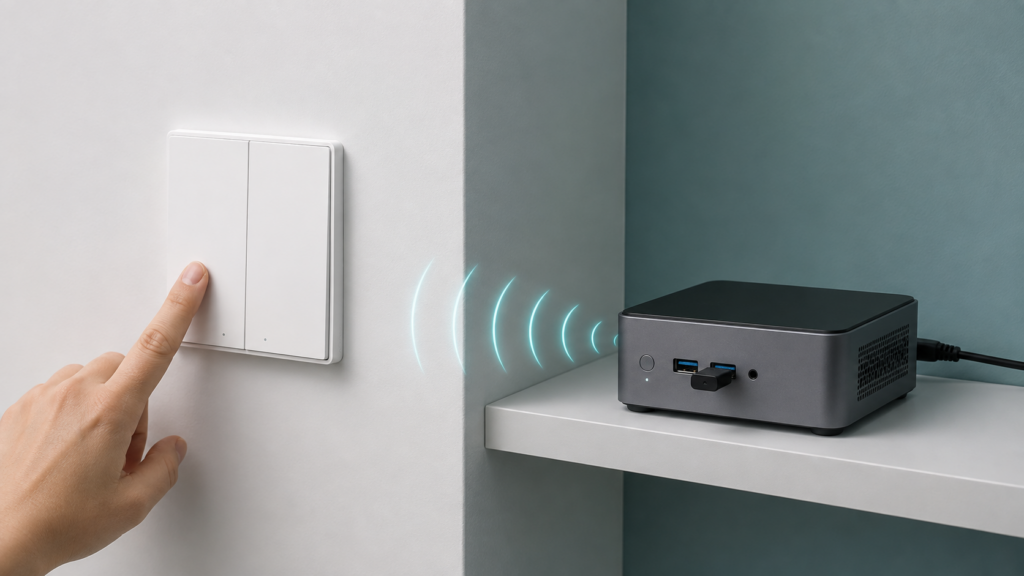
A direct Zigbee end-device setup uses an independent coordinator. A vendor hub, Wi-Fi camera or app-controlled setup may require account authorization and supported-region activation. HomeKit or Matter bridging is another route with its own provisioning and device-exposure requirements; it does not automatically remove a hub’s vendor setup restrictions.
Which Aqara and Xiaomi devices actually need a hub explains that distinction. The question is which exact hardware and integration path you intend to use, rather than whether everything carrying either brand is region-free.
What happens during a direct Zigbee join
In Zigbee2MQTT’s pairing flow, you enable joining and put the device into its model-specific pairing mode. The coordinator accepts the join and interviews it. ZHA similarly uses a supported coordinator and its Add device flow. Neither documented route requires entering an Aqara or Xiaomi account region for the joining device.
This establishes a local coordinator/device workflow, not a promise about every manufacturer’s firmware. A product must actually support the selected Zigbee mode, complete its interview and have suitable device handling. Some multiprotocol products can instead be in Thread mode; enabling Zigbee joining does not make a Thread device join that network.
When troubleshooting, distinguish no join, an incomplete interview, and a successful interview with missing controls. Those lead to different checks. Account-region changes are not a substitute for the correct reset/pairing procedure, adequate radio coverage or a compatible converter/quirk.
A reported case: China-market switches in Singapore
The August 2025 “Unable to detect Aqara D1 Switches from CN” thread describes a Singapore user with switches bought from China and no Aqara hub. One three-gang switch initially joined Zigbee2MQTT; the user later reported two more three-gang switches and one single-gang switch joining. Other units remained troublesome.
Replies discuss wiring/function checks, pairing mode and distance or router placement. The user reports holding a D1 button until its indicator changes to blue. Use the instructions for your exact switch rather than assuming that procedure applies to every Aqara model. For mains products, pairing advice does not replace correct electrical installation.
This is one reported installation with mixed results, not a controlled cross-region test. It supports the narrower point that those China-market devices could join an independent mesh in Singapore; it does not prove universal support or identify the unresolved units’ cause.
Check the exact model and device definition
A device can join successfully and still lack useful controls if the integration does not recognise its model or implement its features. Zigbee2MQTT uses model identifiers and, where needed, manufacturer/fingerprint details to select a converter. ZHA has its own device handling and quirks; support in one project is not proof of identical support in the other.
China-market identifiers are useful to check, but an acn fragment is not a complete compatibility test. Three examples show why the actual definition and installed version matter:
- The H1 Pro triple-rocker switch reports
lumi.switch.n3acn1. Zigbee2MQTT’s QBKG32LM definition supports that identifier; it is present in the converter release used by Zigbee2MQTT 2.14.2. - The Skylight H1 report identifies
lumi.light.acn015and documents an external definition on Zigbee2MQTT 2.7.1 with working on/off, brightness and colour temperature. That report is evidence for that setup, not a promise that every feature has built-in support. - The C4 curtain-controller discussion reports
lumi.curtain.acn010, an external converter and remaining control/position questions. A shared product name or generated converter does not establish complete support.
Search the supported-devices list for the exact retail model, then compare its definition with the identifier your unit actually reports. For an unsupported device, save the interview/model/manufacturer information and check the project’s current support instructions. A local external converter may add functionality, but assess its source and version compatibility before installing it.
An international model’s listing does not establish support for a different China-market unit. Conversely, a China-style identifier is not proof that the unit is unsupported. Check the exact definition, controls and firmware rather than using the sales-region label alone.
Where account region still matters
Xiaomi BLE bindkeys are a separate issue from Zigbee joining. Home Assistant’s Xiaomi BLE documentation says some MiBeacon devices encrypt their broadcasts. Encrypted v4/v5 broadcasts use a 16-byte bindkey; not every device using those protocol versions necessarily needs the same setup.
One way to get the key is the Xiaomi account to which that sensor is bound, using the appropriate region or a cloud extractor. On specifically supported sensors, Telink tools can generate a bindkey locally and also offer alternative firmware. Custom firmware is therefore not the only possible alternative to a cloud lookup. Check the exact model and tool instructions: activating through such a tool can stop Mi Home recognising the sensor until it is removed and re-added.
Once a suitable key is configured, Home Assistant can decrypt the sensor broadcasts locally. That describes the reading path, not a guarantee that every other gateway/app path is offline or that a later reset/activation can never require a changed key. Bindkey versus custom firmware covers the choices, and our Cloud Tokens Extractor guide covers account-login problems.
Cameras use another mechanism. go2rtc’s native Xiaomi source documentation says each connection needs internet access to obtain encryption keys, while the camera connection is local. It supports accounts and cameras from multiple regions; the configured camera source must use the correct account/region details.
This is local video with an internet-dependent key step, not an air gap. The documentation does not by itself establish which camera-specific firewall block causes a failure in every model. Check both go2rtc’s key-fetch path and the camera’s own requirements, and test a fresh connection after applying restrictions. Not all cameras are supported. Our go2rtc camera guide covers that setup.
Regional hardware is a separate consideration
| Scenario | Region/account consideration | Local path and limits |
|---|---|---|
| Aqara app/hub activation | Check supported sales regions and vendor activation policy | Vendor setup/services may be required; subsequent control depends on the route |
| Direct Zigbee2MQTT/ZHA join | No vendor account-region field in the documented join flow | Local radio join; exact protocol, interview and device support still matter |
| China-market Zigbee identifier | Check the actual model/manufacturer definition, not just the region label | Can be built-in supported, partially supported or need additional handling |
| Encrypted Xiaomi BLE bindkey | Cloud retrieval uses the bound account; supported models may have local key/firmware options | Broadcast decoding is local once the correct key is configured |
| Xiaomi/Mijia camera through native go2rtc | Correct account/region and internet-dependent per-connection key retrieval | Camera connection local; not every model is supported |
| Regional Aqara smart-plug model | Electrical shape/rating and sales-region support are separate from coordinator setup | Verify the exact Zigbee definition and suitable electrical use |
The EU SP-EUC01, US ZNCZ12LM and mainland China T1 ZNCZ15LM (智能插座 T1) are different smart-plug models, with separate Zigbee2MQTT definitions. Their plug/socket shape and electrical ratings also matter. Aqara publishes EU specifications and mainland T1 specifications; check the label/manual on the exact unit before connecting a load.
All three have a documented Zigbee2MQTT route; that does not mean their hardware, firmware, pairing instructions or exposed features are identical. Changing an app region cannot change a plug’s voltage/load rating. The smart-plug comparison covers identification, and the Aqara/Xiaomi lineup comparison discusses similar-looking or rebadged models.
Keep three questions separate when buying imported equipment: will the vendor service activate it, does the intended integration support the exact variant, and is the hardware suitable for the installation? An answer to one does not settle the others.
FAQ
Does Aqara/Xiaomi region lock stop pairing to Zigbee2MQTT or ZHA?
The documented direct join does not require an Aqara/Xiaomi account region. That is different from vendor activation and is not a universal firmware/support guarantee. Check whether joining, interview or device handling is actually failing.
What’s different about a China-market unit?
Possible differences include electrical hardware, supported vendor regions, firmware and the reported Zigbee identifier. Check each for the actual model; the name and an acn suffix alone do not establish compatibility.
Do I need a China-region Xiaomi account for a China-market Zigbee device?
Not for the documented independent Zigbee join itself. A vendor-hub route or a separate cloud step has its own account/server requirements. BLE bindkey and camera-key retrieval are different architectures, not steps in a Zigbee join.
Does region lock affect Xiaomi BLE sensors in the same way?
Encrypted BLE broadcast decoding needs a suitable key. Cloud retrieval uses the bound account/region; some exact models have local key tools or alternative firmware. See the bindkey guide.
Can I use an Aqara hub bought for another region?
Check Aqara’s activation policy and the hub’s supported regions before purchase. The policy warns of limited functionality/services outside supported regions. A working direct Zigbee end device does not establish that an imported vendor hub will activate or expose everything through HomeKit/Matter.
What to verify before buying or troubleshooting
The vendor policy establishes supported-region conditions; the integration documents establish account/server choices and the local join/read paths. The D1, Skylight and C4 reports describe particular users’ results, with their limitations preserved. Released converter definitions provide stronger evidence for exact built-in support than a product-family name.
Record the retail model, radio mode, reported identifier and installed integration version. Confirm the controls you need after pairing, and keep electrical suitability separate from software support. No bench test here establishes compatibility for every imported Aqara/Xiaomi product.