

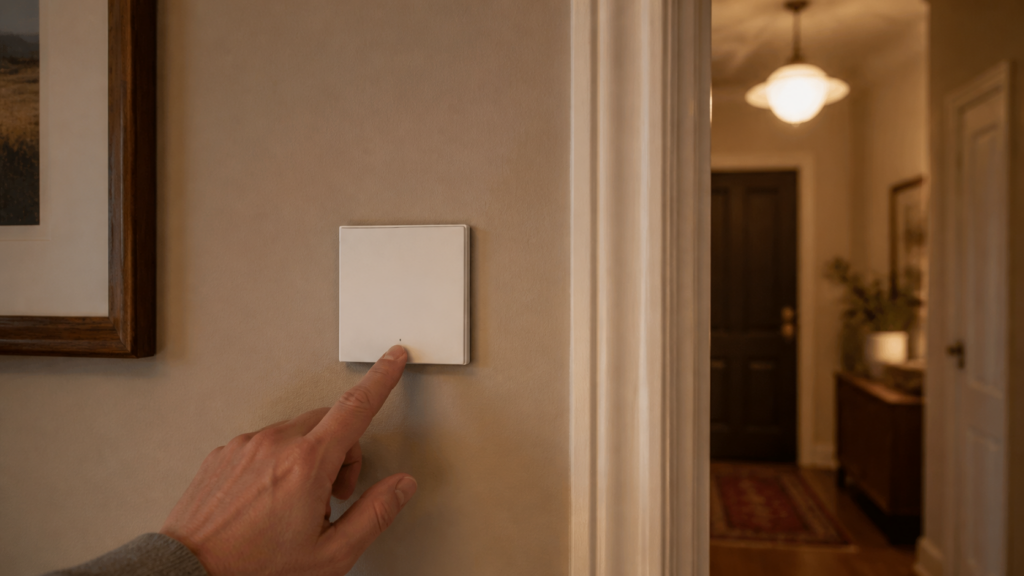
Aqara H1 EU No-Neutral Switch (WS-EUK01) in Home Assistant via Zigbee2MQTT
The WS-EUK01 is the variant most EU homes actually need: a single-rocker wall switch that works without a neutral wire. Old construction, junction boxes that only have live and load, no blue wire to bring home — the WS-EUK01 is designed for exactly that situation. You can pair it directly with Zigbee2MQTT and Home Assistant, no Aqara hub required.
But there are a few things worth knowing before you start. The no-neutral design comes with trade-offs (LED flicker being the most visible one), and there are confirmed bugs in Z2M around decoupled mode and operation_mode changes that will catch you out if you don’t know they’re there. This guide covers pairing, entity mapping, the anti-flicker setting, decoupled mode, and the three bugs I’ve spent time working around.
If your wiring does have a neutral wire, you want the single-rocker H1 EU with-neutral switch (WS-EUK03) instead. The with-neutral variants avoid most of what this guide covers, and the closest published walkthrough is the WS-EUK04 double-rocker guide, which shares the with-neutral entity set.
What you need
- A Zigbee2MQTT coordinator already paired with Home Assistant. If you’re still deciding between integrations, see ZHA vs Zigbee2MQTT for Aqara devices.
- A Zigbee2MQTT instance running version 1.34 or later (entity naming changed before that)
- The WS-EUK01 installed in a box with only L (line) and load wires, no neutral
- A compatible load: the switch draws a small standby current through the connected bulb to power its own circuitry. More on this below.
No minimum hub firmware, no Aqara app, no account. The WS-EUK01 speaks Zigbee 3.0 natively and Z2M knows it by model code lumi.switch.l1aeu1.
Pairing the WS-EUK01 with Zigbee2MQTT
Put Z2M into pairing mode first, then on the switch itself: press and hold the front button for approximately 10 seconds. The LED will blink blue rapidly, then stop blinking. Release the button. Z2M should interview the device within 30–60 seconds.
If it doesn’t appear after 60 seconds, try again, and hold until you see the rapid blue blink, not just a single flash. A single flash at around five seconds means you’ve reset the relay state, not triggered pairing mode. The 10-second hold is longer than it feels.
Once interviewed, the device appears as a single entity group in Z2M with the friendly name you assigned.
Entities you get — and what’s missing
The WS-EUK01 exposes a specific set of entities in Z2M:
state— the relay on/off stateoperation_mode—control_relay(normal) ordecoupled(button press doesn’t actuate relay)mode_switch—anti_flicker_modeorquick_mode(unique to no-neutral variants)action— reportssingleordoubleclick eventsflip_indicator_light— inverts the indicator LED behaviourpower_outage_memory— whether the switch restores its last state after power lossled_disabled_night— dims the indicator between set hourspower_outage_count— counter incremented each time power is cutdevice_temperature— internal temperature
What’s absent: there are no power (W) or energy (kWh) entities. Those require a neutral connection to measure return current. If you need energy monitoring at the switch, you’re looking at the with-neutral WS-EUK03 or WS-EUK04. The full exposed list is on the Z2M WS-EUK01 device page.
The mode_switch entity is the one that stands out. It does not appear on the WS-EUK03 or WS-EUK04. It exists specifically because the no-neutral design has an inherent problem with LED loads, which brings us to the next section.
Fixing LED flicker — anti_flicker_mode vs quick_mode
Without a neutral wire, the switch can’t fully interrupt current to the load. It keeps a tiny amount flowing to power its own circuitry. With incandescent or halogen bulbs, this is fine, since they need enough current to actually illuminate before they glow. With many LED bulbs, even that tiny trickle is enough to cause a faint glow or intermittent flicker when the switch is “off.”
The mode_switch entity gives you two options:
anti_flicker_mode reduces the standby current draw to the minimum needed to keep the switch alive. The relay response is slightly slower (~200–300ms), but most LED loads will stay dark when the switch is off. This is the right default for the vast majority of installs.
quick_mode allows more standby current flow and prioritises fast relay response. The switch actuates more snappily, but low-wattage LED bulbs are more likely to flicker or ghost.
To set it via Home Assistant, call the mqtt.publish service:
topic: zigbee2mqtt/<your-device-name>/set
payload: '{"mode_switch": "anti_flicker_mode"}'
Or use the Z2M frontend: navigate to the device, find the mode_switch dropdown, and select anti_flicker_mode. The setting persists on the device.
If you’re still getting flicker after setting anti_flicker_mode, the load wattage is probably too low for the no-neutral circuit to stabilise. The practical floor is around 3–5W for most LED bulbs, though Aqara doesn’t publish a hard minimum. A Zigbee-controllable bulb in the same fitting, or switching to a higher-wattage LED, usually resolves it.
Setting decoupled mode — the operation_mode bug and workarounds
Decoupled mode separates the physical button press from the relay. The button still fires action events, but the light doesn’t change state when you tap it. This is useful for turning the switch into a pure scene controller: pressing it triggers an HA automation rather than directly switching the load.
The concept is good. The implementation has two confirmed bugs as of mid-2026.
Bug #20036: operation_mode changes fail to apply.
Setting operation_mode via the Z2M frontend UI or a standard MQTT set often fails to stick. Sometimes it surfaces as an explicit Z2M error on the set (reported as undefined is not a object, got string ('decoupled')); other times it appears to change with no error, but reading the value back shows it reverted to control_relay. Either way, the device hasn’t actually switched modes.
The reliable workaround is to publish the set command directly and then read the state back:
# Set decoupled mode
topic: zigbee2mqtt/<your-device-name>/set
payload: '{"operation_mode": "decoupled"}'

# Confirm by reading state
topic: zigbee2mqtt/<your-device-name>/get
payload: '{"operation_mode": ""}'
Watch Z2M’s MQTT log for the operation_mode in the device’s state message. If it shows control_relay after you set decoupled, try the publish again. In my experience it usually takes on the second or third attempt.
Bug #4722: action events stop publishing in decoupled mode.
Once operation_mode is successfully set to decoupled, you may find that the action entity stops publishing events when you press the button. Your automation trigger never fires. This is a confirmed bug in certain WS-EUK01 firmware versions, tracked in zigbee-herdsman-converters issue #4722.
The workaround: enable state_action in the Z2M device options for this specific device. In Z2M, go to the device, open “Settings” (the gear icon), scroll to “Device-specific settings” or “Advanced”, and enable state_action. This causes Z2M to synthesise action events from state changes, which gets around the firmware-level failure to publish them.
To enable it via the Z2M configuration.yaml instead:
devices:
  '0x<ieee-address>':
    friendly_name: 'your-switch-name'
    state_action: true
Restart Z2M after making this change.
What I didn’t expect was that both bugs can appear at once: operation_mode not sticking and action not publishing. I chased them as two separate problems for longer than I should have before realising the MQTT-direct-set approach needed to come first, and then state_action covered the rest. The GitHub threads make it look like one or the other; in practice they often compound.
State-sync inversion bug
A third issue, tracked as Z2M issue #12301, affects several EU H1 variants (the WS-EUK01, WS-EUK02, and WS-EUK03 are all named in the thread): the displayed state in Z2M and HA can become inverted. The switch reports ON when the load is actually OFF, and vice versa. This is a firmware-level state reporting problem, not a Z2M config issue.
Two workarounds, in order of preference:
-
Toggle
flip_indicator_lightvia Z2M or MQTT. This often forces a state re-sync without requiring re-pairing. Set it to the opposite of its current value, wait a few seconds, check whether the reported state matches the actual relay. If it’s now correct, leave it or toggle back. The LED behaviour might change, but the state sync is more important. -
Re-pair the device. Hold the button for 10 seconds again to reset and re-interview. This clears the inversion. Annoying if the switch is already in a wall box, but reliable.
The inversion tends to appear after a power cut or a Z2M coordinator restart. Setting power_outage_memory: true reduces how often this happens, since the switch restores its prior state cleanly rather than defaulting to a potentially ambiguous state.
Mesh note — the WS-EUK01 is an end-device
This is the one I see overlooked most often in larger deployments. The WS-EUK01 is a Zigbee end-device. It does not function as a router or repeater. Every signal to and from this switch must reach a router: a Z2M coordinator, a Zigbee-capable hub, or a mains-powered Zigbee router device.
Practically: if you’re replacing multiple wall switches in a home, and all of them are no-neutral WS-EUK01 units, you haven’t added any Zigbee routing capacity. The whole set still depends on whatever routers were already in the mesh. For a few switches in range of the coordinator, this is fine. For a larger home with 10+ WS-EUK01 switches spread across rooms, you may need to add dedicated Zigbee routers, or use the with-neutral WS-EUK03/EUK04 in some positions, since those act as routers.
Honestly, I think Aqara should document this more prominently on the product page. “No neutral required” is the headline feature, but the end-device consequence materially affects how you plan a larger install.
WS-EUK01 vs WS-EUK03 vs WS-EUK04 — quick comparison
| WS-EUK01 | WS-EUK03 | WS-EUK04 | |
|---|---|---|---|
| Neutral required | No | Yes | Yes |
| Rockers | Single | Single | Double |
| Zigbee role | End-device | Router | Router |
| mode_switch entity | Yes | No | No |
| Power/energy monitoring | No | Yes | Yes |
| Decoupled mode | Yes (with bugs) | Yes | Yes |
| Recommended for | No-neutral installs, single circuits | New builds or retrofits with neutral | New builds or retrofits, two circuits |
If your wiring allows it, the WS-EUK03 or the WS-EUK04 are the cleaner choice: no flicker concerns, no anti_flicker mode to configure, and the mesh contribution from the router role is real. The WS-EUK01 is the right answer when the neutral simply isn’t there.
Frequently asked questions
Does the Aqara WS-EUK01 work without a neutral wire in the UK and EU?
Yes. It’s designed specifically for this wiring configuration. The switch draws a small standby current through the load to power itself, which works with most mains-voltage loads. Low-wattage LED bulbs may require setting anti_flicker_mode to prevent a faint glow when off.
Why does my Aqara H1 EU switch cause LED bulbs to flicker when off?
This is the standby current effect of the no-neutral design. Set mode_switch to anti_flicker_mode via Z2M or an MQTT publish command. If flickering persists, the bulb wattage is too low. Try a higher-wattage LED or a different bulb.
How do I set decoupled mode on the WS-EUK01?
Publish {"operation_mode": "decoupled"} directly to zigbee2mqtt/<device-name>/set via MQTT, then read back the state to confirm it took. If action events stop firing after enabling decoupled mode, enable state_action: true in the Z2M device settings for this device. The same decoupled-mode pattern is covered in more depth in the H1 no-neutral decoupled-mode guide.
Why isn’t the WS-EUK01 acting as a Zigbee router?
Because it’s an end-device. No-neutral switches in the H1 EU range do not route Zigbee traffic. Mains-powered neutral variants (WS-EUK03, WS-EUK04) do.
What is the difference between the WS-EUK01 and WS-EUK03?
Both are single-rocker switches. The WS-EUK01 requires no neutral wire and is a Zigbee end-device. The WS-EUK03 requires a neutral wire, acts as a Zigbee router, and includes power and energy monitoring entities. The WS-EUK01 also has the mode_switch (anti_flicker / quick_mode) entity; the WS-EUK03 does not.
The Z2M device page for the WS-EUK01 doesn’t note when the operation_mode bugs were introduced or which firmware versions are affected, and there’s no OTA update path documented for this model, so pinning a “fixed in firmware X” resolution isn’t possible yet. Worth watching the Z2M issue tracker if Aqara ever pushes an OTA for the EU H1 line.