

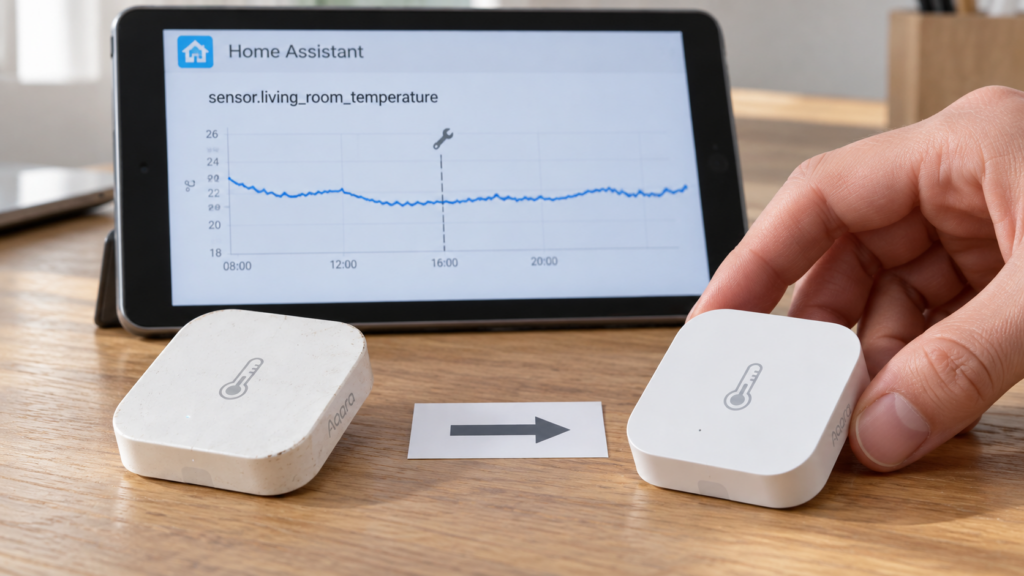
A Zigbee2MQTT sensor stops reporting, or a switch’s relay fails, and the hardware is dead. Pairing a replacement is the easy part. To replace the device without losing history, and without quietly breaking the automations built around it, you have to deal with the fact that Zigbee2MQTT and Home Assistant each track device identity in their own way and neither has a button for “this new unit replaces that old one.” This is a research-synthesis piece built from both projects’ documentation and from reported behaviour in their issue trackers, not a bench test.
Why swapping hardware isn’t the same as renaming a device
This covers replacing dead or failing hardware with a new unit. Renaming a device you still own is a different mechanism, covered separately in what a Zigbee2MQTT rename breaks in Home Assistant.
Zigbee2MQTT identifies a device by its IEEE address, underneath whatever friendly_name you gave it. A brand-new physical unit has a new IEEE address, so at the network layer it is correctly a different device no matter what you later call it. Home Assistant adds a second identity layer on top: every newly paired device gets its own device registry entry (a device_id), and that entry is what device-scoped automations, scripts and some dashboard cards actually point at. Renaming the replacement to match the old device changes neither of those identities. You have relabelled it.
Nothing in either system connects those two layers across a hardware swap, so a clean handoff means doing something deliberate at each one, in order.
Step 1: get the dead device out of the way
A device that is already offline usually can’t be removed the normal way. A standard remove request waits for the device to acknowledge it over the mesh, and dead hardware never will. You’ll almost always need Zigbee2MQTT’s force-remove path, which drops the device from Zigbee2MQTT’s own database without needing a response from the hardware. Which of the three removal paths applies, and what each one leaves behind, is covered in remove vs force remove vs factory reset.
Do this first. The history step further down depends on the old device’s Home Assistant entities no longer being claimed by a live Zigbee2MQTT device.
Step 2: pair the replacement and reassign its Zigbee2MQTT identity
Pair the new physical device as you normally would. It arrives under its own default name, tied to its own new IEEE address.
To give it the old device’s friendly_name, publish a rename request:
mosquitto_pub -h 192.168.10.20 -t zigbee2mqtt/bridge/request/device/rename \
  -m '{"from": "0x00158d0001a2b3c4", "to": "living-room-motion", "homeassistant_rename": true}'
Two halves of this request are worth separating, because they get conflated constantly. The Zigbee2MQTT-side rename is unconditional: the friendly_name changes and the MQTT topic follows it either way. The homeassistant_rename flag adds one extra action on top, telling Home Assistant to update the matching entity IDs. The frontend’s rename dialog sends the same documented request, with that flag exposed as a checkbox, so use whichever is convenient. What the flag does and doesn’t touch, including its failure modes, is in the rename article.
Two things it does not do. It doesn’t merge the new hardware into the old Home Assistant device registry entry. And a Zigbee2MQTT-driven rename isn’t the same operation as renaming an entity in Home Assistant’s own entity settings, which matters below: the history sequence specifies the Home Assistant-side rename.
If Zigbee2MQTT reports the replacement under an unexpected identity, or a stale entry for the dead device lingers after removal, that’s usually a ghost-device symptom rather than a problem with the swap.
Step 3: the Home Assistant layer, entity_id vs device_id
| Identifier | What it tracks | Survives a hardware swap? | What depends on it |
|---|---|---|---|
| device_id | The physical hardware registration created when a device is paired | No — a new device always gets a new device_id, regardless of naming | Device-scoped automation/script references, some dashboard cards, device-level diagnostics |
| entity_id | A logical sensor/switch identity Home Assistant assigns and lets you rename | Yes, if you rename the new entity’s entity_id to match the old one | Entity-scoped automation/script references, dashboard cards built on entities, recorder history |
Nothing you do on the Zigbee2MQTT side changes the device_id, and anything keyed to the old one has to be rebuilt by hand. This is why Home Assistant community threads converge on building automations against entity_id rather than device_id: not because entity_id is intrinsically better, but because it’s the one identifier you can deliberately carry across a swap.
trigger:
  - platform: state
    entity_id: binary_sensor.living_room_motion
    to: "on"
A device-based trigger doesn’t survive. It keeps pointing at the retired hardware’s orphaned device_id and stops firing, with no error to make you notice.
Step 4: getting recorder history to follow the swap
Home Assistant’s recorder keys history to an entity_id, not to a device_id and not to any hardware-level identity. It also migrates that history deliberately when you rename an entity_id — the “retain history when renaming an entity ID” behaviour has been in the recorder since 2023. What Home Assistant hasn’t built is a device-replacement workflow, which is why the sequence below comes from a community thread (dated May 2025) rather than from a documented procedure:
- Delete the OLD entity specifically, not the whole device.
- Pair the new physical device.
- Rename the new entity’s entity_id, in Home Assistant’s entity settings, to exactly match the one you deleted.
The order isn’t arbitrary, and this is the part the forum answer leaves out. Home Assistant refuses to migrate history onto an entity_id that’s still occupied: it logs Cannot migrate history for entity_id... because the new entity_id is already in use and completes the rename without bringing the history along (core#114559, core#115747). Deleting the old entity first is what frees the ID so the documented migration can run. Skip it and you get the name you wanted attached to an empty graph.
What still breaks
Even done correctly, three things don’t come along for free.
- Long-term statistics. The rename migrates short-term history but reportedly doesn’t re-link long-term statistics: the renamed entity starts a fresh LTS series while the old data stays orphaned under the previous entity_id (core#167253). For a power, energy or temperature sensor feeding the energy dashboard or a statistics card, that’s the half of “history” most people actually mean.
- device_id references. Device-scoped automation and script actions, and some dashboard cards, have to be found and rebuilt by hand. Nothing in the swap fixes them.
- The rename step itself isn’t perfectly reliable. There are repeated reports of retain-history-on-rename failing, or erroring on an entity_id that appears unused (core#125730, core#115747). Take a database backup before you start.
Zigbee2MQTT issue #31399 (closed) describes a device whose entities landed on a mixed convention: some on IEEE-address-based entity IDs such as switch.0xa4c1383326bdf978, others on friendly-name-based ones. After a Home Assistant restart, automations referencing the IEEE-form ID logged the entity as unavailable while it stayed visible in Developer Tools, and re-pointing the automation at the friendly-name form fixed it. The consequence for a swap: read the replacement’s actual entity IDs after pairing rather than assuming it exposes the same form the dead unit did.
If devices generally go unavailable after a Home Assistant restart, separate from the replacement process, that’s a distinct bridge-state problem worth ruling out first.
One third-party CLI tool, zigporter, advertises cleaning up stale device registry entries and restoring original entity IDs during swaps and ZHA/Zigbee2MQTT migrations. We haven’t run it, and it writes to Home Assistant’s registry. It’s noted here because it’s what a search surfaces, not as a recommendation.
FAQ
Does replacing a Zigbee2MQTT device keep my automations working?
Only the ones referencing the device by entity_id, and only if you rename the new entity’s entity_id to match the old one. Automations referencing the old device_id don’t carry over and have to be rebuilt manually.
How do I keep Home Assistant history when I swap a Zigbee sensor?
Delete the old entity (not the whole device), pair the new physical device, then rename the new entity’s entity_id to exactly match the deleted one. The rename triggers Home Assistant’s own history migration; deleting first is what makes the target ID available for it.
What’s the difference between entity_id and device_id for Zigbee2MQTT automations?
device_id identifies the physical hardware registration and is always new after a swap. entity_id is a logical identifier you can rename to match the old one, and it’s what entity-scoped automations and recorder history are keyed to.
Can I rename a new device to match a broken one I’m replacing?
Yes, using Zigbee2MQTT’s rename request with homeassistant_rename set. That handles Zigbee2MQTT’s naming and the Home Assistant entity IDs, but it doesn’t merge Home Assistant’s device registry entries, and the history step specifies a rename made in Home Assistant’s own entity settings.
Do I need to force-remove a dead Zigbee device before replacing it?
Usually yes. An offline device can’t complete a normal remove request, which waits for network acknowledgment. Force-remove drops it from Zigbee2MQTT’s database without a response from the dead hardware.
What’s sourced, and what to check yourself
Vendor-documented: the Zigbee2MQTT rename request and the homeassistant_rename flag, the remove versus force-remove distinction, and Home Assistant’s retain-history-on-entity_id-rename behaviour. Community-sourced and not documented as a supported procedure: the delete-then-pair-then-rename sequence for a hardware swap. Zigbee2MQTT’s device and Home Assistant integration pages are silent on replacement, and Home Assistant’s own feature-request thread on the subject has been running since 2022, so treat the sequence as community practice that a future release could change.
Issue states cited here were read from issue titles and reports at time of writing and not re-verified against current status. The entire process is local: the rename request goes to your own broker, and the entity registry and recorder database live in your own Home Assistant instance.
After the swap, check three things: that the new entity’s history graph shows the old data as continuous rather than merely present, that long-term statistics survived if you depend on them, and that every automation referencing the old device_id has been found and re-pointed.