

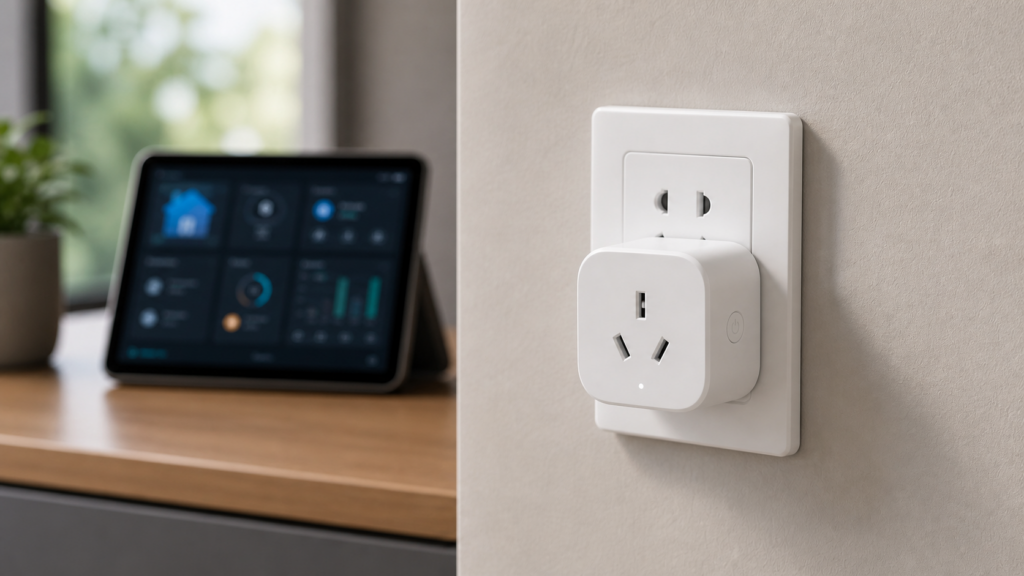
If you’ve bought or imported the Aqara-branded Power Plug T1 CN and started searching for setup guides, you’ve probably noticed the results are thin. There’s the raw Zigbee2MQTT device page, a Blakadder compatibility entry, and a handful of vendor listings that don’t quite match the model in your hand. That’s because the ZNCZ15LM is a China-region SKU, and it gets confused constantly with Aqara’s other plug models. Here’s what it actually is, how to pair it, and what the exposed entities let you do.
What the ZNCZ15LM actually is
The ZNCZ15LM is Aqara’s “Power Plug T1 CN” — Zigbee model ID lumi.plug.macn01. It’s the China-region SKU, built for a Chinese wall socket on 220-240V mains, and its Zigbee2MQTT definition lets you set an overload cutoff anywhere up to 2500W (more on that below). Don’t confuse it with the US Aqara Smart Plug (a 100-125V part) or the EU SP-EUC01 — same basic idea, different hardware and different electrical ratings.
This is a genuinely different device from the plugs I’ve already covered on the site. The Xiaomi ZNCZ02LM and ZNCZ04LM are older Xiaomi-branded plugs with their own quirks. The Aqara EU SP-EUC01 and the CN ZNCZ12LM are different hardware generations again. The T1 designation on the ZNCZ15LM puts it in Aqara’s newer plug lineup, and going by the exposed entity set, it has more in common with the ZNCZ12LM than with the older Xiaomi models.
Regional SKU confusion is the first trap
Search “Aqara smart plug specs” and you’ll land on Aqara’s US-region product page — which describes a different SKU than the one you’re holding if you bought the CN T1 model. The specs overlap in places (both are Zigbee, both switch load and report power), but the electrical ratings and some exposed capabilities aren’t guaranteed to match across regional hardware revisions. The 100-125V figure you’ll see on the US page in particular does not apply to the CN part.
If you’re cross-referencing anything against Aqara’s own marketing pages, check the model number printed on the plug itself against lumi.plug.macn01 before trusting the spec sheet. I’ve seen readers assume their CN plug supports a feature listed on the US page, then spend twenty minutes in Z2M wondering why the entity isn’t there.
Pairing to Zigbee2MQTT
Pairing follows the standard Z2M flow: put your coordinator into permit-join mode, then hold the plug’s button (typically 5 seconds) until the LED starts flashing. Z2M should pick it up and match it to the lumi.plug.macn01 definition automatically. Support for this model has been in zigbee-herdsman-converters for a long time, so any maintained Z2M install will recognize it — you don’t need a bleeding-edge build.
One practical note: if the device shows up as “unsupported” or some entities are missing right after pairing, don’t assume the pairing failed. Give it a moment and force a re-interview from the Z2M frontend — the interview occasionally needs a second pass before all the exposed entities populate.
Entities exposed via Z2M
Once paired, you should see:
- switch — on/off control, the basic function
- power, voltage, current — live electrical readings (watts, volts, amps)
- energy — cumulative consumption in kWh
- device_temperature — the plug’s own internal temperature, handy for spotting one running hot under sustained load
- overload_protection — adjustable auto-shutoff threshold
- power_outage_memory — whether the plug restores its prior on/off state after a power cut
- consumer_connected — reports whether something is physically plugged into the socket
- led_disabled_night — mutes the status LED during night hours
- button_lock — disables the physical button so the plug can’t be toggled by hand
That consumer_connected entity is the one people don’t expect. Per the Zigbee2MQTT definition it flags whether something is physically plugged into the socket — and it can read “connected” even when the plug’s relay is off, so it’s a plug-insertion sensor, not a “drawing power right now” sensor. If you want the latter, watch the power reading instead.
Setting overload protection thresholds
The overload_protection entity accepts a threshold between 100W and 2500W. Below that wattage, the plug just switches normally. Above it, the plug trips and cuts power automatically — a hardware-level safety cutoff, not a soft warning in Home Assistant.
Set this to something meaningfully above your actual expected load, not right at the edge. If you’re running a space heater rated for 1500W, setting the threshold at 1600W means normal startup current spikes (heaters and motors both do this) could trip the cutoff intermittently. I’d give yourself 20-30% headroom over the device’s rated draw.
Honestly, I think overload_protection is one of the more underrated entities Aqara exposes on its CN-market plugs — a lot of budget smart plugs give you switching and maybe power monitoring, but not an adjustable hardware auto-shutoff. It’s a genuinely useful safety feature that doesn’t get much attention in reviews.
Power-outage recovery behavior
power_outage_memory controls whether the plug comes back on, stays off, or restores its previous state after a power interruption. This matters more than it sounds — if you’ve got a plug powering a router or a NAS, you want it defaulting to “restore previous state” or “on,” not defaulting off and leaving your network down until someone flips it manually.
Worth knowing: a related Aqara plug, the ZNCZ12LM, had a Zigbee2MQTT bug (issue #15111) where the plug rejected writes to power_outage_memory with an UNSUPPORTED_ATTRIBUTE error. That one was fixed in the converter, and I’ve found no equivalent open issue against the ZNCZ15LM — so I’m not going to claim it carries over just because the two share lineage. The practical takeaway is unchanged: after you set this value, re-check it once following any Z2M or firmware update rather than assuming it stuck.
Router role in the mesh
Unlike most battery sensors, the ZNCZ15LM is mains-powered, which means it functions as a Zigbee router — it repeats signal for other devices on your network, not just its own traffic. If you’ve got Aqara contact or motion sensors struggling to reach your coordinator from the far side of the house, placing one of these plugs partway along that path can meaningfully strengthen mesh coverage. It’s a nice side effect of buying a plug you were probably going to install anyway.
HA Energy Dashboard integration
Because the plug exposes both power and energy entities through Z2M’s MQTT discovery, Home Assistant should pick them up automatically once the integration is configured, without manual entity mapping. Add the energy entity to HA’s Energy Dashboard the same way you would any other MQTT-discovered power meter, and you’ll get historical consumption tracking for whatever’s plugged in. The separate voltage and current readings come through as their own sensors too, if you want to log them.
A quick automation example
Because the power reading comes through as a regular HA sensor via Z2M’s MQTT discovery, you can build automations that react to actual load rather than just switch state. A simple one I’d set up first: alert if the plug is switched on but nothing’s actually drawing power after a delay, which usually means a cable came loose or the connected device tripped its own breaker.
automation:
  - alias: "Plug on but no load detected"
    trigger:
      - platform: state
        entity_id: switch.iot_plug_01
        to: "on"
        for:
          minutes: 5
    condition:
      - condition: numeric_state
        entity_id: sensor.iot_plug_01_power
        below: 2
    action:
      - service: notify.mobile_app
        data:
          message: "Plug is on but drawing under 2W after 5 minutes — check the connected device."
Swap switch.iot_plug_01 and sensor.iot_plug_01_power for your actual entity IDs (Z2M’s friendly-name convention will generate these automatically based on whatever name you gave the device during pairing).
FAQ
What is the Aqara ZNCZ15LM plug?
It’s the Aqara-branded Power Plug T1 CN, a China-region Zigbee smart plug for 220-240V mains, identified in Zigbee by the model lumi.plug.macn01. Its Zigbee2MQTT overload cutoff is adjustable up to 2500W.
Does the Aqara T1 CN plug work with Zigbee2MQTT without the Aqara hub?
Yes. Third-party gateway compatibility is documented, and Z2M pairs it directly through a compatible Zigbee coordinator — no Aqara hub required.
What is overload protection on the Aqara smart plug and how do I set it?
It’s an adjustable hardware auto-shutoff, configurable between 100W and 2500W. Set it above your expected peak load with margin for startup current spikes.
Does the Aqara plug remember its on/off state after a power outage?
That’s controlled by the power_outage_memory entity, which can be set to restore the previous state, default on, or default off after power returns.
Is the Aqara ZNCZ15LM plug a Zigbee router?
Yes — as a mains-powered device it repeats Zigbee signal for other devices on the network, which is useful for extending mesh coverage to battery sensors further from the coordinator.
Aqara doesn’t publish a public firmware changelog for this SKU, so if a power_outage_memory quirk ever does surface on the ZNCZ15LM, the Zigbee2MQTT GitHub issues are the place it’ll show up first — worth a search there before you assume your own config is at fault.