

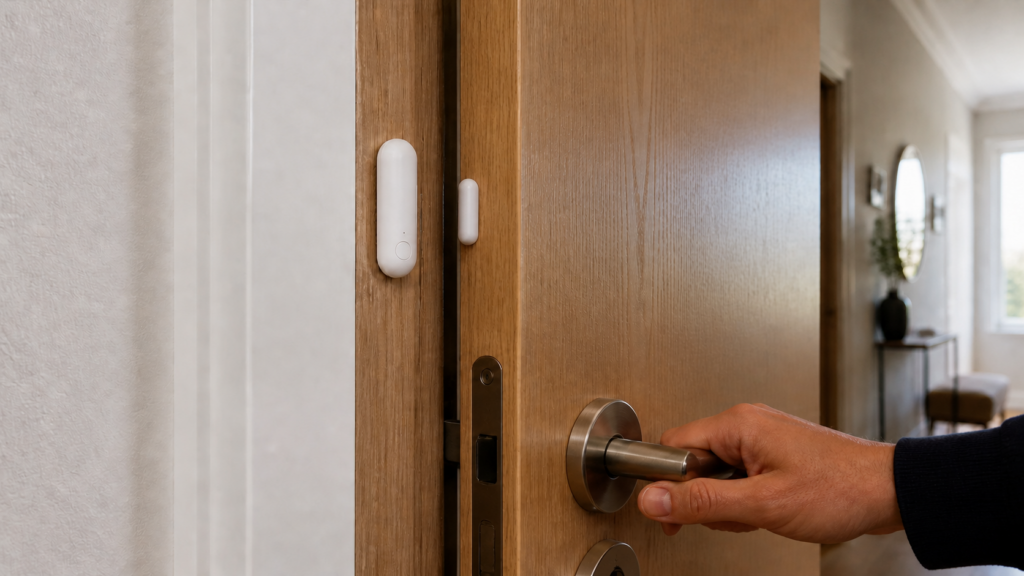
Aqara Door/Window Sensor P2: Matter/Thread in Home Assistant
The Aqara P2 is a Matter-over-Thread contact sensor. It does not pair to ZHA or Zigbee2MQTT. Home Assistant needs a working Matter setup and access to the Thread network through a border router.
The steps below cover prerequisites, commissioning, contact and battery reporting, and common connectivity checks. The final comparison helps you decide whether to add Thread or keep using an existing Zigbee network.
What makes the P2 different from other Aqara door sensors
Thread and Zigbee are separate network protocols. The P2 uses Matter for device control over Thread. Home Assistant acts as the Matter controller, while a Thread border router connects that mesh to your local IP network.
If you already have suitable Thread infrastructure, the P2 can join it without an Aqara Zigbee hub. It still needs a border router and accessible Thread credentials; “no Aqara hub” does not mean no infrastructure.
The trade-off is that Thread requires a border router, a device that bridges between the Thread mesh and your IP network. Your existing Aqara hub (say, an M2) is a Zigbee coordinator, not a Thread Border Router, and can’t serve that role for the P2. If you want the full picture on running Aqara gear without a hub, see our guide on Aqara Zigbee devices in Home Assistant without a hub.
What you need before you start
A Thread Border Router
Use a supported Thread border router and make sure your commissioning phone can use that network’s credentials. Examples listed by Home Assistant include:
- Aqara Hub M3 — see the M3 guide for its separate hub roles.
- Apple — HomePod mini, HomePod (2nd generation), Apple TV 4K (2nd generation), or the 3rd-generation Wi-Fi + Ethernet model. The 3rd-generation Wi-Fi-only Apple TV does not provide Thread.
- Google — compatible models such as Nest Hub (2nd generation) or Nest Hub Max.
- Home Assistant — a supported Thread radio running dedicated Thread firmware, together with OpenThread Border Router.
Check the exact hardware against Home Assistant’s Thread instructions. Seeing a border router in discovery does not mean Home Assistant or your phone already knows its credentials.
Home Assistant with the Matter integration
Set up the Matter integration and a Matter Server. Home Assistant OS can install the official Matter Server app during setup; other installation types need a supported server arrangement. Follow the current instructions for your installation.
The HA companion app on your phone is also needed for the QR code pairing step. The Matter integration onboarding uses the app’s camera to scan the QR code. You can also pair using the numeric setup code if you’d rather do it manually.
Firmware on the P2
Check the firmware reported on the device page and any update offered by the ecosystem managing it. A firmware version string is not the same thing as a Matter specification version.
Use the update process offered by the ecosystem managing your sensor. Read the release notes before updating, and keep a working setup paired unless a reset is part of the supported procedure.
- Check the firmware and available update in the ecosystem that currently manages the sensor.
- Read the update notes and follow that ecosystem’s supported process.
- If it is already commissioned elsewhere, use Matter sharing to add Home Assistant when available.
- Use a factory reset only when you intend to erase the existing setup and commission it again.
You can commission a new sensor using the supplied Matter code without first adding it to Aqara Home, provided your Thread and Matter prerequisites are ready.
Pairing the P2 to Home Assistant step by step
Once your Thread Border Router is running and HA is up to date:
- Confirm that Matter Server is running and the phone has the intended Thread credentials.
- Put the P2 into commissioning mode using its manual.
- In the Home Assistant Companion app, open Settings > Devices & Services, choose Add device, then Add Matter device.
- For a new sensor, scan the supplied QR code or enter its numeric code. For a sensor already added elsewhere, use the sharing code from that controller.
- Wait for commissioning to finish, then open the device under the Matter integration.
If commissioning stalls, check the sensor’s pairing window, phone permissions and Bluetooth, Thread credentials, and local IPv6/discovery access. A delay alone does not identify a failed border router.
After pairing, test the contact state by moving the magnet away and bringing it back.
What entities you get
The main values to look for are contact state and battery. Entity names and additional diagnostics depend on firmware and the Matter integration:
binary_sensor.contact— the core sensor.offwhen closed,onwhen open. This is what your automations will key off.sensor.battery— percentage remaining on the CR123A battery.
Aqara describes additional features for its own ecosystem, including button-related functions. Do not assume these become Home Assistant entities. Check what your installed Matter integration actually exposes before building an automation around them.
Aqara specifies a CR123A battery for the P2. The Zigbee E1 uses CR1632; the MCCGQ12LM T1 also has a CR1632 specification. Check the exact label rather than buying by the T-series name.
Automations with the P2
The binary_sensor.contact entity works like any other contact sensor in HA. A couple of useful examples:
Alert when a door has been left open:
alias: "Front door open more than 5 minutes"
trigger:
  - platform: state
    entity_id: binary_sensor.front_door_contact
    to: "on"
    for: "00:05:00"
action:
  - service: notify.mobile_app_your_phone
    data:
      message: "Front door has been open for 5 minutes."
Log door activity to a helper:
History Stats can count how often the contact entered the open state during a period. Configure its type as count and choose the appropriate start and end times. Use a counter helper instead if you want to increment a count on each opening.
The contact report travels locally through Thread and the border router to Home Assistant, where the automation runs. A phone push notification may still need internet access. See does Aqara work without internet for the difference between local control and notification delivery.
Troubleshooting
Device keeps showing as “unavailable”
Intermittent availability can come from coverage, a weak battery, border-router firmware, or local network discovery and IPv6 problems. Check the Matter and Thread diagnostics before resetting the sensor.
The battery-powered P2 does not extend the Thread mesh. Poor coverage between it and a router can interrupt reporting, especially through walls or at the far end of a home.
Useful checks include:
- If coverage is weak, add a compatible powered Thread router to the same Thread network. Another border router with different credentials will not automatically extend the sensor’s network.
- Move your border router closer to the P2, or to a more central location
- Check that your border router firmware is current
If moving the border router closer improves reporting, investigate the radio path before replacing the sensor.
Device shows in HA but state never updates
First check the physical magnet alignment and the contact value on the Matter device page. Then inspect network and server logs. A stale state does not by itself prove a Thread radio problem.
- Power-cycling the border router
- Checking that the Thread network credentials in HA match what the border router is advertising
- If using multiple border routers from different ecosystems (e.g., Apple TV and SkyConnect both running Thread), check whether they share the same Thread credentials; adding separate networks does not improve coverage for this sensor
Can’t find the QR code
Keep the supplied Matter QR and numeric code in a safe place. Use the manual-code option if the QR cannot be scanned. If the sensor is already commissioned, get a sharing code from its current controller.
Privacy check — does the P2 call home?
Once the P2 is commissioned into HA and you’re not using the Aqara Home app with it, Aqara’s servers have no part in your automation path. The sensor communicates over Thread to your border router, which relays to HA. That’s all local.
If you share the sensor with another Matter controller, that controller has its own automation and service behaviour. You do not need to remove it from Aqara Home solely to make Home Assistant’s local control work. Decide which controllers you want to retain.
If you isolate IoT devices, preserve the local IPv6 and discovery traffic required by Matter. Blocking a list of Aqara server IPs is not a complete isolation strategy. Our IoT VLAN guide covers the network design.
P2 vs E1 — which should you buy?
Choose around the network you already run:
Aqara Door and Window Sensor E1 (Zigbee) uses CR1632 and needs a compatible Zigbee coordinator. Zigbee2MQTT lists contact, battery, low-battery, and voltage values; a separate button action is not part of that documented list.
Aqara P2 (Matter over Thread) uses CR123A and needs Matter control plus a suitable Thread network. Check the actual entities in Home Assistant rather than comparing fixed entity counts across protocols.
If you already use Zigbee2MQTT or ZHA, a supported Zigbee contact sensor avoids adding another network. See the E1 setup guide for that route.
If you already have a compatible Thread border router and accessible network credentials, the P2 can use that setup without adding Zigbee infrastructure.
Choose the P2 when Thread and Matter fit the rest of your setup. Choose a Zigbee model when your existing coordinator already meets your needs. Either route still depends on the network infrastructure behind it.