

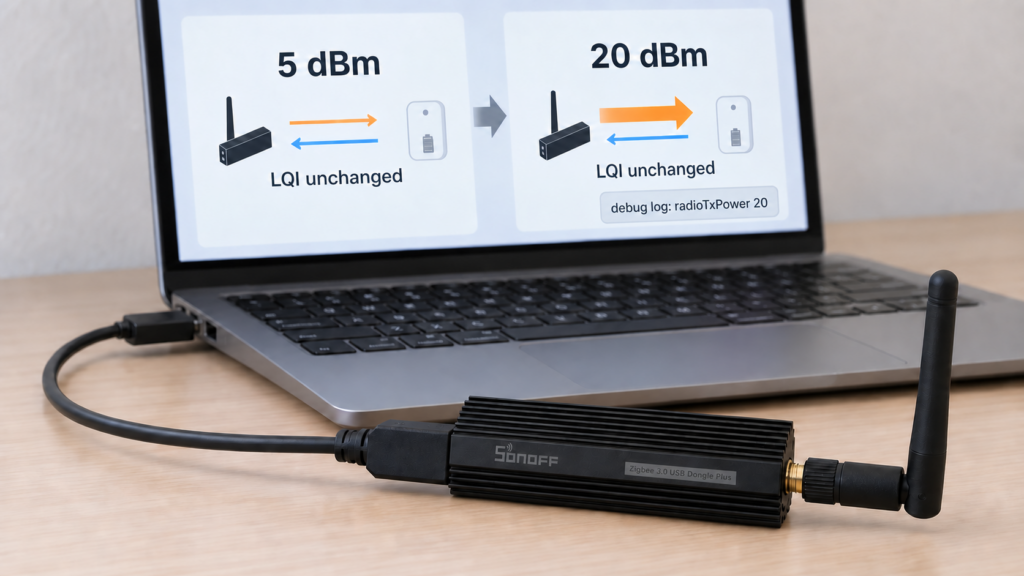
Raising transmit_power and seeing no change in LQI does not establish whether your coordinator applied the setting. LQI describes received traffic; transmit power requests a change to the coordinator’s output. Hardware limits, firmware and adapter support also sit between the configuration value and the antenna.
This guide checks Zigbee2MQTT 2.14.2 and its bundled zigbee-herdsman 10.10.0. It explains which adapters use the option, how older reports differ from current behavior, and how to check a change without treating a log line as a radio measurement.
Where transmit_power lives
The option belongs under advanced in Zigbee2MQTT’s configuration.yaml. You can also edit it in the frontend’s advanced settings, or provide ZIGBEE2MQTT_CONFIG_ADVANCED_TRANSMIT_POWER as an environment override. Restart Zigbee2MQTT after changing it. Check the running instance’s effective value if a container or Home Assistant app supplies overrides.
The adapter settings guide still quotes 5 dBm and older chip-specific guidance. The 2.14.2 schema accepts a number from -128 to 127, or null, and requires a restart. That validation range is not a promise that the radio supports those outputs. An unset option is not a universal request for 5 dBm; adapter and firmware defaults determine behavior.
PR #31735, merged in April 2026, updated the schema’s description to emphasize dBm and chip limits. In issue #19033, a user supplied the option through an environment variable, but the report does not establish that YAML failed or that the variable was a workaround. It is one configuration route, not a separate radio capability.
Chip and firmware limits
The adapter guide gives these limits for the named Texas Instruments parts:
- CC2652R and CC2652RB: up to 5 dBm.
- CC2652P and CC1352P-2: up to 20 dBm.
Do not extend that list to every newer TI part or every stick sharing a similar model name. Identify the exact radio, board revision, firmware build and antenna arrangement. A requested value above a chip’s supported output cannot create extra RF capability, and an adapter’s firmware may constrain or reject particular values.
In the maintainer’s December 2021 reply, firmware 20211217 is the build reported to enable output above 5 dBm on those Koenkk Z-Stack builds. That is a release identifier for that firmware family, not a universal minimum date for every vendor’s firmware. The maintainer’s replies in the 2021 issue below explain the fix and vendor verification behind it.
Use the limits and regulatory configuration for your actual product. The global schema’s numeric bounds are for validation; they are not a recommended tuning range.
EmberZNet support
A 2021 maintainer answer described transmit-power support as Z-Stack-only at that time. It does not describe current Ember support. The EmberZNet guide now lists the option, including for EFR32-based coordinators such as Connect ZBT-1.
In herdsman 10.10.0, the Ember driver uses transmit power when forming a network and can call ezspSetRadioPower during initialization when the configured value differs. A non-success result from that adjustment is logged as an error without necessarily preventing startup. A healthy-looking frontend therefore does not prove the requested adjustment succeeded. Firmware support and permitted output remain specific to the coordinator.
What LQI can tell you
The device-page linkquality is receiver-side quality reported for an incoming frame. For traffic reaching the coordinator, its last hop may come from a router rather than directly from the named end device. Raising the coordinator’s output does not directly change its receive sensitivity or turn that value into a measurement of transmitted power.
LQI can still change indirectly if routes or traffic change. An unchanged number does not prove a failed setting; a higher number does not prove higher RF output. Discussion #12923 explains the direction issue, and the network map guide covers neighbor-table readings. Those readings describe particular links and observations, not a calibrated end-to-end power test.
Enable debug logging for your release, restart, and inspect the driver messages around initialization. In herdsman 10.10.0’s Z-Stack driver, the software sends a SYS.stackTune request when the option is set. In Ember it queries network parameters and may subsequently request a power change. A matching requested value, or a successful command response, supports that software sent or accepted the setting; it does not measure RF output at the antenna.
The radioTxPower suggestion in discussion #12923 is a community inspection tip. In the current Ember source, the initial network-parameter query occurs before a later power adjustment, while the network-formation log includes the requested parameters. Read the surrounding calls before treating a displayed value as post-change verification. Confirming actual output requires a suitable RF measurement setup; this article has no such measurements.
deCONZ and older startup errors
The deCONZ driver bundled with 2.14.2 does not consume adapterOptions.transmitPower. The global option being visible in the settings UI does not make it a supported control for ConBee or RaspBee. It also does not mean every current deCONZ installation will throw a startup exception when the value is present.
A 2022 community report did show a deCONZ “not supported” startup error after setting 20, followed by recovery when the line was removed. Keep that account tied to its older software. It is useful if your own log shows the same error, rather than a current universal diagnosis.
For that symptom, stop Zigbee2MQTT, back up the config, remove the unsupported option from the actual data-directory configuration.yaml, check environment overrides, and restart. The Home Assistant app’s wrapper settings page and Zigbee2MQTT’s own file are different configuration layers. No network-key change or device re-pairing is needed merely to remove this option.
What the reports show
- Issue #8885, 2021: a CC2652P user compared several settings while running firmware 20210708 and watched LQI. The maintainer acknowledged a transmit-power firmware problem, then reported that build 20211217 enabled output above 5 dBm and that ITEAD verified it with an RF analyser. It would be wrong to dismiss this as no defect simply because LQI was part of the report.
- Issue #12232, 2022: the reporter compared LQI and USB supply-current measurements on Sonoff and ZigStar hardware. The maintainer cited vendor RF-analyser verification and confirmed the requested setting in the logs, while suspecting a hardware issue. Later comments continued to dispute the cause. This is more evidence than an LQI screenshot, but it is not a confirmed hardware diagnosis for every affected stick.
- Issue #19033, 2023: the user tested environment-variable values of 5, 0 and 20 on Zigbee2MQTT 1.32.2, with logs showing the requested transmit-power values. Their question concerned the expected LQI change. It does not document a configuration-file failure fixed by an environment variable.
These accounts show why both the software path and measurement method matter. A requested setting can reach the driver without producing the assumed diagnostic change. Conversely, older firmware did have a reported and acknowledged limitation. Use the version, adapter, firmware and actual log evidence from your installation before assigning a cause.
Checking a dead spot
Transmit power is only one part of a bidirectional link. A stronger coordinator signal does not increase a battery device’s output, remove physical obstructions or resolve interference. Record a baseline at the same device location: command success, fresh reports, timeouts and the routes visible in the map. Change one supported setting, restart, and compare repeated observations rather than one LQI sample.
Consider coordinator placement and a compatible mains-powered router near the weak area, then test the result. Neither more power nor another router guarantees improvement in every house. The ZBDongle-E/P comparison covers coordinator choices; the channel-change guide is useful when investigating Wi-Fi overlap. Back up before a channel change and follow its separate recovery steps.
Ember route-error messages also need their own evidence. A route failure alone does not establish that transmit power is the cause or that changing it will fix the fault.
Common questions
What does transmit_power do? It requests an adapter output level in dBm where the driver and firmware support it. In 2.14.2 the schema permits -128 to 127 or null; the hardware’s usable range is much narrower and product-specific.
Do I need to edit YAML? No. The frontend and the environment variable are alternative routes. Check overrides and restart after changing the effective value.
Why did LQI stay the same? It describes received traffic, possibly from a router on the last hop. It is not a measurement of the coordinator’s RF output.
Can a CC2652P reach 20 dBm? The adapter guide lists up to 20 for that part, with the historical firmware requirement described above. Verify the actual board and supported firmware; do not assume the config value is the measured output.
Does Ember support the option? Yes, in the current documented Ember driver. Check initialization logs for failure to apply it and the radio’s own limits.
Why did startup fail after my change? Read the actual error. An invalid value, firmware response or older unsupported adapter implementation needs a different fix. The deCONZ exception is a documented older case, not a reason to assume every failure has that cause.
Sources and checks on your hardware
This review uses the project’s documentation and released adapter implementations, with historical reports kept separate from current code. No coordinator was reconfigured or RF output measured for the article.
Changing this setting and reading local logs can be done without a device vendor’s cloud. Firmware downloads, hosted services and any telemetry enabled elsewhere in the deployment are separate matters. Keep the coordinator model, board revision, firmware and Zigbee2MQTT version alongside your observations so that a support report can distinguish a requested setting from an observed result.