

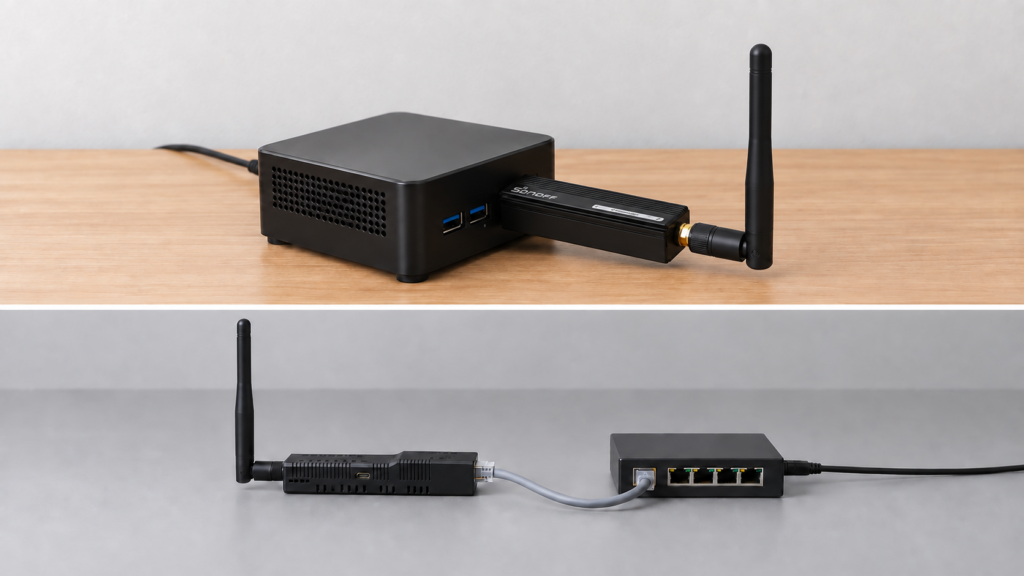
You can use two Zigbee coordinators with one Home Assistant instance by running two independent Zigbee2MQTT instances. Each has its own radio and network. This can help with a detached garage, a remote building or a device family you want to keep on a separate mesh; it does not add a second coordinator to the existing network.
No hands-on two-coordinator setup was performed on this site’s test bench for this article. Treat the mechanics below as sourced documentation, not as something verified end to end on our own hardware. Sources are cited inline.
Why you’d even want a second coordinator
A few situations push people toward this. A large home where mesh routers thin out at the far end and adding repeaters does not fully close the gap. A detached structure, garage, or shed where RF does not reach the main coordinator no matter how many routers sit between them. Or a network segmentation goal, isolating a chatty or misbehaving device family onto its own radio so it cannot drag down the responsiveness of everything else.
The protocol reality: one coordinator per network, always
Zigbee supports one coordinator per network. That is a constraint of the protocol itself, not something Zigbee2MQTT chose to impose. You cannot run two coordinators inside a single Zigbee2MQTT instance the way you might add a second access point to one Wi-Fi network. Devices join one Zigbee network and reach its coordinator through their parent or mesh routers; a second independent coordinator creates a separate network. The Zigbee2MQTT community settled this in discussion #17850 back in 2023 and the answer has not changed.
So “running two coordinators” always means running two entirely separate Zigbee2MQTT instances, each pointed at its own coordinator hardware, each maintaining its own device list, and each with its own PAN ID. Our guide to reading the Zigbee2MQTT network map helps you check whether placement or router coverage can solve the problem before you add another network.
Setting up a second instance
A second instance uses the same installation and configuration settings as the first, with its own persistent data and adapter. The most complete practical writeup comes from SMLIGHT’s SLZB-06 manual, which walks through running multiple adapters against one Home Assistant.
Give each instance a separate persistent data directory, adapter and MQTT base_topic. Use separate network identities and security keys, and avoid host frontend-port collisions. The adapter’s TCP port number may be the same on different IP addresses; it is the adapter endpoint that must be distinct.
services:
  zigbee2mqtt-main:
    image: koenkk/zigbee2mqtt
    volumes:
      - ./zigbee2mqtt_1:/app/data
    devices:
      - /dev/ttyACM0:/dev/ttyACM0
    ports:
      - 8080:8080
    environment:
      - TZ=Etc/UTC

  zigbee2mqtt-annex:
    image: koenkk/zigbee2mqtt
    volumes:
      - ./zigbee2mqtt_2:/app/data
    devices:
      - /dev/ttyACM1:/dev/ttyACM1
    ports:
      - 8081:8080
    environment:
      - TZ=Etc/UTC
The example maps host ports 8080 and 8081 to port 8080 inside separate containers. Enable the frontend in both configurations. With host networking, give each frontend.port a different value instead. Replace the illustrative /dev/ttyACM0 and /dev/ttyACM1 paths with persistent /dev/serial/by-id/ paths for your adapters, keeping each container’s serial.port consistent with its device mapping.
Inside each instance’s own configuration.yaml, mqtt.base_topic has to be unique. Our guide to changing a base_topic without breaking Home Assistant covers what that value does to MQTT discovery, and the same mechanism applies here. Give the second instance a distinct topic from the start rather than renaming one later.
SMLIGHT does not set an adapter-count limit for this pattern. Each additional instance still needs radio access, host resources and separate backups.
Different Zigbee channels per network are recommended, not required, to cut interference between the two independent meshes. If you are picking a second coordinator, our ZBDongle-E versus ZBDongle-P comparison and our SLZB-06 setup guide both cover hardware options, and the second is the primary documented source for this whole multi-instance pattern.
The Home Assistant add-on limitation
The upstream Zigbee2MQTT Home Assistant app (formerly add-on) is installed once per slug. It is maintained by the Zigbee2MQTT project, rather than supplied by Home Assistant itself. Changing its data path does not install another copy. The request for native multiple-instance support, issue #763, is closed with a stale label.
That route is a community add-on repository carrying the same upstream Zigbee2MQTT image under a different slug. haext/hassio-zigbee2mqtt-multi is the most explicit about the use case, exytab/hassio-zigbee2mqtt-2 packages the stock stable image under a second slug, and lebretr/hassio-zigbee2mqtt-multi-instance is a fork aimed at several adapters at once. These are third-party projects. Check the exact release, code and image they currently use; do not assume all three track upstream at the same pace.
Another option is to run the second Zigbee2MQTT instance manually or in Docker on a separate Linux host, VM or NAS and connect it to the same broker. You can keep Home Assistant OS where it is; moving HA itself to a container is not required. HA OS does not provide a general-purpose Docker Compose deployment environment inside its managed host.
One MQTT broker serves both instances fine as long as the base topics do not collide. Our Mosquitto hardening checklist covers securing that shared broker if you have not already.
The failure mode that breaks Home Assistant silently
This is the part worth reading closely before you set anything up, because it does not throw an obvious error. A February 2026 Home Assistant Community report describes this symptom: two coordinators, two USB sticks, configured with the same IEEE address and pointed at what amounted to the same config folder path.
Devices paired correctly and showed up fine in each Zigbee2MQTT web frontend, so from the Z2M side everything looked healthy. But as Home Assistant entities, those same devices went unresponsive over time and looked like they needed re-pairing, even though nothing was wrong on the Zigbee side.
Check both MQTT routing and discovery identity. The current discovery code includes the entity ID, object key and base_topic in an entity’s unique_id. Device discovery topics use the device IEEE address, while group and bridge discovery include an encoded base topic. Reusing the same data and devices can therefore cause conflicting discovery or command routing even when a frontend appears healthy. A duplicate coordinator IEEE address is also an identity problem, but does not by itself explain every end-device entity collision.
The reporter later said separating the configuration paths helped. Several settings were involved, so this does not isolate one cause. A _2 entity suffix alone is not proof of a duplicate Zigbee identity either; issue #22559 concerns bridge naming in a multi-instance setup. Sharing a data directory also means sharing configuration, device data and database files. Do not let two running instances write the same directory, and do not clone the first instance’s Zigbee network to create an independent second one.
Worth knowing how two sticks end up sharing an IEEE address in the first place, since it is not a manufacturing coincidence. A migration or backup-restore procedure can preserve the original coordinator identity, depending on adapter support; our coordinator backup and restore guide explains the compatibility requirements. The reader most likely to hit this is the one who set up the second coordinator by cloning the first.
Before bringing a second Zigbee2MQTT instance online, confirm each coordinator has its own unique IEEE address, its own separate config folder, and its own unique MQTT base_topic. A collision on any of these can leave devices working in the Zigbee2MQTT frontend while quietly failing as Home Assistant entities, which is a confusing failure to diagnose after the fact.
For an independent second mesh, start with fresh data, its own radio identity and newly generated network settings. To diagnose a discovery problem, inspect that instance’s retained homeassistant/.../config payloads and compare unique_id, state_topic, command_topic and availability topics with the intended base topic before removing or re-pairing devices.
What you lose: no cross-network binding
Direct device-to-device Zigbee binding requires both devices to sit on the same coordinator’s network. Two separate Zigbee2MQTT instances means two separate networks, so a bulb on instance A cannot be natively bound to a switch on instance B the way it could if they shared a coordinator.
Automations that need to react across the two networks have to go through Home Assistant or MQTT instead, whether that is an HA automation reacting to a state change and issuing a command, or MQTT-level scripting bridging the two topic namespaces directly. That introduces a software and messaging path. Its availability depends on whichever automation service and broker you use; there is no fixed latency difference guaranteed for every setup.
FAQ
Does the official Zigbee2MQTT add-on support multiple instances? No. Add-ons install one copy per slug, and the feature request for native support was closed as stale. Home Assistant OS users run a community add-on repository that ships the same image under a second slug.
Do I need a second MQTT broker? No. One broker serves both instances as long as each has its own base_topic. A separate broker may be useful for deliberate network isolation, but is not required for two coordinators. Home Assistant would still need access to both brokers’ data, for example through a carefully configured broker bridge.
Do the two networks need different Zigbee channels? Not strictly. Two Zigbee networks can share a channel, but separating them is recommended to reduce interference between the meshes, and the same Wi-Fi channel-overlap logic applies to each network independently.
Verification checklist
Before going live with a second instance, run through this list.
- Each instance has its own persistent data directory, with no shared database or configuration files
- Each instance’s
mqtt.base_topicis unique - Each frontend has a distinct host port; two isolated containers may both listen on 8080 internally
- Each coordinator’s IEEE address is genuinely unique, not just a different USB port
- PAN IDs and extended PAN IDs identify separate networks, with independently generated network keys
- Channels differ where practical, with Wi-Fi overlap and device channel support checked
- Custom MQTT client IDs are unique, if configured; both instances use the broker that HA subscribes to
- Home Assistant discovery is enabled on both, and discovered entities point to the correct instance’s state and command topics
- Any automation spanning both networks is built at the HA or MQTT level, not assumed to work via native binding
Backing up each instance’s database separately becomes part of the routine once you are running two, so the backup and restore guide is worth reading before you touch a second coordinator at all.
This is a documentation-based deployment example, not a two-coordinator bench test. Bring up the second instance with one test device, check its frontend and HA entity, then test a command from HA before pairing the rest of the devices.