

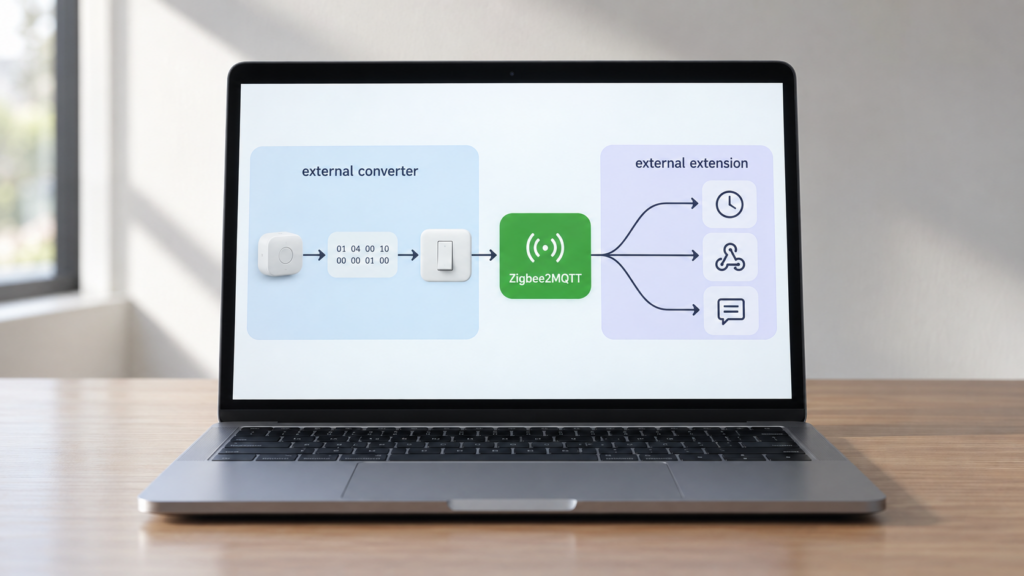
If you’ve spent any time in Zigbee2MQTT’s advanced docs, you’ve probably noticed two mechanisms that sound related and share the same security setting. External converters and extensions are not the same thing, though it’s an easy mix-up to make. Our guide to writing a custom external converter already covers converters. This one is about extensions, which get far less explanation despite doing something genuinely different.
What a Zigbee2MQTT extension actually is
The official docs describe extensions in API terms. It’s a base class with constructor dependencies and lifecycle methods. What they don’t say plainly is what an extension is for. Reading the API reference alongside the official example extensions makes the distinction clear. A converter teaches Zigbee2MQTT how to parse and control a specific device. An extension changes how Zigbee2MQTT itself behaves, independent of any device model.
That’s my own framing, pieced together from the API docs and the examples in the official extensions repo, not a definition Zigbee2MQTT states in these terms anywhere. But it holds up once you look at what real extensions actually do. They compute a value from existing sensor data, retry a command until a device confirms state, change how the bridge handles a device leaving the network, or open a custom MQTT topic for something the core product doesn’t expose. None of that is about supporting a new device model. All of it is about behavior.
Extension vs external converter: same gate, different job
Both mechanisms are plain JavaScript, and both sit behind the same enable_external_js setting, which is probably why people conflate them. But the shapes are different.
A converter follows the DefinitionWithExtend shape and plugs into Zigbee2MQTT’s device-support layer. It’s the thing that turns raw Zigbee cluster data into an entity Home Assistant can use. If you’ve hit the no converter available error, that’s the layer you were dealing with, and an extension would not have helped.
An extension implements the Extension base class and plugs into the application layer. That’s the same layer Zigbee2MQTT’s own built-in features live in. Official docs describe external extensions as working the same way internal ones do, which is a stronger statement than it first sounds. An extension isn’t a sandboxed plugin bolted on the side. It has the same reach into the running instance that core Zigbee2MQTT code has.
Where extensions live and how you load one
There are two ways to get an extension running, and they map to development vs. production use.
File-based, for anything persistent. Drop a .mjs file into the data/external_extensions directory and Zigbee2MQTT loads it on startup. This is the same auto-load folder pattern the external-converters feature uses, and it’s the one you want for anything you’re keeping long-term.
Runtime MQTT, for testing changes without a restart. Publish to zigbee2mqtt/bridge/request/extension/save with a JSON payload containing the extension’s name and its source code as a string, and Zigbee2MQTT loads it immediately. Removing one works the same way in reverse, via zigbee2mqtt/bridge/request/extension/remove. Our guide to Zigbee2MQTT’s MQTT topics covers the broader bridge/request/* topic pattern this fits into.
The runtime path has a confirmation channel worth subscribing to before you use it, because otherwise a rejected payload looks exactly like a working one. Like every other bridge request, the result comes back on zigbee2mqtt/bridge/response/extension/save with a status of either ok or error. Separately, Zigbee2MQTT publishes the full set of loaded extensions to zigbee2mqtt/bridge/extensions when it starts, and republishes that topic whenever an extension changes at runtime. If you’re troubleshooting an extension that doesn’t seem to be doing anything, those two topics tell you whether it loaded at all before you start reading its code.
Whichever path you use, the constructor receives ten injected dependencies. They are zigbee, mqtt, state, publishEntityState, eventBus, enableDisableExtension, restartCallback, addExtension, settings, and logger. That list alone tells you how much access an extension has. It can read and write device state, publish MQTT messages, listen for internal events, and even enable or disable other extensions.
The lifecycle: start() and stop()
An extension’s two required methods do exactly what the names suggest. start() runs when Zigbee2MQTT boots with the extension already in place, or immediately after you save it at runtime. stop() runs on shutdown, or when the extension is replaced or removed while Zigbee2MQTT is running.
Conceptually, that’s the whole contract. Acquire whatever state or listeners you need in start(), then tear them down cleanly in stop(). In practice, most of what an extension does is register callbacks on the injected eventBus inside start(). The documented methods there are the ones you’d expect from the job description: onDeviceMessage for incoming device data, onMQTTMessage for inbound MQTT, onDeviceJoined for join events, and removeListeners to detach everything again, which is what belongs in stop().
I haven’t run an extension of my own against a live instance, so I’m not going to publish invented example code and present it as verified. You don’t need me to. The official API reference carries a worked example extension, and the user-extensions repo below is a folder of real, readable, currently-in-use ones — a better starting point than anything reconstructed from docs, and short enough to read end to end.
enable_external_js: the same gate as converters
Extensions are governed by the exact same advanced: enable_external_js setting in configuration.yaml that converters are. Our external converter guide has the full version history on this setting, so I won’t repeat it. The short version is that it’s disabled by default only on installations created since Zigbee2MQTT 2.11.0. If your instance predates that version and you never touched the setting, it’s still enabled until 3.0 ships.
Because extensions run with the same access as internal code, enabling enable_external_js on an instance where you don’t fully trust the extension’s source is a bigger exposure than the setting name suggests. This is arbitrary JavaScript with a handle on your device state and your MQTT broker, not a sandboxed plugin.
Ready-made extensions: the zigbee2mqtt-user-extensions repo
You don’t have to write your own. Koenkk/zigbee2mqtt-user-extensions is the closest thing to a curated catalog, currently split into two tiers.
Stable — not expected to break between updates
color_mode_reader— readslightingColorCtrl.colorModefor lights that don’t report it themselvesignore_device_leave— stops Zigbee2MQTT deleting a device from its database when it sends a spurious leave event, which some bulbs do when they’re power-cycled by a wall switchpermit_join_forever— keeps the join window open indefinitely
Unstable — active development, breaking changes possible
DewpointCalculator— computes dew point from an existing temperature and humidity pairdesired_state_retry— re-sends a verifiable/setcommand until the requested state is actually observed, for lossy networks where the first command sometimes gets droppedmiboxer-fut089z/controls-exposer— exposes the controls on MiBoxer FUT089Z remotes
That list is the categorization as the repo currently presents it, not a snapshot of when either tier last changed.
ignore_device_leave and desired_state_retry are the two I’d look at first, because both address failures that are otherwise genuinely annoying to work around at the automation layer. permit_join_forever deserves more thought than the others. It isn’t there for convenience — some devices need a pairing window longer than the default permit-join timeout allows, and without it they simply can’t be joined. That’s a real problem worth solving. The risk isn’t turning it on; it’s forgetting it’s on, because a permanently joinable network is a permanently joinable network. Use it for the pairing session, then take it back out.
Where the mechanism came from
The data/external_extensions auto-load folder isn’t a recent addition. It traces back to a GitHub feature request opened on 2020-04-05, asking for an easier way to add extensions without requiring them to live in the core Zigbee2MQTT repository. The maintainer’s proposed fix in that same thread, auto-loading from a user-defined directory in the data folder, is what shipped, and it’s still the mechanism in use today. The issue is closed now, though it’s worth reading as origin context rather than as a description of current development.
FAQ
What is a Zigbee2MQTT extension?
A JavaScript module that modifies Zigbee2MQTT’s own runtime behavior, such as automations, computed values, custom topics, or altered join/leave handling, rather than adding support for a specific device.
How is an extension different from an external converter?
A converter teaches Zigbee2MQTT how to parse and control one device model. An extension changes what Zigbee2MQTT itself does, independent of any device. They share the enable_external_js gate but serve different purposes.
How do I install a Zigbee2MQTT extension?
Either drop a .mjs file into data/external_extensions for something persistent, or publish to zigbee2mqtt/bridge/request/extension/save over MQTT to load one at runtime without restarting. Check zigbee2mqtt/bridge/extensions afterwards to confirm it loaded.
Does enable_external_js affect extensions as well as converters?
Yes, it’s the same setting for both. It’s off by default only on installations created since Zigbee2MQTT 2.11.0; an older install that never set it stays enabled until 3.0.
Where do I find pre-built Zigbee2MQTT extensions?
The official Koenkk/zigbee2mqtt-user-extensions repository, split into stable and unstable categories.