

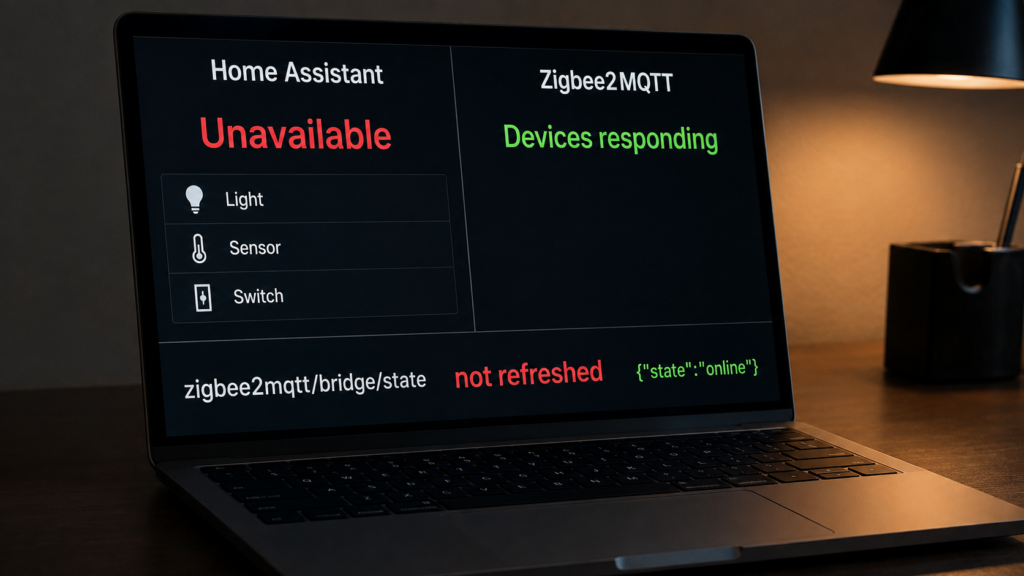
If many Zigbee2MQTT entities become unavailable after Home Assistant or the broker restarts, check the shared MQTT path before re-pairing devices. A stale bridge-availability message is one possibility, but missing discovery configs, a disconnected MQTT integration, permissions or per-device availability can produce similar symptoms.
This guide follows Zigbee2MQTT 2.14.2. Its current code publishes bridge availability after MQTT reconnect and after Home Assistant’s online announcement. An older report of a missing refresh is useful historical context, not evidence that the gap remains permanently unfixed.
The bridge topic describes Zigbee2MQTT’s MQTT connection. Per-device availability describes a different check. Inspect an affected entity’s actual discovery payload: a typical device can require both to be online, and custom settings can change that payload.
Confirm the symptom
Choose one affected device. Trigger a fresh report and, if appropriate, a command whose physical result you can see. Watch the state topic on the broker Home Assistant uses. A cached frontend value or a toggle displayed in the UI is not sufficient confirmation of a fresh report or successful execution.
If fresh traffic reaches that broker but Home Assistant’s entities fail together, inspect Home Assistant’s MQTT connection, discovery and shared availability. If Zigbee2MQTT has also stopped reporting or commanding devices, investigate its coordinator, device and broker paths rather than assuming the fault is entirely on Home Assistant’s side.
What bridge/state does now
The default topic is zigbee2mqtt/bridge/state, using your configured base topic if different. Current payloads are JSON: {"state":"online"} and {"state":"offline"}. Typical Zigbee2MQTT discovery configs read value_json.state; an old plain-text payload or mismatched template should not be assumed equivalent.
In 2.14.2, the MQTT connection handler publishes retained online state with QoS 1 on initial connection and reconnect. The configured last-will message can publish offline after an unexpected disconnect, and a normal stop publishes offline. A broker will message is separate from Home Assistant’s own online/offline announcements.
With the Home Assistant extension enabled, its handler listens on homeassistant.status_topic. Receiving online starts a 30-second timer, then publishes bridge online state and cached device/group states. It does not republish every discovery config. Registration depends on the retained discovery/startup path described in the discovery troubleshooting guide.
homeassistant/status: online

after the handler's 30-second delay:
zigbee2mqtt/bridge/state: {"state":"online"}
zigbee2mqtt/DEVICE: cached device state, if present
A cached state refresh is not a fresh physical reading. The bridge’s online state also does not prove every device is available. In a typical discovery payload, device availability is added with availability_mode: all when enabled, so a stale device-specific offline message can still keep that entity unavailable.
The historical reports and current code
Issue #32067 reports the missing bridge refresh on Zigbee2MQTT 2.10.1 in May 2026. Koenkk acknowledged it as a bug and invited a fix. The 2.14.2 source now contains the explicit publish before cached states. The issue’s closure alone would not establish either an unfixed fault or a promised future fix; the released code supplies the relevant behavior.
Issue #4854 describes a broker-reconnect problem on 1.15/1.16 in November 2020. Its older plain-text bridge payload and reconnect observations should not be promoted to a current universal mechanism. Check your installed version and logs before applying either report to it.
An old release may lack the current refresh path. Back up and follow the supported update instructions, then verify the actual messages. On the current implementation, a continuing fault needs evidence about the broker, discovery, status topic or availability payload rather than a permanent “never fixed” explanation.
Restart Zigbee2MQTT when its connection needs recovery
Once the broker is reachable and the settings are correct, restarting Zigbee2MQTT can republish bridge online state and perform startup discovery. Watch its logs and the topic to verify the result. It is a useful recovery step, not a guarantee that every unavailable entity clears immediately.
If startup fails or the online message never reaches Home Assistant’s broker, solve that connection/configuration problem first. Do not manually publish a fake retained online state to conceal an offline service. Re-pairing devices is not required merely to reconnect this MQTT path.
Check the birth-message handshake
In Home Assistant, inspect the MQTT integration’s broker and advanced birth/will settings under Settings → Devices & services. The normal birth is online on homeassistant/status. Broker connection options belong to the integration’s configuration flow; MQTT entity YAML is a separate feature.
Then compare the actual published birth topic with Zigbee2MQTT’s effective homeassistant.status_topic. The default changed from hass/status to homeassistant/status in 2.0.0. A custom old topic is valid if both sides still use it; a mismatch prevents the handler from receiving the announcement.
homeassistant:
  enabled: true
  status_topic: homeassistant/status
Check the effective enabled value, including Home Assistant app/environment overrides, and restart after changing these settings. Confirm subscription permissions and the received online message in Zigbee2MQTT’s logs. Issue #27458 already had a matching status topic; its retention/discovery discussion is not proof that every old configuration breaks at this line.
A long-running community thread contains reports of sending a delayed online announcement after Home Assistant starts. If your evidence shows a missed announcement, this can be a controlled retry to test, using the real configured topic. It is optional, not a required fix on current releases:
- alias: "Retry MQTT birth after Home Assistant start"
  triggers:
    - trigger: homeassistant
      event: start
  actions:
    - delay: "00:00:30"
    - action: mqtt.publish
      data:
        topic: homeassistant/status
        payload: online
The automation’s 30-second delay is followed by Zigbee2MQTT’s separate 30-second handler delay in 2.14.2. It cannot repair the wrong broker, an ACL denial, disabled integration or missing discovery by itself. Confirm the observed messages and keep the automation only if it addresses your demonstrated timing problem.
Retained messages and broker persistence
Retain is a publisher flag; persistence determines whether broker data survives shutdown/restart. Zigbee2MQTT normally requests retained bridge state and discovery configs. Its mqtt.force_disable_retain option removes the retain flag from publications and the configured will. It does not erase older retained copies already on the broker.
Mosquitto’s configuration reference says persistence defaults to false when not otherwise configured. Packaged services and apps may provide their own config. Check the running broker, not just a file you found on the host. A representative configuration is:
persistence true
persistence_location /var/lib/mosquitto/
Verify that directory is writable by the broker and persistent storage in a container. Back up the broker database before changes, follow its reload/restart procedure and check for persistence errors. Persistence stores the last retained value, which may be offline; it is not an instruction to mark a service healthy.
The current Zigbee2MQTT MQTT reconnect path also has a retained-message recovery mechanism, but should not replace checked broker storage. Inspect the exact bridge and discovery topics after a controlled reconnect. A global force_disable_retain override can undermine later replay even while live subscribers receive messages.
Other restart symptoms
| Observed symptom | Checks to make | Related guide |
|---|---|---|
| Many entities unavailable while fresh Zigbee2MQTT traffic works | Home Assistant MQTT connection, discovery replay, bridge and device availability, topic permissions | This guide |
| Displayed values revert after restart | Retained messages versus cached state; trigger a fresh report | Retain and state.json |
last_seen is stale |
Which event updated the timestamp and whether a new report arrived | last_seen |
| Devices disappeared from Zigbee2MQTT itself | Actual data directory/instance, database contents, startup reset or corruption | Database recovery |
Do not infer database corruption from every missing Home Assistant entity, or declare every stale timestamp harmless. Check the layer where the information stopped. The MQTT topic guide shows bridge, discovery and device topics in context.
FAQ
Why are all my entities unavailable after a restart? Shared broker/discovery/availability paths are good places to look. Confirm fresh state, inspect one entity’s discovery and availability payload, then check the actual bridge message and Home Assistant MQTT connection.
Will restarting Zigbee2MQTT fix it? It can restore bridge state and startup discovery when the connection/settings are correct. Observe the result; it does not fix every device or broker fault.
What should bridge/state contain? In the current release, JSON with state set to online or offline. Match the entity’s value template and configured base topic, especially after an upgrade from older payloads.
Should I enable retain at the broker? Check publisher retain behavior and broker persistence separately. Persistence preserves the last retained data, including offline state; the service must still publish its current status.
Is the old bridge-refresh bug still present? The cited report concerns 2.10.1. Zigbee2MQTT 2.14.2 explicitly refreshes bridge state on Home Assistant’s online announcement and MQTT reconnect. Continuing failures need current logs and topic checks.
Sources and limits
The current state/birth/reconnect behavior was checked in the Home Assistant extension and MQTT implementation. Home Assistant’s MQTT docs cover discovery, availability and birth/will settings. Issue and community accounts remain tied to the versions and installations reported.
No restart failure was reproduced on hardware for this article. A locally hosted broker, Zigbee2MQTT and Home Assistant can exchange these messages without a device vendor’s cloud, but that does not describe every broker hosting or other integration in a deployment.