

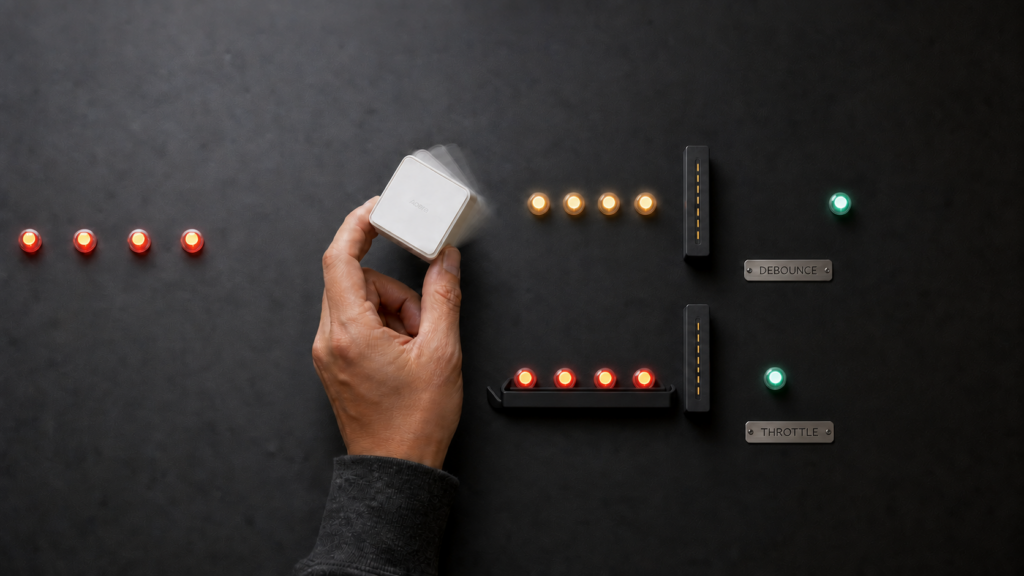
A noisy plug that republishes power readings every few seconds, a cube that collapses four distinct gestures into one MQTT message, a battery sensor that spams the Home Assistant logbook with an attribute nobody reads. Zigbee2MQTT has five per-device options built for exactly these problems: debounce, debounce_ignore, throttle, filtered_attributes, and filtered_cache. The official docs define each one in a sentence or two, which is enough if you already know which one you need. It isn’t enough if you’re trying to work out why your cube lost half its button presses after you added a debounce value.
This is a configuration synthesis piece, not a bench-tested one. Everything below comes from Zigbee2MQTT’s devices-and-groups documentation and the GitHub issues that show where the docs run out. No hardware is needed either way: these are software-only options that apply on your existing instance, with no cloud dependency.
debounce: merging rapid-fire messages into one
debounce tells Zigbee2MQTT to wait for a set number of seconds of silence from a device before it publishes anything. Every message that arrives during that window gets folded into a single combined publish once the silence period elapses. debounce: 5 means five seconds of quiet before the merged message goes out.
This is the right tool when a device fires several attribute reports back to back and you only care about the end result: a plug sending voltage, current, and power as three messages milliseconds apart becomes one publish instead of three.
Debounce delays every publish from the device by the configured window, not just the noisy ones. A short debounce (0.5-1s) is usually enough to merge chatter without making the device feel laggy in Home Assistant. Longer windows trade responsiveness for fewer messages.
debounce_ignore: not losing distinct actions
The tradeoff with debounce is that it doesn’t distinguish between attributes that changed meaningfully and attributes that are just noise. For a device that reports discrete actions rather than a slowly changing value, that’s a problem. A multi-action cube or rotary knob sends a separate action value for each gesture (rotate, flip, tap, slide), and if debounce merges three quick rotations into one publish, you lose two of them.
debounce_ignore exempts specific listed properties from being merged away during the debounce window, so they still get published individually even while everything else on the device is being combined. Listing action in debounce_ignore keeps every gesture intact while debounce quiets whatever else the device reports. The Aqara Magic Cube (MFKZQ01LM) is a concrete example of exactly this shape: a device where debounce alone would actively break the automations built around it.
throttle: dropping messages instead of merging them
throttle looks similar to debounce on paper. Both take a number of seconds. The behavior is different. throttle processes the first message it sees from a device, then ignores every subsequent message for the configured number of seconds. Anything that arrives inside that window is dropped rather than combined.
The docs draw one more line between them, and it’s the one that decides most cases: debounce can be told to exempt specific attributes, while throttle drops the entire message. There is no throttle equivalent of debounce_ignore. So debounce guarantees you eventually get a message, just delayed and merged. throttle guarantees the first message and nothing else until the window expires, even if a more current value showed up two seconds later. If the first reading in a burst is representative enough, throttle is the better fit.
Which one wins when both are set
Set both debounce and throttle on the same device and debounce takes priority. throttle has no effect at all. The docs state this directly, but it’s easy to lose in a flat list of option definitions, and it keeps coming back on the issue tracker: “Debounce/Throttle bug or unwanted behavior?” (issue #27762) and “Debounce and throttle” (issue #29724) both circle the same interaction.
devices:
  '0x00158d0000000001':
    friendly_name: living_room_cube
    debounce: 0.5
    debounce_ignore:
      - action
  '0x00158d0000000002':
    friendly_name: patio_plug
    throttle: 10
  '0x00158d0000000003':
    friendly_name: hallway_motion
    filtered_attributes:
      - battery
    filtered_cache:
      - illuminance
Note the shape: Zigbee2MQTT keys the devices section by IEEE address, with friendly_name as a property underneath. A block keyed by friendly name won’t load.
One interaction to plan around: options set under a top-level device_options block apply to every device that doesn’t set its own value, so a global debounce default and a per-device throttle are on a collision course. The inherited debounce wins and the throttle does nothing. Whether a per-device debounce: 0 cleanly cancels an inherited default is not something the docs spell out, so don’t build a configuration that depends on it. If you want throttle on some devices, set debounce per device rather than globally.
A bug report titled “debounce in default device_options doesn’t seem to be honnered” (issue #3004) describes a global default not reaching every device at all. Treat a global default as something to verify rather than assume: check the device’s actual publish behavior, or set the option explicitly on the devices where it matters.
filtered_attributes and filtered_cache: suppressing fields, not timing
Everything above is about when a message gets published. filtered_attributes and filtered_cache are about which fields are in it, and neither one touches timing at all.
filtered_attributes removes matching attributes from every publish, unconditionally. The docs describe both filter options as regex matches rather than plain attribute names, which is worth knowing before you write a broad pattern. If a device reports a battery value you never look at, filtering it means the attribute stops appearing in the published payload, so nothing downstream (Home Assistant included) receives it.
filtered_cache is narrower. It keeps an attribute out of Zigbee2MQTT’s cache, which has the effect of suppressing it from the payload when its value hasn’t actually changed since the last report. The attribute still gets published normally whenever the value moves. This is the option for a field you do want to see, just not repeated on every message when nothing about it has changed. An illuminance reading on a motion sensor is a reasonable candidate: useful when it changes, redundant when a dozen consecutive reports say the same lux value. If you’ve run into a device whose reported values seem stuck instead, our write-up on what Zigbee2MQTT’s last_seen actually tracks covers a related but distinct question.
| Option | What it does | Best for |
|---|---|---|
| debounce | Waits for N seconds of silence, then publishes one merged message combining everything received in that window | A device firing several reports in quick succession that you want combined into one publish |
| debounce_ignore | Exempts named properties from being merged away during a debounce window | Multi-action devices (cubes, knobs) where each distinct action needs its own message |
| throttle | Publishes the first message, then drops every following one for N seconds. Whole message, no exemptions | A chatty device where only the first reading in a window matters |
| filtered_attributes | Regex filter removing matching attributes from every publish, unconditionally | A value that’s reported constantly but never actually used |
| filtered_cache | Regex filter keeping an attribute out of the cache, so it isn’t republished when the value hasn’t changed | A value worth seeing, just not repeated every time it stays the same |
Practical recipes
A noisy plug reporting power every few seconds. Start with a short debounce (0.5-1s) so the voltage, current, and power reports fold into one publish. If sub-second granularity doesn’t matter, a longer throttle is simpler, at the cost of dropping intermediate readings rather than merging them.
A multi-action cube or rotary knob. debounce alone will eat distinct gestures. Pair it with debounce_ignore: [action] so every rotate, flip, or tap still publishes on its own, while other noisy attributes get merged normally.
A chatty motion or climate sensor. filtered_attributes for anything you never use, such as a diagnostic battery field piling up in the logbook. filtered_cache for illuminance or temperature, where you want every real change but not the redundant repeats.
A workflow gotcha worth knowing before you tune anything
Changing a device’s debounce setting in configuration.yaml requires a full Zigbee2MQTT restart before it takes effect. Editing the file and expecting the new value to apply immediately is the most common way people conclude a setting “isn’t working” when it simply hasn’t loaded yet. A feature request asking for these changes to apply live (issue #24374) was closed as not planned, so treat the restart as the workflow rather than something waiting on a fix.
I think filtered_attributes and filtered_cache are underused relative to debounce, mostly because the docs list all five with equal weight and don’t flag that two solve a completely different problem (payload content) from the other three (publish timing). If your complaint is “too much irrelevant stuff in the logbook” rather than “too many messages,” you want one of the filter options, not a debounce tweak.
If reducing message volume is part of a broader push to keep your MQTT broker lean, our MQTT broker security checklist covers the security side of that setup. And if it was a scene or group behaving unexpectedly in Home Assistant that sent you looking at message filtering in the first place, Zigbee2MQTT groups vs scenes covers a separate but commonly confused quirk.
FAQ
What’s the difference between debounce and throttle in Zigbee2MQTT?
debounce waits for a period of silence, then publishes one message merging everything received during that window. throttle publishes the first message it sees, then drops every message that follows for the configured duration, whole messages rather than individual attributes. It’s first-message-wins, not merge-everything.
How do I stop Zigbee2MQTT from missing button presses when debounce is enabled?
Add debounce_ignore with the property that carries the button or gesture data, usually action. That keeps every distinct press or gesture publishing on its own, even while debounce merges other noisy attributes on the same device.
Can I filter out just the battery attribute from a device’s MQTT messages?
Yes. List battery under filtered_attributes for that device and it stops appearing in the published payload. Use filtered_cache instead if you still want battery updates when the value actually changes, just not repeated on every report. Both options match by regex, so keep the pattern narrow.
Why doesn’t my global debounce default seem to apply to a specific device?
Two possibilities. A bug report titled “debounce in default device_options doesn’t seem to be honnered” (issue #3004) describes exactly that. The more mundane cause is a device-level entry setting its own value, which takes precedence. Check the device’s entry first, then verify the actual behavior rather than assuming the default is live.
Do debounce or throttle changes require restarting Zigbee2MQTT to take effect?
Yes. Restart Zigbee2MQTT after changing either option before concluding it isn’t working. The feature request asking for these changes to apply live (issue #24374) was closed as not planned, so a restart is the workflow, not a workaround for a pending fix.
What this piece verified
The five option definitions, the debounce-over-throttle priority rule, the regex behavior of the two filter options, and the fact that throttle drops whole messages rather than individual attributes all come from Zigbee2MQTT’s own devices and groups configuration documentation. The GitHub references were checked against their current state, and one changed the advice: issue #24374, the request for debounce changes to apply without a restart, is closed as not planned, which makes the restart requirement settled behavior rather than a pending fix. Issue #3004 is cited here for the behavior its title describes, not for any claim about whether it is still open.
Two things this piece deliberately does not assert. There is no documentation confirming that a per-device debounce: 0 cancels an inherited device_options default, so that mechanic is left out of the recipes rather than offered as a fix. And no hardware was tested for this article: the recipes follow from how the options are documented to behave, not from a bench run. A community discussion asking who actually uses these settings drew no replies, a fair signal that real-world usage patterns here are thinner than the feature set implies. If your device’s behavior doesn’t match what’s described, check your Zigbee2MQTT version against the configuration docs before assuming the option is broken, and restart before assuming anything at all.