

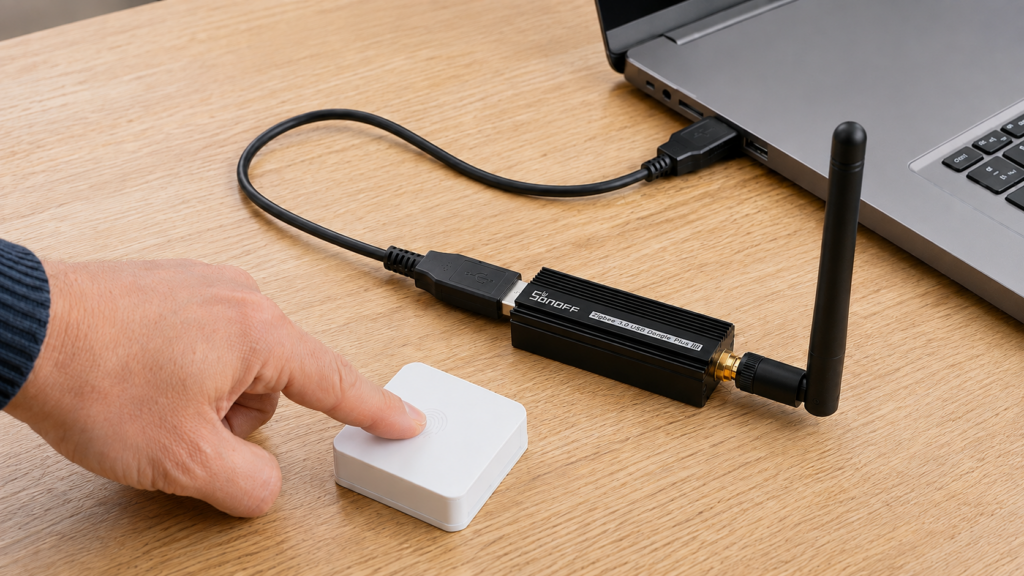
If your Zigbee2MQTT network is already paired and you’re seeing dropped devices, high LQI variance, or automations firing late, the channel you’re on, or didn’t pick, since 11 is the default, might be the cause. Changing it after devices are paired is a different operation from choosing one before your first pair. It is also a supported one.
That last part is worth saying up front, because the threads you’ll find on this question mostly don’t. Zigbee2MQTT changes the channel of a running network by broadcasting a network update to your devices when it starts, and most of them follow it. The extra step half those threads tell you to add, deleting coordinator_backup.json, is not part of that procedure. It’s the procedure for throwing the network away and re-pairing everything. Everything below happens inside your own Zigbee2MQTT instance and coordinator. No cloud service is involved.
Why channel 11 causes problems in the first place
Zigbee and Wi-Fi share the 2.4GHz band. Wi-Fi’s three non-overlapping channels are 1, 6 and 11, and Zigbee’s default channel 11 sits directly on top of Wi-Fi channel 1’s spectrum. If a router nearby, yours or a neighbor’s, is broadcasting on Wi-Fi channel 1, Zigbee channel 11 is fighting for the same airspace.
Zigbee2MQTT’s network configuration docs recommend 15, 20 or 25 instead, which are the Zigbee channels that sit in the gaps between those three Wi-Fi channels. The setting lives in configuration.yaml under advanced, alongside pan_id, ext_pan_id and network_key.
advanced:
  channel: 20
If you haven’t paired anything yet, that edit is the entire job and nothing else here applies to you.
Confirm interference is actually your problem
A dropped device or a laggy automation doesn’t automatically mean the channel is at fault. Mesh health issues, too few powered routers or a weak signal path back to the coordinator, produce the same symptoms, and a channel change won’t touch them. A stuck routing path is a separate failure mode worth ruling out first, covered in our many-to-one route failure guide.
If your symptoms are isolated to one or two devices rather than the whole mesh, or they track a specific automation rather than time of day, that points at routing or config, not interference. A channel change addresses network-wide instability, not individual flaky devices.
The procedure: back up, edit, restart
Zigbee2MQTT sends the channel-change broadcast during startup, when it sees that the channel in configuration.yaml differs from the one the network is running on. The change itself is therefore an edit and a restart. The steps around it exist to protect you from the devices that don’t follow.
- Confirm your adapter is zstack or ember (see the table below). Other adapter types don’t send the broadcast.
- Copy
coordinator_backup.jsonanddatabase.dbout of Zigbee2MQTT’s data directory to somewhere off the machine. - Stop Zigbee2MQTT.
- Change
channelunderadvancedinconfiguration.yaml. - Start Zigbee2MQTT and watch the log as it comes up.
- Trigger your battery-powered devices, press the button, open and close the contact, so they wake and receive the new channel.
Plenty of threads add “delete coordinator_backup.json” to this list. That is a different operation with a different outcome, explained in the next section. It re-commissions your network and requires re-pairing every device. If something later tells you to remove that file, rename it instead, and only after you understand what it does.
Pick your moment anyway. Don’t start a channel change on the way out the door for a trip. Expect some devices to be unresponsive for a while afterward, and leave yourself time to re-pair whatever doesn’t come back. This is the same class of whole-mesh maintenance as a coordinator firmware update, where the backup habit and the disruption window matter for the same reasons even though the mechanics differ.
Why so many threads tell you to delete coordinator_backup.json
That file records the network your coordinator is actually running: PAN ID, extended PAN ID, network key and channel. Zigbee2MQTT compares it against configuration.yaml at every startup, and when the two disagree it says so, loudly, naming each parameter that differs.
Configuration is not consistent with adapter state/backup!
That message also prints the coordinator backup’s full path and offers removing it as the way to re-commission the network, with a warning attached that re-commissioning means re-pairing all your devices. The threads quote the first half and drop the second, which is how a last-resort escape hatch became step four of a routine channel change. You can see the shape of it in the community discussion on changing the channel and in the threads about the inconsistency error itself.
Deleting the file is genuinely the answer to a different question: a network setting the adapter can’t be talked into changing, such as a new PAN ID or network key, or an adapter type that can’t broadcast a channel change at all. The price is the whole mesh, and the file you’d delete is the one a restore reads from. Our coordinator firmware guide treats it as what turns a bad flash into a restore rather than a re-pair, and our piece on a wiped or corrupted database.db covers how it differs from Zigbee2MQTT’s device database. Rename it, don’t delete it.
One commenter in that discussion reported hand-editing the channel in both configuration.yaml and coordinator_backup.json and having devices rejoin with their IDs intact. That’s a single reported outcome on an unsupported path, not a documented method, and on a zstack or ember adapter you shouldn’t need it.
What happens to your paired devices
The docs are direct about the two failure modes. Devices asleep when the broadcast goes out, which means most battery-powered end devices, don’t switch immediately; they pick it up on their next wake cycle, which is why triggering them manually is advised rather than optional. And some Zigbee devices don’t support channel changes at all: if one is still unresponsive several minutes after the change and after being woken, it needs a manual re-pair.
Mains-powered routers, bulbs, plugs, relays, generally follow the broadcast without intervention. Community reports match that split. Hue motion sensors are among the devices named in the main discussion thread as having rejoined on their own, while other people in the same thread re-paired several devices by hand. Treat any specific report as a report. The honest expectation is a mix, weighted by how much of your mesh is mains-powered.
A sleepy device that looks dead right after the switch is usually just asleep. Trigger it, press the button, open and close the contact, and give it a few minutes before you decide it needs re-pairing.
Which coordinators support this
| Coordinator family | Stack | Post-pairing channel change |
|---|---|---|
| Sonoff ZBDongle-P, other CC2652-based sticks | zstack | Broadcast sent at startup, per Zigbee2MQTT docs |
| Sonoff ZBDongle-E, SkyConnect/ZBT-1, other EFR32-based sticks | ember | Broadcast sent at startup, per Zigbee2MQTT docs |
| Other adapter types | varies | Not supported per Zigbee2MQTT docs; confirm your adapter’s stack before starting |
If you’re choosing between the two families, see our comparison of ZBDongle-E vs ZBDongle-P and our piece on SkyConnect/ZBT-1. Confirm the stack rather than inferring it from the model name: a change that never broadcasts is a different problem from one that broadcast fine and lost a few stubborn devices, and the fixes don’t overlap.
If the change doesn’t take effect
Start at the log, not at the devices. If Zigbee2MQTT came up reporting that the configuration isn’t consistent with the adapter state or backup, it’s telling you which parameter it refused, and the channel change hasn’t happened. If the log shows nothing of the sort and the devices are simply quiet, the broadcast went out and you’re waiting on wake cycles.
From there: confirm the adapter is zstack or ember, since nothing else broadcasts the change; give sleepy devices a full wake cycle, and trigger them; then re-pair whatever is still missing after several minutes. Re-commissioning the network by removing the coordinator backup is the last item on that list, not the first, and it’s the one you can’t undo without the copy you made in step 2.
Zigbee2MQTT documents the broadcast in a couple of sentences on a configuration reference page, while the top community results describe a delete-the-backup ritual with a full re-pair attached. I’d like to see the distinction on the project’s own troubleshooting pages, because the cheap version and the expensive version of this job look identical until you’ve already done the expensive one.
FAQ
Do I have to re-pair every device if I change my Zigbee2MQTT channel?
Usually not. On zstack and ember adapters Zigbee2MQTT broadcasts the change at startup and devices follow it: mains-powered routers promptly, sleepy battery devices on their next wake. Only devices that don’t support channel changes need a manual re-pair. Re-pairing everything is what happens if you remove the coordinator backup instead.
What’s the best Zigbee channel to avoid Wi-Fi interference?
Zigbee2MQTT’s docs recommend 15, 20 or 25 over the default of 11, since those sit outside the overlap zones created by Wi-Fi’s three non-overlapping 2.4GHz channels (1, 6 and 11).
Why did my Zigbee2MQTT channel change not take effect?
Check the startup log first. A “Configuration is not consistent with adapter state/backup!” error means Zigbee2MQTT found the configured network settings and the coordinator’s own state disagreeing, and it names which. The other common cause is an adapter that isn’t zstack or ember, which can’t send the channel-change broadcast at all.
Can I change the channel on a deCONZ or other non-zstack/ember coordinator?
Not through this procedure. Zigbee2MQTT’s docs limit the channel-change broadcast to zstack and ember adapters. Other adapters may offer their own tooling for it, so check your adapter’s own documentation rather than forcing the config change.
Will battery-powered Zigbee devices reconnect automatically after a channel change?
Generally yes, but not instantly. Sleepy end devices only receive the broadcast on their next wake cycle, so a device that looks dead right after the switch usually just needs triggering or a little time.
What this guide verified
This is a research-synthesis piece, not a bench test. No hardware was paired, re-paired or channel-switched for it, and there’s no test-bench data behind any claim above.
Traceable directly to Zigbee2MQTT’s own network configuration docs: the recommended channels, the advanced.channel field, the zstack and ember limitation, the fact that the change is performed as a network broadcast at startup, the behavior of sleeping devices and the advice to trigger them, and the note that some devices don’t support channel changes and need re-pairing. The wording and consequences of the configuration-inconsistency error come from Zigbee2MQTT’s own log output as reported in its discussions, including the warning that removing the coordinator backup re-commissions the network. The mixed device-level outcomes and the hand-edited-backup workaround come from discussion #7827 and are community reports, not documented behavior.
What still depends on your setup: which devices in your mesh follow the broadcast and which need re-pairing isn’t something any source can predict for you, and your adapter’s stack needs confirming rather than assuming. If you’re already in configuration.yaml, it’s a reasonable moment to review MQTT broker security, though that’s unrelated to the channel itself.