

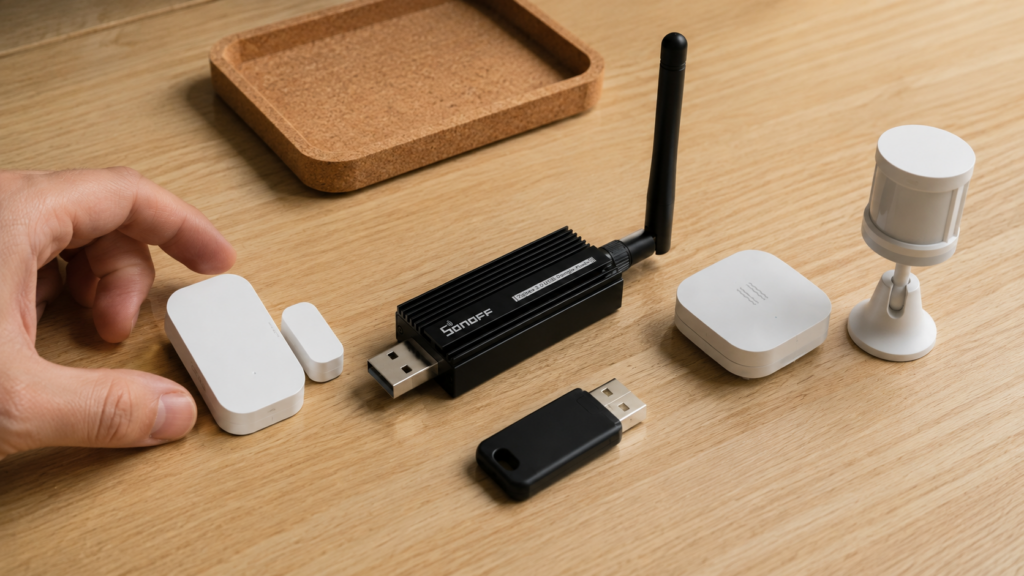
You can move from ZHA to Zigbee2MQTT by forming a new network and pairing again, or attempt to carry over the existing network and device records. A fresh pairing is the more predictable route. Carry-over can reduce physical re-pairing, but it depends on the coordinator, firmware, database format and exact devices.
Both routes create a separate Home Assistant integration with its own entities and device references. Carrying over a Zigbee network does not automatically preserve ZHA entity-registry IDs, device-trigger references or automations. Plan that Home Assistant work before deciding how much effort a database conversion saves.
This guide uses current Zigbee2MQTT 2.14.2 documentation, ZHA’s backup guidance, maintainer discussions and the archived community conversion recipe. No migration was performed on hardware for this article. Zigbee control and MQTT can stay local; downloading software, updates and using remote notification services are separate network activities.
Why migrate from ZHA to Zigbee2MQTT (and why it isn’t a hardware swap)
Compare support for your exact devices and the settings/actions you need. Zigbee2MQTT converters and ZHA quirks solve different integration problems; neither platform’s support is uniformly better for every model. The custom ZHA quirk guide helps when weighing a local quirk against a platform change, and ZHA versus Zigbee2MQTT for Aqara covers that broader decision.
This article concentrates on changing the software that controls one coordinator. Before proceeding, verify that Zigbee2MQTT supports the exact adapter and installed coordinator firmware using its adapter list and driver notes. A radio working in ZHA does not establish compatibility with every Z2M driver. Set the correct serial path and adapter type; for example, current Silicon Labs guidance uses ember with supported EmberZNet coordinator firmware rather than assuming old ezsp examples still apply.
Moving to new coordinator hardware is an additional operation. Backup support, coordinator identity and restoration are adapter-specific. Do not combine a driver change, firmware flash, new radio and database conversion into one undocumented step. The ZBDongle-E versus ZBDongle-P comparison and coordinator firmware guide address those hardware choices.
Create and download a full Home Assistant backup while ZHA still works, and export a current ZHA network backup from its integration configuration. Record radio model, firmware, IEEE address, serial path, channel and network identity. Keep credentials/network keys private. Also preserve the complete Zigbee2MQTT data directory if one already exists. Verify that the backups are readable and know the supported radio-restore route before a new controller is allowed to initialize the adapter.
Keep an inventory of friendly names, actual entity IDs, areas, device triggers, bindings, groups, reporting settings and important automations. A full Home Assistant backup preserves more than a copied zigbee.db, while a network backup preserves radio/network information. Neither alone replaces the other. Disable ZHA and confirm it releases the adapter before starting Z2M; disable automatic restart/start-on-boot behavior that could let either take the port unexpectedly.
Method 1: the reliable default, a clean re-pair
In discussion #16739, a Zigbee2MQTT maintainer recommends creating a new PAN ID and network key, then pairing devices again. Make the backups above first, prepare the MQTT broker and Home Assistant MQTT integration, and configure Z2M with the correct adapter before starting it.
advanced:
  pan_id: GENERATE
  ext_pan_id: GENERATE
  network_key: GENERATE
  channel: 20
Channel 20 is an example, not a recommendation for every home. Choose a supported channel after considering your Wi-Fi layout and device restrictions. These generated credentials form a new network; do not use this block for carry-over. Starting Z2M can replace network state on the same radio, so an untouched ZHA database is not sufficient rollback once that has happened.
- With ZHA disabled and its port released, start the prepared Z2M instance and check that the coordinator and broker connect without errors.
- Pair devices documented as routers first, in their intended positions where practical. Check the actual Zigbee role: mains power alone does not make a device a router.
- Pair other end devices, waking battery models according to their instructions. Keep joining open only while needed, then close it.
- Give devices stable friendly names and test real reports, commands and coverage. Restore model-specific settings, groups and bindings as needed.
- Enable MQTT discovery and check the resulting Home Assistant entities. Repoint and test automations before removing the disabled ZHA integration.
Router-first pairing builds useful parent coverage for sleepy end devices. It does not guarantee that every device chooses the desired parent or that it can never change routes later. Follow each manufacturer’s reset/join procedure rather than assuming all battery devices use the same button sequence.
What a clean re-pair costs you
You must physically reset/join the devices and rebuild the names and integration settings. Before overwriting anything, record custom reporting, calibration, groups and bindings; a factory reset can affect device-side settings too.
Home Assistant’s ZHA device/entity records do not become MQTT records merely because the same radio address appears again. Check every automation, script, dashboard and helper that names an old entity or uses a ZHA device trigger. Reusing a friendly name can help you recognize the device, but does not make the old integration’s registry identifiers transfer.
For a large network, the combination of physical pairing and automation checks can be substantial. That is a reason to stage the work and test representative devices first, rather than assuming a converted database will eliminate the Home Assistant part.
Method 2: carrying the network over instead of re-pairing
Carry-over has two required parts: the radio must use the existing network, and Z2M must have usable records for its joined devices. Discussion #7905 describes an unsuccessful OpenHAB migration after copying credentials; its maintainer reply advises re-pairing, rather than endorsing a ZHA conversion procedure. Discussion #24478 contains successful ZHA carry-over reports. Those establish particular outcomes, not support for every current coordinator/database combination.
Obtain the PAN ID, extended PAN ID, network key and channel from a fresh ZHA backup/diagnostic record. Preserve the radio identity and any stack-specific backup information required by the adapter. Matching the four YAML settings is necessary for this recipe, but is not proof that Z2M will accept the radio’s complete stored state. Resolve compatibility and restoration before the first Z2M start.
advanced:
  pan_id: 6754
  ext_pan_id: [0xAA, 0xBB, 0xCC, 0xDD, 0xEE, 0xFF, 0x11, 0x22]
  network_key: [12, 34, 56, 78, 90, 21, 43, 65, 87, 9, 10, 11, 13, 14, 15, 16]
  channel: 15
These are public placeholders; replace every value with your own. The channel must match the existing network. YAML hexadecimal numbers such as 0xAA and decimal numbers such as 170 are two representations of the same integer. Z2M uses an eight-byte extended PAN ID and a sixteen-byte network key, not one mandatory numeral style. Converting a colon-separated text string still requires splitting bytes and preserving the correct order. A network key’s byte order and a displayed EUI-64’s order must not be guessed from how similar their strings look.
The mietzen/zha-to-z2m repository is archived, read-only since July 2025. Its recipe reads zigbee.db and Home Assistant’s device registry, then appends device records and names and rewrites configuration. It is not a current supported migration wizard. The inspected revision 2f079e8ccb41b0cfc5aedd1571ea8a2845681fb1 lists testing on Z2M add-on 2.1.1-1, HA Core 2024.12.5 and HA OS 14.1, and warns that other installations require modification.
There are concrete reasons to inspect it before execution. Its device query joins endpoint rows, so a multi-endpoint device can produce duplicate IEEE entries. It labels generated records EndDevice until a new interview corrects them, assigns new numeric IDs, appends to an existing database and deletes the configuration’s advanced section before adding its values. Its overview says .store, while the actual registry command uses .storage/core.device_registry. Blindly pasting the recipe can therefore corrupt records or remove unrelated settings.
Use this preparation sequence for an advanced attempt:
- Keep the full HA and exported network backups. Disable ZHA and stop Home Assistant before taking a consistent copy of its database/registry, or extract them from a consistent full backup. Stop Z2M before copying its complete data directory. For SQLite, include any needed WAL state or use a proper SQLite backup; do not copy a live main database alone.
- Make a separate working directory containing
zigbee.db, the registry copy and a copy of the target Z2M data. Open the pinned recipe and adapt all its absolute paths to those copies. Keep its output out of the live data directories. - Inspect the actual SQLite table versions, network-backup JSON and registry identifiers. Confirm that the recipe’s field names, endian conversion and version-suffix selection match your files. Current Zigpy schemas are not established by a recipe tested on 2024.12.5.
- Validate generated JSON records and YAML. Require one record per IEEE address, unique numeric IDs, a valid coordinator record, correctly represented network values and preserved MQTT/serial/advanced settings. Compare the proposed output with its input. Do not rerun an append recipe against an already converted file.
- Only after those checks, place the prepared files in the stopped Z2M instance. Keep ZHA disabled, start Z2M once and inspect the full startup log. On a radio/network mismatch, stop; do not accept a reset or new-network prompt as part of carry-over.
- Interview known routers first, then other devices; wake sleeping models. Verify definitions, real reports and controls, restore groups/bindings/settings, then complete the Home Assistant entity/automation migration.
sqlite3 migration-work/zigbee.db "PRAGMA integrity_check;"
sqlite3 migration-work/zigbee.db "SELECT name FROM sqlite_master WHERE type='table' ORDER BY name;"
These commands inspect the copied database; they do not convert it. A result of ok checks SQLite integrity, not radio compatibility or correct generated device records. Protect the working files because network backups/configuration can contain the key. The database.db recovery guide explains the target file’s role.
Sequencing: don’t tear down ZHA too early
Keep ZHA configured but disabled until real device behavior and important automations work in Z2M. One controller must own the coordinator connection. Merely stopping an app once is insufficient if a watchdog or boot setting immediately reopens the port.
On failure, stop Z2M and prevent it from restarting. Restore the original HA configuration/database/registry as required. If the radio was reset, reinitialized or reflashed, restore its original compatible firmware/network state using ZHA’s supported backup process before enabling ZHA. Do not run two copied coordinators with the same network identity simultaneously. Retaining zigbee.db alone cannot undo a changed radio.
A copy of the old integration is useful only if you can return the radio and software to a compatible state. The community recipe’s “restart and ZHA should work” fallback describes its author’s situation, not a guarantee after every initialization, firmware change or partial conversion. Leave the old integration until you have verified the chosen route and can account for every important device.
Which method fits your situation
| Situation | Practical choice | Why |
|---|---|---|
| Small network, devices easy to reach | Fresh network and re-pair | Avoids dependence on an archived conversion recipe; HA references still need checking |
| Large network, difficult physical access, comfortable inspecting schemas and restoring the radio | Consider a staged carry-over attempt | May save physical re-pairing; does not remove interviews or HA automation work |
| No recent readable backup or no understood radio restoration | Prepare backups and rollback first | Both methods can change the coordinator/network |
| Need uninterrupted service today | Defer the migration | Neither route has a guaranteed completion time; the recipe itself warns against rushing |
FAQ
Can I migrate without re-pairing every device?
Some users have carried over a network and converted device records successfully. It requires compatible radio state, correct credentials, usable database records and new interviews. It remains an advanced, installation-specific attempt.
Will my device names and automations carry over?
The recipe can derive Z2M friendly names from a registry copy. It does not migrate HA’s entity registry, integration device IDs or ZHA trigger references. Audit automations for either method, recreate integration-specific triggers and test actual actions.
Do I need a new coordinator?
Not if the existing radio and firmware are supported by the chosen Z2M driver. A hardware swap is an additional migration with its own backup/restore constraints.
What order should I pair or interview devices?
Known Zigbee routers first, then other devices, waking sleeping end devices when needed. Confirm the actual router role rather than inferring it from a mains connection.
Can ZHA and Zigbee2MQTT run together?
They cannot control the same coordinator simultaneously. Keep ZHA disabled while Z2M owns it. Two separate coordinators on two independent networks are a different arrangement and do not justify running duplicate copies of the migrated network.
What this piece verified
The fresh-network recommendation and community carry-over reports are linked above. The archived recipe was read at the stated revision, including its tested versions, data sources, overwrite/append behavior and warnings. Current network-value shapes were checked against Z2M network documentation and the released configuration schema. ZHA’s backup and migration documentation supplies the supported network-backup context.
No conversion, radio restoration or hardware migration was tested here. The stopped-copy checks and staged verification are precautions derived from the recipe’s actual writes and the separate integration registries, not a claim that the archived recipe works unchanged with current Home Assistant. If the schema/radio checks cannot be resolved, use the fresh-network route after backups or postpone the change.