

ZHA Automation Broken After HA 2026.7? It’s Not ZHA
If an automation gated on a Zigbee sensor’s battery state quietly stopped firing after you updated to Home Assistant 2026.7, I went digging through the release notes and changelog to find out why. The answer surprised me a little. It has nothing to do with ZHA, Zigbee2MQTT, or your Zigbee network at all. Home Assistant renamed a batch of entity triggers and conditions in 2026.7, the old names stopped working outright, and ZHA/Z2M users are getting hit hardest only because of which triggers happened to land on the list. Here’s what actually changed, why it looks like a ZHA problem when it isn’t, and how to fix it in a few minutes.
Why This Isn’t a ZHA Bug
There’s at least one community thread active right now that pins the blame specifically on ZHA, describing automation time conditions as broken following the Home Assistant software update. I understand the instinct. You updated Home Assistant, a Zigbee-device automation broke, ZHA is the integration in the middle, so ZHA gets the blame.
But the 2026.7 release notes are specific about what changed, and it isn’t anything in the ZHA integration itself. Whatever ZHA-specific changes shipped in 2026.7 don’t touch triggers or conditions at all — the break comes from Home Assistant’s core automation engine, which renamed a set of built-in entity triggers and conditions for naming consistency across domains. That change applies the same way to ZHA, Zigbee2MQTT, Z-Wave, and every other integration with entities in the affected domains. It just happens that one of the renamed triggers is disproportionately common in Zigbee sensor setups, which I’ll get to below. (If you’re weighing ZHA against Zigbee2MQTT more broadly, our ZHA vs Zigbee2MQTT comparison covers the platform-level tradeoffs — this rename isn’t one of them, since it hits both identically.)
What Actually Changed in Home Assistant 2026.7
According to the official 2026.7 release blog, these are the entity triggers that got renamed.
| Old trigger | New trigger |
|---|---|
battery.low |
battery.became_low |
battery.not_low |
battery.no_longer_low |
lawn_mower.docked |
lawn_mower.returned_to_dock |
schedule.turned_off |
schedule.block_ended |
schedule.turned_on |
schedule.block_started |
timer.time_remaining |
timer.remaining_time_reached |
update.update_became_available |
update.became_available |
vacuum.docked |
vacuum.returned_to_dock |
Two conditions changed as well. climate.target_humidity became climate.is_target_humidity, and climate.target_temperature became climate.is_target_temperature.
This isn’t a soft deprecation. As of 2026.7, the old keys stop working entirely. An automation still referencing battery.low doesn’t fall back to old behavior with a warning, it just silently stops triggering. That’s the part that catches people off guard. Nothing in the UI flags the automation as broken. You just notice, eventually, that it hasn’t run in a while.
Why Zigbee/ZHA Users Are Hitting This More Than Anyone Else
Home Assistant’s own materials don’t say this part directly, so I want to be clear this next bit is my own reasoning, not an official explanation. Of the eight renamed triggers, battery.low and battery.not_low are the ones I’d expect to show up constantly in a typical ZHA or Zigbee2MQTT setup. Battery-powered Zigbee sensors, door sensors, motion sensors, leak sensors, are everywhere in these networks, and a low-battery notification chain is one of the first automations most people write once they have more than a handful of devices paired.
Nothing about the Zigbee stack changed. The rename would hit a Z-Wave door sensor’s battery trigger exactly the same way. It’s just that Zigbee setups tend to have more battery-powered end devices in the first place, so more people running ZHA or Z2M ended up with a battery.low trigger somewhere in their automations, and more of them noticed something broke right after updating. That holds whether your coordinator is a USB dongle or a networked box like the SMLIGHT SLZB-06 — the coordinator hardware has nothing to do with this rename either.
How to Fix It: UI Method
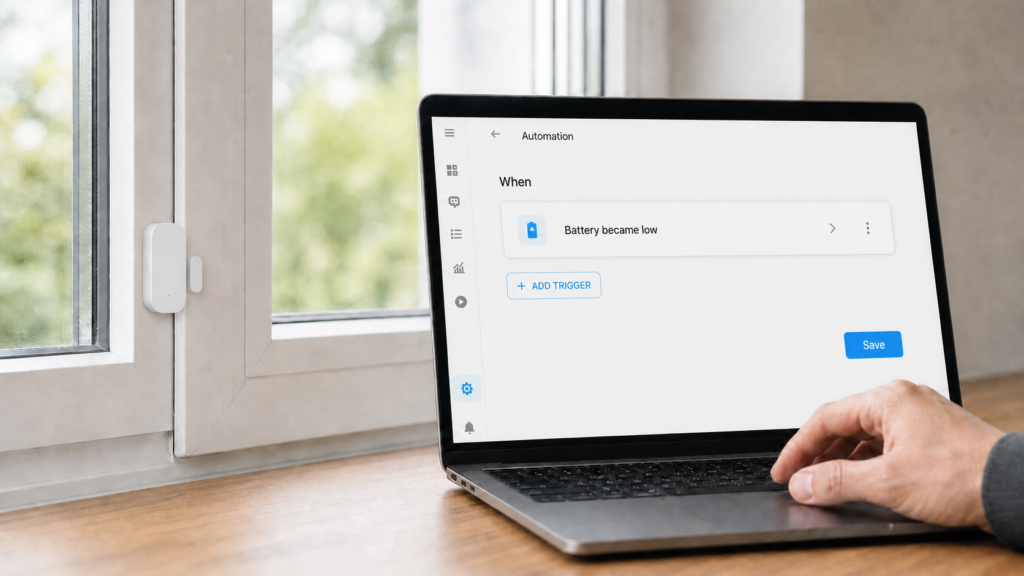
Open the automation or script that stopped working and look at the trigger or condition that references the old key. In the trigger picker, the option now appears under its new name, Battery became low instead of Battery low, for example. Re-select it, confirm any settings carried over correctly, and save. Repeat for any script conditions using the renamed climate conditions.
the UI doesn’t flag which specific automations are affected. You have to go through anything using battery, schedule, timer, update, vacuum, or lawn mower triggers and check manually, or search your automations.yaml for the old key names if you’re comfortable with that route.
How to Fix It: YAML Method
If you edit automations in YAML directly, this is a straight find-and-replace. Open your automation or script YAML and swap the old trigger or condition key for the new one, matching the table above exactly. For example:
trigger:
  - platform: device
    domain: battery
    device_id: your_device_id
    type: became_low   # was: low
Save and reload automations from Developer Tools, or restart Home Assistant if you prefer a full reload. There’s no migration script that does this for you as of 2026.7, so if you have several affected automations, working through your YAML directly is faster than clicking through each one in the UI.
A Separate, Smaller Deprecation: any → each
Don’t confuse the hard breaks above with a different, smaller change in the same release. The trigger-behavior option any was renamed to each. Unlike the trigger and condition renames, the old any value still works for now. It’s a deprecation warning, not a hard break, and it’s scheduled for removal in a future release rather than 2026.7 itself. If you’re seeing a deprecation notice about trigger behavior rather than a silently non-firing automation, that’s this change, and it’s lower urgency than the renamed triggers above.
Should You Expect More Renames Like This?
I can’t tell you Home Assistant’s future roadmap, but the pattern in 2026.7 is worth noting for anyone who wants to avoid this again. These were framed in the release blog as consistency renames, aligning trigger and condition naming across domains rather than fixing bugs. That kind of cleanup tends to happen in waves as the project standardizes older parts of the automation engine. I think scanning the changelog for renamed or breaking-change wording before updating a production Home Assistant install is a cheap habit that would have caught this one early, and it’s probably worth adopting as a standing step before any minor version bump, not just this one.
Frequently asked questions
Why did my ZHA automations stop working after the Home Assistant update?
Because Home Assistant 2026.7 renamed several core automation triggers and conditions, including battery.low, and any automation still referencing the old key stopped firing. It’s a core automation-engine change, not a ZHA-specific bug.
What is battery.became_low in Home Assistant?
It’s the new name for the trigger that used to be called battery.low, introduced in the 2026.7 release as part of a broader naming-consistency pass across several entity domains.
How do I fix a deprecated trigger error in Home Assistant?
Open the affected automation, re-select the trigger or condition, it’ll show up under its new name in the picker, and save. In YAML, replace the old key string directly with the new one from the table above.
Do I need to update all my automations after Home Assistant 2026.7?
Only automations built on the renamed triggers or conditions need updating. That covers battery, lawn mower, schedule, timer, update, and vacuum triggers, plus the two climate conditions. Everything else is unaffected.
Is this a ZHA bug or a Home Assistant bug?
Neither, really, it’s an intentional rename in Home Assistant’s core automation engine. ZHA itself shipped unrelated changes in 2026.7 and didn’t touch triggers or conditions. The rename affects ZHA, Zigbee2MQTT, Z-Wave, and every other integration with entities in the affected domains equally.
As of this writing, Home Assistant hasn’t shipped an automatic repair flow that migrates renamed triggers for you — if that changes in a future release, this manual fix should become unnecessary. Until then, the fastest path is checking any automation built around battery, schedule, timer, update, vacuum, or lawn mower state before assuming a Zigbee integration itself is at fault.