

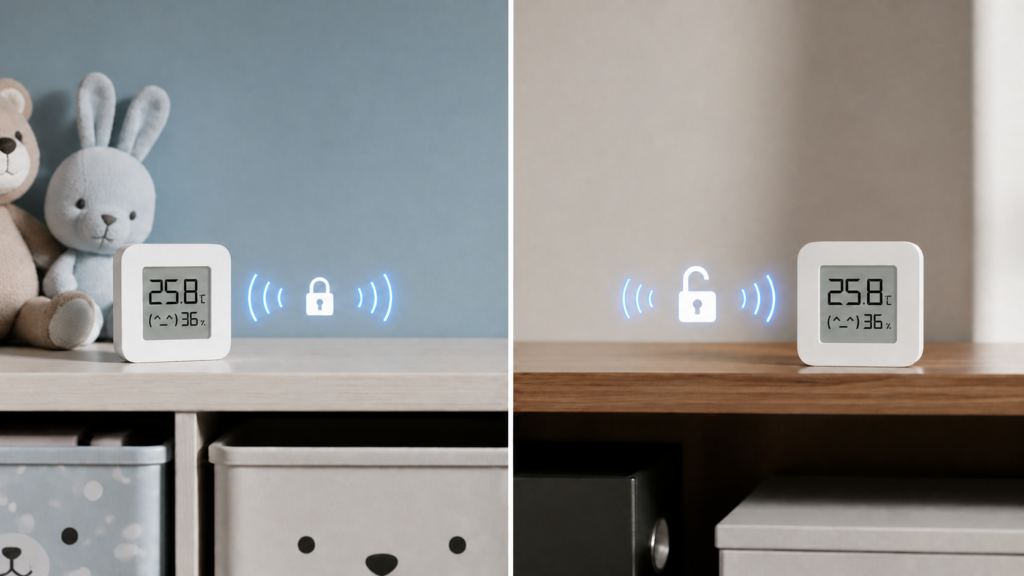
If you’ve added a Xiaomi or Mijia BLE sensor to Home Assistant and got asked for your Xiaomi cloud account username and password, you’ve probably paused. The integration is supposed to be local. Bluetooth broadcasts don’t need the internet to travel three meters to your HA server. So why does setup want a cloud login at all, and what is the bindkey it’s actually asking for?
The short answer is encryption. Most of Xiaomi’s BLE sensors don’t broadcast readings in the clear, and decrypting them requires a per-device key. Getting that key is where the cloud enters the picture, and it’s also the fork in the road: you can get the key and keep stock firmware, or you can flash custom firmware and skip needing a key at all. Which one makes sense depends on which sensor you own, because not every Xiaomi BLE device has both options, and a few don’t need a key in the first place.
This is a decision guide, not a flashing tutorial. The site already has full flashing walkthroughs for two popular models; this piece explains the mechanism behind the choice so you know which path fits your device before you start.
Why a “local” integration still wants your Xiaomi login
Xiaomi’s BLE sensors use a protocol called MiBeacon to advertise readings. The broadcasts are encrypted with a per-device key, which Home Assistant’s Xiaomi BLE documentation calls a bindkey (also referred to as a beaconkey). Without that key, HA’s Xiaomi BLE integration sees the advertisement but can’t read anything inside it.
There are two generations of the mechanism. MiBeacon v2/v3 devices use a 24-character, 12-byte key with unauthenticated AES encryption. MiBeacon v4/v5 devices use a longer 32-character, 16-byte key with authenticated AES. The newer scheme is the one that trips people up, because the most reliable way HA’s own docs describe to obtain that key is entering your Xiaomi cloud account credentials directly into the integration setup flow, which then imports the key automatically.
Which key length your device uses depends on its MiBeacon generation, not its product category. Two thermometers from different production years can use different key formats. Home Assistant’s integration handles both, but the acquisition step differs: the cloud-account import is documented for the v4/v5 scheme, while v2/v3 keys can’t be determined that way and need the separate methods documented in the BLE monitor project’s FAQ.
What the bindkey acquisition methods actually require
The cloud-login field in Home Assistant isn’t the only way to get a bindkey. There are three documented paths, and only one of them avoids touching Xiaomi’s cloud at all.
| Method | Touches Xiaomi cloud? | Stock firmware stays? |
|---|---|---|
| Xiaomi account login entered directly into HA (v4/v5 devices) | Yes | Yes |
| PiotrMachowski’s cloud token extractor tool | Yes, one query against your account | Yes |
| pvvx/atc1441 Telink Flasher, key pulled from the device during the flashing process | No | Only if you stop before flashing custom firmware |
That third option is a genuine gap worth knowing about: the same web-based flasher tool used to install custom firmware can also read the bindkey off the device locally, over Bluetooth, with no cloud round-trip. If you want to keep stock firmware and Mi Home app compatibility but object to typing your Xiaomi credentials into Home Assistant, extracting the key this way and then declining to flash is a real path. It’s just not the one most setup guides mention first.
For readers who want the fuller picture of what the cloud login path actually sends and stores, Xiaomi Home’s HA integration and what data it sends covers that separately. If you’ve gone the cloud-login route and gotten stuck on two-factor authentication, the cloud tokens extractor 2FA fix is a related, narrower troubleshooting piece — not a duplicate of the decision covered here.
The custom-firmware alternative: what pvvx actually replaces
The other path skips the bindkey question entirely. pvvx’s ATC_MiThermometer project replaces the sensor’s stock firmware with an open-source alternative that discards Xiaomi’s encrypted advertising stack. Once flashed, you choose which format the sensor advertises in. BTHome v2 is the one Home Assistant auto-discovers, and it carries readings in the clear, with no key involved anywhere.
Encryption doesn’t disappear from the picture; it just becomes yours to opt into. BTHome v2 supports encrypted advertising, and pvvx implements it: set a bindkey in the firmware’s own configuration and the sensor encrypts its broadcasts, with Home Assistant needing that key to read them. Leave the field alone and it broadcasts openly. That is the practical difference from stock firmware, where the key exists whether you want it or not and Xiaomi’s account system is where it lives.
Older pvvx builds offer four advertising formats — Xiaomi, ATC, Custom and BTHome v2 — and ship with a non-BTHome one selected, which is why both of this site’s flashing guides include an explicit “switch the format” step after the flash. The project’s README states that from firmware version 6.0 onward the non-standard formats are dropped and BTHome v2 becomes the only supported option. That consolidates formats; it does not make encryption mandatory. Community posts reading the 6.0 notice as “new firmware requires a bindkey” are conflating the two changes.
The trade-off is Mi Home app compatibility: custom firmware can’t be read by Xiaomi’s own app, so flashing gives up the vendor app and the cloud dependency together.
Flashing itself is done entirely over Bluetooth from a Chrome or Edge browser using the Web Bluetooth API, no disassembly beyond opening the device’s back cover to reach a pairing button. Our own LYWSD03MMC local setup guide walks through that process step by step and independently confirms the unencrypted BTHome v2 behavior: once the format is selected, any BLE scanner nearby sees the readings in plaintext.
Which devices actually support pvvx firmware
This is the part that trips people up most: pvvx’s project supports a specific, fixed list of hardware, not “any Xiaomi BLE sensor.”
| Device | Custom firmware support |
|---|---|
| LYWSD03MMC family (6 hardware sub-versions) | Supported |
| MHO-C401 / MHO-C401N | Supported |
| CGG1-M | Supported |
| CGDK2 | Supported |
| MJWSD05MMC (2 variants) | Supported |
| Plant sensors (e.g. HHCCJCY01 / Flower Care) | No custom firmware found as of this writing |
| Yeelight BLE remotes/dimmers (YLYK01YL, YLKG07YL/08YL) | No custom firmware found as of this writing |
Full setup guides for two of the supported models are already on the site: LYWSD03MMC and MJWSD05MMC. Both cover the flashing steps in detail — this piece is deliberately staying at the decision level rather than repeating them.
The “no custom firmware found” framing is worth being precise about. pvvx’s device list simply doesn’t mention those product families, which is different from an explicit statement that they’ll never be supported. Treat it as the current state and re-check the project if you’re shopping for one of those categories.
When custom firmware isn’t an option
If you own a plant sensor or a Yeelight BLE remote, the pvvx path is a dead end today. Before assuming that leaves you with the cloud, check whether your device encrypts at all, because not every Xiaomi BLE device does. The Flower Care plant sensor (HHCCJCY01) is the clearest example: Home Assistant can surface a missing-bindkey prompt for it while the readings keep updating anyway, which is exactly what home-assistant/core issue #135754 asks the integration to stop doing. If your entities are populating, you don’t have a bindkey problem, whatever the setup flow implies.
Where a key genuinely is required, the local-extraction method is documented against the pvvx-compatible thermometer family specifically, using that project’s own flashing tooling. It hasn’t been documented for other device families, so the realistic options are the ones that do touch Xiaomi’s cloud: the account-login field in Home Assistant, or the cloud token extractor tool.
That’s not a reason to avoid these devices. The cloud interaction is a one-time step to obtain a key; the broadcasts themselves stay local, passive Bluetooth advertising with no ongoing traffic to Xiaomi. The dependency is at setup, not at runtime.
An ESPHome Bluetooth Proxy extends BLE range for either stock-firmware (bindkey-encrypted) or custom-firmware (open-format) sensors. It solves coverage, not encryption. Whether you need a proxy and whether you need a bindkey are independent decisions — don’t let one influence the other.
Decision guide
If your device is on the supported list above and you don’t need Mi Home app compatibility, flashing pvvx is the cleaner outcome: no bindkey, no cloud step, ever, and the sensor broadcasts in an open format that any local tool can read. I think this is the right default for anyone buying LYWSD03MMC-family thermometers specifically for a privacy-conscious Home Assistant setup, since the flashing process is quick and well documented and the app trade-off rarely matters once the sensor lives in HA.
If your device isn’t on the list, or you need to keep Mi Home app access for another reason, the bindkey path is fine. Understand that it requires a one-time cloud interaction, pick the method from the table above that fits your comfort level, and know that the ongoing broadcasts themselves don’t phone home once the key is in hand.
If you’re not sure which category your device falls into, check pvvx’s ATC_MiThermometer device list by model number before assuming either way. For Zigbee-side context on how firmware choices affect update workflows more broadly across the Aqara/Xiaomi ecosystem, firmware updates without the app covers the equivalent question for Zigbee devices.
FAQ
Why does a “local” Home Assistant Xiaomi BLE integration ask for my Xiaomi cloud account?
Because the sensor’s broadcasts are encrypted, and the most common way to get the decryption key (the bindkey) is through Xiaomi’s cloud account system. The broadcasts themselves are local; obtaining the key to read them is the step that touches the cloud.
Do I need to flash custom firmware on my Xiaomi BLE sensor?
No. You can use the stock firmware with a bindkey obtained through Home Assistant’s cloud login or a token extractor tool. Custom firmware removes the need for a bindkey entirely, but it’s a choice, not a requirement, and it isn’t available for every device.
Which Xiaomi BLE sensors support pvvx custom firmware?
The LYWSD03MMC family, MHO-C401/C401N, CGG1-M, CGDK2, and MJWSD05MMC. Plant sensors and Yeelight BLE remotes are not currently on pvvx’s supported-device list.
Is Xiaomi BLE sensor data encrypted, and can I use it without an internet connection?
Stock firmware on most models encrypts it with a per-device bindkey, though some devices — the Flower Care plant sensor among them — keep reporting without one. Once you have the key, whether obtained via cloud login or local extraction, the broadcasts themselves don’t need an internet connection to reach Home Assistant. Custom firmware skips the encryption question by broadcasting in an open format from the start.
What happens to Mi Home app support after flashing custom firmware?
It stops working. Custom firmware replaces the entire advertising stack, and Mi Home can’t read the resulting broadcasts. This is a one-way trade for most users: local, open-format data in exchange for losing the vendor app.
What this research verified
This piece is research-synthesis, not hands-on testing. The bindkey mechanics, key-length differences, and cloud-login acquisition method are drawn directly from Home Assistant’s own Xiaomi BLE integration documentation. The pvvx supported-device list and flashing method come from the project’s own GitHub README. The BTHome v2 unencrypted behavior and the flashing process itself are cross-checked against this site’s own already-published LYWSD03MMC and MJWSD05MMC guides, which cover actual flashing steps.
The version question raised during drafting resolved as a format change rather than an encryption change: pvvx’s documentation states that BTHome v2 becomes the only supported advertising format from firmware version 6.0, while encryption remains opt-in behind a bindkey you set yourself. Community posts describing that release as “requiring a bindkey” conflate the two. One item stays open: the “no custom firmware” verdict for plant sensors and BLE remotes is an absence-of-listing inference, not a confirmed permanent limitation, and is worth re-checking if pvvx’s device list changes.
If you’re deciding between the two paths, the pvvx device list is the first thing to check, not the second. Everything else in this piece follows from whether your specific model is on it.