

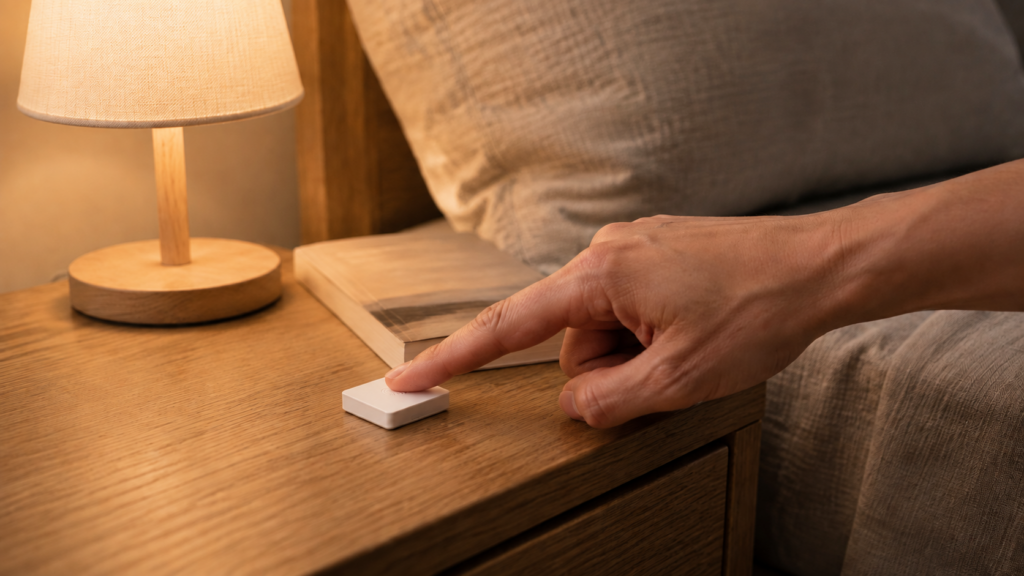
The Sonoff SNZB-01 is a small, battery-powered Zigbee button that pairs directly with Zigbee2MQTT or ZHA in Home Assistant. No Sonoff hub, no eWeLink account, and no cloud round-trip are needed to register a button press. The same hardware also ships white-labeled as the eWeLink RHK07, so if a listing or a box doesn’t say “Sonoff,” check the model number before assuming it’s a different device.
Pairing is the easy part. Two things trip people up: Zigbee2MQTT 2.0 changed how button presses reach Home Assistant, silently breaking automations written against the older pattern, and the newer SNZB-01P sold alongside this one doesn’t take the same battery.
This is a research-synthesis guide, built from Zigbee2MQTT’s device references for both models, the project’s own 2.0.0 breaking-changes discussion, and a documented Home Assistant Community thread. No unit from this family has been paired or bench-tested for this article, so treat the setup steps as documented, not hands-on-confirmed.
What the SNZB-01 actually is
On the Zigbee network, the SNZB-01 exposes three properties: battery (remaining percentage), voltage (battery voltage in mV), and action (the triggered press). It sleeps between presses and only wakes to report when you press it, which is standard for a battery end device.
Works with Zigbee2MQTT 2.x and ZHA, with no Sonoff hub or eWeLink account on either path. On Zigbee2MQTT 2.0 and later, presses no longer arrive as a text sensor entity by default — read the automation section below before copying trigger syntax from an older guide.
Worth knowing: the device can also control things by binding directly to the Zigbee OnOff cluster instead of triggering an automation. Binding is a Zigbee-layer link between two devices: the button tells a bulb or relay to toggle over the mesh without the press travelling through the MQTT broker and Home Assistant’s automation engine. Your coordinator still runs the network, still parents this sleepy end device, and is what sets the binding up — what binding removes is the automation layer, not the Zigbee layer. Useful for a light switch that keeps working while Home Assistant restarts, at the cost of the conditions, multiple targets and scenes automations give you.
Pairing the SNZB-01 with Zigbee2MQTT
Put Zigbee2MQTT into pairing mode from the frontend, then press and hold the SNZB-01’s button until the LED responds. Take the exact hold time from your own unit’s instructions — Sonoff redesigned the pairing control on the SNZB-01P, which has a separate external button, so the gesture doesn’t necessarily carry over between revisions. Once it joins, Zigbee2MQTT identifies it from its modelID and exposes the three properties above with no external converter.
{
  "battery": 94,
  "voltage": 3000,
  "action": "single",
  "linkquality": 126
}
That’s the shape of the payload on the device’s MQTT topic after a press — a representative example, not a capture from a specific unit. battery and voltage update on the device’s own reporting schedule; action appears only at the moment a press registers, then goes quiet until the next one.
If pairing stalls, or the device interviews but never settles, that’s usually a general Zigbee join issue rather than anything specific to this button. Our ZBDongle-E vs ZBDongle-P comparison covers coordinator choice, the first thing to check if joins are unreliable across several devices rather than just this one.
Reading button actions: single, double, long
Per Zigbee2MQTT’s SNZB-01 device page, the action property reports one of three values: single, double, or long. That’s the entire interaction surface. Three states, nothing more granular, and no separate “release” event to build hold-and-dim logic around.
Tuya’s multi-button scene switches enumerate a value per button per interaction type — our TS0043 three-button and TS0042 two-button guides cover that pattern. The SNZB-01 is deliberately minimal by comparison: one physical button, three logical outcomes. That’s the appeal for a single-purpose trigger like a doorbell announcement or a “goodnight” scene, where you don’t need six mapped actions.
SNZB-01 vs SNZB-01P: check the battery before you buy a spare
The SNZB-01P is the newer revision. Its exposed property set is the same, so nothing in your Zigbee2MQTT configuration changes, but the hardware underneath it is not a like-for-like swap.
| Model | Exposed properties | Battery | Vendor battery-life claim |
|---|---|---|---|
| SNZB-01 | battery, voltage, action (single/double/long) | CR2450 coin cell | Not stated |
| SNZB-01P | battery, voltage, action (single/double/long) | CR2477 coin cell | Up to 5 years |
Per Zigbee2MQTT’s device pages for the SNZB-01 and the SNZB-01P, the exposed property set is identical: same three entities, same three action values. The difference that will cost you an order is the battery. Both cells are 3V lithium, but the digits in a CR-series code encode diameter and thickness in millimetres, so a 2450 and a 2477 are physically different parts — the wrong one won’t seat in the holder.
The 01P is also the larger unit, with a bigger button face and a separate external pairing button. Treat its five-year figure as vendor marketing: it’s published without test conditions, press frequency, or reporting interval. The thicker CR2477 does hold more charge, so a longer service interval is at least directionally plausible.
The SNZB-01 and SNZB-01P take different coin-cell sizes (CR2450 vs CR2477). Confirm the model number printed on your unit before buying a replacement battery — the wrong size won’t physically seat in the holder, and the two model names differ by one character in most listings.
Automations: what Zigbee2MQTT 2.0 changed
A Home Assistant Community thread on the SNZB-01P describes automations that kept firing for some press types but silently stopped for others after an upgrade. No error, just a trigger that no longer matched.
The mechanism is documented on the Zigbee2MQTT side. In the 2.0.0 breaking-changes discussion, the project removed the legacy sensor.<friendly_name>_action entity that older guides and forum posts build their triggers on. Presses now surface as Home Assistant event entities and MQTT device triggers instead. An automation written against the old sensor-state pattern doesn’t error when that entity disappears — it just never fires.
Note the boundary: 2.0.0 is a Zigbee2MQTT version, not a Home Assistant one, and the thread above describes its symptom after a Home Assistant upgrade without pinning any version. So read the exposure change as the general cause, not as proof that a particular upgrade caused your case. Check what your own install exposes before rewriting anything.
The most durable trigger is a device trigger, because it’s published independently of the action sensor and survives this whole category of exposure change:
automation:
  - alias: "Hallway button - double press"
    trigger:
      - platform: device
        domain: mqtt
        device_id: REPLACE_WITH_YOUR_DEVICE_ID
        type: action
        subtype: double
    action:
      - service: light.toggle
        target:
          entity_id: light.hallway
Home Assistant’s device-trigger picker lists the subtype values your paired unit has actually reported, which beats trusting any guide for naming.
If you’d rather work from the event entity directly, its shape catches people out. The entity’s state is the timestamp of the most recent press, not the press type; the press type lives in its event_type attribute. So the trigger fires on the entity changing at all, and the press type is filtered in a condition:
automation:
  - alias: "Hallway button - double press"
    trigger:
      - platform: state
        entity_id: event.hallway_button_action
    condition:
      - condition: template
        value_template: "{{ trigger.to_state.attributes.event_type == 'double' }}"
    action:
      - service: light.toggle
        target:
          entity_id: light.hallway
Filtering in a condition rather than triggering on the attribute changing to double matters: two identical presses in a row don’t change the attribute’s value, but they do change the timestamp. A trigger keyed on the attribute would fire the first time and then sit silent on the repeat.
Zigbee2MQTT still ships an escape hatch. Setting legacy_action_sensor: true under the homeassistant block in configuration.yaml — or ticking the equivalent box in the frontend’s Home Assistant integration settings — brings the old action sensor back. The project documents it as deprecated and slated for removal, so it buys migration time rather than a permanent answer.
Skipping the boilerplate: the community blueprint
A maintained Home Assistant Community blueprint (awesome-ha-blueprints, controllers collection) maps single/double/long presses to configurable actions without three hand-written trigger blocks. Wiring up several of these buttons, importing it and filling in the target entity per button is faster. The usual caveat applies: a blueprint built against one exposure pattern won’t adapt if your installation exposes the entity differently, so check which it expects before assuming a clean import.
Once presses fire reliably, mapping them to several lights at once is the natural next step — Zigbee2MQTT’s groups and Home Assistant’s scenes aren’t the same mechanism, which our groups vs scenes guide covers.
FAQ
What’s the difference between the Sonoff SNZB-01 and SNZB-01P?
Both expose the same three properties with the same three action values, so neither your Zigbee2MQTT configuration nor your automations change. The differences are physical: a CR2450 cell on the SNZB-01 against a CR2477 on the 01P, which is also the larger unit with a separate external pairing button.
What battery does the Sonoff SNZB-01 use?
A single CR2450 coin cell. The SNZB-01P uses a CR2477, so check your model number before buying a spare — the two sizes aren’t interchangeable.
Why isn’t my SNZB-01’s double-press or long-press triggering an automation?
Check whether the entity your trigger references still exists. Zigbee2MQTT 2.0.0 removed the legacy sensor.<friendly_name>_action entity by default and moved presses to event entities and MQTT device triggers. An automation built on the old sensor state doesn’t error when that entity goes away, it just stops matching. Rebuilding it as a device trigger is the fix that survives future changes of this kind.
Does the SNZB-01 need a Sonoff hub?
No. It pairs directly with Zigbee2MQTT or ZHA, with no eWeLink account.
Can the SNZB-01 be used with ZHA instead of Zigbee2MQTT?
Yes. The examples here use Zigbee2MQTT’s conventions; ZHA models the same presses through its own device triggers, which use a different domain value in the trigger block.
What this guide actually verifies
The device facts trace to Zigbee2MQTT’s reference pages for both models: the three exposed properties, the three action values, the CR2450 and CR2477 specs, and the RHK07 white-label name. The action-exposure change traces to Zigbee2MQTT’s own 2.0.0 breaking-changes discussion, the failure symptom to one Home Assistant Community thread, and the blueprint to its documentation page. The five-year battery figure is Sonoff’s marketing claim, published without test conditions.
No unit has been paired or bench-tested for this article — this cluster has no owned hardware yet. The pairing steps are documented rather than confirmed, and the hold time to enter pairing mode is a per-revision detail worth taking from your own unit’s instructions.
What stays fully local: pairing, the three exposed properties, and every automation pattern here run entirely through your own Zigbee2MQTT or ZHA instance and MQTT broker. Nothing depends on eWeLink, a Sonoff account, or an internet connection at any point, including under the RHK07 name.
What still depends on a vendor: the battery spec is Sonoff’s to set, and the deprecation timeline on legacy_action_sensor is Zigbee2MQTT’s. If you own one of these buttons, the check worth doing today is to open it in Home Assistant’s entity list and confirm whether presses arrive on a sensor or an event entity before copying trigger syntax written against the other pattern. That one check separates an automation that works from one that fails silently.