

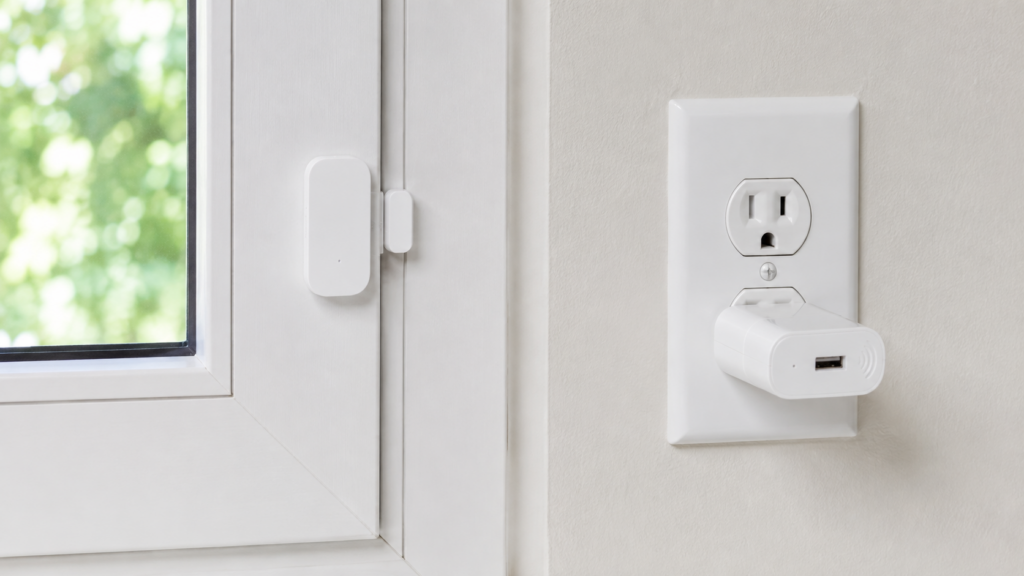
If you’re running a mixed Zigbee mesh, Aqara or Xiaomi sensors alongside routers from other brands, you may have hit this pattern. A battery device pairs fine, then drops off and won’t reliably rejoin once its parent is anything but an Aqara or Xiaomi device. That’s not random flakiness, and it isn’t only a folklore problem: Zigbee2MQTT documents it on the device pages for the affected sensors, and it names the router brands where it’s known to happen.
This builds on our routers versus end devices piece on Zigbee device roles generally. Read that one first if you’re not sure which of your devices are supposed to be doing the routing. Here the question is narrower: given a device that genuinely is a router, does it actually hold an Aqara or Xiaomi end device on the network, or does the brand pairing itself cause the problem? Everything below is local either way, under Zigbee2MQTT or ZHA (our ZHA versus Zigbee2MQTT comparison covers that choice if you haven’t made it), because no cloud service is involved in whether one Zigbee device accepts another as its child.
The cause: a Zigbee 3.0 keep-alive mismatch
Zigbee2MQTT’s documentation for the affected sensors carries a standard troubleshooting note: if the device stops responding, one known cause is that it is connected through a router that cannot deal with Xiaomi devices, followed by a named list of brands. That note appears across the Xiaomi and Aqara device pages for the temperature, motion, contact and button sensors, which makes it a maintainer-curated statement rather than a forum rumour.
The explanation cited most often for why isn’t a firmware bug on either side. Zigbee 3.0 defines a keep-alive, or aging, mechanism that lets a router track whether a child device is still present and drop stale entries once they age out. Routers that implement that aging behaviour as specified expect their children to check in on schedule. Aqara and Xiaomi battery devices are widely reported not to implement that keep-alive correctly, so the router ages the device out of its table even though the device is still there and still trying to talk. The most detailed community write-up of this is a long-running Zigbee2MQTT discussion, #12237, opened in 2022 specifically to rebuild a compatibility list that had gone stale.
Two different kinds of source sit behind this article. The list of brands that fail is a maintainer-curated note in Zigbee2MQTT’s own device documentation. The mechanism, and the list of routers reported to work, come from community discussion. Neither is a lab-tested compatibility matrix, and neither is a certified spec.
That note sits on the pages for the first-generation sensors, which is consistent with the mechanism: the original Aqara contact sensor, for instance, is a Zigbee 1.2 device, while the later T1, P1 and E1 generations are Zigbee 3.0. If you’re not sure which generation you own, our Aqara model naming guide decodes the model codes. A newer device being on a newer stack is a reason to expect fewer problems, not evidence that any particular model is immune — the documentation doesn’t make that claim either way.
Which router brands are reported to fail, and which hold up
Zigbee2MQTT’s note names Centralite, General Electric, Iris, Ledvance, Legrand, OSRAM, Sylvania, SmartThings and Securifi as routers known to have this problem with Xiaomi devices.
On the other side, IKEA TRÅDFRI (bulbs, plugs, and the dedicated signal repeater) and Philips Hue bulbs and plugs are repeatedly recommended in that discussion and in the wider Home Assistant community as reliable parents for Aqara and Xiaomi end devices. That’s a pattern worth taking seriously, not a certification. Neither IKEA nor Philips markets its hardware as Aqara-compatible, and I found no official interoperability statement from any vendor involved.
One caution about the community side. Discussion #12237 exists because the list it replaced, from 2018, had aged badly — and that older list recommended OSRAM and Sylvania hardware as compatible, the same brand family the current documentation names as a problem. If you find a compatibility list for this in a forum thread, check how old it is before you buy from it.
| Router or repeater | Reported behaviour as parent for Aqara/Xiaomi end devices | Where it comes from |
|---|---|---|
| Centralite, GE, Iris, Ledvance / OSRAM / Sylvania, Legrand, SmartThings, Securifi | Known to drop the device or fail to keep it connected | Zigbee2MQTT device-page note |
| IKEA TRÅDFRI bulbs, plugs, signal repeater | Commonly recommended, reported reliable | Community discussion and HA forum |
| Philips Hue bulbs and plugs | Commonly recommended, reported reliable | Community discussion and HA forum |
| Aqara / Xiaomi mains-powered devices | Reported reliable, same vendor implementation on both ends | Community discussion |
| Everything else (Sonoff, Innr, Third Reality, MOES and similar) | Scattered single-user reports in both directions, no settled pattern | Individual comments only |
The asymmetry is what bothers me here. The failing side of this list is documented by the people who maintain the integration; the working side rests entirely on community consensus. A buyer planning a mesh gets a curated warning about what to avoid and word of mouth about what to buy, and nothing at all from the companies who made either device.
The fix the documentation actually suggests
The same device-page note offers a remedy, and it isn’t “buy a different router”. Press the device’s reset button and re-pair it while it is physically next to the coordinator, so it joins the coordinator directly instead of picking a problem router as its parent.
That works because of how these devices behave: they choose a parent when they pair and are widely reported not to go looking for a new one afterwards. It’s also why they stay dead after a router reboots, instead of quietly re-attaching somewhere else.
The limit is physical. If the sensor’s permanent position is out of direct range of the coordinator, pairing it beside the coordinator only helps until it needs a hop again. At that point the honest options are to put a known-good router in the path or to accept that the device will route through a brand the documentation warns about.
When network size is the real culprit, not the brand
Not every mixed-brand instability report traces back to the aging mechanism. Community reports in adjacent forums, including threads on iobroker.net, describe large mixed-brand networks — dozens of IKEA, Xiaomi and Tuya devices on a single coordinator — that only became stable after being split into two smaller networks on separate coordinators. That points at mesh size and coordinator load rather than any specific brand pairing. If your drops are confined to particular brand combinations, the keep-alive mismatch is the better explanation; if the whole network degrades as the device count climbs, look at size first.
Practical checklist for planning a mixed-brand mesh
- Confirm which of your devices are actually routers before troubleshooting a “won’t route” symptom. Our routers versus end devices piece covers that audit.
- If an Aqara or Xiaomi device keeps dropping off one specific brand of router, check that brand against Zigbee2MQTT’s device-page note before assuming a bad unit or a bad pairing.
- Try the re-pair-beside-the-coordinator fix before buying anything. It costs nothing and it isolates the problem.
- If you’re buying a router specifically to carry Aqara and Xiaomi devices, IKEA TRÅDFRI and Philips Hue are the commonly recommended starting points — on community reports, not certification.
- If instability shows up network-wide as the device count grows, test splitting into two networks before chasing a brand explanation.
- Don’t treat either side of the list as exhaustive. A brand’s absence means no reports, not a clean bill of health.
FAQ
Why won’t my Aqara sensor connect through my IKEA or Sonoff plug? IKEA TRÅDFRI is one of the combinations the community reports as reliable, so a persistent failure there is more likely a pairing or interference issue than the brand pattern this article covers. Sonoff isn’t on Zigbee2MQTT’s documented list either way, and individual reports run in both directions, including a Home Assistant thread about Aqara devices no longer pairing through a Sonoff ZBBridge acting as a router. Treat it as unsettled rather than known-good.
What routers work best with Aqara and Xiaomi Zigbee devices? IKEA TRÅDFRI and Philips Hue bulbs, plugs and repeaters, on community consensus rather than any vendor guarantee.
Is it safe to mix Aqara devices with other Zigbee brands on one network? Yes, in the sense that nothing about mixing brands damages hardware or breaks the protocol. The practical risk is that specific router brands don’t reliably keep certain Aqara and Xiaomi end devices connected, which is a reliability problem, not a safety one.
What is the Zigbee 3.0 “aging mechanism” and why does it matter for Aqara devices? It’s the keep-alive process a router uses to decide whether a child device is still present. Aqara and Xiaomi battery devices are reported not to implement it the way spec-following routers expect, which is the most commonly cited reason those routers drop them from their tables.
Should I put Aqara devices on a separate Zigbee network from other brands? Not by default. Most reported problems trace to specific router brands rather than to mixing in general, so a targeted fix — re-pairing the device, or swapping the router involved — usually solves it. A separate network is a reasonable fallback if you’re running a large mesh and troubleshooting hasn’t isolated the cause.
What’s verified, what stays local, what to check yourself
The list of brands on the failing side comes from Zigbee2MQTT’s own device documentation, a maintainer-curated note repeated across the affected Xiaomi and Aqara device pages, along with the re-pair-beside-the-coordinator remedy. The keep-alive explanation and the routers recommended as reliable come from community discussion (#12237) and Home Assistant forum threads. None of it is bench testing on this site, and none of it is a vendor compatibility matrix, so treat every brand named here, on either side, as reported rather than certified. The network-size pattern from iobroker.net threads is included as a general consideration; those specific threads weren’t independently verified for this piece.
Everything discussed operates on your local Zigbee mesh under Zigbee2MQTT or ZHA. No cloud service is involved in which router a device attaches to, or in the aging mechanism that drops it.
If you’re planning around a router model that appears on neither side of this list, your own logs after a week of real use will tell you more than any list will, including this one. The check worth doing first is the cheap one: re-pair the device next to the coordinator and see whether the problem follows it.